Akai Professional’s latest MPC 3.10.1 update signals another leap in standalone music production. This manufacturer video walks through the fresh capabilities, focusing on how producers can unlock new creative workflows. From custom plugin integration via the SDK to track and plugin expansions, Akai’s approach is targeted at modern producers who crave flexibility and power. We break down each update highlight, emphasizing what’s actually shown and what these enhancements might mean for studio and stage environments.
13. November 2026
LYRA
Akai Professional Pushes Boundaries with MPC 3.10.1 Update
Creative Freedom Redefined
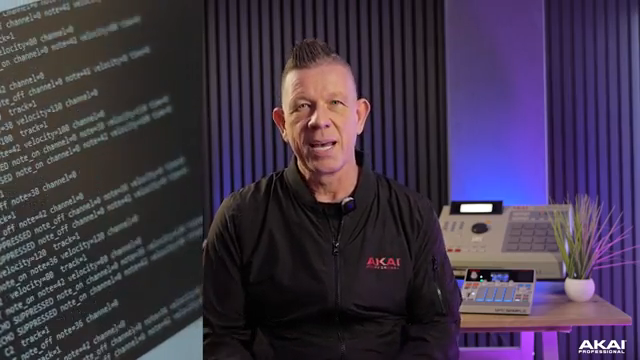
The MPC 3.10.1 update is introduced as a pivotal moment for standalone music production, with Akai Professional’s video emphasizing new avenues for creativity and experimentation. The presentation sets the stage by highlighting how this firmware makes it easier for producers to realize their musical ideas without external dependencies.
From the outset, Akai’s messaging is clear: this update isn’t just incremental, it’s about enabling users to break out of previous constraints. The video positions MPC hardware as a central production hub, suggesting that the new features are designed to appeal to both workflow tinkerers and those who want to get hands-on with sound sculpting.
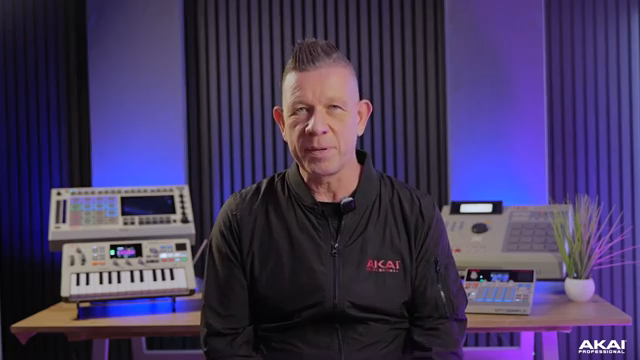
"MPC 3.10.1 takes standalone music production further, giving you more freedom to create, experiment, and bring your ideas to life."
© Screenshot/Quote: Akai Pro (YouTube)
Custom Plugin Horizons
"Discover new sounds with custom plugins built using our free official Software Development Kit."
© Screenshot/Quote: Akai Pro (YouTube)
One of the most significant announcements is support for custom plugins built with Akai’s free Software Development Kit. While the video signals the creative potential of user-generated instruments and effects, it’s careful to point out that the SDK is available for download, inviting technically inclined producers and third-party developers to expand the MPC ecosystem. This move hints at a future where MPC users aren’t limited to factory sounds—though the true breadth of this feature will depend on community adoption and the quality of third-party plugin offerings.
More Tracks, More Ambition
The update’s expanded track and plugin limits are highlighted as critical for users working on larger, more complex projects. Akai’s walkthrough demonstrates how these changes open up new project structures, allowing for richer arrangements and more layered productions within the MPC environment.
For producers accustomed to bumping up against previous limitations, the increased capacity is a welcome change. The video shows that with 3.10.1, users are less likely to face creative bottlenecks when building dense, multi-part compositions.
"Build more ambitious projects with expanded track and plugin capabilities."
© Screenshot/Quote: Akai Pro (YouTube)
Workflow Streamlining & Remote Collaboration
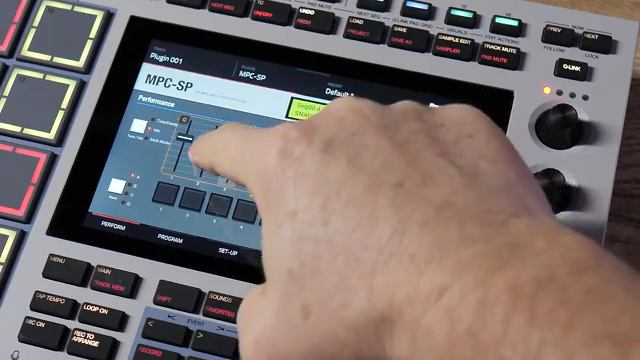
"Streamline your workflow with mouse support, and share your creative process with remote screen and audio streaming."
© Screenshot/Quote: Akai Pro (YouTube)
Beyond sound and track enhancements, Akai spotlights workflow improvements: mouse support is now integrated, making navigation and editing more accessible, particularly for users who prefer hybrid setups. The video gives a quick demo of how a mouse can speed up everyday tasks, bridging the gap between hardware immediacy and DAW familiarity.
Remote screen and audio streaming features are also introduced, catering to those who want to share sessions or collaborate in real time. While the demonstration is brief, the implication is that MPC 3.10.1 is positioning itself not just as a studio tool, but one that’s ready for the realities of remote education, feedback, and even performance.
This article is also available in German. Read it here: https://synthmagazin.at/akai-professional-erweitert-moeglichkeiten-mit-dem-mpc-3-10-1-update/
More articles about these products:
 MPC Sample: Different Software, Same Pads?
 Akai MPC Sample: How Much MPC Do You Really Need?
 MPC Sample Reality Check: Sunwarper Spills the Good, the Bad & the Groovy
 Akai Professional’s MPC Sample: Chopping, Grooving, and Crafting Without Barriers
 TAETRO vs. Pocket-Sized FM Fury: The MVAVE FM-1 Reviewed
 TAETRO vs. Creative Block: Chasing Beats with the MPC Sample & TempoKEY K32 Play
 Moog Music: Layering the Messenger with Akai MPC Sample – A Workflow Deep Dive
 Moog Music: Analog Drum Synthesis Meets Modern Sampling with Messenger & MPC Sample
 TAETRO’s Sidekick Obsession: Teenage Engineering Finds the Missing Link
 AudioPilz Toys with the MPC Sample: Teenage Engineering Vibes, Akai Grit
 Why MALO BEATS Thinks the MPC Sample Outguns the Rest
 Sunwarper vs. The DAW: Why Portable Samplers Rule the Studio Streets
Watch on YouTube:
Latest articles
Watch on YouTube:
Visit the channel:
https://www.youtube.com/Akai_Pro
https://www.youtube.com/Akai_Pro
Links from Akai_Pro:
website: https://akaipro.com
instagram: https://instagram.com/akai_pro
facebook: https://www.facebook.com/AkaiPro
twitter: https://twitter.com/akai_pro
google_plus: https://plus.google.com/107127819149441645522/posts
Sponsored links:
If you purchase via these links, we may earn a small commission – at no extra cost to you. The link opens an Amazon keyword search, and results may vary depending on availability.
AKAI MPC 3.10.1
🔗 Check price on Amazon
🔗 Check price on Amazon
Akai MPC Sample
🔗 Check price on Amazon
🔗 Check price on Amazon