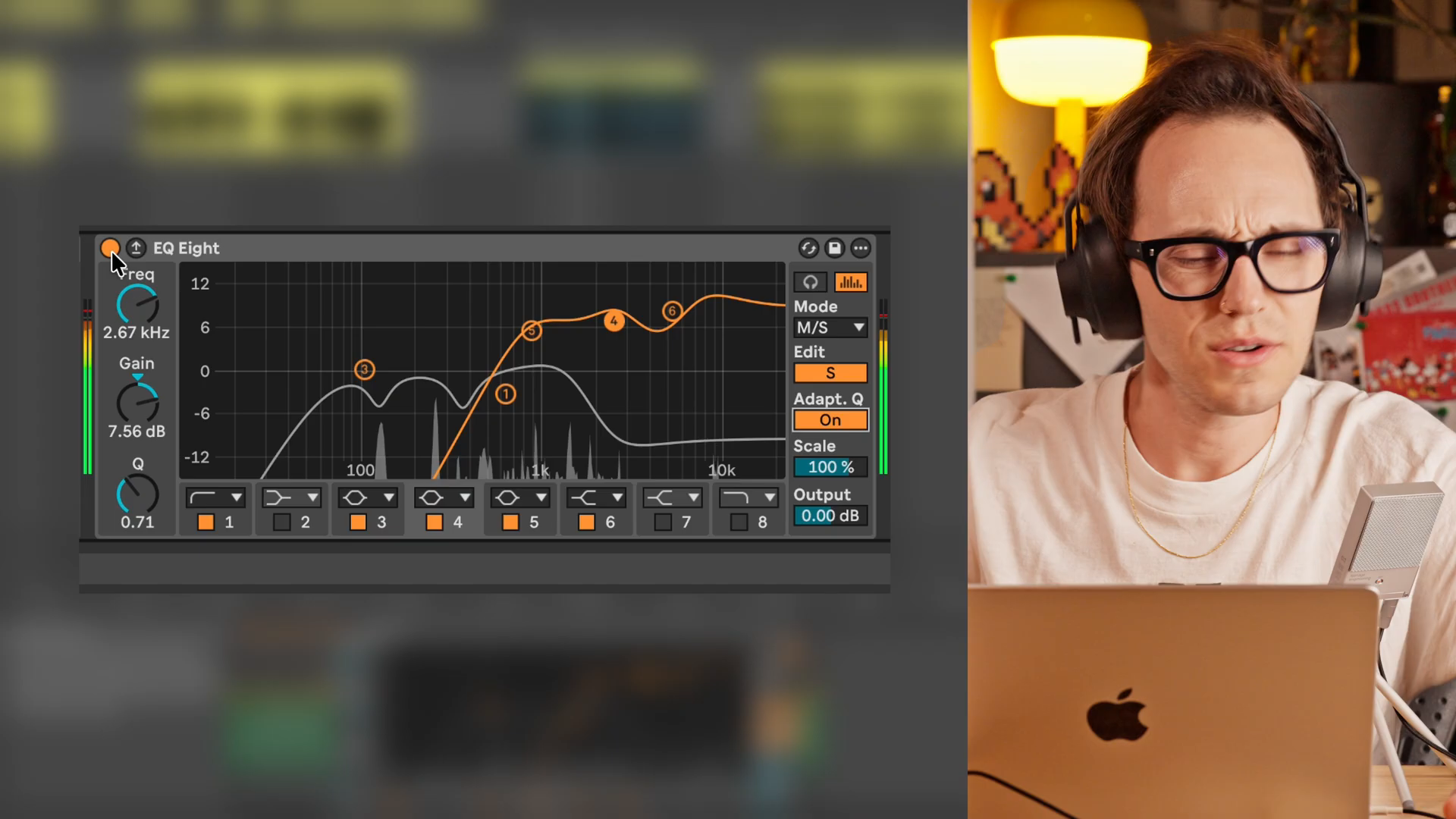
He guesses 250 hertz, keeps searching—and ends up at 120. In his video "How to Use an EQ: Frequency, Gain & Q Explained," published on November 9, 2026, Taylor Fiore leaves in the detours. That's a good thing: Sound processing gets interesting where someone actually makes decisions, instead of just showing off a pretty curve. Using Ableton's EQ Eight, he then tackles the mid and sides separately.
Mid is not just mids
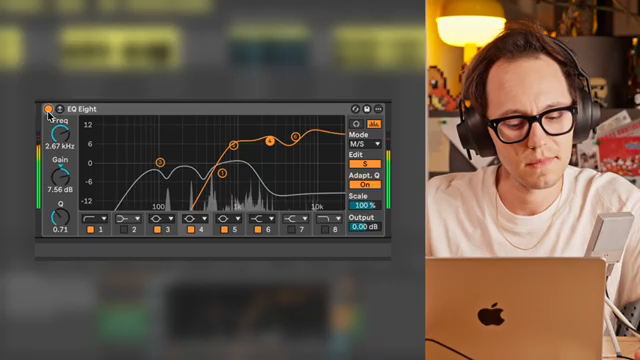
“A lot more width is kind of not the right… that felt a little too much. It's more like clarity that I'm getting on the side, and there's like a little extra hint of brightness that is happening on the edges that you aren't hearing without this”
© Screenshot/Quote: Taylor Fiore (YouTube)
Fiore first explains the different operating modes of the EQ. In mid/side mode, the mid (the mono component) and the sides each get their own curves. This isn't about splitting low and high frequencies. His example: a stereo piano sample with built-in effects. When there's no separate effect track available, at least the mid and sides can be weighted differently.
In the demonstration, Fiore wants less brightness in the center and searches for a problematic frequency there. Then he switches to processing the sides and demonstrates the difference. At first, he describes more focus in the center and much more width. Then he corrects himself: width doesn't quite capture what he hears. This clarification is more valuable than the usual promise of a huge stereo image.
Boosting is not a crime
The interventions are anything but timid. Fiore himself admits to boosting some areas quite a bit, and defends this against the idea that an EQ should only cut. His reasoning is down-to-earth: sometimes certain existing frequencies need to stand out more, not the whole sound getting louder.
But he doesn't turn this into a new rule. At the end, he encourages bigger changes, but also pulling back if the result doesn't convince. Especially for synth users, this attitude fits: Fiore himself describes their frequency ranges as less clear-cut than those of other instruments. A number from a chart doesn't replace a musical decision.
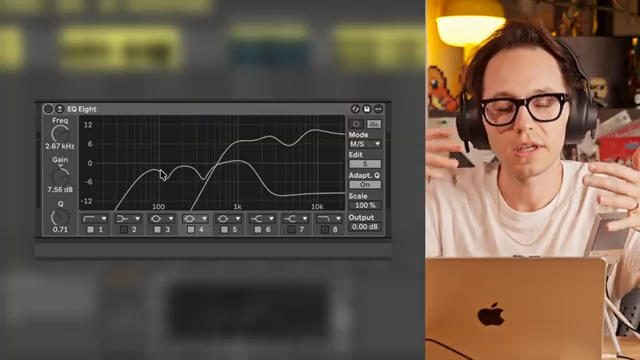
“You need to give them a little more gain, but you don't want to give the whole thing more gain.”
© Screenshot/Quote: Taylor Fiore (YouTube)
The drum mix is not untouchable
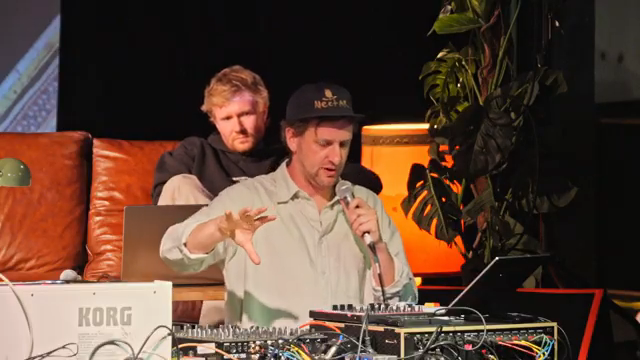
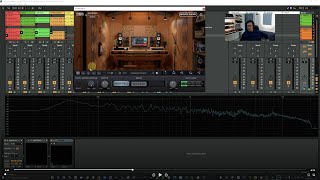
“But then I'm using this kind of crossover plug-in, which just sort of takes the drum mix and puts it up low, mid, and high.”
© Screenshot/Quote: Noisegate (YouTube)
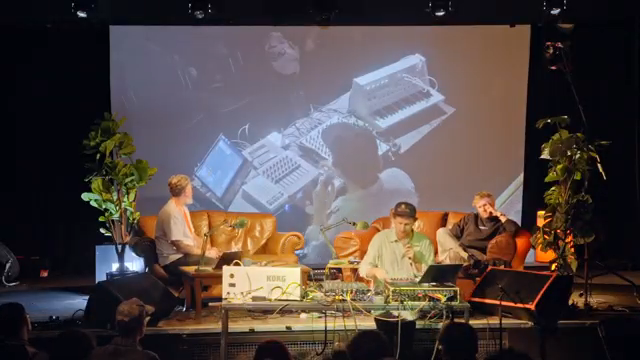
Harvey Sutherland, in Noisegate's "How Harvey Sutherland and O'Flynn Build a Live Show," faces a different practical challenge. Much of his material is rendered audio, with the drums as a complete mix. Still, he doesn't want to be limited to controlling the whole block when performing. For this, he uses a crossover plug-in:
Here, the split isn't between mid and side, but between frequency bands. Each drum band gets its own effects. Sutherland combines this with his fondness for dub processes, controlling things like delay time and feedback with long fader throws. The split isn't just for tidying up: it turns a prepared drum mix back into material that can be worked with live.
Not everything can be EQ'd
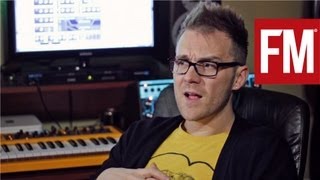
Speedy J, in MusicRadar Tech's studio visit for his album "Walkman," draws the line differently. From a collection of break loops, he develops a generative environment in Ableton. He describes the result as a relentless breakbeat avalanche. But the technical construction alone isn't enough for him: he misses a contrast.
He finds it in a separately recorded, slowly evolving drone passage. He combines the two recordings into a track that transitions from overload to calm. Here, what's missing isn't the right EQ curve, but a counterpart in the arrangement. A good reminder for anyone tempted to reach for another correction curve at the densest part of their arrangement.
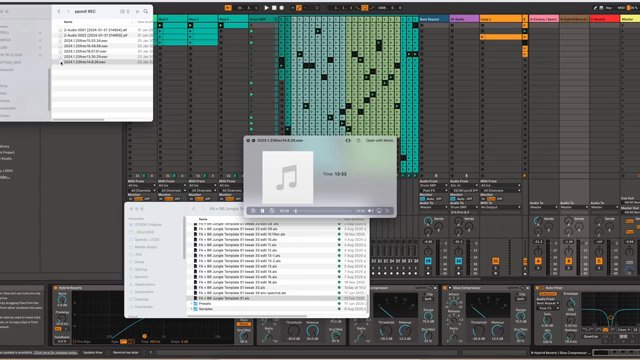
“I thought that was the perfect contrast for the other stuff you know for that sort of busy break beats avalanche kind of thing so I mixed the two.”
© Screenshot/Quote: MusicRadar Tech (YouTube)
Fiore's strongest moment is when he backtracks on the word width. He listens more closely and changes his description instead of sticking to the bigger promise. This attitude is worth carrying into your next synth session: don't ask how impressive the intervention looks. Ask what it actually makes better musically.
Videos for this article
All other articles featuring the Ableton Live
 Harvey Sutherland: Finished stems, open decisions
 Nebula Machines: Bahadırhan Koçer and the Sonic Physics of Dub Techno
 Andrew Huang’s Remix Rodeo: Four Producers, One Song, Total Mayhem
 MusicRadar Tech Unleash Ableton Beat Repeat: From Lazy Slicer to Glitch Mayhem
 Pick Yourself Makes Echo Bang: Delay as Synth Weapon
 Underdog Electronic Music School: Don’t Let Your Beats Collect Dust
 Polyend Play+ in the Hot Seat: Nu-Trix The Synth Guy Gets Real
 Reason Rack Unleashed: TAETRO Turns Software into a Sonic Street Weapon
 Pick Yourself vs. The 5 Most Toxic Mixing Tips: Real Talk for Bedroom Producers
 Loop Liberation: The Unperson vs. The Eternal 8-Bar Trap
 Nu-Trix The Synth Guy Hacks the Polyend Play Plus: Patterns, Pains, and Proper Bangers
 MusicRadar Tech Illuminates Ableton’s Spectral Realms: Shaping Sonic Phantoms
 Lodewijk Vos (LØ) Throws Down: 20 Ableton Tips That Actually Matter
 Pick Yourself’s Drum Hack: How MDD Snake Makes Your Beats Bite Back
 Pick Yourself’s LFO Trick: Turning Noise Into Drum Gold (No Wombats Harmed)
 Underdog Electronic Music School Chains Sequencers For Infinite Techno Mayhem
 LNA Does Audio Stuff: Shaping Beach Ghosts with Ableton Move
 TAETRO’s Ableton FX Racks: Add Some Aussie Mayhem to Your Beats
 Pick Yourself’s Hypnotic Secret Sauce: A Sound Designer’s Outback Adventure
 Underdog Electronic Music School Drops Truth Bombs: How to Not Suck at Making Music in 2026
 MusicRadar Tech’s Modulation Mayhem: Ableton’s Chorus, Phaser & Flanger Get the Rave Treatment
 Bthelick’s Secret Sauce: Nailing That Elusive Tech/Bass House Lead
 Audio Tutorial Experts: Music Production POV – Point of View Masterclass Reviewed
 MusicRadar Tech & Hammer: Building House Beats from Hardware Heaven
 Metamyther Illuminates: Drew Schlesinger and the Sonic Cartography of Preset Design
 Bthelick Dismantles Hypnotic Techno: The Secret Sauce Behind Âme’s ‘Rej’
 Lillian Frances Unleashes Ableton Live: A Performance Breakdown That’ll Blow Your Socks Off
 LNA Does Audio Stuff: Gain Staging, Cats, and Clipping – A Feline Guide to Clean Mixes
 Pick Yourself: Sculpting Sonic Atmospheres with Texture Alchemy
 MusicRadar Tech’s Techno Toolbox: 8 Studio Tricks That Slap Harder Than a 909
 LNA Does Audio Stuff: 60 Minutes to a Banger—No Excuses, Just Grooves
 Bthelick’s Ghost Chord Trick: Melodies That Stick Like Hot Glue
 Lodewijk Vos (LØ): Navigating the DAW Nebula – A Composer’s Sonic Cartography
 Pick Yourself’s No-Synth Challenge: Flipping the Script on Sound Design
 Tefty Music Tech Turns the MPC XL Into a Sonic Street Weapon
 Underdog Electronic Music School: One Note, Infinite Stories – The Delta Sound Challenge
 MusicRadar Tech Invites Us Into Ikonika’s Slow Burn: A Sonic Journey of Identity and Atmosphere
 Pick Yourself’s No-Nonsense Guide: How to Actually Finish Tracks That Slap
 Bthelick Flips the Script: Jamback’s ‘Positive’ in Five Keys—Major Vibes, Minor Moves
 Andrew Huang Spins Up Chaos: The Circle Guitar Like You’ve Never Seen It
 HAINBACH’s Hybrid Nebula: Where Analog Breath Meets Digital Memory
 Martin Stürtzer’s Sonic Cartography: Mapping Dub Techno’s Echo System
 Halina Rice: Sonic Worlds and Immersive Storytelling with MusicRadar Tech
 Rapid Flow’s Blank Slate: From Zero to Banger in Ableton Live
 Liam Killen Meets Sha Ru: Digitakt 2 Live Wizardry That’ll Melt Your Thongs
 Pick Yourself: Breathing Life into Flat Sounds—The Secret Modulation Nebula
 Envelope Follower Madness: Andrew Huang Unleashes Dynamic Mayhem
 Pick Yourself’s Sequencer Hack: Finish Tracks Before Your Coffee Gets Cold
 Underdog Electronic Music School: Surrendering to the Sonic Garden of No-Input Mixing
 Halina Rice’s Sonic Hypnosis: MusicRadar Tech Unveils an Immersive Dreamscape
 TAETRO Lifts the ROLI Airwave to New Heights
 OscarUnderdog Drops the Beat with Ableton’s ‘Slice to MIDI’ Trick
 LNADoesAudioStuff Drops the 12-Step Groove
 Bahadırhan Koçer: The Kick Drum as Sonic Lawgiver
 Taetro Dives Deep with the Launchkey Mini
 OscarUnderdog’s Wild Ride with Feedback Loops in Ableton
 ROLI’s Expressive Workflow: Gnarly Flips Naruto with ROLI Piano and Equator2
 Disco Drums Decoded by Bthelick
 Drum Patterns Unleashed with @LNADoesAudioStuff
 joshlucan3512 Explores Tangerine Dream-like Synthesis
 pickyourselfofficial Finds the Groove-killing Culprit
 Novation Launchpad Pro: Architectural Hacks for Idea Generation in Ableton Live
 pickyourselfofficial’s Bassline Magic: Secrets Revealed
 pickyourselfofficial Drops Ableton Wisdom
 RapidFlow_Shop’s House & Techno Workflow: A Beatmaker’s Dream
 Frap Tools: Tim Davies on Modular Jazz, House, and the Art of the Patch
All YouTube videos featuring the Ableton Live
Primary – main topic (513)
 How to Use an EQ: Frequency, Gain & Q Explained
 How Harvey Sutherland and O'Flynn Build a Live Show
 Benjamin Damage | Studio Tour & Live Performance | Voltage Labs
 From Album to Stage: Building a Live Electronic Show
 How Laura Misch blends sax, electronics and ‘ancient sounds’ to create her captivating live shows
 From 4-Sample Sketch To Finished Song: Chill Electronica In 10 Steps (Ableton Live)
 4 PRODUCERS REMIX THE SAME SONG (ft. Son Lux, Swarvy, Kaitlyn Aurelia Smith, Shigeto)
 Advanced sound design with Ableton Beat Repeat: Glitches, stutters & stereo effects
Show all (505 more)
 The Simple Trick That Turns Echo Into A Synth
 3 skills to not lose your progress as a music producer
 I Didn't Expect to Use Reason Like This
 a hybrid live electronic music performance with circuit tracks and reason rack
 Mixing House Into Drum & Bass: The BPM Trick Nobody Talks About
 From ambient texture to club grooves: Tom VR builds a track from scratch
 Advanced sound design in Ableton Live: Spectral Time and Spectral Resonator
 Your Ableton Workflow is Missing These 20 Tips
 How To Produce Better Drums Than 99% Of Producers
 The LFO Trick Turning Noise Into Drums
 Sacha Ketterlin Live Rig - Superbooth 26
 Exactly How To Produce Great-Sounding Kick Drums
 Nabihah Iqbal 'Imagined, Eternal.' - Interview & Live Setup
 Your Beats Are Probably Missing This...
 The Secret To Making Your Tracks Sound Hypnotic
 13 Life-Changing Ableton Tips!
 Generative breaks and ambient drones: How Speedy J made JT33Unstable Core
 My 7 Favorite Ableton Devices (and How I Use Them)
 Jeff Mills 90s Techno But It's Angine De Poitrine Riffs
 Crucial questions about making music in 2026
 Ableton Sound Design: How to use Chorus-Ensemble, Phaser-Flanger & more
 The Most Elusive Tech House / Bass House Lead Sound?
 Musikproduktion hautnah aus der Ich-Perspektive - Point of view Masterclass
 Crafting Hypnotic Techno Melodies | Ame Rej
 Live Looping with the Ultimate MIDI Setup in Ableton Live (10 Years Later...)
 How to Perform Live with Ableton (Live Performance Breakdown)
 Ableton Live: Das ultimative MIDI-FX-Kompendium – Werde zum Sound-Architekten #abletonlive #ableton
 Art School Girlfriend turned ambient synths and micro drums into a wall of sound – Track breakdown
 Gain staging explained with cats for a purrrfect mix
 The Texture Trick Making Tracks Sound Pro
 8 of the best TECHNO production tutorials from our In The Studio series
 5 Apps I Can't Live Without as a Music Producer
 Track from scratch ep2
 Catchy Vs Complicated: Try This Easy Trick For Great Melodies
 I've spend the last 27 years with Every Major DAW here is what I learned
 Stop using synths, it'll make you a better producer
 Prove you’ve mastered your synth by playing one note
 Ikonika [Hyperdub] breaks down the making of Slow Burn – In The Studio
 Do THIS to finish more music in 2026
 Jamback Tech House in 5 Different Keys
 SonicTALK 874: Steven Cowley Tech - Touring With Dua Lipa
 The Best Of Both Worlds: How I Combine Analog And Digital Workflows
 Showsync Beam for Live - Lighting Control From Your Ableton Session - Run the Show
 Dub Techno production walkthrough (with Luftrum Dub Chords vol.2)
 Halina Rice talks record deals, immersive live shows and her top production tips
 FULL Rapid Flow setup starting from empty project
 The Sound Design Secret I Hear In Every Pro Track
 Jennifer Loveless breaks down 'Fever' and 'Fall in Love' | Voltage Labs
 Enter Your FLOW: My Online School for Intuitive Music Production
 One Simple Hack to Finish Tracks in 20 Minutes
 Music from nothing: the no-input mixer technique (NIMB)
 Beardyman in the studio: beatboxing, live looping and making 6am (Ready to Write) – FROM THE ARCHIVE
 Let's revisit a classic Ableton Live glitch technique
 Controlled Complexity: Midicake ARP Hardware Sequencer + Ableton Live Overview
 I wasn’t expecting this track to turn out this good… only 12 steps
 Understand the Kick Drum ─ Explained by a Musicologist #ableton #electronicmusic #musicproduction
 How to create chaos & keep the best parts
 The BEST Way To Build An Ableton Live Drum Rack...
 I never really “got” feedback loops — until now! (in Ableton Live)
 Erae + Ableton Live Tutorial | Custom Layouts, Expressivity & Program Changes
 Gnarly: Making a beat from the Naruto soundtrack
 How I Made Those Disco Drums Sound Like That?
 I Wish I Knew These 7 Drum Patterns When I Started Producing
 I Made an Old School Lofi Beat with ZERO Samples
 Tangerine Dream-like Sequences on the Metropolix
 The toxic habit ruining your tracks (easy fix)
 Lawrence Hart studio tour: Go-to synths, modular FX and putting together a live rig
 How to convert your Live Set from Elektron to Ableton (Full Tutorial)
 3 Bassline Secrets That Changed My Productions Forever
 Essential creative hacks to generate ideas with Launchpad Pro
 Sweely breaking down a track | Between The Lines | Voltage Labs
 5 LIFE CHANGING SYNTH TIPS (#3 is great for inspiration!)
 Timbre Design in Dub Techno — A Musicologist's Approach #electronicmusic #dubtechno #ableton
 3 Genius Ways To Get Inspired in Ableton Live
 Tired of Endless Arranging? Try This House & Techno Workflow
 This Is A Breakthrough For Music Producers
 Can a Gaming Laptop Handle My Music Workflow?
 How to make a Track in 1 Hour | Only DAW & Controllers
 Hasselblad ASMR Video Walkthrough
 The Art of Hypnotic Techno | Deep Dive, Sound Design, Free Sample Packs, Patches & Live Performances
 All the gear I take on tour (live performance setup)
 Audilia im Interview: So produziert sie emotionale Hits mit Ableton Live! 🎧🎼
 Prepare your TECHNO live set like a pro feat. Red Rooms
 the past is just a story we tell ourselves (polyend play, launchkey mini, shik n32, ableton live)
 The Art of the Live-Set | Exploring Creative Performance Techniques
 Add Spatial Expression to Ableton Live with Airwave
 Icicle makes a DnB beat from scratch (2016) – FROM THE ARCHIVE
 Discussing Productivity with ROBERT HENKE/Monolake: Why We Bleep Podcast 52
 Create a full techno track from scratch with Tom Hades – FROM THE ARCHIVE
 Why Wide Mixes Fail in the Club
 Using OXI One as and Advanced Multitrack Drum Sequencer in Ableton Live
 Max Cooper explains his stunning live 3D/AV show: "I want freedom to just have fun with it"
 Make Mixing Easy In Ableton Live (Free Download)
 Every DAW ranked. One is obviously best (IMHO)
 Highscore 2024 - Composition and Sound Art for Games Event | Interviews with Curators & Artists
 John Beat im Interview + Einblicke in alle Musikproduktionsmethoden
 Underdog Music Reacts To My Remix!
 My dawless live setup - Gear, Audio and Midi Rundown (Part 1)
 "I don't like process": Hardt Antoine track building masterclass – in the studio
 “I use a podcast mic and a garbage keyboard and just go to town”: Yunè Pinku studio interview
 How to set up a sound module with #abletonlive, #musicstudio tips.
 How To Make A Track In 1 Hour With Ableton + MOOG MUSE + PROPHET 6 + OBERHEIM MATRIX + 8RAW8
 This is the HARDEST part of learning piano (Episode 2.5)
 How to Connect All Your Music Gear Using USB: No Mixer or Interface Needed!
 I tried building my dream electronic music setup and this is what happened...
 Ableton Live Looping Downtempo Performance (the MEGA setup!)
 Making An EDM Song With The Akai MPK Mini & Humanoid In Ableton Live
 All About MELD In Ableton Live: Matrix Explained & Creative Example From My Own Track
 "This is how you get your brain out of the technical side": Chromeo's live rig – exclusive tour
 Profiles: object blue | Voltage Labs
 You'll surprise yourself with this musical improv game
 The Sound Playground: A Music Production Course in Ableton Live
 Boston Bun on remixing Miley Cyrus, his new live set and what makes French house special – interview
 SUPERBOOTH 2024: Flowfal Motion Control For Ableton
 Using Resonators in Live ─ Explained by a Musicologist #ableton #electronicmusic #musicproduction
 Turn any hardware effect into a plugin!
 Mixing am Smartphone - Tipps und Tricks - Auf alle DAWs übertragbar!
 Ableton 12 Finally Fixed their Latency Issue!!
 How to Process Your Vocal Audio For Great Video Content
 Create a track like Fred Again.. or DJ Seinfeld in under an hour – All samples included
 Why We Bleep Podcast with EVERYTHING EVERYTHING
 akai APC 64 & Ableton Live beat making
 Octatrack ONLY live set prep!
 How I use a synth despite having no talent 🙂
 Live Edit: Noizu Fisher Style Tech House Start to Finish
 Don’t buy a modular synth, buy a MIDI controller.
 A guide to Ableton TEMPLATES - walkthrough tutorial
 Felix Fleer & Jonas Landwehr breaking down their new live-set
 Live Performance - Tutorial für Anfänger | Yum Audio
 Music Production & Beat Making Process EXPLAINED
 Build Insane TECHNO KICKS From Scratch In Ableton
 In the Studio with TSVI | Voltage Labs
 My Proven Method For Instantly Better TECHNO Claps
 The Simple Hack For Pro-Sounding BASS
 Four steps to create your own home studio
 How To Arrange ANY Song In Less Than 10 Minutes
 My Proven Method For Deep, Hypnotic TECHNO Drums
 The BEST Ableton Live Feature No One Talks About
 How To ACTUALLY Make Hard Techno
 Live Techno Session
 This Will Change How You Mix Kick And Bass FOREVER
 How To Write Emotional Chords That DON‘T Sound Cheesy
 This will make your TECHNO leads stand out
 How To ACTUALLY Use Parallel Processing In Ableton Live
 A guide to the TRANSPORT BAR - Ableton tutorial
 Fam to Jam: Cuco Talks Live Band, Vision & Collaboration | Rig Tour
 Ableton Live's Most UNDERRATED Device (Shockingly Good!)
 The Easiest Way To Chop Samples In Ableton Live For Beginners
 Live Music - Barbers Green From Sonicstate EMOM3
 If You're Tired Of Boring Arps, Try THIS!
 Getting Started with Rapid Flow Products
 James Hype breaks down his bootleg remix of Lil Uzi Vert's Just Wanna Rock – Live at BMC
 My most efficient live set up yet? // Ableton / Model 1.4 / TR-8S
 Use Ableton Live SHAPER For Glitches, Stutter, Jitter Effects!
 I Finally Tried Ableton Live 😁
 Rescuing a guitar that was left outside for 5+ years!
 How to get out of a creative rut QUICKLY
 MPC to Ableton // Our Process for finishing Beats
 My Newest Live Set up // Ableton Live / Model 1.4 + FX
 This Weird Way Of Working With Samples Changes Everything
 Elise Trouw: Artist Spotlight and Live Rig Tour
 Deep House 101 - Part 01: Basic Groove
 Ableton Live // 3 Simple Tips for ORGANIZING your Live Set
 Moog Sound Studio, Make Noise, Ableton Live Ambient Jam
 this is the best live looping midi controller setup
 live looping an ethereal beat in ableton live with the launchkey mini, apc mini, and offgrid
 The Secret To Hypnotic Techno Basslines In Ableton Live
 make beautiful ambient pads in ableton live
 Make Tracks 90% Faster: The Ableton Template Every Busy Producer Must See
 EMOM2 Live: Arkahtun at Sonicstate
 All about Dealing with Latency in Ableton Live // Deep Dive
 Making a Beat In Ableton using Donner Bass Synth | DMK25pro and Starrypad
 This song changed the way I'll make music forever
 Audio- und MIDI-Clips in Live-Performances - Betrug oderPflicht? - PraxisTalk
 From A Loop To A Full Song: My SECRET Formula In 4 Steps!
 MK 2am : Noteworthy - Midi Breakdown & Reaction
 A guide to the Ableton VELOCITY midi device complete tutorial
 how to START learning music production
 Arranging House Music in Ableton // Polyend Play Export to Ableton Live
 From the Studio, LIVE Improvisation
 This Is How You Know When Your Track Is FINISHED!
 Lifts & Drops SECRETS For More Professional Tracks! (Ableton Live)
 Ableton Live // Pretty much EXACTLY what DAWLESS is missing
 Incredibly Easy Way To Do Arrangements In Ableton Live!
 My Synth Ableton Workflow // Creating Stems and Loops with External Hardware in Ableton Live
 4 Magical Vocal Production Tricks You Should Try! (Ableton Live)
 This Is How You Make HOOKY Synth Parts in Ableton Live!
 How To Avoid Making Boring Chord Progressions In Ableton Live!
 The BASICS of Samples in Ableton Live For Beginners
 I designed 2 Insanely MASSIVE Bass Sounds! (Ableton Live)
 5 Beat Making Tricks You Need To Try In Ableton Live!
 Ableton Live Looping Performance Setup: Improvise Like A Pro
 3 ways to speed up & slow down time
 Integrating Eurorack Into A Hybrid Live-Set feat. Max Scholpp | Thomann
 Music Production Tutorials - The Good, The Bad, And The Ugly
 MiniLab 3 | How To Control Ableton Live
 Announcing The Sound Playground 2022 - Learn to Produce Music in 8 Weeks
 Clip: Rapid Flow Ableton template (link to full video in description)
 Clip: Super fast Ableton Template Frank Wiedemann Sebastian Mullaert Deadmau5 Stimming learnings
 Take Drum Loops and Make Them Your Own (Pt. 1)
 How To Use MIDI Controllers With Ableton Live
 Arranging and Mixing House Music // Finishing That Track I Made With My Whole Studio
 Learn Gate In 4 Min!!! (Ableton Live)
 BIG Deals and Codes: Ableton, Baby Audio, Softube, Maschine, FREE De-esser!
 4 PRODUCERS FLIP THE SAME SAMPLE: Rachel K Collier, Ocean, Tommy Trash, Andrew Huang
 Music Production In Ableton Live For Beginners (pt. 4!)
 My Hardware to DAW Workflow // Arranging House Music in Ableton Live
 3 EASY STEPS to Use HARDWARE SYNTHS with ABLETON LIVE
 Mastering Explained: Why Did I Not Know About This Earlier?!
 Warp Modes Explained In 4 min !!!
 Making Sampled Instruments In Ableton Live (Sampler & Drum Rack)
 Using MIDI Clock to Sync Synths, DAWs, & Devices – Daniel Fisher + Jacob Dupre
 How to Use Ableton Live with Outboard Gear
 EDM Theory: Simple Melody Hacks (pt1?) | how to beginners guide
 my NAMM nightmare...
 Ableton Live For Beginners (pt. 2)
 What Is The Best DAW For Electronic Music?
 Ableton Live Performance & Walkthrough (Push 2, Launchpad X & LPD8)
 How To Make Electropop *Creating My Latest Single In 3 Days*
 Learn Compressor In 4 min • Ableton Live
 Turn boring drum hits into a GROOVE with ghost notes
 Ableton Live: All Instruments Explained (Types of Synthesis)
 Ableton Live For Beginners
 Sound Design and Selection for Improvisational Live Techno
 How To INSTANTLY Make Your Beats GROOVE...
 How to Integrate Native Instruments Expansions with Ableton Live and Maschine
 Bastille's Live Rig Tour - Get Your Rig Out | Episode 1
 All About Phaser-Flanger In Ableton Live (+ Creative Tips)
 Why I switched to Ableton Live (a Cubase user's confession)
 ABLETON LIVE - The Innovative Performance DAW
 Meine DAW ist besser als deine! Cubase VS Logic VS Live - Stammtisch
 What Is a DAW (Digital Audio Workstation) And Why You Need One
 How To Loop In Ableton Live (A DIFFERENT WAY)
 5 Funky Bass Lines & How To Write Them Using MIDI In Ableton Live
 Making music with soap
 All About Analog In Ableton Live
 Writing Counterpoint In 5 Steps • Music Theory For Production & Songwriting
 break the rules and be a good music producer (music theory pt. 6)
 Pseudo-organic drums using Reason VST & Ableton Live
 4 Techniques For STACKING and LAYERING Instruments • Ableton Live
 Expand Moog Grandmother with Ableton Max For Live. Tutorial
 understanding basic rhythm for music producers (music theory pt. 5)
 5 Drum FILL Techniques For Non-Drummer Producers • Ableton Live
 Roulette Production Challenge: Song In ONE Hour! *Shocking Result*
 Arpeggiator superpowers in Ableton Live with Dual Arpeggio (Reason Rack Plugin)
 Printing with Grooveboxes (using Reason as a VST in Ableton Live)
 the tool every producer needs (music theory pt. 4!)
 5 Ways To Convert Audio To MIDI In Ableton Live (Feat. Dubler 2)
 All About Operator In Ableton Live
 music theory producers can use! (pt. 3!)
 How to Connect Ableton Live to a Tesla Via Bluetooth
 All About Sampler In Ableton Live • Part 1 • Zone & Sample Tab
 How To Finish Your Mix • Mixing Course For Beginners [Lesson 15] • Ableton Live
 Making Ambient Music With Samples
 Ambient production - from start to finish
 Ableton Live Grooves Explained
 How To Adjust Volumes (Setting Levels) • Mixing Course For Beginners [Lesson 14] • Ableton Live
 Automation Tricks & Tips • Mixing Course For Beginners [Lesson 13] • Ableton Live
 Sends, Returns & Group Tracks • Mixing Course For Beginners [Lesson 11] • Ableton Live
 How to Parallel Process (Production Tutorial)
 Vocal Mixing & Delays, Flanger, Chorus • Ableton Live Mixing Course [Lesson 10]
 Reverb & Space • Mixing Course For Beginners [Lesson 9] • Ableton Live
 Stereo Spectrum & Adding Width • Mixing Course For Beginners [Lesson 8] • Ableton Live
 making lofi beats EXPLAINED | ableton live + mpk mini
 How To Use Compression • Mixing Course For Beginners [Lesson 6] • Ableton Live
 Music Production & Beat Making Process EXPLAINED
 How to Perform Live with Ableton
 EQ & Frequencies • Mixing Course For Beginners [Lesson 5] • Ableton Live
 Gain Staging • Mixing Course For Beginners [Lesson 4] • Ableton Live
 Preparing Tracks & Session for Mixing • Mixing Course For Beginners [Lesson 3] • Ableton Live
 Active Listening & Ear Training • Mixing Course For Beginners [Lesson 2] • Ableton Live
 What Is Mixing? • Mixing Course For Beginners [Lesson 1] • Ableton Live
 Produce better Beats with Ableton's Groove Pool
 Ableton Live on iPad Pro - IS IT WORTH IT?
 Ableton Live Looping Performance (Push 2/LPD8/Microbrute) • No, I'll Do It by LNA
 Patron Q+A 15: music career advice for late starters, book tips, live setup prep
 Inhalt der Nacht Live Performance & Interview | Keys & Frequencies | Thomann
 Interview: Federico Vindver - Grammy Winning Producer (Kanye, Coldplay,Timbaland)
 All About Gate In Ableton Live
 Radio Slave Live Performance + Interview | Keys & Frequencies | Thomann
 Music Production Workflow Using Templates in Ableton Live | Hybrid DAW and DAWless setup 2021
 All About Auto Filter In Ableton Live
 These samples have ✨ s o u l ✨ (Chopping samples in Ableton Live)
 How to Gain Stage | Elektron DAWless Live Gain Staging or Gain Staging for Producing In any DAW
 All About Multiband Dynamics In Ableton Live
 10 Paid Plugins Actually Worth Buying
 all the music i made in january | ableton live music production
 Mixing Drums in Ableton Live - Workshop (in cooperation with BIMM)
 Granular audio primer - from the VP-9000 to Ableton live to iPad apps!
 how i made that LOFI BEAT with the AKAI MPK MINI MK3 Ableton Live TUTORIAL | FAKE VIDEO?!
 All About Saturator In Ableton Live
 All About Arpeggiator in Ableton Live
 How I Made This Ep 4: Pídelo
 Synth Setup Tips #2 // Ft. Martin Stürtzer // Building performance sets with Ableton Live
 All About Reverb In Ableton Live • How To Make It Sound Better
 Take Over remake in Ableton Live [League of Legends Worlds 2020 anthem deconstructed]
 How to Write Film Music in Ableton Live
 Patron Q+A 9/2020: piano recording, MPE experiences, live stories and more
 How to send an Ableton Live Set to a friend
 Live Stream #82 - New to Eurorack II (Main Show)
 Steve Aoki Studio Gear
 How I Made This Ep 2: Get the Honey
 [Advanced] How to compose with randomness in Ableton Live
 MPC + Ableton Live Workflow // Sometimes you just gotta make a track
 EASY Way To Make FIRE 808s In Ableton Live | Music Production Tutorial
 Live Stream #74 - Desert Island Synths - Main Show
 Music Production & Beat Making Process EXPLAINED
 Talking synths, Prophets & playing live with Hazel Mills (GOLDFRAPP/FLORENCE & THE MACHINE LIVE)
 ALL About RETURN Tracks & SENDS In Ableton Live - Tips For Routing, Mixing & Live Performance!
 All About WARPING in Ableton Live - Did You Know All These Settings & Tricks?
 Warp Modes in Ableton Live - Understanding Them & Explained In Super Easy Way!
 I Use THESE EFFECTS On Every Track | Ableton Live Custom Rack
 Sample Challenge: RAC creates a delicate lo-fi piano house track
 Multiple Songs In a Live Set • 4 TIPS • Ableton Live & Push 2 Live Performance Tutorial
 2 PRODUCERS Making Songs Out of 4 SAMPLES - Feat. Liam Killen - Collaboration Production Challenge
 How To Create Audio Effect Rack Presets On Ableton Live - For Mixing & Live Performance
 "Rose Garden" - House ditty with Ableton Live
 How To Mix & Edit Vocals With Ableton Stock Plugins - Free Audio Effect Rack Preset
 Tutorial: How to Edit & Process Your Podcast with Ableton Live
 How to Route Your Audio Interface in Ableton Live
 Superbooth 20HE: Isotonik Studios - Hybrid DJ Setup Using Live And Serato
 How to Edit Audio in Ableton Live Session View
 From #Ableton Live to #Auria Pro
 Andre Ross - The Joy of Beat Making (Flipping the Bob Ross Intro)
 My First CO-VID-EO? (sorry)
 Ableton Live Guitar Effects
 Ableton Live Performance Tutorial | Looping With ROLI Blocks and the Sensel Morph
 I turned the most depressing song into an upbeat dance song (Gary Jules Mad World)
 3 Ways To Perform With Ableton Live & Push 2
 How to Use Ableton Live – Getting Started with Ableton Live | Software Lesson
 Advanced Music Production Techniques - Ableton Live
 Live stream #44 Presets lets discuss them!
 From Korg #Gadget to #Ableton Live (with Hardware synths) : How to
 Beat Making Live Performance Tutorial | Ableton Live Session Walkthrough
 Ableton Live Beat Making Performance | Looping With Launchkey, Launchpad, and ROLI Lightpad Block
 Make ANY Music Sound Lofi (SUPER EASY) | Music Production Tutorial
 Live Stream #41 - NAMM 2020 releases and reactions
 Live Stream #40 - NAMM 2020 pre-show and Burg's new studio
 How to Create a Groove in Ableton Live DAW Software
 Producing Cinematic Music In Ableton Live
 Ableton Live Workflow – Using the Max For Live Step Divider to Generate Rhythm & Melody Ideas
 MPC 2.7 | Ableton Live Control Integration
 Ableton Live & Push 2 Performance Tutorial !!!
 Ableton Live & Launchpad X Ambient Jam Session
 AKAI MPK MINI & ABLETON LIVE Beat Making Tutorial
 MAKING A BEAT IN 5 MINUTES ON TIKTOK LIVE
 Hardware VS Software.. // Why Go Dawless?
 Making a jazzy R&B beat (All about that swing!)
 Generate RANDOM MUSIC in Ableton Live
 Instagram Followers Control My INTRO SONG
 Discrete Formants' Mini Ambient & Techno Live Setup | SIGNAL ZIRKUS INTERVIEWS | SYNTH ANATOMY
 Ableton Live VOCODER Tutorial
 Native Instruments M32, A25, S49 setup with Ableton Live
 THIS BEAT IS HARD (Making a boom bap beat in Ableton Live)
 THIS BEAT IS LIT! I made a chill trap beat sampling The Office Theme Song
 I Made a FIRE BEAT Sampling Brent Faiyaz (Ableton Live)
 How to Make an Emo Trap Beat In Ableton LIve (Guitar Sampled)
 How To Make BEATS In Different GENRES?! EASY!
 How to make glitchy sounds in Ableton Live
 Mixing For Beginners - Ableton Live - Workflow & Tips!!!
 How I Write Rock Songs Using Ableton Live
 Ableton Live Automation Tutorial
 Sensel Morph & Ableton Live Beat Making Tutorial | Music Production Overlay
 Manipulating Samples in Ableton Live - Easy Tips!
 100+ Ableton Live Shortcuts
 Ableton Push 2 - Live Looping Guide!
 How I made my album "Sun"
 How to start making music with a computer
 Setup a Midi Controller in Ableton Live - Step by step
 Making a beat with my nose??? (Ableton Live)
 Ambient Drone In Ableton Live From Rain Tutorial
 How To Create An Ableton Live HOLOGRAM!
 How I composed the Nelly String Quartet
 Sonic TALK Special - Thereminist Carolina Eyck
 Ableton Live - Start Producing! - 5 Tips for Beginners!!!
 Surface Pro Arturia AudioFuse Behringer ADAT ADA8200 Ableton Live with OP-1
 Microsoft Surface Pro with Ableton Live, Audio Fuse & OP-1
 Making a house song from scratch with Moog Grandmother in Ableton Live
 How I record, mix and master my songs Ableton Live
 Making a song using only a Kalimba (and Ableton Live)
 Composing orchestral film music for a painting in Ableton Live // Art2Music Ep. 2
 Chris Calcutt: Live@dBs Music
 Composing film music for a painting in Ableton Live // Art2Music Ep. 1
 Ableton Live Quick Tip: How to find the tempo of your MIDI when you recorded without a metronome
 MAKE BAD MUSIC | MENTOR MONDAYS
 The Nature Of Want Synthesizer Live Setup | Signal Zirkus | SYNTH ANATOMY
 Making a Lo-Fi drunken Hip Hop RnB beat in Ableton Live
 ANDREW HUANG SAMPLE CHALLENGE | ABLETON LOOP VLOG
 How to create a custom reverb with Ableton Live's Simple Delay
 LOOPING WITH MIDI FOOT CONTROLLER | ABLETON LIVE PERFORMANCE
 How to use iOS MIDI apps to control Ableton Live (Mac)
 AKAI MPK Mini & Ableton Live Performance Tutorial
 AKAI MPK Mini Ambient Beat Performance | Ableton Live Looping
 Roland MX-1 MIDI Ableton Live setup guide
 Looping Electronic Music Performance | Ableton Live
 Roland MX-1 Ultimate Setup - Ableton Live updated!
 Creating Impulse Responses | Ableton, Max4Live
 NED RUSH Glitch Pack for Ableton Live - demo and guided tour
 Freeze Machines For Ableton Live - Now With FX Only Version
 Making Music With FORM & Ableton Live | TAETRO uncut workflow
 Producer Special 2018: Kevin McKay
 TR-09 & Ableton Live workflow tips
 How to hook up more than 1 Roland Boutique to Ableton Live
 How to use TR-09 USB audio with Ableton live
 SUPERFAST BEATMAKING #4 — MAD LIL KID
 MIDI Controller und Shortcuts fürs Mixing und Mastering - PraxisTalk
 HTC Vive VR Interface For Ableton Live
 Sonic LAB: Ableton Live Tip - Using Battery With The Push Drum Grid
 Series: Live With Live - Follow On Clips & Scenes
 Generative Music Techniques With Ableton Live
 Live Production | Ableton Live & Yamaha MX88 feat. GREG SPERO
 4: Performing With Ableton Live - Using Dummy Clips
 Artiphon INSTRUMENT 1 | Ableton Live Beat Performance
 3: Performing with Ableton Live -Preparing For Disaster
 2: Performing with Ableton Live - The Power Of Instrument Racks
 1: Performing with Ableton Live - the Rig
 Make A Beat | Sampling Nature & Instruments
 Ableton Live Learning, Mix with the Masters, Hackintosh - Stammtisch
 Roland MX-1 Ultimate Setup Guide - Ableton Live
 MY FAVORITE (FREE) SOUNDPACK
 ROLI Blocks & Ableton Live | Blocks Dashboard
 Beat Tools | New Ableton Live Pack Impressions
 Max Chapman shares his beat-making secrets
 Guide to Using Keyboards in Worship presented by Ian McIntosh with Jesus Culture
 Full Review of Yeco - touch control for Ableton Live
 Sonic TALK - 470 Norell - Danish Pop Producers
 Arranging Beats | TAETRO LIVE STREAM 1
 Live Beat Making
 Stekker 2016: Sjamsoedin Live Modular Set up
 Kenny Harris and Dan Pawlovich from PANIC! AT THE DISCO
 MPC Academy: Touch Workflow Pt. 11 - Ableton (Cont.)
 300,000 NOTE SONG
 Using the Seaboard with Ableton Live
 Ian McIntosh of Jesus Culture Interviewed by Sweetwater
 Matt Gilder Interviewed by Sweetwater
 Setting up ReWire with Pro Tools and Ableton Live
 Digital Age Interview at Sweetwater Sound
 Using the Moog Werkstatt with Ableton Live - Sweetwater Sound
 Surface Sessions 07-2 Performing Live - Exporting from Reason into Ableton Live
 Surface Sessions 07-3 - Performing Live - freezing instruments in Ableton
 Bitwig Review Part 2
 Morgan Page In The Studio With Future Music
 Chvrches talk about the future of their live set up, starting the band and more...
 Cyril Hahn - Stage Tour
 Sonic Touch 29 - Touchable 2 - Ableton Live Control on Steroids
 Artist Profile: Second Storey with Ableton Live and Push
 Funkagenda - DJ Gear explained
 Funkagenda Interview
 Fred Falke In The Studio With Future Music
 Dada Life In The Studio explaining how to use Ableton Macros
 Sonic TALK 305
 Dub Techno - Martin Stürtzer / Adlerbrücke with Access Virus, Ableton Live
 WNAMM13: Loop Loft Session Loops
 WNAMM13: Ableton Live Push Up Close
 Dada Life - StudioTour
 Ableton Live Tutorial: Session View Tracks
 Ableton Live Tutorial: Building Basic Basslines
 Ableton Live Tutorial: Building Better Bass
 Ableton Live Tutorial: Simple Sampling
 Ableton Live Tutorial: Beats and Effects: Part 2
 Ableton Live Tutorial: Basic DJing Techniques and Skills
 Ableton Live Tutorial: ReWire Live 8 with Logic and MainStage
 Interview: Laura Escudé plays live at Sonic Towers
 Coldcut
 DJing mit Ableton Live - Der PC als DJ Pult
 DJing mit Ableton Live - die virtuelle Plattenkiste
 DJing mit Ableton Live - Arbeiten mit Effekten
 DJing mit Ableton Live - Erweiterte Live-Setups fuer DJs
 DJing mit Ableton Live - DJ Mix aufzeichnen
 DJing mit Ableton Live - Beatmixing
 DJing mit Ableton Live - LIVE als DJ Controller konfigurieren
 DJing mit Ableton Live - Looping und Remixing
 DJing mit Ableton Live - Warping und Audioquantisierung
 Howard Jones Live Rig Rundown Bristol O2 Academy
 MINITAUR + ABLETON LIVE PART 1: The Basics
 Octatrack + Live = Sunday Trance
 Coldcut Teil 1
 Expert Sleepers Silent Way in Ableton Live
 Future Music Live Set Up With Deadmau5
 Soulwax Live setup
 DJing mit Ableton Live - DJ Mix aufzeichnen Teil 3
 DJing mit Ableton Live - DJ Mix aufzeichnen Teil 1
 Imogen Heap Live Set Up
 DJing mit Ableton Live - DJ Mix aufzeichnen Teil 2
 DJing mit Ableton Live - Erweiterte Live-Setups fuer DJs Teil 3
 DJing mit Ableton Live - Erweiterte Live-Setups fuer DJs Teil 1
 DJing mit Ableton Live - Erweiterte Live-Setups fuer DJs Teil 2
 DJing mit Ableton Live - Looping und Remixing Teil 2
 DJing mit Ableton Live - Looping und Remixing Teil 1
 DJing mit Ableton Live - Arbeiten mit Effekten Teil 3
 DJing mit Ableton Live - Arbeiten mit Effekten Teil 1
 DJing mit Ableton Live - Arbeiten mit Effekten Teil 2
 DJing mit Ableton Live - LIVE als DJ Controller konfigurieren Teil 1
 DJing mit Ableton Live - LIVE als DJ Controller konfigurieren Teil 3
 DJing mit Ableton Live - LIVE als DJ Controller konfigurieren Teil 2
 DJing mit Ableton Live - Beatmixing Teil 2
 DJing mit Ableton Live - Beatmixing Teil 1
 DJing mit Ableton Live - Warping und Audioquantisierung Teil 2
 DJing mit Ableton Live - Warping und Audioquantisierung Teil 1
 DJing mit Ableton Live - Warping und Audioquantisierung Teil 3
 DJing mit Ableton Live - Der PC als DJ Pult Teil 1
 DJing mit Ableton Live - die virtuelle Plattenkiste Teil 3
 DJing mit Ableton Live - Der PC als DJ Pult Teil 2
 DJing mit Ableton Live - die virtuelle Plattenkiste Teil 2
 DJing mit Ableton Live - die virtuelle Plattenkiste Teil 1
Substantial coverage (383)
 Touchscreen Mac vs YOUR DAW
 The OXI Playbook #6 - From 3 steps to exciting lead lines
 How to build an Ableton Rack for one-knob control: Work smarter with effects, synths and MIDI
 MPK Academy | Ableton Beat Making on MPK Mini Plus II
 teenage engineering OP–XY Firmware 1.2.0: USB Multitrack Changes Everything
 Daisy* on her minimalist effects chain, her 'anti-polite' chat bot and moving on from BABii
 The Dub Techno Sound — A Musicologist Explains
 A Step-by-Step Workflow for Making a Song
Show all (375 more)
 I Tried Making a Beat With ZERO Samples on the MPC Live
 @Polyend Play + : production workflow -The pain, workaround & Wishlist
 5 Toxic Mixing Tips That Keep Producers Stuck
 How to Turn Loops Into Finished Tracks
 Making a song on the @Polyend Play plus
 I used only the Ableton Move microphone for this track (and loved it)
 Daisy-chain your sequencers for endless techno patterns
 Rambling About: Things Unrelated to the Expressive E Osmose 49 CE with tafony
 Ableton Roar: From Subtle Warmth to Total Destruction
 O'Flynn creates a track from scratch and breaks down the making of Sekete – In the studio
 Showsync: Video Sync And Beam - Superbooth 2026
 Someone finally made a proper visual tool for Ableton producers
 OXI E16 — Mapping to Ableton
 How to use a modular synth in your studio
 Is the MacBook Neo Good Enough for Music Production?
 How To Process Drums Better Than 99% Of Producers
 I'm trying a new way to release music
 "SAD was pretty much made in the box": Ikonika on workarounds, studio tips & going back to basics
 "I don’t think I know how to use the Analog RYTM to its capabilities": Storm Mollison interview
 Weird Gear: Circle Guitar
 Everything You Need To Know About ROLI Airwave
 Digitakt x GrooveDock — Full Live Jam (Software Synth, Hardware Sequencing)
 SineDub OTXO Looper With Novation Lunchpad Integration - ADC 25
 Free Orchestral Library = Instant Inspiration
 Multitrack your modular with one button press
 The Secret Inspiration of Madlib, Portishead & Boards of Canada | Library Music | Yamaha MODX M8
 Using randomness to create more interesting Tracks | Voltage Labs
 Akai MPK Mini 4 - EVERYTHING you need to know
 Kaitlyn Aurelia Smith Live Set-Up - Bristronica 25
 Synido TempoKey W25 Usage Guide
 Flowfal Modular Integration with Samsung Smartwatches - Bristronica 25
 Launchkey Mini For Beginners: Sequencer & Chords Explained
 A Window Into The Future Of Electronic Music | Mutek 2025 Vlog
 The MOST Important Feature of the Launchkey Mini Explained...
 A Crash Course In Ableton Live's Drum Rack (For Beginners)
 Tour of a BEAUTIFUL Synth Studio — So Many Amazing Synthesizers!!
 Making an Album from Scratch - Composing, Mixing, Mastering, Artwork, Uploading.
 Breaka talks production tips and making his album Aeoui: "You can't write dance tracks in C# minor"
 Are Hardware Production Setups Becoming Obsolete? Or Making a Comeback?
 Planning a Hybrid Elektron / Ableton Live Set
 SumpPump - Robots Are Red - Live Chat
 How to PLAY synthesizers
 Your drums lack focus? Try this instead…
 How Was This Possible? House Music in a 90s Video Game!
 OP-XY Got Sample Chopping! (*Kinda) // New Firmware Update
 I Built a Weird Live Rig… And It Might Actually Work
 4 Producers Flip 1 Sample Entry To Andrew Huang´s Open Call!
 Inside The Third Room Headquarter & Studio with Ahmet Sisman | Thomann
 Eigene Ableton Move-Presets? Ohne diese Anleitung (noch) unmöglich!
 The best of NAMM 2025: The biggest music tech stories – New synths, controllers, studio gear & more
 Live Granular and Love: Tempera 2.1
 Re-Show Part 1 - What else can you do with a Mono Synth?
 A drummer’s dream // Fail safe rig in any live band setting
 The cleanest and most powerful live set up i’ve worked with
 Daniel Miller gives us a tour of Studio Mute (2014) – FROM THE ARCHIVE
 Is this the PERFECT Ambient Synth Setup???
 Ableton Move MUST BE FIXED!
 Motor Synth: Beautiful Sound of Drone Motors?
 A history of the online Gearspace before / after YouTube
 PRO Producer Learns to DJ In ONE Month
 Setting up USB MIDI for the MiniFreak in @Ableton Live ( or any synth)
 5 Ways Your Studio Can Run Like a Million Dollar Tech Startup
 How to NOT Master Your Tracks Pt2
 The BEST House & Techno Controller Setup for 2025
 The best way to learn piano FOR PRODUCERS! W/ Simon Servida (Episode 2)
 salute: "Pop-influenced dance music is amazing; that's always been a part of my sonic identity."
 Tim Davies – Jazz, House, and Arpeggios
 "The idea of limitation is really important” – Luke Slater on making LB Dub Corp's Saturn to Home
 If I Started Making Electronic Music in 2024, I'd Do This
 I got to write for Blue Man Group
 APC-40 MK2 // STILL the Best Ableton Live Controller ?
 The simple but effective way to arrange music
 Gear that the SP-404 MK2 can Easily REPLACE after Update 4.04
 The Future of MIDI Controllers?
 What’s a Synchronized Stage? How to Build Your Own & Prioritize Playing Over Tech
 The Most Important TR-8S Live Functions / Inst Pad + Pattern Clear
 Dark live performance with the Ableton Push 3 standalone
 Synido TempoKey K25 Tutorial | Set Up in Ableton Live
 If you hate your hihats, watch this video
 Akai MPC Key 37 First Beat With Hardware Synths
 1010music nanobox | tangerine -- multisampling a VST
 How to Ambient Music without BORING everyone
 NAMM 24 Embodme Erae Touch Mk2
 In The Studio With Cromby | Thomann
 Making music for TV shows
 Overthinking is Ruining Your Beats
 Make your own samples, it’s worth it!
 The #1 thing stopping musicians from succeeding
 Inspiring beat making tool!
 Sound Design with Mariana | Synth Pad | Thavius Beck
 Music with baby toys turned out beautiful
 Mastering Complex Samples on MPC LIVE 2
 how I sample drums
 Korg KeyStage Review // MIDI 2.0 finally works - let’s see what it can do
 Exploring my entire hardware production workflow from scratch
 Music Production Full Process: Making an EDM Track
 AKAI APC64 - The Best Ableton Controller for the Money!?
 Ableton Live Techno Set // Model 1.4 / TR-8S / RMX-1000
 How to use custom Drum Racks with Ableton Push 3 standalone (includes samples and Live Set)
 I used the cheapest Mac Mini M2 for 6 months
 25 Years in the Studio: The Ultimate Ableton Masterclass
 Making music with motors!
 Is the TR-8S the Perfect Ableton Live Controller? // Live Techno
 the reality of ableton push 3
 Dubstep Is REALLY HARD To Make [feat. Mr. Bill]
 Is the Digitakt the missing piece to my Ableton Live Sets?
 What is 32 Bit Float Audio and WHY YOU NEED To Use It!
 Ableton Push 3 - My thoughts after a month of using it.
 BEST way to RECORD SYNTHS into your MPC One Plus, Live, X, Key 61
 Cuco: Taking Creative Evolution to the Stage | Artist Spotlight and Rig Tour
 5 Reasons Why Ableton Push 3 Is A Game-Changer
 Arturia's KeyLab Essential Mk3 KEYBOARD CONTROLLER Just Got Better: See What's New!
 Ableton Push 3: J Black shows me how to use it & I made my first Trap Beat on it 🔥
 KeyLab Essential mk3 | How To Control Ableton Live
 How to Avoid Masking in Your Music
 Turn your Loops into Songs, the Easy Way // Tips for Music Production - Part 1
 STUDIO TOUR 2023 - by LNA
 How to Pan Your Sounds (The Right Way)
 Get 10X AHEAD in the A.I. Music Revolution (2023)
 What makes a great Tape Delay Emulation? | Thomann
 the SP404-MKII just got a LOT better
 “Make a Track in 1 hour and play it at a show..” // Start to finish House Music Workflow
 Learning your first (free) synth
 Follow These 5-Steps To Improve The Pianos In Your Productions
 The Master of Live | REYN x ERAE Touch
 MacOS 12 for intel i7 for music production. Will it work?
 Why the Oberheim SEM so revered? Listen for yourself!
 MIDI Controller for Thermae
 My 2022 In Synthesizer Hell
 Captain Kirk Douglas Interview: The Roots, Fallon, and Painting with Guitars
 this laptop is a music production beast, but this was hard
 How to chop samples on the go!! (w/ BandLab)
 the new ROLI SEABOARD RISE 2 is EPIC! ✨
 Should you use MASCHINE+ to play a live set? Pros & cons of Maschine Plus
 How to make every sound you ever heard
 DAWLESS Live Set Preparation on Octatrack and FINALLY Understand "Parts"
 My all-in-one mini FX Box for a Live DAWLESS setup // It's better than an SP-404 or Boum..
 Rhythm concepts for intermediate producers
 What’s NEW in Polyend Play Update 1.1? Major Features and First Impressions!
 How I Made This Ep 7: Direct Sunlight
 Ableton NOTE: A New Way to MAKE MUSIC on Your iPhone or iPad
 Is Ableton Note as close as we'll get to Live on an iPad? Here's what it can and can't do...
 New ARTURIA MiniLab MK3 MIDI Controller: TUTORIAL With Ableton Live
 Club tauglicher Track in 1 Stunde: Rapid Flow Ableton Vorlage DEUTSCH (Link unten)
 WTF does “DAWLESS” even mean? Let’s get our definitions straight
 Steven Slate Audio VSX Demo - Rapid Flow Bonus Content 1
 Take Melodic Loops and Make Them Your Own (Pt. 2)
 KOMPLETE KONTROL S61 Surprisingly Dope Ableton Controller
 Nektar Impact LX mini review + unofficial way to integrated it to Live suite 10
 My INSANELY high-quality REMOTE STUDIO for producing, mixing & mastering
 Let's Talk Lessons: How I Teach Music Production
 MAKING A BEAT WITH THE MASCHINE MIKRO MK3!! (W/ Ableton Live)
 Wannabe Overbridge for Octatrack // Audio Over USB Setup Ableton Live
 5 WEIRD MUSIC PRODUCTION TRICKS
 MIXING | Nostalgix (Nightbass, Confession) w/ 5 reverb tips
 In The Studio With Albert Van Abbe | Thomann
 GearFest UK 22 - Music Production For Women
 Soviet Pif synth: a cute analog synthesizer for children (+ FREE Sample Library)
 The Fear Ratio - Busy Visits.. EP006
 desiging sounds for the artiphon orba 2
 How To Overcome Writer's Block As A Music Producer
 New Sp404mk2 Workflow: Skip Back Changes EVERYTHING!
 How To ILLENIUM pt2 | breakdown chords arrangement melody
 Designing Sounds for Animation with Modular Synthesizers and More ! Featuring: Squash & Biscuit
 making lofi synthwave with the ableton push 2 & novation launch control
 why you might not need instrument plugins
 All About Spectral Resonator In Ableton Live (+ Creative Tips)
 my first experiments with a 4 track tape recorder
 I found this vintage reel to reel recorder at a thrift store and made a FREE DECENT SAMPLER LIBRARY
 Making a mono delay pedal sound STEREO [Fairfield Circuitry Meet Maude]
 Split Audio Into Stems With LALAL.AI • DJ/Live Performance Tips For Ableton Live
 making lofi, hyperpop, and house with ableton live, launchkey, & @splice
 Becoming a global ambassador
 The MIDI Controller That Fits In Your Pocket! | OffGrid First Impressions & Beat
 4 PRODUCERS FLIP THE SAME SAMPLE: Daedelus, Sarah Longfield, WangleLine, Ben Levin
 Top DAW Integration - Nektar Impact LX Mini MIDI Controller Keyboard
 MPC LIVE 2 & Universal Audio Apollo | Exporting Stems for DAW
 Let's fix these drums
 if adele sang on a lofi beat ( its 🌸 l o v e l y 🌸)
 In The Studio with Deadbeat | Thomann
 How Happy Accidents Can Inspire Your Music
 Surface Pro 8 - First look for Music Production
 Is music production lonely? (Feat. Will Hatton)
 Moog Grandmother control with Ableton Live & MIDI. Tutorial
 How to Get Started | MiniFuse
 The New Macbook Pro M1 Max is INSANE!! | Music Production Test (Best Laptop for Producers??)
 Breaking the Audio “Rules“ | Cut, Don‘t Boost, EQ
 Operator Sound Design • Drums, Chords & Melody In 30 Min (Uncut)
 Forget Interrupt! Arp Is The Preset I've Been Using // This thing on Drums is too fun.
 Making lofi - boom bap beats in Palm Springs 🌴 | MPC Live II + OP-1
 Moog Model 15 iOS App | Automation inside Ableton Live
 First Look: Ableton Max for Live OctoCell Additive/FM/Subtractive Synth
 CHOPPING SOUL SAMPLES ON THE MPC LIVE 2 RETRO!!
 LIVE TRACK BREAKDOWN! OP1 + Eurorack
 What's In My Studio 2021 | Beatmaking gear | What Gear I Use For Beatmaking
 i suck at producing...
 Produce Better Drums in Ableton (PT 2)
 How to make TRUE legato sample libraries for DECENT SAMPLER
 How to make TRUE legato sample libraries in SFZ
 My Best Piano Samples - (OP-1, OP-Z, Ableton, EXS, Nord Samples, Nordwave 2)
 Apple M1 Mac Mini review for music production
 LOFI TRACK BREAKDOWN! - Making a Beat Live, OP1, Eurorack.
 M-Audio Oxygen MKV - EVERYTHING you need to know!
 Isla instruments S2400 - upcoming features (alternative version)
 Peak vs RMS volume: why should you care?
 Arturia MicroFreak, Dreadbox Typhon, Eventide H9 Jam/Live
 How to Create a Round-Robin Sample Playback in Ableton
 Ableton 11 New Features - The Highlights
 5 Music Production tricks YOU need to try - MOVEMENT
 Ultimate Collaboration: 1 Song 90 Producers - "Ninety" Making Off
 Sonic TALK 650 - Georgie Ward
 Music Production With An Expressive MIDI CONTROLLER RING | Genki Wave
 The Noiseblast Hour, Episode 9: IAMEVE and Orphx
 Making A Beat In 10 Minutes With The Launchkey Mini MK3 & Breaking Down The Arrangement Process
 WE MADE AN R&B SONG! ❤️
 Setting Up A Remote MIDI Session - How It Works - Using RTP MIDI OSX
 [Beginners] Super basic house beat in Ableton
 The Noiseblast Hour, Episode 8: Normandy Falls and Adam Cuthbert
 Its finally Perfect!! Audio Routing version 336 // Hardware Into Ableton live studio setup
 Arturia Microfreak Ultimate Vocoder Tutorial. Microphone Connection, Settings, Tips & Tricks.
 4 PRODUCERS FLIP THE SAME SAMPLE ft. Anomalie, Zomboy, Kilamanzego
 Making A Chill Lofi Sample Pack With Random Instruments & AKAI MPK MINI MK3 BEAT MAKING!
 Multichannel MIDI on the Deluge for Fun and Profit
 All About Drum Rack • Ableton Live Tutorial
 A MIDI Controller UNLIKE ANY OTHER | How To Use Artiphon Orba As A SUPER EXPRESSIVE Instrument
 The Noiseblast Hour, Episode 6: Frequency Shift Takeover
 How Can A Mixer Be The PERFECT MIDI Controller & Home Studio Hub? | TASCAM Model 12
 Bad Gear - All The Bad Gear - Rig Rundown & Tutorial
 The Making of Nick D'Virgilio’s Album: Invisible
 Live Stream #73 - Akai Force (Main Show)
 Novation Launchkey MK3 Keyboard Controller Demo
 5 Tips For Music Producers Who Want To FINISH & Release More Music In 2020
 Dubler Studio Kit - Unboxing & User Experience/Review (Feat. Live Performance With Dubler & Push 2)
 ALM Busy Circuits System Coupe Hybrid Ableton Live Jam & Patch Walkthrough
 Novation Launchkey MK3 Review - BEST for ABLETON and Logic?
 building a home studio with no furniture
 How I Release Music in 2020
 Lia Mice breaks down Which Memories Will Make It? – The Track
 I Think I Found The Best Studio Setup.. // MPC 3000 Music Studio Workflow
 Patron Q&A April 2020: Getting started with electronic music & thoughts on creative exploration
 Instant Haus - Make Easy House Beats with Max For Live - #1 My Fave Ableton Packs
 How To Custom Map Your MIDI Controllers For Beginners
 Maschine Tutorial: Beat Making with Native Instruments Magnetic Coast Expansion Pack
 Big Big Train Drum Rig Tour
 Making a loop using only the Moog Grandmother
 Mekoor, Minimal Techno Duo From Vienna | SIGNAL ZIRKUS INTERVIEWS | SYNTH ANATOMY
 Sunhouse Sensory Percussion New Features at Winter NAMM 2020
 SETTING UP HOME STUDIO & RECOMMENDATIONS | Yamaha HS7 & Focusrite Scarlett Setup
 GRiZ on writing and producing Mercy – The Track
 Ableton Live & Launchkey Mini MK3 Beat Making tutorial
 Singer-Songwriter Performance Explained: Jess Godwin // Novation
 Novation Launchpad X And Mini - SonicLAB Review
 THIS Beat Making Habit Is Helping Me Be A Better Music Producer
 macOS Catalina do not upgrade yet!
 BEFORE YOU BUY A BLUETOOTH MUSIC PRODUCTION DEVICE
 Making Beats and Arrangement with Ableton Push 2 (Workflow)
 Making Music With No Gear & No Music Theory Knowledge | Captain Plugins
 How to Perform with Launchkey Mini MKIII & Ableton LIVE Beat Making Tutorial
 Jammy MIDI Guitar Unboxing, Impressions, and Making A Beat
 Making loops with Elektron Octatrack and a mic
 Novation SL MkIII - 5 Best Features
 Making Beats With Vocal Samples | Ableton Music Production Tutorial
 Free impulse responses of a stunning masonic space
 Ableton Push 2 - Start Performing! - 5 Tips and Tricks for live performance!
 Recording my indie song "Medicine" in my home studio
 Sonic TALK 581 - The Backupocalypse
 Arturia KeyLab 88 MKII Weighted Keyboard Controller Demo
 Recording my indie song "Florence" in my home studio
 Komplete Audio 6 Mk2 DC Coupled to Eurorack with Ableton Live, Bitwig and Reaktor
 Top 5 Laptops for Music Production
 Ableton Push 2 - Pro Tips
 Surface Pro 6 Audio Performance Testing
 How To Keep Upgrading Your Music Production Setup On A Budget
 Soundhive Sessions: Crafting a sci-fi sound with Erin Barra
 KOMPLETE KONTROL M32 with Ableton Live | Setup & Workflow
 SING & BEATBOX TO CONTROL ABLETON LIVE | DUBLER STUDIO KIT
 HOW TO MAKE DRUM BEATS/GROOVES WHEN YOU ARE NOT A DRUMMER?!? 5 TIPS AND TRICKS
 Microsoft Surface Pro with Ableton Live Part 2 - Akai APC Mini
 Surface Go Ep5 - Onboard Audio, latency, WASAPI and ASIO4ALL
 Afrodeutsche breaks down her track WASP – The Track
 DIVA & REPRO SYNTHS | ABLETON LIVE MAKING A TRACK
 JOUÉ | Ableton User First Impressions
 Making an 80s synth song using only the Arturia CMI V plugin
 Making ambient music using only the Moog Grandmother synth
 How To Be A COMPOSER'S ASSISTANT
 Making a trap beat using only the DSI Pro 2 synth
 Ableton Loop Overview-ish // Don't be afraid of the DAW..
 On stage with Ólafur Arnalds
 Surface Pro 6 testing and tweaking for music production
 Blind Listening Sampler Comparison // I didn't choose my favorite 😕
 Turn your monosynth into a polysynth
 A conversation with Kaitlyn Aurelia Smith on her 'EARS' Tour
 S03 EP02 - TAETRO Radio | Mini or Full Keys, Choosing Sounds & reviewing tracks
 S03 EP01 - TAETRO RADIO | Reviewing your tracks, how to gain followers, and building your setup
 Phaser Drums - How to turn a Phaser into a Drum Synthesizer
 Spend $27,000 On Music Production Class? | TAETRO Q&A
 Artists & ARTURIA #48 Steve Porcaro meets AudioFuse
 Ableton Epic Electronic Cinematic Track (Halo Inspired)
 Getting the most out of Loopcloud 2.0 from Loopmasters – hands-on
 Emulating Espen Kraft's amazing vintage synths
 RACHEL K COLLIER - Tips from an Ableton Pro - Gear, Inspiration, Workflow, and Song Writing
 WEARABLE SILENT METRONOME!? - UNBOXING | ABLETON SETUP | OVERVIEW
 Sonic TALK 523 - 5 Million Year Render
 2017 MacBook Pro for Music - LOVE & HATE
 NAMM 2018 | the BEST way to LOOP in Ableton
 NAMM 2018: Sensel Morph Touch Surface
 MAKE A TRAP BEAT WITH NO GEAR | Ableton Tutorial
 Wehbba breaks down the creation of Fake – The Track
 Sp 202 into Ableton Live 9 Tutorial | Tvpes
 How I Make Music With The Artiphon INSTRUMENT 1
 Easy trick to make your tracks come to life!
 Is the "Band's choice" always the RIGHT choice?
 Expressive E Touche - Sonic Lab Presentation
 I HATE PERFORMING LIVE (win SWAG!) | TAETRO vlog
 A MILLION
 Tape Ambient Music Techniques | Making Of C45
 Surface Sessions S3-02: First run of music software on Surface Pro (2017)
 MAKE NOISE MORPHAGENE SAMPLE IMPORT TUTORIAL ~ Using Ableton Live, Reaper and Audacity
 Drumbrute 12 individual outs with StudioLive AR16 analog mixer
 Create A Beat With Akai MPK Mini | Live Beat & Tips
 I'M BACK and with NEW STUFF!
 Actually making good music with apps
 Q&A #1 Mixer Mania - Help with MX-1 Live mode
 Arturia MiniLab MkII | Live Beat Performance
 Setup & Circuit Performance | TAETRO vlog
 New Tech in Hip Hop Panel at NAMM 2017
 NAMM 2017: Roli Blocks Dashboard
 STUDIO TOUR!! — where I work, what I use...
 Drum & Groove Programming - die besten Tipps - Video-Podcast
 Surface Session Ep 01 - My Surface Pro 4 setup, in-the-box, out-the-box
 Eden Grey - Interview at Cymru Beats 2016
 MPC Academy: Touch Workflow Pt. 10 - Ableton
 Beardyman And His Extraordinary Setup
 Ableton Push 2 Controller for Ableton Live Overview by Sweetwater
 Ableton Push 2 Controller for Ableton Live Overview by Sweetwater
 Splice.com - Backup, collaboration and sounds - SonicLAB Review
 Digitalism on producing Roller – The Track
 Upgrading Audio Apps to Windows 10 on the Surface Pro 3
 Novation // Getting Started with the Launchpad - Video 4 - Make Music
 Novation // Launchpad Pro - Making a Lightshow
 Alessandro Cortini - Fire Up The Buchla
 The Digital Age at Sweetwater
 Sonic TALK Special - Isotonik Studios- Max4Live Devices
 Kill Frenzy on creating All Night Long – The Track
 NAMM 2015: AlphaSphere Release New Model
 Akai APC MINI Live Controller
 Novation Launch Control XL Control Surface Demo - Sweetwater Sound
 Sonic TALK 378 U2 vs Radiohead
 Leftwing & Kody In The Studio With Future Music
 PraxisTalk: Mixing & Mastering "Desiderat"
 Fishman Triple Play Wireless MIDI Guitar System Demo - Sweetwater Sound
 Neville Watson - Studio Tour
 Ableton Push - A Track In 10 Minutes
 Stage Tour - Chvrches
 Stage Tour - Kink & Neville Watson
 Test - Ableton Live Push Controller - deutsch
 Armin van Buuren In The Studio With Future Music
 Vitalic Studio Studio Tour With Future Music
 Novation // Launchpad S "KillTheRobot" explained
 Sonic TALK 304 - Technology Trickle Down
 Four Tet In The Studio With Future Music
 Dave Smith Tempest & Livid CNTRL:R - Connections & Setup
 MPC University | VSTs & AU Plugins
 Booka Shade Stage Tour
 Novation // Impulse MIDI controller setup tutorial
 Sonic TALK 263 - End section
 QuNeo Multitouch Pad Controller
 Novation // Impulse MIDI Controller with Nick Hook
 Novation // Live beats with UltraNova and Launchpad: Explained
 Coldcut Teil 2
 Native Instruments MASCHINE 1.5 Demo - Sweetwater
 Sweetwater Minute - Vol. 38, Fender Gear American Deluxe Series Demo with Greg Koch (2 of 2)
 Fender GDEC 3 Fifteen and 3 Thirty Winter NAMM 2010 Demo
 Novation // Launchpad: Max For Live Melodic Step Sequencer
 MusoTalk 182 - Workshop - Propellerhead/Ableton
Mentioned (449)
 I tried Moises Studio - These 5 Features Surprised Me...
 Change Your Production Life: FREE 7‑Day Studio Reset Practice
 Guitar pedals on drums sounds ridiculous
 Will microtonal music save us from the AI apocalypse? | Signal Flow Podcast Ep8
 Antelope Zenith 2 Interface — REVIEW
 ...but how will I get it home??!
 10 More Underrated Beatmaking Channels (All Under 20K Subs)
 More News from Superbooth 2026 - PWM, Waldorf & Melbourne Instruments!
Show all (441 more)
 Move Update 2.0: Ableton - Superbooth 2026
 Melbourne Instruments Nina Update - Superbooth 26
 EP-136 KO Sidekick — The Complete Guide to Every Feature
 My Brother The Minotaur - Making A Musical World
 Producers Don’t Need More Content... You Need This
 Akai MPC SAMPLE - noch nie war Beats bauen so günstig! + Freeware Juno, Ensoniq und Erica Filterbank
 The End of Bad Mixes: The DNA Suite
 Testing the Tangerine Dream Formula: From Analysis to Creation
 Novation Launch Control XL3 v 1.1 Update
 Tracking guitars through the Akai MPC XL // Plus Tonocracy in the DAW
 Why We Bleep Podcast with WORNG Electronics/Morgan McWaters
 Standalone Production is Not For Everybody
 The Surprising Comeback of a 1930s Experimental Synth - LudoWic and the Trautonium
 Modular Tactics: Connecting Eurorack to Your DAW
 The New Akai MPK Mini MK4 | Who is it For?
 ALL MPCs can do clip launching now (not just the MPC Live III)
 Nadia Struiwigh Live Rig - Bristronica 25
 Who is the New MPC Live 3 For?
 Machina Bristronica 2025 Walkthrough
 MyVolts The Silent Alchemist Clean USB Power On The Move - Bristronica 25
 Learning the MPC Workflow With Sarah, The Illstrumentalist
 Molten Music Monthly August 2025
 Big Keyboard News + GIVEAWAY with Zildjian!
 You Ask, I Reply #1: "Is the Circuit Tracks a Good First Device?"
 Being Untalented May Be Your GREATEST Advantage: Here's Why
 “I've many different ways of working; every piece of gear has a character" Nadia Struiwigh interview
 How to not hate your own music: fix your musical perspective
 Making a Nintendo Switch 2 Type Beat
 NEW VOCODER! Fun, Silliness And Overview of MiniFreak's New Feature
 The MPC 3.5 Desktop Beta: It's Good… But I Expected More
 "It doesn't immediately scream party banger": Breaka flipping a choir sample and making Are We There
 Superbooth 25 - Interviews with Elektron / Make Noise / Torso / Bela & Chair Audio
 7 POWERFUL Studio Flow State Secrets That Will Change Your Music Forever!
 Finally Checking out the Deluge Community Firmware Grid Mode
 Digitone 2 tutorial: 3 key benefits of staying organized
 Casio's futuristic VAPORWAVE guitar from 1987 (Casio DG-20 & MG-510)
 Barcelona Vlog 2025 | New Artist Features Coming
 Singing, new song and new dawless setup!
 I was pretty impressed by this MIDI controller!
 Ableton & Push LIVE Performance Hardware Setup Explained
 Recording Live Drums into Ableton (Move to Full Song: Part 3)
 7 Insider Tips for Buying Synths & Studio Gear CHEAP (Save Big!)
 The Force Legato Feature in MPC 3 Will Help your Samples Chops in Arranger Mode 🔥
 It’s More Powerful than you think.
 Never thought I'd see this.
 NAMM 2025 Recap 🎹 KORG, Melbourne Instruments & Rhoades Highlights! 🎛️🎶
 Elektron Digi Boxes are a family affair!
 Are You Overthinking Arrangement?
 Fluid, Fun, Frustrating: OP-XY´s Unique Workflow // Teenage Engineering
 Pro Tools is an "Old Musicians" DAW?
 This Is What $7400 Sounds Like
 Is OP-XY Workflow Fast Enough to Beat the Clock? Less Than 30 Minutes or Bust!
 I Can’t Believe I Made This in 10 Minutes! | Learn Ableton Move
 This Synth Forces Me To Have Fun (And That’s A Good Thing)
 Yvette Young & Blu DeTiger Conversation: How They Got Started and Thoughts on Performing Live
 This box can help you write music with synths, faster
 Why We Bleep Podcast with Utah Saints
 30 advanced Ableton Move ideas, tips & tricks // Pros, cons, Move Review & Tutorial
 "With the SH-101 the first thing you do is try to rip off the bassline to I Feel Love": Utah Saints
 They Challenged Me To Remake This Insane Trance Arp
 Dawless Liveset Setup Guide - Pattern Structure and Song Creation (Part 2)
 Is Ableton Move a must-have Live accessory? Review & developer interview
 Professional Shows How To Finish A 90s Trance Track
 Espen Kraft said you got scammed. I disagree.
 MPC Live 2 chillout music feat. Jura and Air Delay Pro
 Knobcon 24: Circuit Happy - clock over Wi-Fi
 “Winona was 100% in-the-box, but I don't know how I could even do that today”: DJ BORING Interview
 Inside Electronic Music | 001 Unlocking Electronic Music Production with Jason Timothy
 Inside Electronic Music: 002 The World of EZBOT
 Everything You Need To Know About The Novation Launchkey Mini MK4 (BIG UPGRADES!)
 The 4 Chords of Afro House
 Arturia Keylab MK3 vs Essential MK3 vs the competition // Review & tutorial
 Tutorials | KeyLab mk3 - Arturia Software Integration
 How To Master in Ableton - Mastering Engineer Tutorial
 GAS Remedy // These simple concepts will help you SAVE MONEY
 The Best App For Beatmakers (Koala Beginner's Tutorial)
 Bangers Bangers Bangers: Ep. 4 with ill.Gates
 Goodbye Multiclock! A Cheaper & Better MIDI Solution.
 You Need to Understand This, Even if You're Not a Fan of Hayden James
 How to Approach a DAWLESS Droning Ambient Live Set
 Chromeo interview: "You're never gonna sound as good as Kool & the Gang, so what's the point?"
 I built a box guitar just for songwriting
 The Addictive workflow of the 1010Music Blackbox
 This synthesizer has invisible magic hands 🙌 Hybrid Modular • Ep 2
 Creating an S-Tier MIDI setup for my studio
 Your Track Feedback - The 1 Piece of Advice Everyone Needs
 SUPERBOOTH 2024: Chompi Club - Chompi Sampler
 Arturia Polybrute 12 - Endless Creativity with the NEW FullTouch MPE Keyboard!
 Max Cooper: "The way I work is more like a sculptor than a musician" – Studio tour and interview
 Magic "SuitPak" Stereo Sample Pack - as played on the Digitakt 2
 Synth Goes "WEWAWOWO"
 Beatmaking MPC Live 2
 The Novation LAUNCHPAD PRO complete deep dive guide tutorial
 Tourist interview: “My modular is a nightmare; I just end up wasting time and spending money”
 How to make music for free, with code: Why We Bleep w/ ALGORAVE
 TE K.O.II: Equal Parts Inspiration/Frustration // Improv Performance Tips & Tricks
 Luke Slater on the creative process behind LB Dub Corp and Planetary Assault Systems – In The Studio
 Eurorack Performance Mixer Techniques // After Later Audio Nightlife Mixer Series (Bartender & more)
 A Ridiculous Thing to Own in 2024
 Analog Sweden Swenigiser: The Renaissance of a Rare Rave Classic
 You voted for us to finish this! (Saloon at Dusk / Gone)
 Music Production Desk Setup - Staying Organized To Keep My Creative Flow
 Arrange and Export in Song Mode mpc one
 How I Collab with MYSELF to Make Better Music
 Sample Chop Techniques on MPC LIVE 2
 10 Questions for Paranoid London – In The Studio with Future Music
 How to approach a Hybrid DJ / Modular Synth Live Set Up
 MPC Key 37 has an EXCLUSIVE feature...
 Online Sample Digging | Best Way To Find Records To Sample TRACKLIB
 Get 90% Faster With FL Studio
 Illa J on the Akai MPC Key 37!
 3 Ways to Improve your Creativity with Arpeggiators | Thomann
 NAMM 2024: The BEST Dawless Gear and Flipping Samples from the Show on SP404 MKII
 Our Top MIDI Controllers of 2024 (so Far): Our Favorites & Reviews
 How To Prep Your K.O. II Samples for Lo-Fi Grit
 my mobile music production & creative travel bag
 How fast do your lips move during raspberries?
 Refractions: a beautiful sonic experimentation toolkit
 Simple Setup / TONS of POWER: Aeros Looper + K.O. II + Microcosm + Squier 40th Anniversary P Bass!
 How To Live Loop In Ableton Live With Synido TempoPAD
 The Most Crucial Stage of Production: 4 Tips You Should Follow (Day 11: Production Challenge)
 Chase Bliss Lossy: Who knew low bitrate MP3s could be this beautiful?
 How To Live Loop In Ableton Live With A Budget Pad MIDI Controller
 The Korg Kaoss Replay...😬
 My thoughts on the Akai APC64 for Ableton Live
 The Artiphon Chorda MIDI Controller EXPLAINED...
 KSHMR INCREDIBLE Interview, STUDIO TOUR & KARAM Hip Hop Album
 Why We Bleep Podcast with CLARK (Warp Records)
 How Synthstrom Made Deluge Immortal // Updates & Open Source Community Firmware 🔥
 KORG KEYSTAGE MIDI 2.0 Controller: SURPRISING FEATURES!
 How To Use Push To Perform Like A Pro
 Native Instruments S88 MK3: EVERYTHING YOU NEED TO KNOW
 10 Years in 16 Minutes
 Rachael - ring modulation module by Black Corporation
 The Underdog home studio tour 2023
 Upgrading My Home Recording Studio Acoustic Treatment
 Why your music sounds bad on car speakers
 MPC Live mk 2 & AIR Flavor Pro Beat making
 A 'Front End' for your Synths? // Elektron Analog Heat +FX
 Bitwig Secrets: Crafting Club Ready Tracks in Just 60 Minutes
 How do you Build a Synth Setup that ACTUALLY works for making music?! // Summer of Synths
 AIR Flavor Pro DEEP DIVE // Tutorial Guide for MPC One, Live, XSE, VST, AU
 I sampled myself rapping
 KeyLab Essential mk3 | How To Get Started
 The Secret To Modern TECHNO RUMBLE Kick And Bass
 Iggor Cavalera & Laima Leyton - Busy Visits.. EP009
 How I Process / Mix House Bass
 Using an AI Sampling Tool to LVL UP my Live / DAWLESS Set up
 ABLETON PUSH 3. Here's what's new!
 Ableton Push 3 goes standalone and MPE – 9 things you need to know!
 DJ / Producers Are LOSING MONEY! Here's How to Make More in 2023
 AIR Delay PRO! Thoughts on synths, beats and guitar with the MPC One
 WHAAAT? 1024 Steps per Track! DevTalk 🇬🇧 from Superbooth 2023
 every MIDI keyboard should have this feature in 2025
 3 Essential GAIN-STAGING Habits For Loud & Clean Mixes
 a pedal you NEED in your sampling setup! better time-stretching than the 404!
 There's A Problem With Using Samples
 Complete BEGINNERS GUIDE To MIDI CONTROLLERS
 What’s on Your (Mini Rig) Pedalboard? Featuring Eric Krasno
 Piano House Bass lines, Beginner to Expert in 4 levels
 Pt.12 - USB Audio - Isla Instruments S2400 Video Manual
 How To Drop - 3 POVs DJ Producer Musician
 MPC LIVE 2 SAMPLING BEATMAKING WORKFLOW
 Piano House Rhythm pt2 How To Write To Vocals
 Ultimate Track Starter Kit: Rapid Flow Template + Analog Bass + Analog Kick Instruments
 First Hour on Erae Touch: Initial Impressions of Embodme´s Next Gen MPE Controller
 Make a Club Ready Track with Ableton in ONE HOUR!
 we flip the same sample challenge - discord mpc sample beat challenge
 Dirty Purist - Sample Pack
 What’s the difference between a synth/sampler/groovebox/sequencer?
 FREE DRUM FX, ARTURIA 😯 Antelope Zen Go, and more!
 Using Magnetic Tape like a VST?
 Ableton just dropped their OWN APP!! #note
 Tutorials | MiniLab 3 - Overview
 MIDI Controller for Generation Loss MKII
 Pocket Miku: A unique vocal synthesizer from Japan
 OP-1, EURORACK, SP-404. Live Modular Breakdown!!
 Knobcon 22: Circuit Happy Missing Link News
 how I make money on youtube
 Use These MIDI Effects To Change Your Instrument!
 Before I Print My Beats | MPC Live Track Mute
 The MPC KEYS 61 "Problem" - I Kinda Get Why Benn Jordan´s Pissed
 Nektar Aura Beat Composer and DAW Controller Performance
 How to Build a Hybrid Home Studio
 Standalone Mixing In The MPC LIVE Using Guitar Pedals
 Magical Musical Thing: A vintage analog synthesizer for kids
 Frank Dukes.. but House Music // Making a Beach inspired Sampled House Track
 How I Really Use The Syntakt: Sketch to Overbridge to Ableton
 why I NEED the tiny lemondrop synth
 The Truth About Modular Synths: Where Do I Start? (Part 1 of 4)
 Patreon Q&A \\ July 2022
 DAW Stream Highlights: Kontakt Lores, Melodies, Glitch Effects
 GearFest UK 22: TX-6 Gets Direct to Disc Recording and more
 Modal Quick Dive - COBALT8 Chorus (v2)
 Fun times with the new Moog Mavis!
 Trying to make House Music on a Tracker // I've Slept on Beat Slicer Mode
 Blast Radio Video Dot MP4
 Ableton Live style sequencing with GROUND CONTROL: patterns: live / chain, full live performance
 The Noiseblast Hour, Episode 13: Megan Leber
 SUPERBOOTH 2022 - The Big Walk Around
 POLYEND PLAY Review // How it raises the groovebox bar // Top pros, cons, 16 factory songs, tutorial
 Chords: Everything You Need to Get Started in 5 Easy Concepts
 3 reasons you'll love Vocoders (+ me singing)
 Habit by Chase Bliss: A happy accident machine?
 1€ für Plugins? Musiksoftware wird verramscht! Stammtisch
 New Studio Computer! No its not a Mac Studio. // Making Lofi House in Ableton With Synths
 Vorproduzieren? Mac Studio zu schnell für Audio? - Stammtisch
 The best way to START making beats (FOR FREE)
 Roland FANTOM-0 Series Synthesizers | FANTOM-06, FANTOM-07, FANTOM-08
 How NOT To Give Up
 my number one advice for beginner music producers
 KIA's plugin might be perfect for Lo-Fi
 Cubase Pro 12 - Lohnt sich das Steinberg Update für 99€?
 Beat Making 101: Understanding Genres, Triplets, 3+3+2 Patterns & Notations • Ep 2
 Digitone Pack 2 - great KICK, SNARES and HI-HATS - (also sample pack)
 Tangerine Dream sucht Backliner, Starlab, Animoog Z - Stammtisch
 31 FREE VST PLUGINS that will save you $$$
 Liveset walkthrough (Stay at Home 35 - Dub Techno)
 Produzent oder Prokrastinent? - Stammtisch
 5 Techniques for Generative & Ambient Music
 Novation Launchpad X & Creating a Festive Finger Drumming Performance!
 Infinite basslines using sequencers (Reason Bassline Generator)
 Songchecks.com, Circuit Rhythm, Polywave - Stammtisch
 2021 Studio Update // Changed my Mind about a workflow.
 Music Producers! FREE Samples, Plug-ins and SALES | Black Friday 2021
 TOP 10 BLACK FRIDAY DEALS FOR PRODUCERS!! 2021
 Connecting Your Hardware Live Setup Start to Finish | Octatrack Digitakt Digitone Faderfox PC12 MIDI
 mpc one sequence / mpc one workflow / mpc one plugins
 Cubase wird noch emuliert, Reaper schon nativ - M1 PRO MAX -
 Cubase Features die wir noch brauchen! - Stammtisch
 First Look - Korg modwave Editor Software and 1.1 Update
 11 Tips for Ableton Beginners (What I Wish I Knew)
 [OUTDATED] Part 11: USB Audio : Isla Instruments S2400 Video User Manual
 Pedals for Synths: Aeros Loop Studio Review
 Chopping & Resampling A Whole Track .. // Also, Can Circuit Rhythm Alias?
 Dub Techno Chords - Sound Design with Sequential Rev 2
 Document One break down Hands Up
 Craig Anderton on His Incredible Recording E-books
 Circuit Rhythm - Deep Dive with -CALC- (Part 2) // Novation Live
 what's in my bag 2021 | music producer & content creator cabin trip 🎒
 you’ll never make money as a music producer / creative person
 Tutorial: Making House Music with Arturia's KeyStep Pro (Firmware v2.0)
 DC Coupling with the Ferrofish Pulse 16 CV and Bitwig Studio
 Desert Island Music Production Gear for Travel 2021 | What To Bring On Your First Trip?
 GAS THERAPY: WATCH THIS Before Selling Your Gear!
 The Noiseblast Hour, Episode 11: Frequency Heaven and Tunegirl
 make the most of your akai mpk mini / midi controllers
 SNTS study part 3: polishing & finishing the mix [advanced]
 Drawing with sound, Oscilloscope & Modular lecture by Bernhard Rasinger and Václav Peloušek
 Artistic Motivation Inspiration and Workflow for Creatives | How to Stay Motivated to Produce Music
 The Noiseblast Hour, Episode 10: Moxy Martinez and Proximal Distal
 The looper i've been looking for!.. Almost // Aeros Loop Studio workflow
 I was WAITING for this: M-Audio Hammer 88 Pro Review
 Oberheim Xpander Ambient Live Looping
 MIDI Basics Explained: DAWless Connections, Routing, Convert USB to Din MIDI, Merging, Splitting
 NEW STUDIO SPACE - SNEAK PEEK!
 Synth Geekery #103 - Minimal Modular Setup - Main Show
 Exploring Komplete 13 + Sound Design Tips | Native Instruments | Thomann
 Shuttle Control Drum Rack / New Soundbank for the Queen By Maman Küsters / Loaded TR909 ROMs into QP
 M-Audio Oxygen Pro - Before you buy it, watch this | Oxygen Pro Review
 WHY WE BLEEP 25: CHRISTMAS SPECIAL w/SIGNAL SOUNDS!
 Ok.. the Multiclock Is Great, I thought I found an alternative... // Ableton Live Latency Tips
 Minimalist Bedroom Studio Setup Guide For Music Producers, Beat Makers, & Songwriters
 How to make Colin Benders-style SIDECHAINED KICK mix with only MATHS
 Midilooper update v1.1 - USB MIDI, Undo, Aftertouch and more
 ERAE Touch - Q&A with the team
 StUpID Musician Texts #25
 Presonus ioStation 24c Audio Interface and DAW Control - SonicLAB Review
 3 techniques for STEREO sound
 Jack Interviews Electronic Music Producer & Performer Rachel K Collier!
 Create Incredible Tracks/Loops Using ONLY The Roland MC-707 ft. Rachel K Collier
 AKAI MPK MINI MK3 | AN UPGRADE TO THE CLASSIC BUDGET MIDI CONTROLLER
 Producers Workflow Vlog • #3 EP Vlog • LNA Does Audio Stuff
 Arturia Minilab MKII UPDATE! | FIRMWARE UPDATE EXPLAINED (& making a beat of course)
 GREAT BUDGET MIDI KEYBOARD! Novation Launchkey MK3 Unboxing, Features, and Making A Track
 Sample Challenge: Mild Minds creates a melancholic vocal house track
 How to build a music studio for $350 - computer included!
 midnight operations, ep6 - OP-Z videopaks (2/2)
 Live Reaper Q&A with Adam Steel
 Mixing with Auria Pro, The best mixer on iPad
 The most mind-blowing concept in music (Harmonic Series)
 This was a total gamechanger for my sound design!
 Superbooth 20HE: Elektron Overbridge 2.0 With Cenk
 ROLI Webinar: Sound Design In Equator with Ruben Dax
 Presonus ioStation 24c - Audio Interface and Control Surface
 Sonic TALK 615 - Feral Jetwasher
 Sanjay C NEWS + FREE PLUGINS!
 Test equipment VST first sounds, how I started, label vs. DIY release, more about mics
 Working From Home (My Top 10 Survival Tips)
 EXCLUSIVE FREE SAMPLE PACK - Systems Grand
 AI, Streaming, Narcissism, Minimalism & Pints - LONDON WALK 2020
 Yamaha YC61 Organ-focused Stage Keyboard In-Depth Demo! - Is There Anything It Can't Do?
 2020 Studio Setup // Answering Your Questions.
 VOCAL PRODUCTION - MIXING, RECORDING & PLUGINS
 Sonic TALK 605 - Deep Nerding- With BT
 First Look At The New Arturia Keylab Essential 88 Controller Keyboard! - NAMM 2020
 NAMM 2020: Tim Exile and Mylar Melodies jamming on Endlesss
 NAMM 2020 Akai MPC One First look
 Sonic TALK 602 - Xmas Quiz Chaos!
 Choosing the Best Musical Keyboard for You 🎹 | Keyboard Lesson
 WORLD'S FIRST MPE DRUMS PLUGIN TUTORIAL! ROLI BLOCKS STUDIO EDITION
 Surface Pro 7 - Initial testing and tweaking for music production
 NEXT LEVEL ROLI BLOCKS | BLOCKS STUDIO EDITION
 ROLI Studio Drums walkthrough: The world's first desktop MPE drums plugin
 Sonic TALK 593 - Can You Play It Without Breaking It?
 SYNTHFEST 2019 - Tranzient - VR Music Creation APP from AliveInTech
 SYNTHFEST 2019 - Isotonik Studios Control For Akai Fire - Soon Come
 MPC 1000 + Modular Live Setup // Way more fun than i thought.
 Novation Launchkey Mini MK3 - The best keyboard for Ableton Live
 How to make a Sabrina Claudio x Snoh Aalegra Type Beat (Smooth R&B Ableton Tutorial)
 Akai Pro | MPC 2.6 Update Tour
 Sonic TALK 584 - And You're Back in The Room
 Beat Making Tutorial | NATIVE INSTRUMENTS KOMPLETE KONTROL A25
 6 Ways to Make Money From Your Music in 2019 | Music Producers
 Ableton Live Beat Making Tutorial | Artiphon Instrument 1
 How to Make Beat Videos for Instagram | 2019
 Recording my indie song "Dover" in my home studio
 Jamie Lidell - Capitol Chambers Sonic TALK Special
 Superbooth 19 | Camelot Pro | Tech Talk
 10 Gadgets for your Studio!
 30 minute SYNTHWAVE challenge with NI SUPER 8
 BEFORE YOU BUY A MIDI CONTROLLER...
 Making a beat with a casio toy synth
 Native Instruments S88 MkII Review
 WHY WOMEN WORK IN AUDIO (Part One)
 Akai MPC Live MIDI mapping for performances
 d'Voxx Télégraphe track by track
 Nektar Panorama T4 Keyboard Controller Demo
 Studio Tour - Time for some changes!
 4 PRODUCERS FLIP THE SAME SAMPLE feat. Virtual Riot, Bad Snacks, Sarah the Illstrumentalist
 Akai Force Standalone Sampler/Sequencer Demo
 Sonic TALK 564 - There's Never Too Many Inputs
 NOVATION SL MKIII 49 | Four Favorite Features
 Sonic TALK 563 - MerrA.I. Christmas Special
 Sonic TALK 561 - Rotate Your Whale In 3D
 Synth Walk #3
 Sonic TALK 559 - On The Road Again
 Ableton Live Tension synth tutorial
 Best Plugins 2018 | For modern drums, vocals, delays, and more!
 My Life as a Musician in NYC [Interview with LEAO]
 KeyLab MkII Tutorials : Ep. 3 - Integration with DAWS
 Exclusive: Novation SL MKIII MIDI Controller - Presentation
 Novation 61SL Mk III - Andertons Exclusive First Look!
 SO MUCH NEW GEAR | TAETRO Channel Update
 LO-FI Beat Breakdown - Featuring Soundtoys, Waves, Ableton Simpler, and MORE!
 Sonic TALK 547 - Mr Curly And A Carrot
 Music Studio Update - New Music Production Gear and Plugins
 SONIC TALK 544 - Chiptunes, Explain It Please
 ARTURIA: KeyLab MKII Controllers with Bryan Borcherds
 Convolution - MODULAR MONDAYS #09
 TATTOOED
 Sonic Talk 540 - The Resurrection Of Rainbow Tony
 Sonic TALK 538 - Like Risk But For Samples
 Espen Kraft remix contest - cool prizes and giveaways!
 Utopia (original music) - MPC Live, SE-02, SH-01A, Streichfett, Minilogue, Bass Station II, System-1
 Sp 404sx Tutorial Quick Tip 16 | Beat Structure
 Connecting MPC Live & iPhone! Jamming through Ableton Link
 MESSE 2018 Studio Logic MixFace Smart Midi Controller
 AAS Objeq : review and demo
 Hands-on: Transforming sounds with the Eventide H9
 WHY I SOLD MY SOUL TO ROLI | TAETRO
 NAMM 2018: ROLI Songmaker Kit and Blocks
 Sonic TALK 520 - Behringer Sample Everything
 Sonic TALK 519 - Adorable Modular Tuts
 The iCon Platform M+: The Best Compact Controller For Production?
 *NEW* ROLI Lightpad Block M | FIRST LOOK + Comparison
 STUDIO MONITORS - Finding the best for your studio
 SoundSwitch 512-Ch USB DMX Controller/Software Demo by Sweetwater
 Sonic TALK 509 - Latency Rocks The Big Bird
 Komplete Kontrol MK2 - First Look
 Molten Music Monthly - August 2017
 Composing With A Minimal Setup | OP1, FX Deformer, Piano, Dictaphone, Timeline
 Blocs Wave X Circuit Mono Station | Late Night Beat Sketch
 Roland Boutique JU-06 Firmware Update v1.2
 Woody Viewer Mail #04
 Shortcuts to creating musical atmospheres
 Novation Peak, Behringer D, Superbooth 2017 - Stammtisch
 Superbooth 2017: Ableton Lego Robots With Max4Live Connection Kit
 Wave Junction Max For Live Synth from Sonicstate
 KORG Gadget for Mac - My thoughts about the price
 BLOCKS DASHBOARD UPDATE GAME CHANGER?? | ROLI Blocks
 Arturia MiniLab MkII | Beat Breakdown
 Aggregate devices - multiple audio interfaces for DAW on Mac OS X
 Synth News 003: Ableton Link for Modular Synths, Behringer Interview...
 Modular Podcast Ep #11 - Interface Design
 Find your audience, distribute your music | TAETRO Q&A
 Sonic TALK 478 - Pre NAMM Preamble
 Organ pack OP-1 + SFZ + Samples download
 Buy THIS MIDI controller
 Arturia DrumBrute Analog Drum Machine Review
 SMG Viewer's Comments 68 REDUX
 Sonic TALK 469 - Korg's Big Announcement
 Reason mit Link & weitere Recording News ( Video-Podcast)
 Matthew Garrison Interviewed by Sweetwater
 Creating with the Seaboard RISE - 1.5: Evolving Arpeggio using Ableton Live and FXpansion Strobe
 Creating with the Seaboard RISE - 1.1: Electronic Bass Line using Ableton Live & NI Massive
 Netsky on the creation of Rio – The Track
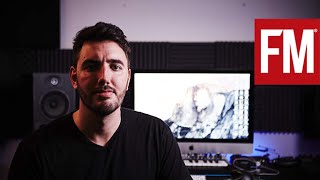 Kalyde on creating Pyro – The Track
 Surface Pro 4 Mega Test for Music Production OUT OF DATE!
 Sonic TALK 439 - ENO, AUM, Mersenne, Bluetooth MIDI
 NAMM 2016: Synthrotek Modular Systems
 Molten Music Monthly - January 2016
 Akai MPC Touch Presentation
 Novation // Getting Started with Circuit - Registration
 Akai Pro Advance Keyboards - Overview
 Sonic TALK 414 - Classic Mic, Classic Synths, Streaming + Stems
 Sonic TALK 412 - Studio Stekker, Windows 10
 Novation // Launchkey Getting Started - Video 4 - Making Music
 Portico on producing Living Fields – The Track
 Microsoft Surface 3 - Full Review and SP3 Comparison for Music Production
 Elektron Overbridge Demo Musikmesse 2015 - CUCKOO
 Novation Launchpad Pro - Grid Controller nicht nur für Ableton Live
 Sonic TALK 399 - Musik MESSE Roland?
 Sonic TALK 397 - Talk Like Rocks
 Sonic TALK 395 - Kraftwerk Wizards of Oz
 NAMM 2015: Elektron Overbridge Progess
 Sonic TALK 380 - Noodling Gives You Wings
 Sonic Touch 34: iConnectivity 4+ and Korg Gadget Update
 Sonic TALK 373
 Dada Life In The Studio With Future Music
 Bitwig Review Part 1
 Presentation: Nektar Panorama With Bitwig
 Addison Groove - Studio Tour
 Novation // How to produce and share a track in Ableton
 Sonic TALK 350 - Blow $25k On Studio Gear - Ideas
 Sonic TALK 342 - Guitorgan
 Vitalic In The Studio With Future Music
 Timo Mass In The Studio With Future Music
 Sonic TALK 314 Harmonic Massage Gong Bath
 Sébastien Léger - Using the TB-303 - In The Studio With Future Music Part 4
 NAMM 2013: Panel discussion: Past, present and future of MIDI
 Stammtisch: Die Top-News der US Messe NAMM 2013
 Sonic TALK 294 - Massive Furry Head
 AN21 & Max Vangeli Interview
 Sonic TALK 273 - M-Audio and Bitwig
 Celebrate Detroit Techno
 MINITAUR + ABLETON LIVE PART 3: Minitaur Editor Librarian
 Sonic TALK 259
 Emulator 42 inch Multi Touch Surface
 Novation // Launchpad Promo Explained
 MusoTalk 186 - Workshop - Propellerhead/Ableton Teil 3