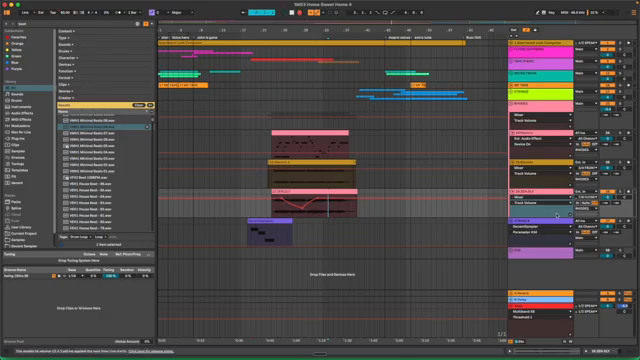
If you think you’ve heard every Ableton trick, think again. Lodewijk Vos (LØ) comes out swinging with 20 tried-and-tested workflow tips, cut straight from two decades in the production trenches. No fluff, no recycled shortcut lists—just the real habits and hacks that make your sessions leaner, meaner, and infinitely more playable. LØ’s minimalist travel rig and brutally honest delivery are here to slap your DAW routine awake. Buckle up for racks, sidechain sorcery, pro-level automation, and a string sampler that’s more broken glass than velvet cushion. The only thing smoother than these tips is the comment section—if you’re brave enough to dive in.
19. June 2026
SPARKY
Lodewijk Vos (LØ) Throws Down: 20 Ableton Tips That Actually Matter
Ableton Live, Fragile Violins Sampler, SoundFlow, Stream Deck
Foundations: Stop Wasting Time, Start Making Bangers
LØ kicks things off with the rookie moves, but don’t roll your eyes—these aren’t your average ‘open a new track’ tips. Saving default presets and projects means you’re building a launchpad, not a landfill. If you’re still opening up plugins and tweaking the same old parameters from scratch, you’re living in the past. LØ’s advice? Set your defaults, and let Ableton meet you where you are.
It’s not all about speed—these habits keep your sessions clean and your CPU chill. Naming tracks with hashtags? It’s a nerdy flex that pays off, especially when you’re chasing sidechains or wrangling big projects. Sidechain racks, return track setups, and the magic of racks-for-everything turn your Ableton set into a modular playground. If you’re not using shortcuts, you’re basically mixing with oven mitts. LØ’s no-nonsense, real-world approach makes sure you’re set up to create, not just organise.
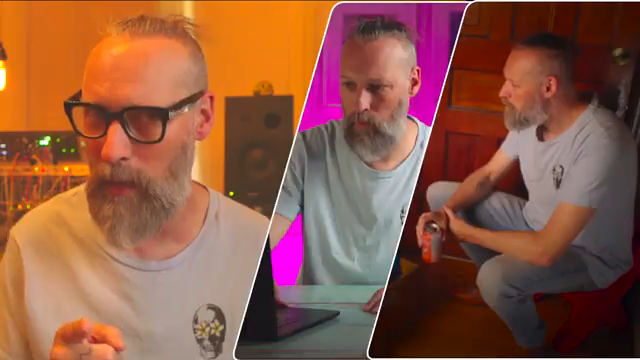
"These are the things that if you're not doing it, you're making your life so much harder than it needs to be."
© Screenshot/Quote: Lodewijkvos (YouTube)
Level Up: Advanced Moves for the Sonic Street Warrior
"Your hand will do things that your mouse never would."
© Screenshot/Quote: Lodewijkvos (YouTube)
Here’s where LØ separates the session hoarders from the workflow assassins. Automation isn’t about drawing polite curves with your mouse—it’s about getting your hands dirty and letting the vibe lead. The utility device trick for volume automation? That’s the kind of tip that saves your faders and your sanity when things get loud.
Controllers take centre stage for bold mixing moves, and latency fixes are handled like a true DAW mechanic. Stealing tracks from old sessions and treating templates as modular grab-bags means you’re never starting from scratch, but always building fresh. It’s not complicated—just the stuff most producers never think to do. This is the difference between sounding pro and sounding like you’re still stuck in Ableton 7.
Pro Mode: Systems That Make You Faster Than the Competition
Now we’re deep in the rave bunker. LØ’s pro-level tips are all about speed and headroom. SoundFlow and Stream Deck? These aren’t toys—they’re workflow weapons, loading plugins before you can even say ‘Pro-Q 3’. The advice to never touch your volume button and only use a dim switch will save your mixes from the loudness trap that ruins dynamic range faster than you can say ‘crushed’.
Rolling Sampler is the secret sauce, catching every happy accident and YouTube rabbit hole with zero fuss. If you’re still manually re-sampling, you’re fighting a toaster with a butter knife. These systems pay for themselves in time, sanity, and the kind of mixes that actually breathe. If you want every detail, you’ll have to watch the video—text can’t do justice to the speed-demon workflow on display.
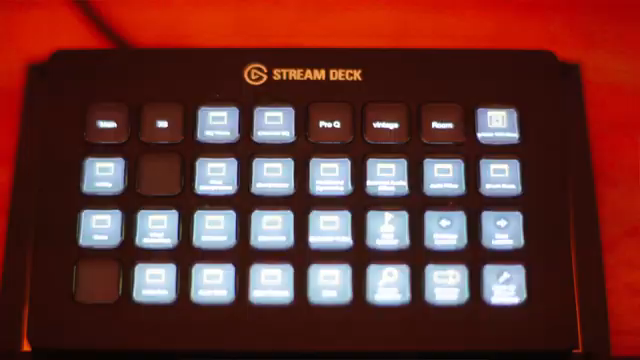
"Soundflow loads your plugins about 10 times faster than Ableton does natively."
© Screenshot/Quote: Lodewijkvos (YouTube)
Fragile Violins: DIY Strings for the Brave
Anyone can buy another string library, but LØ did it the hard way—hiring real players and building a sampler loaded with movement and grit. If your tracks sound too polished, this free Fragile Violins sampler is your ticket to character and chaos. Grab it from the link and get weird. The full version’s coming soon, but even the freebie is enough to add some cracked-glass beauty to your next banger.
The Gold Mine: Community Tips and DAW Wisdom
"Let the comment section become a gold mine of amazing Ableton tips."
© Screenshot/Quote: Lodewijkvos (YouTube)
LØ wraps it up with a call to arms—drop your best tip in the comments and turn the section into a hive mind of Ableton hacks. Forget tutorial clickbait; this is where the real tricks live. Share your secret weapon or steal someone else’s. If you want the freshest workflows, don’t just lurk—get involved. The best tip in the room could be yours, or it could be waiting below this very article.
This article is also available in German. Read it here: https://synthmagazin.at/lodewijk-vos-lo-haut-raus-20-ableton-tipps-die-wirklich-zaehlen/
More articles about these products:
 Architecting Performances: Novation Launch Control and Ableton Live Macro Workflows
 Nebula Machines: Bahadırhan Koçer and the Sonic Physics of Dub Techno
 Pick Yourself’s Hypnotic Bass Hack: Rumble Kicks Are Out, Sliding Grooves Are In
 Mad Moments & Club Tactics: Tom VR Gets Real with MusicRadar Tech
 Bonedo Synthesizers: How to Make Any Synth Scream Acid Like a 303
 LNA Does Audio Stuff: Making Beats on the Cheap with Ableton Note—Beach Edition
 Andrew Huang’s Remix Rodeo: Four Producers, One Song, Total Mayhem
 MusicRadar Tech Unleash Ableton Beat Repeat: From Lazy Slicer to Glitch Mayhem
 Pick Yourself Makes Echo Bang: Delay as Synth Weapon
 Underdog Electronic Music School: Don’t Let Your Beats Collect Dust
 Polyend Play+ in the Hot Seat: Nu-Trix The Synth Guy Gets Real
 Reason Rack Unleashed: TAETRO Turns Software into a Sonic Street Weapon
Watch on YouTube:
Latest articles
Watch on YouTube:
Visit the channel:
https://www.youtube.com/lodewijkvos
https://www.youtube.com/lodewijkvos
Links from lodewijkvos:
website: https://lodewijkvos.com
facebook: https://www.facebook.com/lodewijkv
instagram: https://www.instagram.com/lodewijkv/
Sponsored links:
If you purchase via these links, we may earn a small commission – at no extra cost to you. The link opens an Amazon keyword search, and results may vary depending on availability.
Ableton Live
🔗 Check price on Amazon
🔗 Check price on Amazon
Fragile Violins Sampler
🔗 Check price on Amazon
🔗 Check price on Amazon
SoundFlow
🔗 Check price on Amazon
🔗 Check price on Amazon
Stream Deck
🔗 Check price on Amazon
🔗 Check price on Amazon