Underdog Electronic Music School drops a quick-fire lesson on musical markers—those sonic signposts that give techno tracks their shape and swagger. Forget basic white noise crashes; Oscar pushes you into deeper territory, crafting markers that actually match your synth palette. Expect sharp tricks in Ableton, practical tips, and a reminder that sometimes, less is more. If your arrangements sound like a flatline, this video’s your defibrillator.
6. October 2026
SPARKY
Markers That Splash: Underdog Electronic Music School’s Guide to Kickstarting Your Phrases
Markers: The Sonic Street Signs
If your techno grooves feel like they’re missing punctuation, you need markers – those little sonic flags that scream, “new phrase incoming!” Oscar from Underdog Electronic Music School isn’t here to hold your hand through the basics, but he makes one thing clear: markers are what split your tracks into proper, head-nodding sentences. This isn’t some vague theory; it’s the invisible glue between your 8, 16, or 32-bar sections.
Markers aren’t just arbitrary bleeps. They can be the start gun for a new idea or a dramatic full stop at the end of a phrase. Think of them as the rave bunker’s equivalent of traffic lights: you don’t notice them until they’re missing and then you crash. Whether you go for the classic white noise crash or something more syncopated, these signposts keep your arrangement from turning into a mindless loop.
"It's almost like a human sentence. It has a start, a middle, and an end."
© Screenshot/Quote: Oscarunderdog (YouTube)
From White Noise to Weirdness
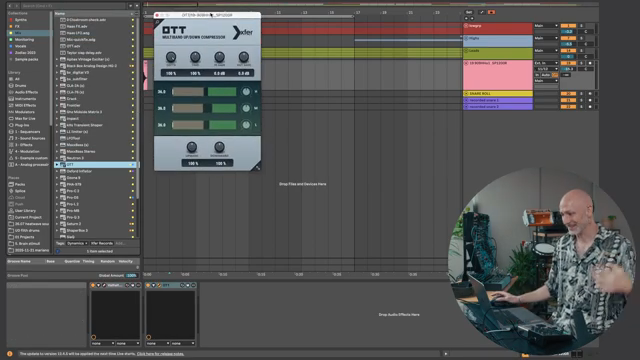
"The OTT is going to squeeze the ever-living crap out of your sound."
© Screenshot/Quote: Oscarunderdog (YouTube)
Oscar rolls through the classic starter pack: white noise, 909 cymbals, and a generous drizzle of reverb and OTT. Sure, it’s 2010 all over again, but if it works, it works. He’s not content to leave it there, though—after rinsing the basics, the lesson veers into more interesting territory. Why settle for canned sounds when you can use your own synth lines as markers? That’s the real Underdog move: layering up textures that actually fit your track instead of slapping on generic noise.
The Ableton hacks come thick and fast—reverse, transpose, stretch, and bounce. Oscar shows how to keep your markers fresh by tweaking each one just enough for variation. He’s big on not letting things get stale. If you’re bored of the same old crash, this is your permission slip to get weird.
Markers in Action: Techno Phrase Surgery
Here’s where things get surgical. Oscar takes a copy of his main synth, abuses it with some MIDI, and drops it on the one for an instant marker. It’s not just about dumping sounds in the timeline—he’s making each phrase marker texturally related to the track, sometimes even staggering notes or changing octaves for that syncopated bounce. The result? Markers that don’t sound like stock production filler, but actual parts of the groove.
He keeps looping, duplicating, and tweaking, showing how markers and their call-and-response cousins can build up motifs. It’s not just theory—he tests everything in context, pulling sounds forward or pushing them back until they fit. If you want to know what makes a track breathe instead of choke, this is the bit you need to see. But trust me, the punch of these sounds is better felt in the video than read in an article. Go listen for yourself.
"So the marker is kind of like a call and the response will follow."
© Screenshot/Quote: Oscarunderdog (YouTube)
Subtlety: The Secret Weapon
Oscar isn’t shy about deleting half his markers when things get too busy. The trick is restraint—sometimes you need space more than you need another splash. He experiments with volume, density, and placement, making sure nothing drowns the real action. Subtle markers, layered quietly in the background, add depth without stealing the spotlight. There’s a reason the pros don’t spam the one with fireworks every bar.
Get Off YouTube and Get Marking
"Time to get off of YouTube and to go make your own music."
© Screenshot/Quote: Oscarunderdog (YouTube)
The pep talk at the end is classic Underdog: stop watching, start doing. Oscar lays down enough ideas to ignite a dozen tracks, then boots you out the door to experiment with your own marker madness. If you’re still scrolling, you’re missing the point—grab your DAW and make those phrases pop.
This article is also available in German. Read it here: https://synthmagazin.at/marker-mit-wumms-underdog-electronic-music-school-erklaert-wie-du-deine-phrasen-startest/
More articles about these products:
 Kairos as Living Sculpture: MusicRadar Tech Enters Laura Misch’s Sonic Sanctuary
 Voltage Labs: Berlin’s Sonic Mosaic – Studios, Shadows and the Pulse of Creation
 Architecting Performances: Novation Launch Control and Ableton Live Macro Workflows
 Nebula Machines: Bahadırhan Koçer and the Sonic Physics of Dub Techno
 Pick Yourself’s Hypnotic Bass Hack: Rumble Kicks Are Out, Sliding Grooves Are In
 Mad Moments & Club Tactics: Tom VR Gets Real with MusicRadar Tech
 Bonedo Synthesizers: How to Make Any Synth Scream Acid Like a 303
 LNA Does Audio Stuff: Making Beats on the Cheap with Ableton Note—Beach Edition
 Bthelick’s Piano Layering Reality Check: Why Your Dance Pianos Go Mush
 Andrew Huang’s Remix Rodeo: Four Producers, One Song, Total Mayhem
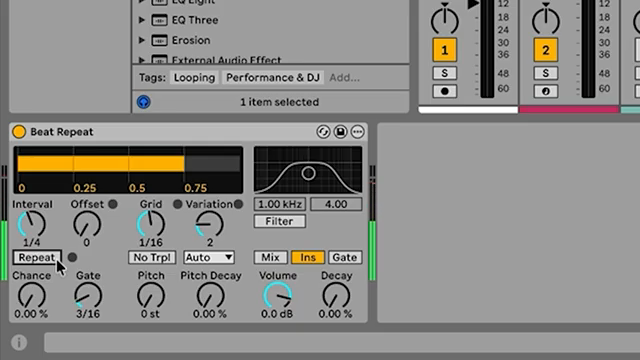 MusicRadar Tech Unleash Ableton Beat Repeat: From Lazy Slicer to Glitch Mayhem
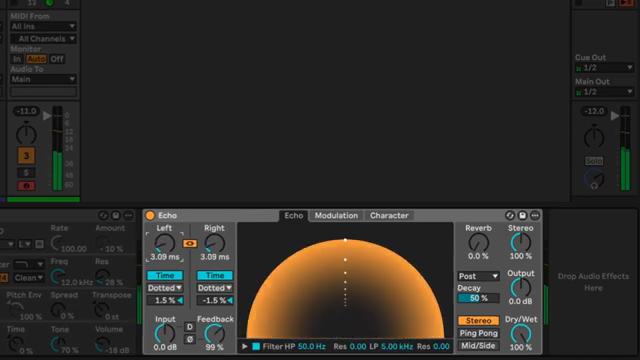 Pick Yourself Makes Echo Bang: Delay as Synth Weapon
Watch on YouTube:
Latest articles
Watch on YouTube:
Visit the channel:
https://www.youtube.com/OscarUnderdog
https://www.youtube.com/OscarUnderdog
Links from OscarUnderdog:
underdog.brussels: https://underdog.brussels
Underdog instagram: https://instagram.com/oscarunderdog
Underdog facebook: https://facebook.com/underdogbrussels
Sponsored links:
If you purchase via these links, we may earn a small commission – at no extra cost to you. The link opens an Amazon keyword search, and results may vary depending on availability.
909 hi-hat
🔗 Check price on Amazon
🔗 Check price on Amazon
Ableton Live
🔗 Check price on Amazon
🔗 Check price on Amazon