Bored of the same old sub rumbles in your techno? Pick Yourself flips the script and dives into the hypnotic basslines the pros are actually using. We’re talking sliding notes, polymetric grooves, and textured low-end that’ll make your club rig wobble. Forget stale loops – this is a masterclass in movement, tension, and a touch of dirt, all inside Ableton. If you want your bass to hypnotise rather than bulldoze, this one’s for you.
28. August 2026
SPARKY
Pick Yourself’s Hypnotic Bass Hack: Rumble Kicks Are Out, Sliding Grooves Are In
Ditch the Rumble, Enter the Hypnotist
Let’s face it, if you’ve been dragging a tired old rumble under every techno kick, you’re hardly alone – but Pick Yourself is here to shake loose that habit. The video kicks off by calling out the classic sub rumble: reliable, yes, but a bit same-old in a world where hypnotic, sliding basslines are taking over professional releases. There’s a new groove in town, and it’s not just about brute force low-end.
Instead, we’re shown that the most engaging tracks these days feature basslines that move and slide, creating a constant sense of motion. The creator’s reference playlist proves the point: the tracks that really grab you have ditched the static rumbles in favour of something more alive. The scene is set for a deep dive into what makes these basslines so addictive, and why your old kick-and-rumble combo might need retiring.
"They all built a low-end that was kind of constantly moving and sliding between different notes."
© Screenshot/Quote: Pickyourselfofficial (YouTube)
Groove Mechanics: Slides, Displacement, and Texture
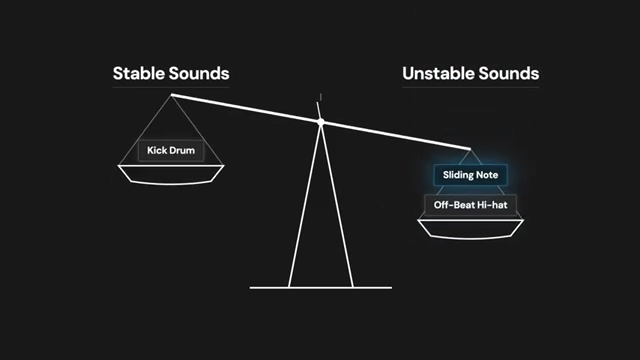
"That push and pull between stable and unstable elements is exactly what creates that hypnotic tension and groove."
© Screenshot/Quote: Pickyourselfofficial (YouTube)
What’s the secret sauce? Sliding notes, rhythmic trickery, and a taste for immersive texture. The video wastes no time breaking down the key components: sliding notes that add tension, grooves that keep the bass wriggling, and textures that soak your subs in late-night sweat. This is not just theory; it’s the backbone of hypnotic techno that keeps ravers locked in until sunrise.
Sliding notes aren’t just for showing off – they’re the main event, giving the bassline a dissonant edge that stirs things up. Combine that with subtle rhythmic displacement, and suddenly your low-end is anything but predictable. Texture, meanwhile, is the glue – it’s what keeps the bassline from feeling like it was cooked in a microwave. If you want groove, you need all three working together.
Pitch Bends & Polymeters – The Hypnotic Edge
Pick Yourself isn’t just talking about sliding notes – he’s bending them, literally. By using pitch bend envelopes in Ableton (forget the lazy synth glide), you get forensic control over how your notes slither and squirm. This is where the groove gets hypnotic: it’s not about hitting the right scale, it’s about living in the tension between notes, balancing stability and chaos like a DJ with a caffeine problem.
The next trick is polymeter – that’s overlapping odd-step bass patterns on top of your four-to-the-floor. Three steps, five steps, nine steps – suddenly, your bass drifts off the grid and forces the listener’s brain to chase the groove. But don’t get carried away: sometimes it just makes a mess. The video keeps it real, showing how a bit of rhythmic displacement can get you most of the way there, and polymeters are the clubland cherry on top when they actually fit.
"You could, of course, use the glide function of your synth instead, but I prefer the pitch bend envelopes because you get far more granular control over the exact shape of each slide."
© Screenshot/Quote: Pickyourselfofficial (YouTube)
Texture and Mono: Club-Ready Bassline Survival Kit
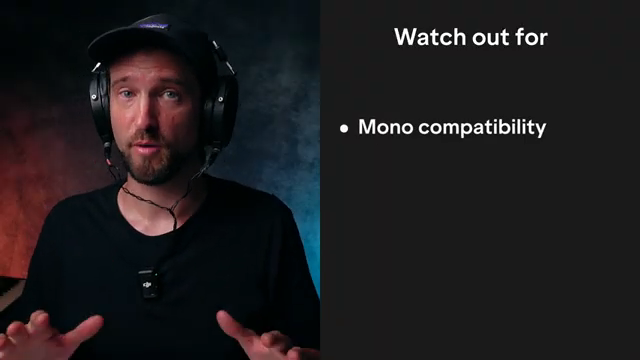
"If the reverb gets too broad, you might get some phase cancellation when this gets some too mono in a club system."
© Screenshot/Quote: Pickyourselfofficial (YouTube)
A hypnotic bassline isn’t worth a tenner if it falls apart in the club. That’s why texture and mono compatibility are the final bosses. The video walks you through stacking filters, a touch of resonance, and some LFO to get that low-end moving – not sitting like a lump on top of your kick. Subtle reverb and saturation bring the filth, but don’t overdo it or you’ll drown the groove in mud.
Here’s the pro tip: always check mono compatibility, especially after adding width with reverb or stereo FX. The creator shows how to tame the sides with mid/side EQ (think FabFilter or TDR Nova if you’re skint), and how to make sure your kick still slices through the mix. Ducking tools and sidechain tricks are your friends – but don’t expect a full settings walkthrough here. Some of this is best experienced in the video, where you get the real sense of how these textures sound in the wild.
Don’t Just Read – Watch and Hear the Magic
Honestly, if you want the full dose of groove sorcery, you’ll need to watch Pick Yourself’s video. The walkthrough is packed with sound examples and real-time tweaks that text can’t do justice. If you’re serious about taking your basslines from predictable to hypnotic, get your eyes and ears on the full thing.
This article is also available in German. Read it here: https://synthmagazin.at/pick-yourselfs-hypnotic-bass-hack-rumble-kicks-sind-out-sliding-grooves-sind-in/
More articles about these products:
 Underdog Electronic Music School: When One Pulse is Enough to Break Your Brain
 Markers That Splash: Underdog Electronic Music School’s Guide to Kickstarting Your Phrases
 Kairos as Living Sculpture: MusicRadar Tech Enters Laura Misch’s Sonic Sanctuary
 Voltage Labs: Berlin’s Sonic Mosaic – Studios, Shadows and the Pulse of Creation
 Stereo for the Streets: Underdog Electronic Music School Drops the Panning & Haas Reality Check
 Architecting Performances: Novation Launch Control and Ableton Live Macro Workflows
 Nebula Machines: Bahadırhan Koçer and the Sonic Physics of Dub Techno
 Mad Moments & Club Tactics: Tom VR Gets Real with MusicRadar Tech
 Bonedo Synthesizers: How to Make Any Synth Scream Acid Like a 303
 LNA Does Audio Stuff: Making Beats on the Cheap with Ableton Note—Beach Edition
 Andrew Huang’s Remix Rodeo: Four Producers, One Song, Total Mayhem
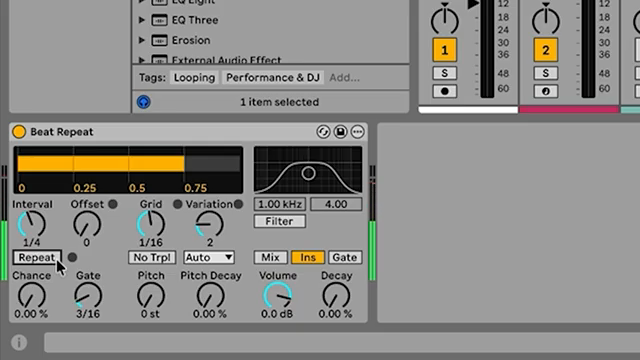 MusicRadar Tech Unleash Ableton Beat Repeat: From Lazy Slicer to Glitch Mayhem
Watch on YouTube:
Latest articles
Watch on YouTube:
Visit the channel:
https://www.youtube.com/pickyourselfofficial
https://www.youtube.com/pickyourselfofficial
Links from pickyourselfofficial:
Work with me: https://pickyourself.com/coaching/
FREE Guide: https://pickyourself.com/framework/
Sponsored links:
If you purchase via these links, we may earn a small commission – at no extra cost to you. The link opens an Amazon keyword search, and results may vary depending on availability.
Ableton Live
🔗 Check price on Amazon
🔗 Check price on Amazon
FabFilter Pro-Q 4
🔗 Check price on Amazon
🔗 Check price on Amazon
Shaperbox
🔗 Check price on Amazon
🔗 Check price on Amazon
TDR Nova
🔗 Check price on Amazon
🔗 Check price on Amazon