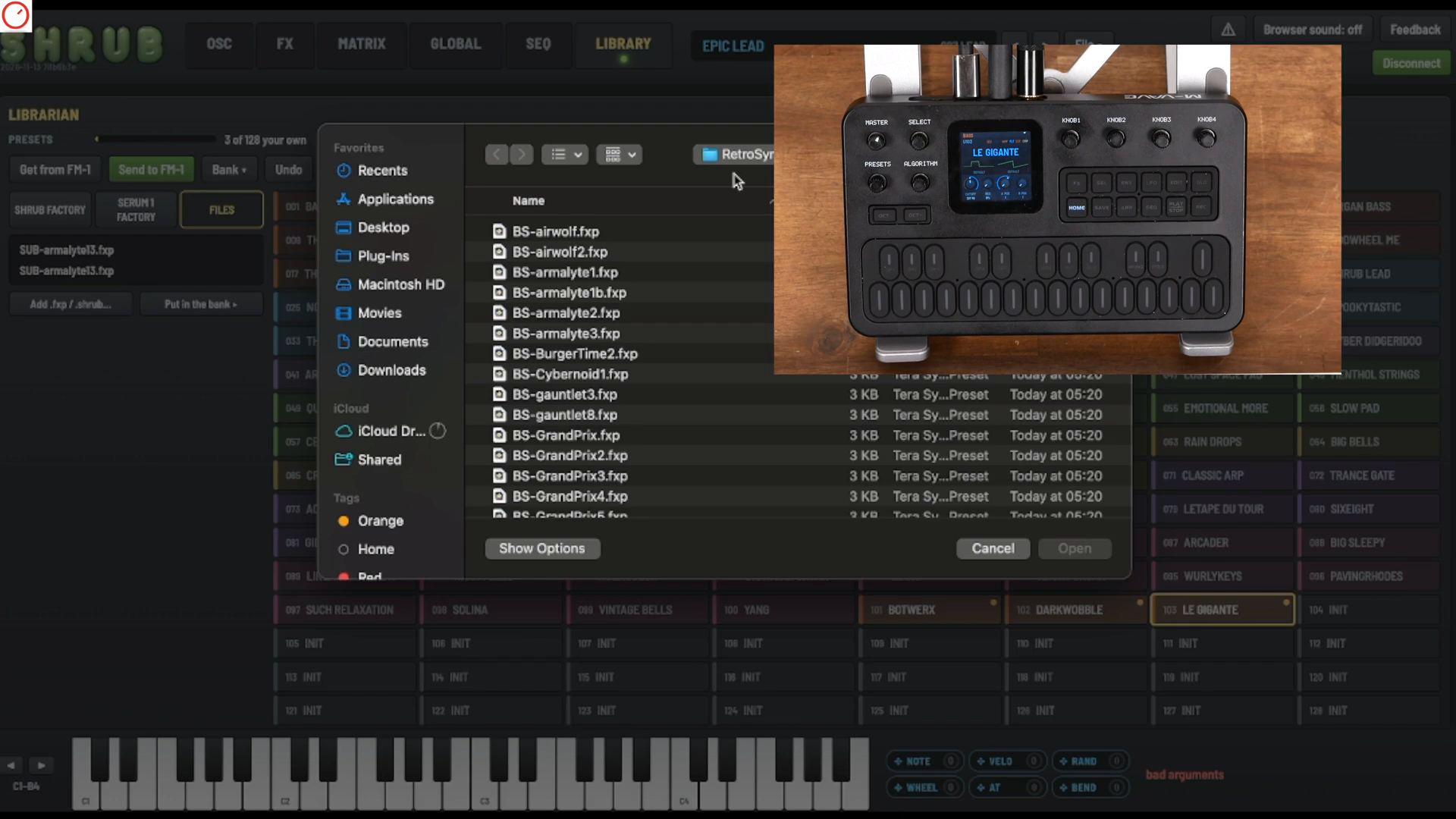
The new presets are loaded. Tom from SYNTH ANATOMY, however, is less than thrilled with the selected sounds. That’s exactly what makes his tutorial on importing Serum 1 patches into SHRUB, published on November 14, 2026, so interesting: He shows a working transfer without declaring every played sound a revelation. For musicians, this distinction is crucial. After all, a filled memory bank does not automatically make a good bassline.
From browser to bank
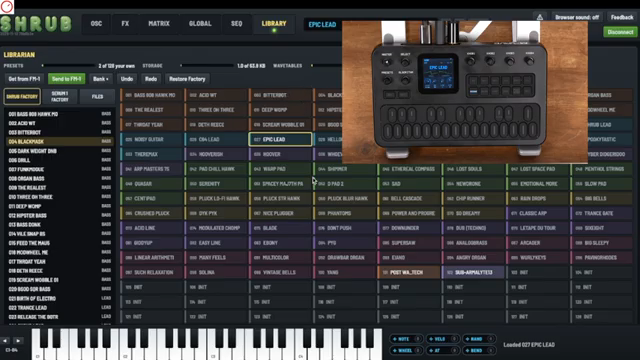
© Screenshot: SYNTH ANATOMY (YouTube)
“Yeah, I don't have luck today with sounds, but it works.”
© Quote: SYNTH ANATOMY (YouTube)
Tom starts in the library of the SHRUB web editor. There, alongside the FM-1’s own patches, he finds the Serum 1 factory library. He drags several presets onto memory slots and transfers them with Send to FM-1. He then calls them up on the device as User 101, User 102, and User 103. This is the crucial practical moment: not just managing files, but actually playing the transferred patches.
Next, he takes external Serum 1 patches from a free synthwave pack: open files, put sounds in the bank, send again. These also end up on the FM-1. Importantly, he explicitly notes that you need the web editor for patch management, not the plugin. Tom’s comment about his less-than-lucky sound selection today should not be read as a diagnosis of an import error:
M-VAVE FM-1 – Price & availability
Check price & availability on Amazon →
Advertising – affiliate link. If you buy through this link, we may earn a commission – at no extra cost to you.
The patch travels – but not the whole engine
The more important sound question is found in Tom’s SHRUB overview, also published on November 14. There he describes the firmware as a lighter-weight Serum variant, not a full original version. According to Steve Duda, the filters have been modified for lower CPU usage; Tom also mentions lower quality or differences compared to the original. A successful import is therefore not proof of identical sound. The import tutorial does not provide a controlled A/B comparison.
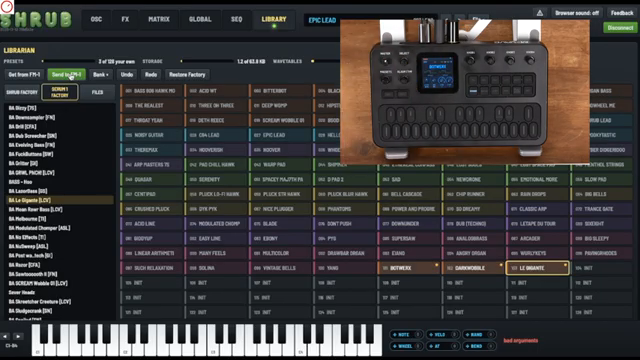
Attention is also needed during transfer: Tom shows three banks for user wavetables, each with up to 16 tables, and points out that these must also be sent to the device. He describes retrieving patches from the FM-1 to the editor as occasionally tricky. His conclusion remains correspondingly sober:
© Screenshot: SYNTH ANATOMY (YouTube)
“Not perfect yet because it's a beta, but still, yeah, it works.”
© Quote: SYNTH ANATOMY (YouTube)
What makes new sounds into an instrument
© Screenshot: AudioPilz (YouTube)
“You can still access the FM engine, the user experience is vastly improved, and I was surprised to find one of the most well thought out sequencer concepts I've ever seen in a compact synth.”
© Quote: AudioPilz (YouTube)
SHRUB becomes musically interesting where the imported sound can be further edited. In his overview, Tom demonstrates the controls for cutoff, resonance, and the two wavetable positions; he also describes a 16-step sequencer with parameter recording. This opens up more than just preset tourism: a suitable sound can be set in motion, rather than just selecting the next memory slot.
How much such operational decisions matter is also explored by AudioPilz in his Bad Gear episode from October 9, 2026. There he installs another alternative firmware, which he calls Bored Girl, explores its virtual analog engine, and adds FM sounds. His praise is explicitly for the sequencer – not just the number of additional synthesis methods:
However, AudioPilz also keeps the way back in mind. His general warning about restoring the original firmware is explicitly limited for the specifically tested switch between Bored Girl and the original: That worked flawlessly. This is not a statement about SHRUB. Nor is Tom’s demonstration of restoring a preset factory library the same as a firmware rollback. AudioPilz puts the general caution this way:
© Screenshot: AudioPilz (YouTube)
“Getting back to the original version isn't always a walk in the park”
© Quote: AudioPilz (YouTube)
Tom’s tutorial makes the transfer comprehensible, not the sonic equivalence. The more exciting benchmark for SHRUB is not a bank filled to the brim: it’s the moment when a familiar Serum patch under your fingers takes on a useful musical role. Until then, import, sound, and playability remain three separate questions.
M-VAVE FM-1 – View product
Check price & availability on Amazon →
Advertising – affiliate link. If you buy through this link, we may earn a commission – at no extra cost to you.
Videos for this article
All other articles featuring the M-VAVE FM-1
All YouTube videos featuring the M-VAVE FM-1
Primary – main topic (27)
 SHRUB: This Wavetable Synthesizer Firmware Is a Game Changer! Mini Serum for FM-1
 How To Import Serum 1 Patches Into SHRUB Synthesizer (Xfer Records) (M-VAVE FM-1)
 The MVAVE FM1 Is Amazing - But There's a Problem
 FM-1 Tier List
 FM-1: Amazing things are happening with this little synth
 My $50 OCTATRACK-KILLER has a crossfader now!! - Fm1 Custom Firmware
 How To Make SICK Beats on The SICKEST FM1 Firmware
 A $60 Synth Exposed the AI Hypocrisy in Music
Show all (19 more)
 I put ALL my Elektrons into my FM 1!! and you can too
 NO other FM-1 firmware can do what this one DOES!!!
 You can STOP looking NOW, I found the BEST fm1 firmware!! ... its mine
 20 minutes of the NASTIEST FILTHIEST FM-1 FIRMWARE!!
 The Mvave Fm1 Broke my BRAIN!!! I'll never buy a REAL synth again!!
 THE SYNTH REVOLUTION WILL BE TELEVISED Mvave Fm1 and BEYOND!!
 M-Vave Fm-1 VS SMK37 | IS BIGGER BETTER?!?!
 what's the OBSESSION with the M-VAVE FM-1?
 Anybody Can VIBE CODE the M-vave Fm-1
 This Will Be The Next M-VAVE FM-1
 Mvave Fm1 Broke The Synth Industry
 Bad Gear - THEY have a PROBLEM!!!
 ambient exploration with the MVAVE FM-1, SideKick, Microcosm, & XYNTHESIZR App
 FM-1: A full FM synthesizer for $67
 This Free App Solves Bluetooth MIDI’s Biggest Problem
 Rambling About: M-Wave FM-1 with tafony
 This Tiny Synth Can Load Classic DX7 Sounds
 M-Vave FM-1 Review - Pocket $70 Polyphonic FM Synthesizer | SYNTH ANAOTOMY
 10 Paid Plugins Actually Worth Buying


