Think the Faderpunk is just a dumb box of sliders? Think again. Starsky Carr dives headfirst into this ATOV Projects unit and rips the lid off its reputation as a mere CV controller. What you get is a shape-shifting groovebox sidekick, loaded with app-based tricks, MIDI wizardry, and enough live performance muscle to make your modular sweat. If you want to see a controller that can run circles around classic drum machines and synths, Starsky’s got the goods. This review is all killer, no filler—just how we like it.
5. May 2026
SPARKY
Starsky Carr Unleashes the Faderpunk: Not Just Another Fader Bank
Dreadbox Erebus, Dreadbox Nyx, Faderpunk, Roland CR-78, Roland GALAXIAS, Vermona DRM1
Not Just a Fader Bank: Faderpunk’s Secret Weapons
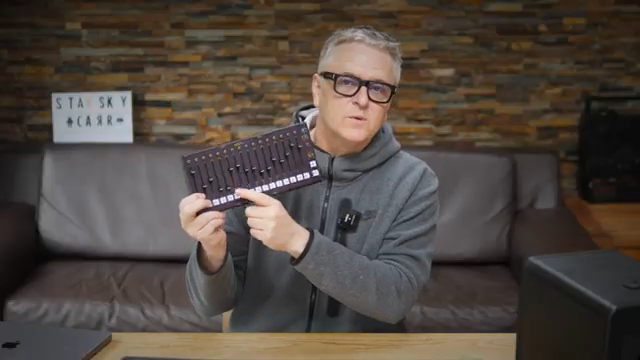
Let’s get this straight: the Faderpunk from ATOV Projects is not your average CV controller. Starsky Carr wastes no time smashing that myth, showing off a box that’s got more layers than a dodgy rave cake. Sure, it’s got faders, but this thing is a deep, flexible controller that handles both CV and MIDI like it was born for chaos.
Starsky’s approach is classic—straight to the point, no fluff. He’s had the Faderpunk in his rig for months, and it’s clear he’s not just impressed, he’s actually using it. Forget the idea of a one-trick pony; this is a proper sonic street weapon, ready to slot into any serious live or studio setup.
App Attack: Faderpunk’s Modular Mindset
Here’s where the Faderpunk gets wild: it runs on apps, not just firmware. You don’t just buy a box—you get a chameleon. Load up different apps via an online configurator and the hardware transforms, letting you swap between functions like a synth ninja. One minute it’s a drum pattern generator, the next it’s a multi-channel sequencer.
This isn’t just clever, it’s practical. Starsky highlights how you can tailor the Faderpunk to your exact needs, whether you’re running a modular bunker or a hybrid MIDI/CV setup. The flexibility here is next-level, and it means the Faderpunk won’t be gathering dust after your next gear purge.
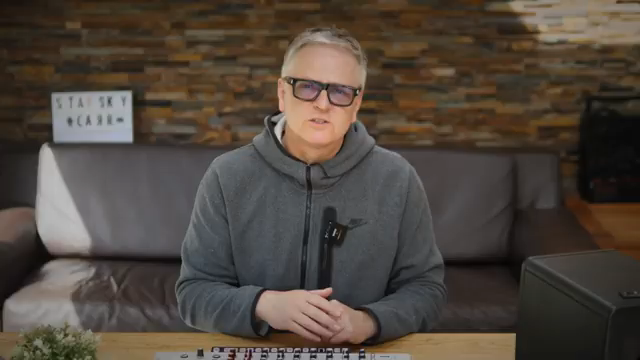
"There’s a lot you can do with just one app, and that’s what I want to show you because it’s much more flexible than any other fader bank."
© Screenshot/Quote: Starskycarr (YouTube)
Classic Machines, Modern Control: Faderpunk in the Wild
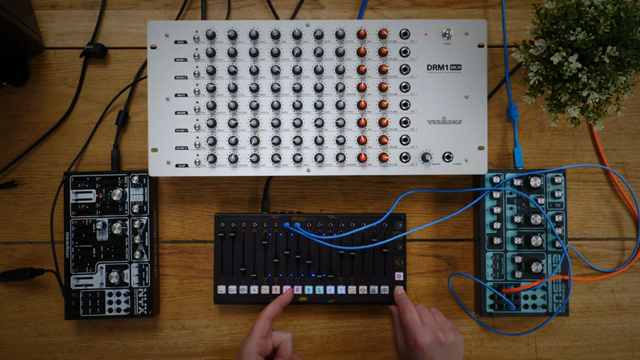
"In this video, I’m using it to control the Roland CR-78 via MIDI CC, including live kick drum tuning for basslines."
© Screenshot/Quote: Starskycarr (YouTube)
Starsky doesn’t just talk the talk—he wires the Faderpunk into a parade of classic and modern gear. We get to see it bossing around the Roland CR-78 via MIDI CC, tweaking parameters on the Roland Galaxias, and even handling the Dreadbox Erebus with CV while the Nyx and DRM1 get their MIDI fix. This is the kind of hands-on demo that separates the real-deal controllers from the plastic pretenders.
The adaptability is what makes it slap. Whether you’re tuning a kick drum on the fly or juggling multiple machines in a live jam, the Faderpunk keeps up. Starsky’s no-nonsense style means you see the workflow, not just the hype—and it’s clear this box is built for action, not just Instagram likes.
Sequencer Mayhem: Four Tracks of Freedom
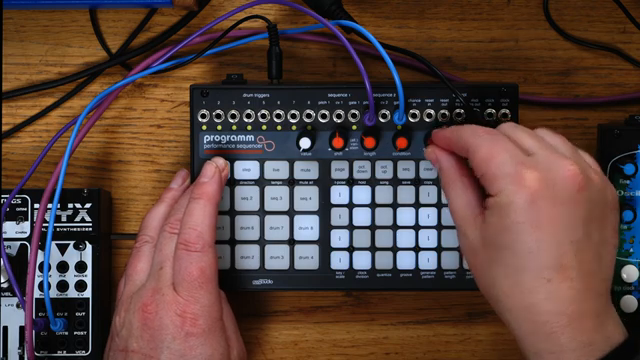
Now for the bit that’ll make sequencer junkies drool: the Faderpunk’s four-track sequencer app. Each track is independent, with its own step length, gate, octave, and rate. That’s serious power for live performance or complex compositions—think modular mayhem without the menu-diving migraine.
Starsky digs into the details, showing how you can save and recall up to 16 setups. That’s gig-ready flexibility, and it means you can swap from techno to ambient without breaking a sweat. If you want to see the Faderpunk in full-on sequencing mode, the video’s got the jams and pattern tweaks you crave.
"So this is the sequencer app, and on this I’ve got four tracks."
© Screenshot/Quote: Starskycarr (YouTube)
Why You Need to Watch: Faderpunk in Action
Look, you can read about faders and apps all day, but nothing beats seeing the Faderpunk in the heat of battle. Starsky’s video is packed with real-time demos, hands-on tweaks, and enough gear action to make any synth nerd grin. If you want to catch the subtle tricks, the workflow, and the full sonic punch, you’ll need to watch the video yourself. Trust me, this is one controller that’s better experienced than explained.
This article is also available in German. Read it here: https://synthmagazin.at/starsky-carr-entfesselt-den-faderpunk-mehr-als-nur-ein-fader-bank/
More articles about these products:
Watch on YouTube:
Latest articles
Watch on YouTube:
Visit the channel:
https://www.youtube.com/StarskyCarr
https://www.youtube.com/StarskyCarr
Links from StarskyCarr:
Patreon: https://patreon.com/starskycarr
Instagram: https://instagram.com/starskycarr
Facebook: https://facebook.com/StarskyCarrOfficial
Sponsored links:
If you purchase via these links, we may earn a small commission – at no extra cost to you. The link opens an Amazon keyword search, and results may vary depending on availability.
Dreadbox Erebus
🔗 Check price on Amazon
🔗 Check price on Amazon
Dreadbox Nyx
🔗 Check price on Amazon
🔗 Check price on Amazon
Faderpunk
🔗 Check price on Amazon
🔗 Check price on Amazon
Roland CR-78
🔗 Check price on Amazon
🔗 Check price on Amazon
Roland GALAXIAS
🔗 Check price on Amazon
🔗 Check price on Amazon
Vermona DRM1
🔗 Check price on Amazon
🔗 Check price on Amazon