Ready to ditch the mouse and get your hands dirty? Rapid Flow (aka Erik) takes us on a wild ride through the 2026 MIDI controller jungle, torching bad picks and spotlighting budget gems. From his streetwise studio setup to hard-won advice, this ain’t your average gear guide—this is for beatmakers who want workflow, not headaches. If you’re sick of cheesy top-ten lists from folks who never gigged, you’ll want to grab a snack and tune in.
4. September 2026
RILEY
Rapid Flow’s 2026 MIDI Controller Rundown: Real-World Rigs, No Mouse, No Nonsense
Ableton Push 3, AKAI APC40 MKII, Akai MIDI Mix, Arturia Beatstep Pro, Avid S1, Behringer X-Touch, DJ Tech Tools Midi Fighter, Elgato Stream Deck XL, Intech Studio controllers, Korg NanoKontrol, Nektar Panorama, Novation Launch Control XL, Novation Launchpad Mini, Omniclock, Softube Console 1, Torso T-1
The 2026 MIDI Controller Playground: Best Picks & Street Smarts
Let’s be real—most of those clickbait MIDI controller lists online are written by people who couldn’t rock a live rig if you paid them in vintage synths. Erik from Rapid Flow cuts through the hype with a market overview that’s all about what slaps and what sags in 2026. From the oversized Elgato Stream Deck XL (great for video, not so much for beats) to the pricey Novation Launch Control XL3, he’s calling out both the heroes and the wannabes. His take? Don’t drop cash on shiny stuff if the MIDI Mix gets you 90% there for a fraction of the price.
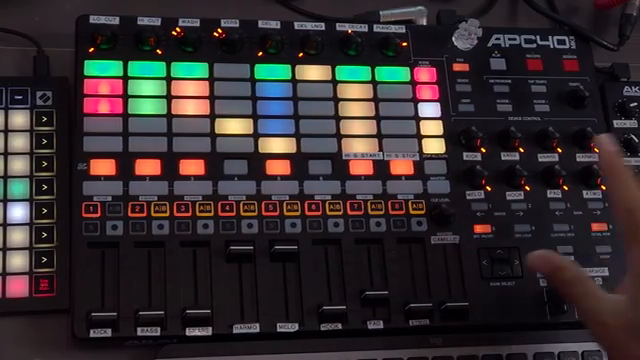
He’s got love for the APC40 MKII as the go-to Ableton controller—if you’re tight on desk space or dough, the MIDI Mix or even a Launchpad Mini keeps your setup lean and mean. Ableton Push 3? Cool for composing, but if you want to rock a party, you might end up fighting more menus than beats. Erik’s advice is gospel for street-level producers: don’t waste money on high-end fader units unless you need them for serious mixing. You could kit out an entire desk with solid gear for the price of one SSL or Avid S1. Now that’s the kind of price-to-fun ratio that keeps your fridge stocked with cheap beer, not regrets.
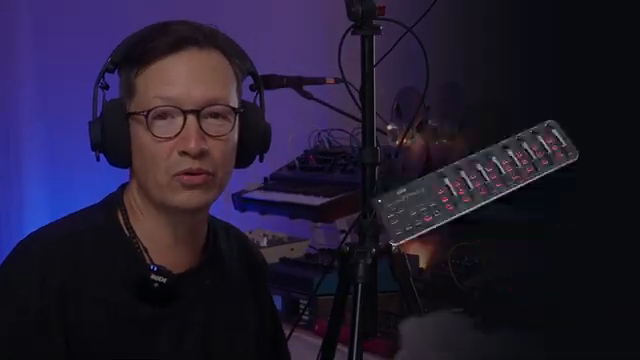
"Most of the best lists on the Internet are actually made by people that have never toured or performed with them."
© Screenshot/Quote: Rapidflow Shop (YouTube)
Inside the Rapid Flow Rig: Studio & Stage Hacks
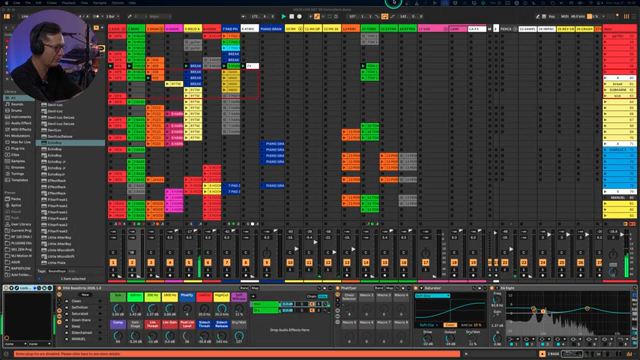
"This is a very flexible device."
© Screenshot/Quote: Rapidflow Shop (YouTube)
Erik throws open the doors to his workspace, and let’s just say—if controllers were tacos, this dude’s got a buffet. The heart of the setup is the legendary MIDI Mix, packed with rotaries and mapped so each knob is a direct hotline to the groove. He’s running everything from kicks to atmospherics, plus a foot pedal for hands-free DJ effect resets—because sometimes you need both hands for throwing shapes, not clicking menus.
In practice, his rig is about microsecond reactions: every sound, whether it’s a vocal sample or a pad, is a twist or a tap away. This isn’t just gear flexing—it’s about keeping workflow frictionless, so ideas go from brain to speaker before you can blink. Erik’s not just showing off; he’s dropping workflow gems you can actually steal for your own setup, whether you’re gigging or just jamming in your basement.
Gear Picks, Regrets & Real-Talk Recommendations
If you want the short list, here it is: APC40 MKII for Ableton, MIDI Mix for wild control, Launchpad Mini for live launching, and if you’re feeling fancy, BeatStep Pro or Torso T1 for sequencing. Erik’s not shy about what he’d never buy again—controllers with endless layers, giant footprints, or menu-diving nightmares get the boot. If you can’t instantly smack a fader to kill the hi-hats when feedback’s howling, what’s even the point?
He’s got respect for all the brands hustling in the game, but his picks are grounded in years of actual use. If your main goal is to perform, improvise, and keep it tactile, skip the gear that slows you down. The best setup is the one that keeps your hands on the knobs and your eyes off the screen.
Mouse-Free Zones: Workflow Tips from the Trenches
Erik’s a preacher of the hands-on gospel: ditch the mouse, use your “ten sausages” to control everything in real time. Macros, dedicated controls, and tactile workflow let you move faster than your old Excel-traumatized brain ever could. Whether you grab the DNA Suite or roll your own, the point is to feel the music under your fingertips, not buried in drop-downs.
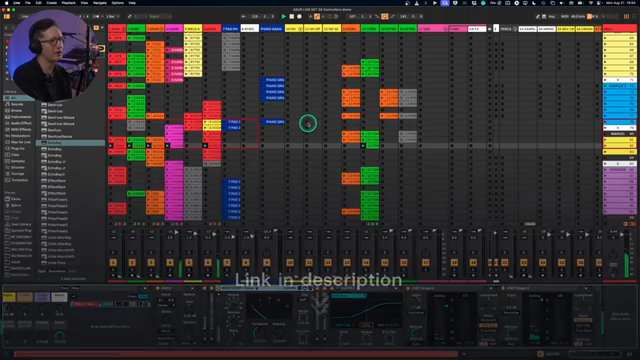
"Now that I'm using controllers in this way, now that I'm not touching my mouse and keyboard most of the time when I'm producing, jamming, or performing, honestly, I will never go back to doing everything moving blocks on the screen."
© Screenshot/Quote: Rapidflow Shop (YouTube)
Why You Still Need to Watch the Video: Demos & Sonic Fire
Look, I can tell you about the gear, but I can’t make your speakers rattle through text. If you want to see Erik’s workflow in action and hear how these controllers actually sound when they’re cooking, you gotta catch the video. There’s a heap of live jams, demo runs, and hands-on wizardry that turns theory into pure groove. Don’t just read about it—go watch Rapid Flow light it up.
This article is also available in German. Read it here: https://synthmagazin.at/rapid-flows-midi-controller-guide-2026-echte-setups-keine-maus-kein-bullshit/
More articles about these products:
 Rapid Flow’s One-Hour Track Cookup: MIDI Mayhem and Real-Time Grooves
 MiniGRID: Rapid Flow’s Groove Weapon for DAW Maniacs
 NOGASAYAN’s Double-Decked MPC Live 3 Hack: Two Launch Controls, One Rave Bunker
 The Midlife Synthesist: Three’s a Party – Chopping Up Grooves with Pro 3, Push 3 & Nord Stage 3
 The Midlife Synthesist Raises the Game: OXI ONE MK2 2.0 – Sequencer Mayhem Unleashed
 The Midlife Synthesist Ditches Complexity: Summit & Push 3 Go Back to Basics
 Rapid Flow’s Omniclock: The Sync Revolution Your Studio Didn’t Know It Needed
 Novation Peak in SCALER’s Live Rig: Digital Powerhouse at the Heart of Hybrid Performance
 Optoproductions Illuminates the Sonic Tapestry of Allert Aalders: A Journey Through Dutch Synth Lore
 XNB’s Launch Control XL Deep Dive: From DAW Domination to Custom Chaos
 Novation Launch Control XL: Architecting DAWless Mastery with Custom Modes
 Optoproductions Throws Down: Mackie 1604 VLZ4 as the Techno Mixer Street Weapon
Watch on YouTube:
Latest articles
Watch on YouTube:
Visit the channel:
https://www.youtube.com/RapidFlow_Shop
https://www.youtube.com/RapidFlow_Shop
Links from RapidFlow_Shop:
Rapid Flow Store: https://rapidflow.shop
Instagram: https://www.instagram.com/rapidflow_shop/
Facebook: https://facebook.com/SetsunaMusic
Sponsored links:
If you purchase via these links, we may earn a small commission – at no extra cost to you. The link opens an Amazon keyword search, and results may vary depending on availability.
Ableton Push 3
🔗 Check price on Amazon
🔗 Check price on Amazon
AKAI APC40 MKII
🔗 Check price on Amazon
🔗 Check price on Amazon
Akai MIDI Mix
🔗 Check price on Amazon
🔗 Check price on Amazon
Arturia Beatstep Pro
🔗 Check price on Amazon
🔗 Check price on Amazon
Avid S1
🔗 Check price on Amazon
🔗 Check price on Amazon
Behringer X-Touch
🔗 Check price on Amazon
🔗 Check price on Amazon
DJ Tech Tools Midi Fighter
🔗 Check price on Amazon
🔗 Check price on Amazon
Elgato Stream Deck XL
🔗 Check price on Amazon
🔗 Check price on Amazon
Intech Studio controllers
🔗 Check price on Amazon
🔗 Check price on Amazon
Korg NanoKontrol
🔗 Check price on Amazon
🔗 Check price on Amazon
Nektar Panorama
🔗 Check price on Amazon
🔗 Check price on Amazon
Novation Launch Control XL
🔗 Check price on Amazon
🔗 Check price on Amazon
Novation Launchpad Mini
🔗 Check price on Amazon
🔗 Check price on Amazon
Omniclock
🔗 Check price on Amazon
🔗 Check price on Amazon
Softube Console 1
🔗 Check price on Amazon
🔗 Check price on Amazon
Torso T-1
🔗 Check price on Amazon
🔗 Check price on Amazon