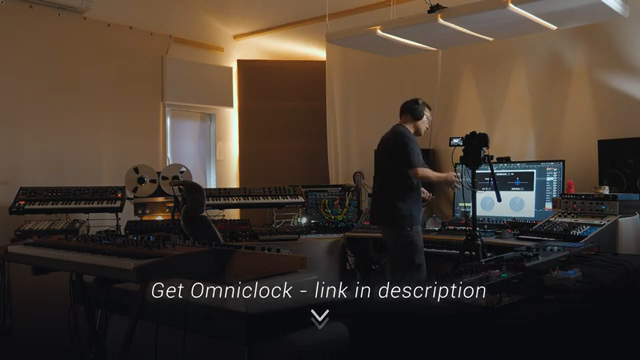
If you’ve ever wanted your hardware to march in perfect lockstep with your DAW—or maybe even moonwalk with vintage groove—Rapid Flow’s Erik has just dropped a VST bombshell. Meet Omniclock: a plugin that doesn’t just spit out MIDI clock, but delivers it with surgical precision and a side order of legendary shuffle. In this first look, Erik pulls back the curtain on the tech, the inspiration, and the sheer madness behind this timing weapon. If your grooveboxes have ever sounded like they’re fighting each other in a toaster, this is the sync fix you’ve been waiting for. Don’t blink—this one’s for the hardware heads who want their rigs tighter than a Berghain bouncer.
10. May 2026
SPARKY
Rapid Flow’s Omniclock: The Sync Revolution Your Studio Didn’t Know It Needed
Berenger 303, ERM Multiclock, Moog Matriarch, Nord Keyboard, Omniclock
Clockwork Precision: Omniclock Arrives
Rapid Flow’s Erik isn’t just hyping another plugin—Omniclock is pitched as a straight-up game-changer for anyone sick of sloppy MIDI clock. Right from the jump, he shows how most DAWs spit out clock that’s, well, not quite on the money. Enter Omniclock, which lets you shift the MIDI clock of any device hooked to your DAW, snapping everything right into the pocket. The difference isn’t subtle; it’s the kind of timing fix that makes your hardware feel like it’s finally woken up from a long nap.
What’s wild is how Omniclock doesn’t just tighten things up—it does it with sample-accurate precision. Erik’s demo with the MFP townspear makes it clear: this isn’t just about making things line up, it’s about making them groove. If you’ve ever tried to sync a pile of hardware and ended up with a mess, this is the VST that might actually deliver what the hardware sync boxes promise, minus the wallet-destroying price tag.
Shuffle Like a Legend
Now for the real sauce: Omniclock’s shuffle function. This isn’t some limp swing control—Erik’s plugin lets you inject classic groove patterns straight into your MIDI clock. Want a 909 shuffle? Done. EMU 12? MPC 60? It’s all here, and it’s not just for show. The plugin actually lets you swap between these legendary feels on the fly, turning your rigid MIDI sequences into something that actually moves.
It’s not just about shifting notes, either. The shuffle patterns are inspired by deep analysis of the original machines, so you’re not getting a generic swing—you’re getting the real, jittery, human wonkiness that made those boxes iconic. If your MIDI’s been sounding like a robot with a limp, this is the fix.
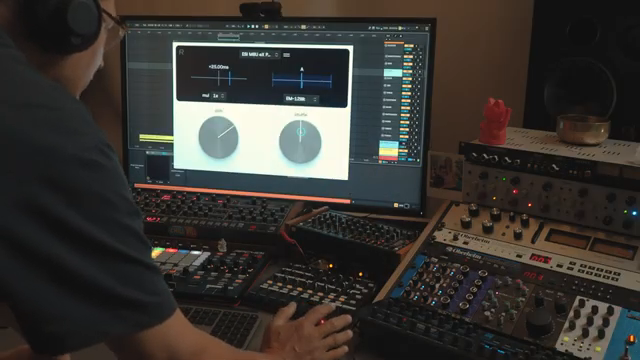
"Yes, you heard that right, we're shuffling midi clock."
© Screenshot/Quote: Rapidflow Shop (YouTube)
Sync Anything, Anywhere
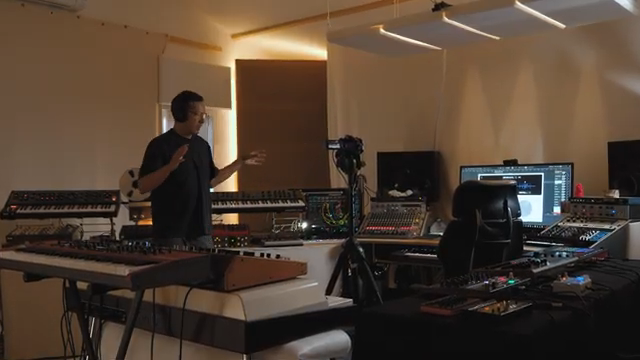
"we've in essence done is created a plugin that allows you to synchronize anything in your studio with hardware level synchronization box precision mappable so you can do it by feel and by listening and have total recall in your session."
© Screenshot/Quote: Rapidflow Shop (YouTube)
Omniclock isn’t picky about what it syncs. Erik shows it running with everything from classic drum machines to synths, sequencers, and even modular rigs. The plugin supports both MIDI DIN and USB connections, so whether you’re rocking a Berenger 303 or a Nord keyboard, you can bring it all into the same tight groove. Each device gets its own Omniclock instance, so you can tweak timing independently—no more fighting with global clock settings.
And it’s not just for the studio hermits. Live performers, take note: Omniclock’s stability and flexibility mean you can clock up to 24 devices at once, each with their own vibe. The plugin even handles virtual ports and Overbridge, so Elektron users aren’t left out in the cold. Basically, if it speaks MIDI, Omniclock can whip it into shape.
Reverse Engineering Groove: The Nerdy Bit
Behind the scenes, Erik and his team went full synth detective, analysing the timing quirks of machines like the 909, MPC 60, and even the jittery Lindrum. Turns out, the magic isn’t just in the shuffle—it’s in the tiny inconsistencies and timing curves that give each box its soul. Omniclock doesn’t just copy these patterns; it lets you select different timing curves to match or mash up the feel of your favourite classics.
This level of detail isn’t just for the anoraks. If you want your DAW to feel less like a spreadsheet and more like a sweaty warehouse, these timing models are the secret sauce. You can even get creative and use the curves in ways the originals never could. Just don’t expect your MPC to play nice with every shuffle—some hardware still wants to keep things straight, no matter how hard you swing.
"we also analyzed and looked at the timing inconsistencies with some of these machines generally which are part of their vibe."
© Screenshot/Quote: Rapidflow Shop (YouTube)
See It, Hear It, Feel It: Watch the Full Demo
Let’s be real: reading about shuffle curves is like reading a recipe for acid house. You need to hear it. Erik’s video is packed with A/B demos, timing tweaks, and enough groove to make your studio monitors sweat. If you want to see Omniclock in action—clocking, shuffling, and generally showing hardware who’s boss—this is one demo you don’t want to skip. Trust me, the real magic is in the sound.
This article is also available in German. Read it here: https://synthmagazin.at/rapid-flows-omniclock-die-sync-revolution-von-der-dein-studio-nicht-wusste-dass-es-sie-braucht/
More articles about these products:
 Summit Stays Supreme: The Midlife Synthesist’s One-Year Verdict
 A Studio of Sonic Memory: synth4ever Journeys through Devin Belanger’s Ambient Sanctuary
 Rapid Flow’s 2026 MIDI Controller Rundown: Real-World Rigs, No Mouse, No Nonsense
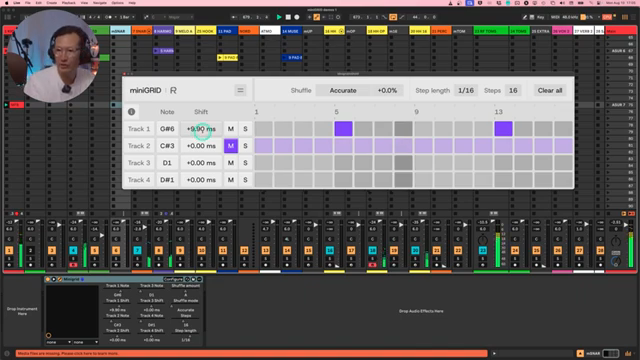 MiniGRID: Rapid Flow’s Groove Weapon for DAW Maniacs
 Rapid Flow’s 2026 Studio Arsenal: Only the Essentials That Slap
 Devin Belanger’s Forever Synths: Five Keepers That Refuse to Die
 Jorb Twists the OBNE Parting: Glitch, Grit, and Lo-Fi Mayhem
 Signal Sounds: One Year Inside the Cric’s Sonic Labyrinth
 Rapid Flow’s Garage Makeover: From Echo Chamber to Sonic Street Weapon
 Mastering the MPC Groove with teftymusictech
 Jamming with teftymusictech: How to Get Groovy with MPC Advanced CV Tools
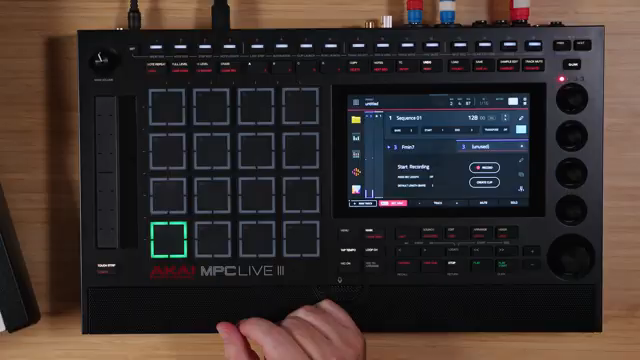 teftymusictech’s Beat-Mixing Experiment with Akai MPC Live 3 & Moog Matriarch
Watch on YouTube:
Latest articles
Watch on YouTube:
Visit the channel:
https://www.youtube.com/RapidFlow_Shop
https://www.youtube.com/RapidFlow_Shop
Links from RapidFlow_Shop:
Rapid Flow Store: https://rapidflow.shop
Instagram: https://www.instagram.com/rapidflow_shop/
Facebook: https://facebook.com/SetsunaMusic
Sponsored links:
If you purchase via these links, we may earn a small commission – at no extra cost to you. The link opens an Amazon keyword search, and results may vary depending on availability.
Berenger 303
🔗 Check price on Amazon
🔗 Check price on Amazon
ERM Multiclock
🔗 Check price on Amazon
🔗 Check price on Amazon
Moog Matriarch
🔗 Check price on Amazon
🔗 Check price on Amazon
Nord Keyboard
🔗 Check price on Amazon
🔗 Check price on Amazon
Omniclock
🔗 Check price on Amazon
🔗 Check price on Amazon