Korg’s Pa5X isn’t just another arranger—it’s a digital powerhouse with a fully integrated sampler, flexible import options, and a sophisticated memory management system. In this official walkthrough, Korg pulls back the curtain on how the Pa5X handles custom samples, multisample structures, and the mysterious preload buffer. We get a deep dive into the instrument’s RAM architecture, sample compression features, and the practical workflow for loading, editing, and optimizing your own sample libraries. If you’re curious how Korg’s flagship arranger juggles streaming, buffer allocation, and sample formats, this video is a must-watch for digital instrument nerds and workflow obsessives alike.
A Sampler at the Heart: Pa5X’s Recording and Import Power
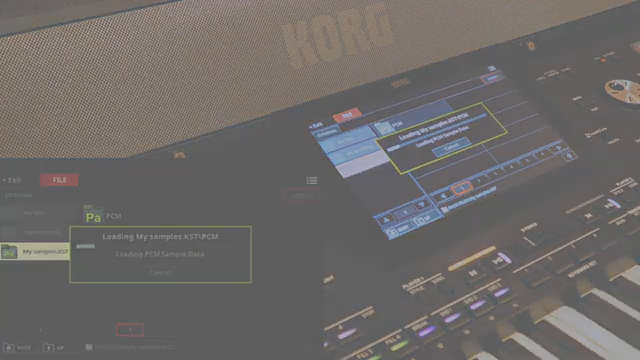
Korg positions the Pa5X as more than a traditional arranger, equipping it with a robust onboard sampler. This system allows users to record their own samples directly via a connected microphone or instrument, opening the door to custom sound creation within the keyboard itself. The workflow is designed to be accessible, letting users capture, edit, and integrate new sounds without leaving the Pa5X environment.
But Korg acknowledges that not every user wants to start from scratch. For those who prefer to work with existing material, the Pa5X supports loading and editing personal sample libraries. This flexibility means you can bring in your own curated sounds, whether recorded elsewhere or sourced from other libraries, and manipulate them using the instrument’s internal tools.
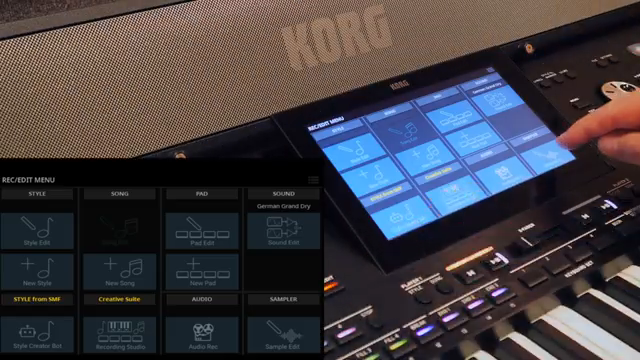
"The PA5X has a fully equipped sample recorder on board to record your own samples using a connected microphone or any other instrument."
© Screenshot/Quote: Korgofficial (YouTube)
Import Options and Memory: Navigating RAM and Preload Buffer
"The onboard memory for user samples is 4 GB."
© Screenshot/Quote: Korgofficial (YouTube)
The Pa5X offers a variety of import pathways, including KST files, sound fonts, and standard wav files from folders. This multi-format compatibility is a nod to modern workflows, enabling users to integrate a wide range of sample sources seamlessly. The instrument’s 4GB of onboard user sample memory provides ample space for most projects, but Korg also introduces sample compression to double this capacity—a feature we’ll revisit later.
Central to the Pa5X’s streaming architecture is the interplay between RAM and the preload buffer. The preload buffer acts as a staging area, ensuring that the initial portion of each sample is instantly available for playback, while the remainder streams from RAM. This system is designed to optimize both performance and memory usage, particularly when working with large or layered sample sets.
Inside the Multisample Matrix: Layers, Keys, and Articulation
Diving into sound design, the Pa5X allows each sound program to be constructed from up to 24 oscillators. Each oscillator can play a different multisample, which can be mapped to specific dynamic or key ranges. This architecture supports complex layering, dynamic switching, and advanced articulation techniques, such as DNC (Defined Nuance Control) layers for expressive performance gestures like glissandi.
A multisample in the Pa5X can connect up to 128 individual samples to specific keys, enabling detailed mapping for realistic instrument emulation or creative sound design. The video demonstrates how users can assign samples to single keys or groups, tailoring the response and articulation of each sound.
This structure is particularly powerful for those seeking nuanced, playable instruments. By leveraging multiple multisamples within a single sound, users can build patches that respond dynamically to velocity, key position, or performance controls, all within the Pa5X’s integrated environment.
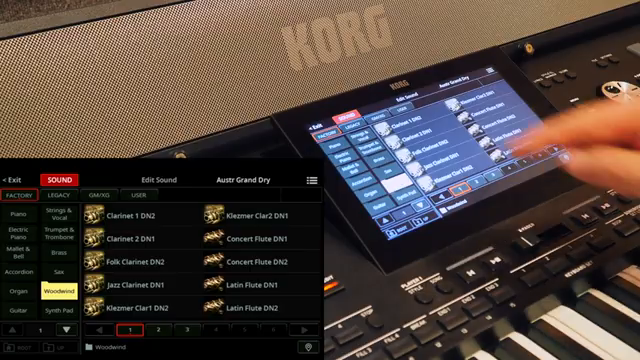
"Every single sound program can be made with up to 24 oscillators."
© Screenshot/Quote: Korgofficial (YouTube)
Memory Info Page: Transparency in Sample Management
Korg provides a dedicated memory info page, offering users a clear overview of their sample system. Here, you can monitor the total number of loaded samples, how much sample memory and preload buffer space is occupied, and the count of drum kits and multisamples in use. This transparency is crucial for managing large libraries and avoiding memory bottlenecks.
The sample list view adds further granularity, displaying sample numbers, names, stereo/mono status, compression and encryption flags, preload buffer allocation, and drum family categorization. This level of detail empowers users to make informed decisions about memory usage and sample organization, directly from the Pa5X interface.
Compression and Preload Buffer: Expanding Space, Managing Trade-Offs
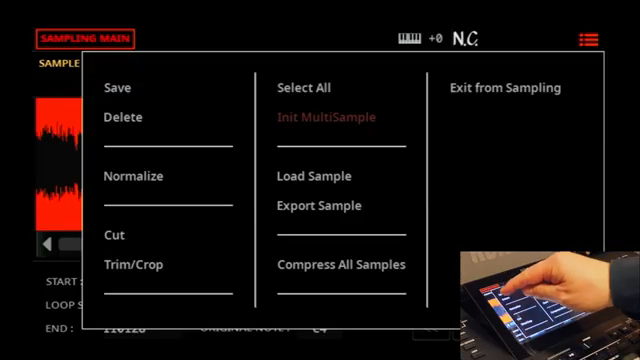
"Compressed samples cannot be loaded entirely in the preload buffer."
© Screenshot/Quote: Korgofficial (YouTube)
The relationship between the sample RAM and the preload buffer is central to the Pa5X’s streaming workflow. When a sample is triggered, its initial segment is played from the preload buffer, while the rest streams from RAM. The size of the preload segment isn’t fixed; it’s determined by a complex algorithm that considers factors like stereo/mono format, sample length, and playback direction. For example, stereo samples occupy double the preload space of mono ones, and very short or reversed samples may be loaded entirely into the buffer.
Users have control over which samples are fully loaded into the preload buffer. If a sample doesn’t need to reside there, it can be re-saved with the “Play from preload buffer” flag removed, freeing up buffer space and optimizing system performance. This hands-on management is especially useful when working with large or diverse sample sets.
Sample compression is another key tool, allowing users to effectively double their sample storage from 4GB to 8GB. However, compressed samples cannot be fully loaded into the preload buffer, which may impact certain workflows. The video notes that compressing all samples can be a time-consuming process, depending on the size of your library. This trade-off between storage capacity and buffer flexibility is a crucial consideration for power users aiming to maximize the Pa5X’s potential.
This article is also available in German. Read it here: https://synthmagazin.at/korg-pa5x-sampling-architektur-preload-buffer-und-kompression-entschluesselt/
More articles about these products:
Watch on YouTube:
Latest articles
Watch on YouTube:
Visit the channel:
https://www.youtube.com/KorgOfficial
https://www.youtube.com/KorgOfficial
Links from KorgOfficial:
website: https://www.korg.com
facebook: https://www.facebook.com/KORGusa
twitter: https://twitter.com/KorgUSA
instagram: https://instagram.com/korgofficial
soundcloud: https://soundcloud.com/korg
Sponsored links:
If you purchase via these links, we may earn a small commission – at no extra cost to you. The link opens an Amazon keyword search, and results may vary depending on availability.
Korg Pa5X
🔗 Check price on Amazon
🔗 Check price on Amazon