Akai Professional continues its tradition of forward-thinking music production tools with the MPC 3.10.1 update, aiming to break creative boundaries on its flagship hardware. This official walkthrough dives into the expanded feature set, from external plugin support to unlimited tracks and new developer tools. We dissect what’s actually shown, where the workflow changes, and what Akai’s move means for the modern hybrid producer. The video keeps things pragmatic, so we evaluate the real-world impact for those chasing both depth and immediacy.
14. November 2026
LYRA
Akai Professional Raises the Bar: MPC 3.10.1 Update Redefines Workflow Possibilities
A New Era for the MPC Ecosystem
Akai Professional’s MPC 3.10.1 update throws open the doors to a new creative landscape for hardware-centric producers. The video opens with a concise yet enthusiastic introduction by the Akai development team, immediately positioning this release as more than just a bugfix—it’s a set of deep workflow enhancements that recontextualize the MPC hardware’s role in modern production.
The emphasis is clearly on growth: not only in terms of feature count, but in the philosophical sense of what an MPC can now do. There’s a tangible shift from closed, self-contained beat-making to an open, expandable platform where users are empowered to shape their own workflows. The update is presented as a response to community feedback and a sign that Akai is listening to the evolving needs of digital-first musicians.

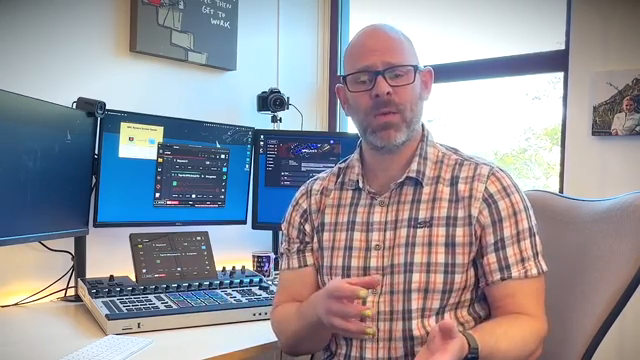
"We're excited to introduce the MPC 3.10.1 update, which brings a host of new enhancements."
© Screenshot/Quote: Akai Pro (YouTube)
External Plugin Support: The Gateway Opens
"You can now load your own custom-made plugins directly onto your MPC hardware."
© Screenshot/Quote: Akai Pro (YouTube)
Perhaps the most headline-grabbing addition is support for external plugins. This feature transforms the MPC from a fixed-engine groovebox into a modular, expandable instrument, letting users load their own custom-made plugins directly onto MPC hardware. The video demonstrates the process for activating this mode, referencing the new plugin loader and showing that the interface is designed to keep things accessible even to those not steeped in developer lingo. While the demonstration is focused on the mechanics, the implications for hybrid hardware-software workflows are hard to overstate.
Unlimited Tracks: Arrangements Without Boundaries
Moving to arrangement power, the update lifts previous restrictions on the number of audio and MIDI tracks. Producers can now create as many audio and plugin tracks as their projects demand, which is directly demonstrated in the video with a quick build-up of layered parts. This change is bound to appeal to power users constructing dense, multi-section projects who previously felt hemmed in by track limits. The workflow for adding new tracks remains fluid, preserving the MPC’s reputation for immediacy.
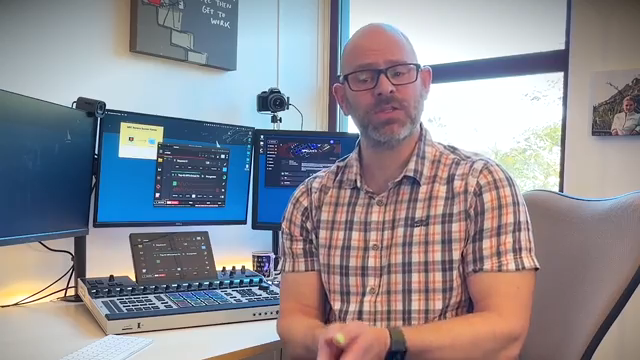
"Make as many audio and MIDI tracks as you want."
© Screenshot/Quote: Akai Pro (YouTube)
Refined Navigation and Control: Advanced Audio Settings & Mouse Support
Akai also addresses the finer points of usability with advanced audio settings and support for USB mouse navigation. The video shows how users can now tweak detailed audio configurations, such as sample rates and buffer sizes, directly from the hardware—enhancements that will matter for those with specific studio integration needs. This marks a shift toward giving users DAW-level control without leaving the MPC environment.
USB mouse support, meanwhile, is demonstrated as a bridge between classic hands-on MPC workflow and modern point-and-click navigation. The team shows how tasks like menu navigation and object selection become more efficient, a small but meaningful quality-of-life improvement for users who prefer hybrid hardware-software setups.
Developer Mode: For the Tinkerers and Trailblazers
"Developer mode lets you explore development tools and dig deeper into the system."
© Screenshot/Quote: Akai Pro (YouTube)
Rounding out the update, developer mode is introduced as a toolkit for those who want to push the MPC platform even further. The video highlights how this mode exposes development tools and panels, inviting users to dive under the hood and experiment with custom functionality. While the walkthrough is careful not to overwhelm, it’s clear that Akai is now courting a new breed of user—one who sees the MPC as both an instrument and a development canvas. This move potentially lays the groundwork for a growing ecosystem of third-party enhancements and community-driven innovation.
This article is also available in German. Read it here: https://synthmagazin.at/akai-professional-setzt-neue-massstaebe-mpc-3-10-1-update-definiert-workflow-moeglichkeiten-neu/
More articles about these products:
Watch on YouTube:
Latest articles
Watch on YouTube:
Visit the channel:
https://www.youtube.com/Akai_Pro
https://www.youtube.com/Akai_Pro
Links from Akai_Pro:
website: https://akaipro.com
instagram: https://instagram.com/akai_pro
facebook: https://www.facebook.com/AkaiPro
twitter: https://twitter.com/akai_pro
google_plus: https://plus.google.com/107127819149441645522/posts
Sponsored links:
If you purchase via these links, we may earn a small commission – at no extra cost to you. The link opens an Amazon keyword search, and results may vary depending on availability.
AKAI MPC 3.10.1
🔗 Check price on Amazon
🔗 Check price on Amazon
Native Instruments MPC Plugins
🔗 Check price on Amazon
🔗 Check price on Amazon