Akai Professional brings the legendary MPC experience to your desktop with MPC 3 Beats, a free software platform built on decades of sampling and sequencing know-how. In this official walkthrough, Akai showcases how the software mimics the hands-on workflow of the MPC hardware, from finger-drumming and chopping samples to arranging full tracks. For producers curious about hybrid setups or seeking powerful tools without upfront investment, MPC 3 Beats promises a familiar yet modern production environment. But how deep does the software go, and does it truly capture the MPC magic? We dive into what Akai demonstrates—and what still needs exploring.
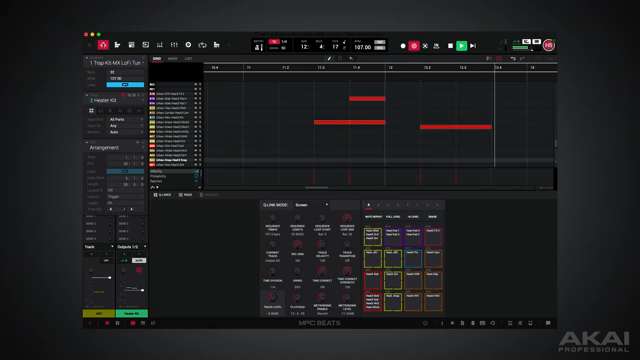
23. October 2026
LYRA
Akai Professional Delivers MPC 3 Beats: Classic Workflow, Now Free
MPC Workflow, Now on Your Desktop
Akai Professional’s MPC 3 Beats aims to capture the essence of the iconic MPC hardware and deliver it as a free software platform for desktop producers. The official walkthrough opens by positioning MPC 3 Beats as more than just another DAW: it’s pitched as a gateway to the tactile, loop-oriented, and performance-driven world of MPCs, now accessible to anyone with a computer. Akai leans into its decades-long legacy, highlighting how the familiar MPC grid and workflow are faithfully translated to the software environment.
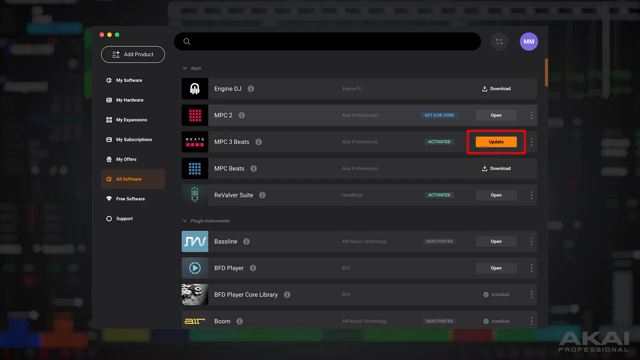
"Let's take a look at the interface of MPC 3 Beats."
© Screenshot/Quote: Akai Pro (YouTube)
Sixteen Tracks, Infinite Possibilities
MPC 3 Beats centers on a 16-track structure, giving users dedicated lanes to sequence drums, chop and trigger samples, play melodic instruments, or even record vocals. Akai demonstrates how easily users can layer different musical elements, using the classic pad layout or switching to the drum grid for more detailed editing. This dual approach—pads for performance, grid for precision—offers a flexible workflow that’s suitable for both beatmakers craving immediacy and those preferring meticulous arrangement.
Notably, the walkthrough emphasizes the ability to record and manipulate audio directly within tracks, allowing for quick sampling and arrangement. Whether you’re building up a groove from scratch or tweaking an existing beat, the 16-track structure provides a clear, organized way to manage complex sessions without overwhelming newcomers.
Creative Tools: Note Repeat, 16 Level, and Editing Power
"You have Note Repeat, which is a signature MPC feature."
© Screenshot/Quote: Akai Pro (YouTube)
To bolster creative flow, MPC 3 Beats incorporates signature MPC tools like Note Repeat, enabling users to generate crisp hi-hat rolls or rhythmic flurries with a single gesture. The 16 Level function makes it possible to spread a single sound across the pads with variations in velocity, pitch, or filter, encouraging hands-on experimentation and dynamic performance—all within the software.
Akai also spotlights a suite of editing tools designed to streamline the production process. From quantizing and step editing to advanced sample chopping, the platform offers both fast, intuitive tweaks and deeper editing for those who want to sculpt their beats in detail. The balance of performance shortcuts and detailed control reflects Akai’s focus on workflow efficiency.
Expansions and Synths: A Sound Palette Out of the Box
MPC 3 Beats ships with a generous selection of included expansions and synthesizers, aimed at providing instant inspiration for new users. Akai highlights the breadth of the sound library—from drum kits and instrument patches to genre-focused expansions—making it possible to start producing immediately without scouring third-party sites. The inclusion of classic and contemporary sounds helps reinforce the MPC’s reputation as a hub for both beat-driven and melodic music.
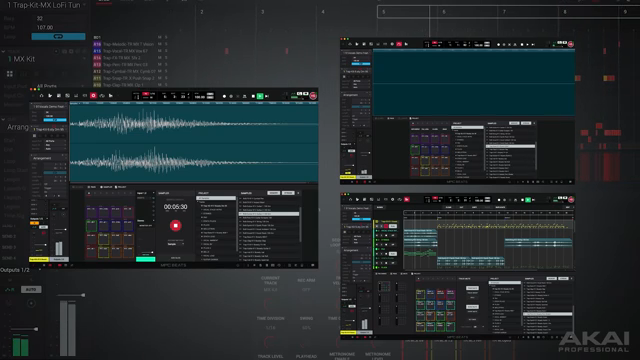
"MPC 3 Beats comes with a collection of instruments and AIR audio effects."
© Screenshot/Quote: Akai Pro (YouTube)
Modes and Mixers: Navigating the MPC 3 Beats Ecosystem
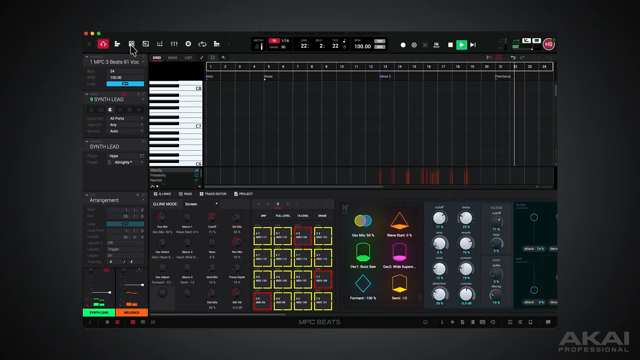
"Main Mode is where you can build your arrangement."
© Screenshot/Quote: Akai Pro (YouTube)
The walkthrough delves into the organizational backbone of MPC 3 Beats: its various modes and panels. The Inspector Panel and Track Mixer Inspector are introduced as core tools for adjusting track parameters, effects, and routing, all presented in a way that echoes Akai’s hardware lineage. The Main Mode serves as a central hub for arranging patterns and scenes, while the Arranger, Track Edit, and Sample Edit modes enable deeper dives into structure, performance, and sound design.
Akai demonstrates how users can move fluidly between these modes, with each offering a focused environment for specific tasks—be it mixing, sampling, or arranging. The ability to load AIR effects and VST plugins further extends the system’s flexibility, opening up advanced processing and third-party integration without leaving the MPC ecosystem.
Ultimately, the video underscores MPC 3 Beats’ ambition to deliver not just a free DAW, but a tightly integrated, modular production environment. However, while the demonstration covers a broad range of features, questions remain about workflow depth, menu navigation, and how the software holds up in extended creative sessions—areas only hands-on exploration will truly reveal.
This article is also available in German. Read it here: https://synthmagazin.at/akai-professional-praesentiert-mpc-3-beats-klassischer-workflow-jetzt-kostenlos/
Watch on YouTube:
Latest articles
Watch on YouTube:
Visit the channel:
https://www.youtube.com/Akai_Pro
https://www.youtube.com/Akai_Pro
Links from Akai_Pro:
website: https://akaipro.com
instagram: https://instagram.com/akai_pro
facebook: https://www.facebook.com/AkaiPro
twitter: https://twitter.com/akai_pro
google_plus: https://plus.google.com/107127819149441645522/posts