If you’ve ever waded through folders of crusty drum hits at 3am, Sample Scout might just be your new secret weapon. Espen Kraft isn’t here for pointless nostalgia—he’s here to make old samplers and modern DAWs bow to his will. In this no-messing video, he slices, preps and exports samples at breakneck speed, showing off a tool that could make even the Akai S1000 feel fresh. If you’re ready to drag your vintage kit into the 21st century (or just want to skip the sample-wrangling headache), read on.
22. July 2026
SPARKY
Sample Scout Rampage: Espen Kraft’s Lightning-Fast Workflow for Vintage and DAW Chaos
Sample Scout: The Sonic Street Weapon
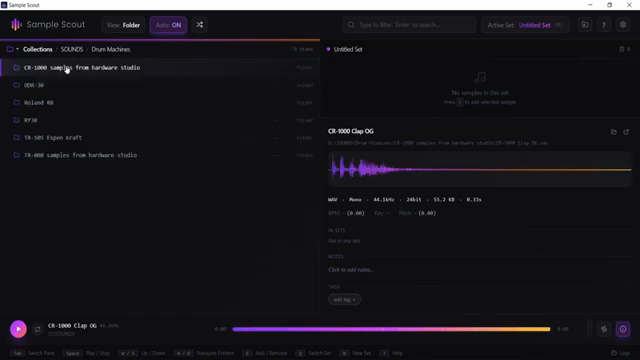
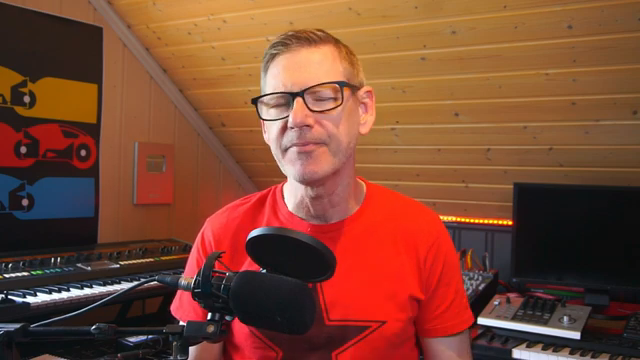
Espen Kraft kicks things off by cutting through the hype—he’s tried a shedload of sample management tools, but Sample Scout finally delivers on the promise of speed and sanity. This isn’t some glorified file browser; it’s a tool designed for people who actually make music, not just rearrange folders all day.
Right out of the gate, Kraft makes it clear: if you’re juggling classic gear and modern DAWs, Sample Scout is built for you. It’s about lightning-fast sample auditioning and building sets that work whether you’re feeding a crusty Akai or dragging into Ableton. No more endless folder-diving—just get your sounds and get moving.
"This is sample scout today."
© Screenshot/Quote: Espenkraft (YouTube)
Interface: From Rave Bunker to Export in Seconds
"I especially like that they've used the WASD buttons to navigate quickly through folders."
© Screenshot/Quote: Espenkraft (YouTube)
The UI is all about ruthless efficiency. Kraft shows how scanning your sample stash is quick (well, depending on your sample-hoarding problem), and after that it’s a WASD-fuelled joyride. Keyboard shortcuts let you fly through folders, while drag-and-drop or a single keypress throws sounds into your set—no faffing about.
Sample info is always visible—bitrate, frequency, BPM, and more—so you know exactly what’s going on. Kraft’s workflow is fast: build a kit, rename it, and keep auditioning. If you regret kicking out a sound, just restore it—no drama, no lost samples. It’s streamlined, functional, and clearly designed by someone who actually uses samplers.
Edit, Chop, Export: Vintage Sampler Ready
Editing samples is more than a checkbox here—it’s built right in. Kraft demonstrates how to slice, trim, and manipulate fades and curves with a couple of clicks. Want to carve out just the first clap from a loop? Easy. All the edits stay non-destructive, so you can experiment without fear. It’s not a full DAW editor, but for prepping sounds for hardware, it’s spot on.
Exporting is equally powerful. You can convert to mono, limit output, choose sample rate and bit depth (hello, Akai S1000), and even tick legacy compatibility boxes. Kraft sets up his export for old hardware, then fires the results into the wild. The workflow makes prepping for vintage kit less like surgery and more like a quick pit stop.
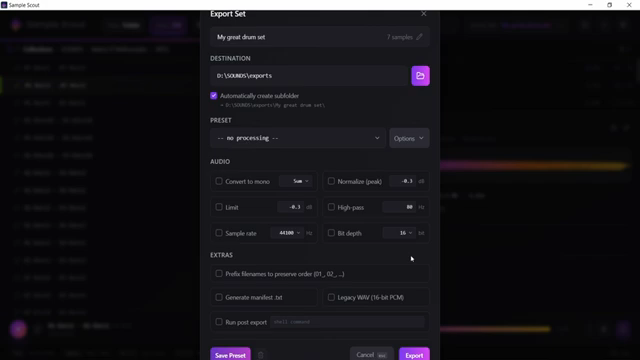
"I do want to convert all of these samples in this set to mono."
© Screenshot/Quote: Espenkraft (YouTube)
DAW Integration: Drag, Drop, Rave
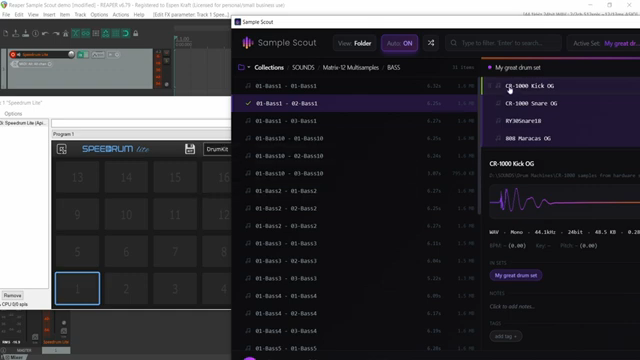
"All the samples from my set in sample scout is now in my DAW in this drum sampler."
© Screenshot/Quote: Espenkraft (YouTube)
Sample Scout isn’t just for the retro heads. Kraft shows how you can drag your curated samples straight into your DAW’s drum rack—Ableton, Reaper, Cubase, whatever. Names and all. No more awkward importing or renaming. If you’re bouncing between old hardware and new school workflows, this is a real game-changer.
This bit is pure workflow candy. Kraft skips the pain of clunky DAW file browsers and lets Sample Scout do the heavy lifting. For anyone who’s ever lost a groove because they were too busy clicking through folders, this is the upgrade you’ve been waiting for.
Final Verdict: No-Brainer for Sample Junkies
Kraft closes by calling Sample Scout a no-brainer—high praise from a guy who’s seen it all. If you’re serious about working fast between old and new gear, this tool deserves a spot in your arsenal. Honestly, the real thrill is watching Kraft slice and drag at full speed, so do yourself a favour and catch the video for the full effect.
This article is also available in German. Read it here: https://synthmagazin.at/sample-scout-im-haertetest-espen-krafts-turbo-workflow-fuer-vintage-sampler-und-daw-chaos/
More articles about these products:
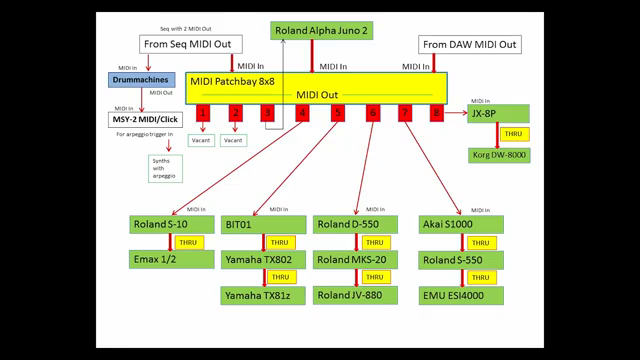 Patch Bay Mayhem: Espen Kraft’s MIDI & Audio Jungle Explained
 Voltage Labs x Space Dimension Controller: Amsterdam Studio Tour with Sampler Obsession and Acid Tech Tricks
 Voltage Labs: Space Dimension Controller and the Ghosts in the Akai Machine
 Optoproductions Digs Deep: MIDI Amsterdam’s 30-Year Rave Bunker Legacy
Watch on YouTube:
Latest articles
Watch on YouTube:
Visit the channel:
https://www.youtube.com/EspenKraft
https://www.youtube.com/EspenKraft
Links from EspenKraft:
Instagram: https://instagram.com/espenkraft
Sponsored links:
If you purchase via these links, we may earn a small commission – at no extra cost to you. The link opens an Amazon keyword search, and results may vary depending on availability.
Akai S1000
🔗 Check price on Amazon
🔗 Check price on Amazon
Sample Scout
🔗 Check price on Amazon
🔗 Check price on Amazon
Sample Wrench
🔗 Check price on Amazon
🔗 Check price on Amazon