Hands off the mouse, synth heads—Patrick Breen drops the Auriteq Flow into the DAW battlefield, promising to slice your workflow time like a samurai with deadlines. Forget fiddling with endless menus: this controller puts all the key moves right under your fingertips, morphing at will across seven scenes. If you’re tired of wrestling your DAW into submission and need a street-ready sonic weapon, keep reading. Spoiler: this box doesn’t just look the part, it actually delivers.
15. August 2026
SPARKY
Patrick Breen’s Auriteq Flow: Daw Control at Warp Speed
Workflow, Meet Fast-Forward
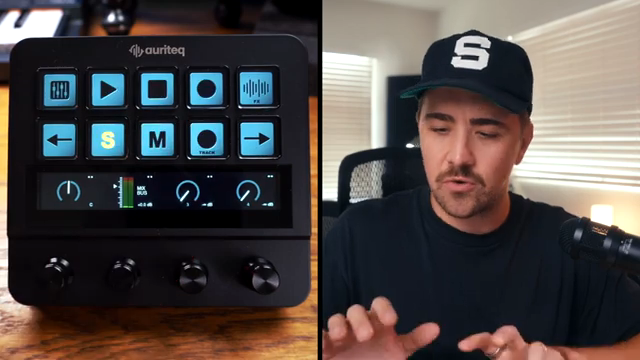
Patrick Breen wastes no time: the Auriteq Flow isn’t just another plastic slab with a few knobs—it’s a hands-on DAW controller built to bulldoze the sluggish bits of your recording and mixing routine. Right out of the box, it takes everything annoying about mouse-centric sessions and slaps it into submission, letting you tackle levels, panning, sends and more with a single flick or twist.
What sets it apart from your average MIDI controller? Flexibility. The Flow’s controls aren’t locked to one function; instead, they’re ready to be reshuffled for whatever stage of the process you’re in. If you’ve ever raged at your DAW for hiding basic tools behind a labyrinth of clicks, this box is about to become your new best mate.
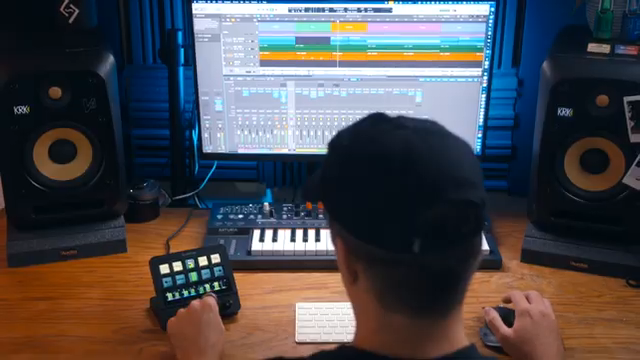
"I think what makes the Auratec Flow really stand out from like a generic MIDI controller or like a MIDI keyboard with some mappable knobs and faders is that the Auratec Flow's controls aren't limited to doing just one thing."
© Screenshot/Quote: Patrickbreenmusic (YouTube)
Seven Scenes, No Waiting
"It's laid out pretty intuitively, and once you get the hang of the workflow, it really becomes kinda second nature."
© Screenshot/Quote: Patrickbreenmusic (YouTube)
Here’s where things get spicy: the Auriteq Flow rocks seven different scenes—think of them as switchable brains for the same hardware body. Patrick breezes through how each ‘scene’ transforms the controller, so you’re never stuck in the wrong mode mid-session. Recording, producing, mixing? Each gets its own tailored set of controls, ready to swap at lightning speed.
No more menu-diving or reconnecting gear just to get hands-on with a new workflow. It’s all mapped and ready, and the layout is intuitive enough that you won’t need to keep a cheat sheet taped to your desk. Once you get the hang, it’s like muscle memory for your DAW—just punch a button and go.
Chains, Presets, and One-Touch Magic
We all know the pain: you’ve got a killer plugin chain you use on every vocal take, and you’re sick of rebuilding it from scratch. Enter the Flow’s chain and preset recall. Patrick shows off how a single press loads entire plugin chains—EQ, compressor, saturation, whatever you fancy—complete with all your settings. It’s the sonic equivalent of a shortcut to the rave bunker, bypassing all the queueing faff.
Even better, you can set up performance templates and bring them up on demand for vocals, guitars, or whatever your session throws at you. This is workflow sorcery for the impatient, and if you’re bouncing between sessions or tracking ideas on the fly, you’ll wonder how you ever lived without it.
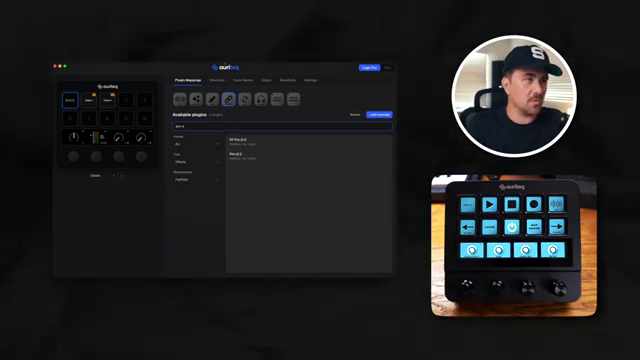
"Yes, you can bring up exact signal chains or presets, but you can also kind of treat it like this and bring up little templates for yourself and kind of load all of the plugins that you would potentially use and then pick the plugins that are right for the part that you're recording."
© Screenshot/Quote: Patrickbreenmusic (YouTube)
Touch, Twist, Tweak: It’s All Physical
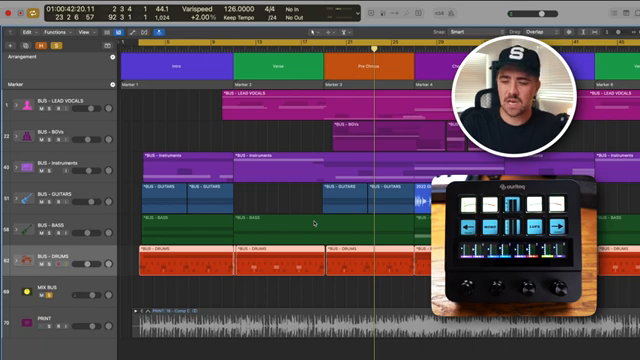
"There's just something nice about sitting and listening and using a physical hardware thing to make those fine tune last minute adjustments."
© Screenshot/Quote: Patrickbreenmusic (YouTube)
Let’s face it, endless mouse clicks are the death of creative flow. Patrick hammers home how having real knobs and buttons in the mix brings back that old-school, hands-on vibe. There’s something about physically riding a fader or twisting in a plugin tweak that just feels right—especially when you can do it without hunting for the right window.
Mixing with the Flow is refreshingly tactile. You can cruise through buses and tracks, make snap adjustments, and even check your LUFS and mono mix right from the controller. It turns what could be a spreadsheet slog into a proper jam session. If you’re still mixing with a mouse, ask yourself: do you enjoy pain?
See It, Don’t Just Read It
Words can only slap so hard—if you want to catch the real impact of the Auriteq Flow, you need to watch Patrick’s full run-through. He doesn’t just rattle off features; he puts them to the test in Logic, showing real-world moves you can’t fully appreciate in print. The controller’s speed and slick scene switching are best seen (and heard) live, so don’t cheat yourself out of the full experience.
This article is also available in German. Read it here: https://synthmagazin.at/patrick-breen-ueber-den-auriteq-flow-daw-kontrolle-im-ueberholmodus/
Watch on YouTube:
Latest articles
Watch on YouTube:
Visit the channel:
https://www.youtube.com/PatrickBreenMusic
https://www.youtube.com/PatrickBreenMusic
Links from PatrickBreenMusic:
patrickbreenmusic.com: https://patrickbreenmusic.com
LISTEN on Spotify: https://open.spotify.com/artist/7jdXEi0gQ2s64gq6DYVNut
Instagram: https://instagram.com/patrickbreenmusic
Facebook: https://facebbook.com/patrickbreenmusic
Sponsored links:
If you purchase via these links, we may earn a small commission – at no extra cost to you. The link opens an Amazon keyword search, and results may vary depending on availability.
Auriteq Flow
🔗 Check price on Amazon
🔗 Check price on Amazon