Steinberg’s iPad arsenal just got a serious tune-up and Nu-Trix The Synth Guy is on the case. From Cubasis workflow tweaks to Verve’s lush ambient layers and a HALion Sonic Play preset tsunami, it’s a proper buffet for mobile producers. As always, Nu-Trix cuts through the fluff—if it’s clunky, he’ll say so, and if it grooves, you’ll want to fire up your tablet right now. Dive in for sharp takes, fast demos, and a tour of the freshest features you might actually use.
14. August 2026
SPARKY
Nu-Trix The Synth Guy Puts Steinberg’s iPad Updates Through the Grinder
Steinberg Cubasis, Steinberg HALion Sonic Play, Steinberg Iconica Sketch, Steinberg Verve
Cubasis Gets a Workflow Overhaul
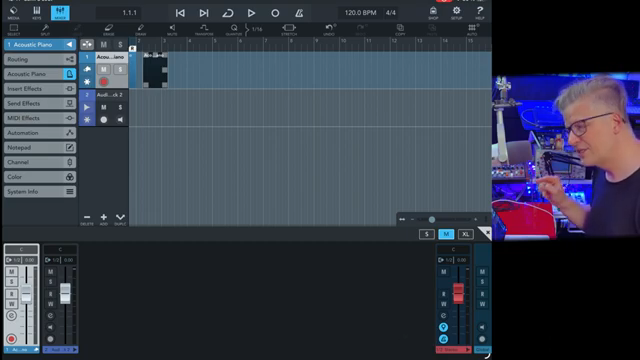
Steinberg’s Cubasis for iPad just got a makeover, and Nu-Trix The Synth Guy wastes no time putting it to the test. The new home button is a subtle touch, but it means less faffing about when bouncing between projects and the hub. For those of us with a graveyard of half-finished tracks, this is a workflow enhancement we’ll actually notice.
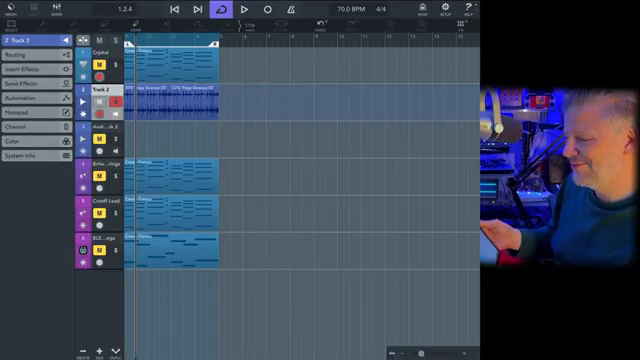
MIDI export is now baked right into the mixdown process, and it’s not just a checkbox—Nu-Trix points out how this could be a lifesaver for futureproofing your tunes. Export your stems, back up your MIDI, and you’ll thank yourself in 30 years when you’re dusting off old projects. Automation copying finally works as it should—move a block, and the automation comes along for the ride. Throw in the auto grid that changes with your zoom level and a master fader pin that keeps your mix anchor always visible, and Cubasis finally feels less like a mobile compromise and more like a weapon for real production.
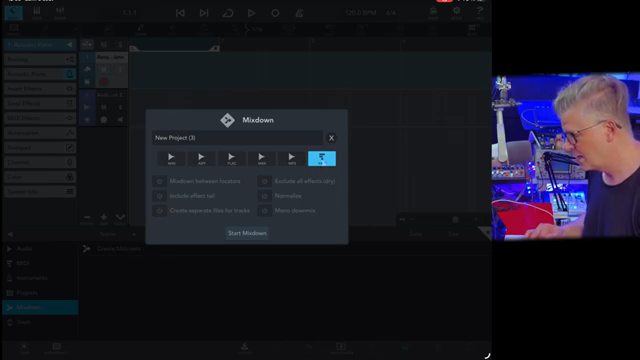
"So you can also export the MIDI file mix down of your song."
© Screenshot/Quote: Nu Trix (YouTube)
Verve: Not Your Average Piano
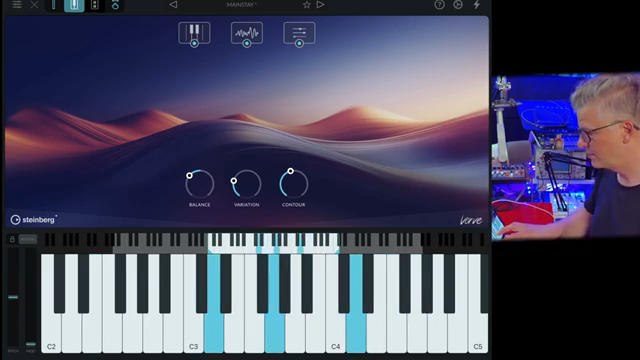
"So Verve is really, it's a cool piano ambient, something with violin."
© Screenshot/Quote: Nu Trix (YouTube)
Verve gets some love this round, and Nu-Trix dives into its ambient piano territory. It’s not just keys and velvet—Verve serves up layered soundscapes, letting you blend textures and filter contours for cinematic washes. You’re not stuck with cookie-cutter presets either; there’s enough tweakability here to shape your own vibe without getting lost in endless menus.
Preset management finally feels modern, with easier searches (even in subfolders) and quick renaming. The on-screen keyboard isn’t just eye candy: three layouts, a responsive sustain, and flexible chord setups mean you can play, jam, or mangle in your own style. For late-night beatmakers and ambient heads, Verve’s new tricks are pure gold.
Iconica Sketch: Orchestral, but Not Boring
Orchestral libraries can be a maze, but Iconica Sketch’s update puts the keys to the kingdom right in front of you—literally. Nu-Trix shows off the new key switch visualisation, so you know exactly where to trigger articulation changes and what notes your virtual French horn can actually hit. No more random guessing or MIDI chaos. It’s a small tweak that turns Iconica from a dusty sample pack into a playable, intuitive street weapon for mobile composers.
HALion Sonic Play: 2,000+ Presets and AUv3 Standalone Power
HALion Sonic Play comes out swinging with a ridiculous 2,000+ presets—try getting bored with that. Nu-Trix blitzes through banks and expansions, showing how sound design isn’t just about scrolling but actually tweaking: filters, ADSR, step sequencer, arpeggiator, and layer controls are all here. It’s deep, but not labyrinthine—you can get weird or just find that killer bass in seconds.
The clincher? HALion Sonic Play now works as a standalone AUv3 plugin, so you’re not chained to Cubasis. Buy it once, drop it into any DAW, and you’re sorted for cross-platform mayhem. There’s so much in this module that even Nu-Trix admits it deserves its own deep-dive. If you want to see just how bonkers the preset variety gets, you’ll have to catch the video yourself—some sounds just don’t translate to text.
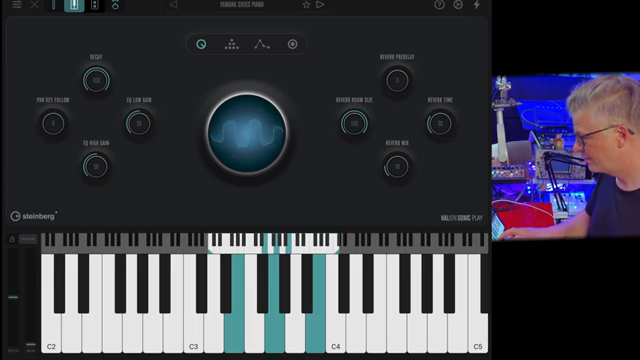
"So what you have right now is you just have a lot of sounds. Part of this is just more than 2,000 presets."
© Screenshot/Quote: Nu Trix (YouTube)
Demo Time: Why You Need to Watch
Nu-Trix doesn’t just talk the talk—he demos every update, zipping through Cubasis tweaks, lush Verve layers, orchestral moves, and HALion’s endless sounds. If you’re serious about mobile production, you’ll want to see these features in action. Some things—a slick automation copy, a wild preset, or a grid that actually snaps where you need it—just hit different when you see (and hear) them in the wild.
This article is also available in German. Read it here: https://synthmagazin.at/nu-trix-the-synth-guy-jagt-steinbergs-ipad-updates-durch-den-fleischwolf/
More articles about these products:
Watch on YouTube:
Latest articles
Watch on YouTube:
Visit the channel:
https://www.youtube.com/Nu-trix
https://www.youtube.com/Nu-trix
Links from Nu-trix:
website: https://www.nu-trix.com
facebook: https://www.facebook.com/nutrixmtl
instagram: https://www.instagram.com/nutrixsynthguy
twitter: https://twitter.com/nutrixmtl
patreon: https://www.patreon.com/nutrix
Sponsored links:
If you purchase via these links, we may earn a small commission – at no extra cost to you. The link opens an Amazon keyword search, and results may vary depending on availability.
Steinberg Cubasis
🔗 Check price on Amazon
🔗 Check price on Amazon
Steinberg HALion Sonic Play
🔗 Check price on Amazon
🔗 Check price on Amazon
Steinberg Iconica Sketch
🔗 Check price on Amazon
🔗 Check price on Amazon
Steinberg Verve
🔗 Check price on Amazon
🔗 Check price on Amazon