Forget your Disting menu-dives—Molten Music Technology dives headfirst into the Music Thing Modular Radio Music 2 and 8mu controller with classic British DIY gusto. If you love solder fumes, sample chaos and a bit of live gig pressure, this video’s got your number. Robin Vincent’s build is as much about dodgy solder, missing nuts, and the satisfaction of a wonky but functional module as it is about sonic potential. Don’t expect clinical step-by-steps—this is a rave bunker, not a classroom.
28. September 2026
SPARKY
Molten Music Technology Brings the Noise: Radio Music 2 & 8mu DIY Build Reviewed
Radio Music 2: The Sonic Swiss Army Knife
Molten Music Technology kicks things off with the Radio Music 2—a module that’s all about getting wild with samples inside your modular. No more fiddling with a Disting just to play a bit of spoken word or birdsong: this is straight-up sample action, SD card in, and you’re away. The idea is simple—fill that card with everything from field recordings to synth lines, then dial them up like you’re tuning a ghostly radio.
The Radio Music 2 isn’t just a nostalgia trip; it’s a sharp tool for anyone wanting to inject unpredictable textures into a set. Robin’s not faffing about—he wants his sounds quick and his workflow quicker. Environmental sounds, spoken word, or pure modular weirdness, it’s all fair game. If you’re gigging or patching under time pressure, this thing is a street weapon.
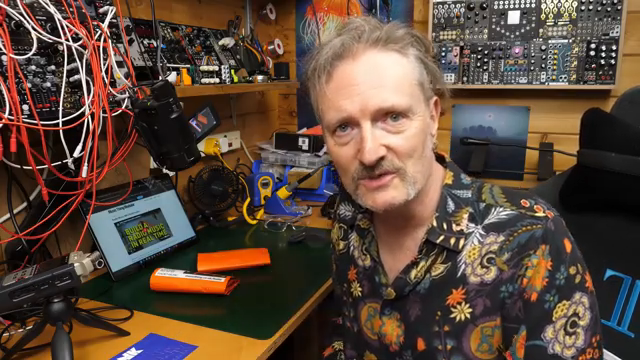
"So what I want, I want the real thing, and now they are back, radio music is back."
© Screenshot/Quote: Moltenmusictech (YouTube)
8mu Controller: Hands-On, Chaos-Ready
Enter the 8mu: a compact controller that takes Radio Music 2 from cool to straight-up dangerous. This little mate gives you direct control over playback, speed, looping, and more—all without wrestling cryptic menus. Robin’s honest about not knowing every feature out the gate, but that’s half the fun. The 8mu plugs right in, putting tactile manipulation under your fingers.
Think of it as giving your modular a set of fast hands—ideal for live improv or last-minute idea sparks. Whether you’re shooting for glitchy textures or just want more performance control, the 8mu puts the chaos firmly in your hands. As ever, some of these features are best seen in action, so don’t sleep on the video for the full fader-flipping drama.
DIY Build: Real-Time Soldering Mayhem
"Mine is more of a car crash, mine is turning up and giving it a go without any prior knowledge of how it's supposed to go together."
© Screenshot/Quote: Moltenmusictech (YouTube)
Robin isn’t here to make you feel good about your tidy workspace—this is proper DIY, filmed as it happens, warts and all. Forget slick edits; you get the real grind: stubborn solder, fiddly headers, and the sweet relief when something finally clicks. He dives into both the Radio Music 2 and 8mu kits with the attitude of a bloke racing the clock before a gig, not a YouTuber aiming for perfection.
Expect a few classic soldering moans—dodgy solder, LED legs everywhere, and the usual confusion over which nut goes where. The manual’s decent, but Robin calls out the lack of detail on the expander header and suggests a few more photos wouldn’t hurt. The 8mu build is even faster—mostly sliders and screws, with the biggest hassle being those rubber fader caps. Seriously, you’ll want to watch the struggle to believe it.
This isn’t about making it look easy; it’s about showing you where it might all go wrong so you don’t have to repeat the same mistakes. If you want to see a build video that feels like a late-night patch session fuelled by caffeine and hope, this is the one.
Sound Upgrades: From Crusty to Crisp
Radio Music 2 isn’t just a rehash; the sound quality is a proper step up from the original. Robin checks out the module’s improved output, and it’s clear this thing can handle anything you throw at it—especially those lush environmental and spoken word samples. The result? It’s a lot more gig-ready and less likely to turn your set into a crackle-fest.
Whether you’re after subtle background layers or want to broadcast bizarre sonic messages mid-jam, the new hardware makes sure everything comes through clean. If you’re still using the old version, it might be time to get the soldering iron out and level up.
Sample Selection: Make It Yours
The real magic of Radio Music 2 isn’t just the hardware—it’s what you put on that SD card. Robin makes it clear: if you just load up the stock folders, you’ll sound like everyone else in the bunker. The trick is building your own library, whether it’s odd spoken word, field recordings, or your private stash of synth weirdness.
There’s a warning here—finding the right samples is a rabbit hole, and you’ll want to curate carefully if you’re aiming for unique sets. The process is half the fun, and the results are only as good as your imagination. For the full sonic impact (and some hilarious sample-hunting antics), the video is absolutely worth a watch.
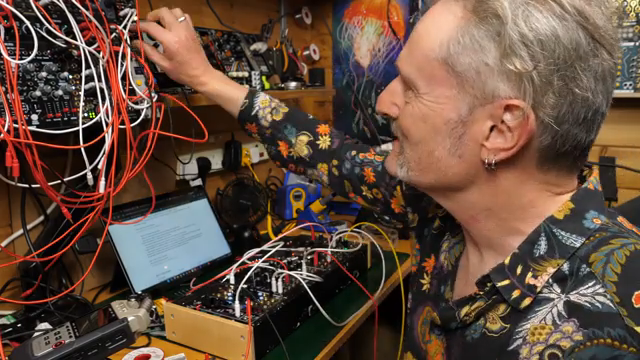
"Now the problem is going to be, how do I build my own library?"
© Screenshot/Quote: Moltenmusictech (YouTube)
This article is also available in German. Read it here: https://synthmagazin.at/molten-music-technology-bringt-krach-radio-music-2-8mu-diy-bau-im-test/
Watch on YouTube:
Latest articles
Watch on YouTube:
Visit the channel:
https://www.youtube.com/MoltenMusicTech
https://www.youtube.com/MoltenMusicTech
Links from MoltenMusicTech:
website: https://moltenmusictechnology.com
twitter: https://x.com/MoltenMusicTech
Sponsored links:
If you purchase via these links, we may earn a small commission – at no extra cost to you. The link opens an Amazon keyword search, and results may vary depending on availability.
Music Thing Modular 8mu
🔗 Check price on Amazon
🔗 Check price on Amazon
Music Thing Modular Radio Music 2
🔗 Check price on Amazon
🔗 Check price on Amazon