Akai Professional’s MPC3 update is a bold leap for the standalone groovebox and production platform, promising a streamlined workflow, deeper sound design, and a DAW-like arranging experience—all without tethering to a computer. This official walkthrough from Akai Pro showcases the new main mode, advanced macro controls, a visual timeline arranger, and a vibrant new mixer, all designed to elevate both beat making and full-scale productions. The video is packed with hands-on demonstrations, showing how MPC3’s digital architecture and workflow enhancements aim to make modern music creation faster, more flexible, and more inspiring. For producers and performers who crave standalone power with DAW-level depth, this update is worth a closer look.
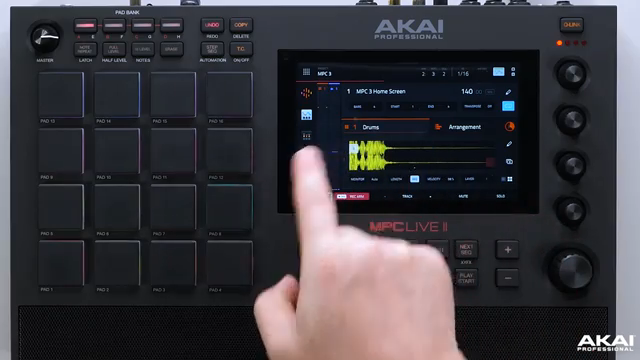
MPC3: The Next Evolution in Standalone Production
Akai Professional positions MPC3 as its most powerful software update yet for the MPC standalone ecosystem, aiming to elevate not just beat making but the entire production workflow. The video opens with a clear statement of intent: MPC3 is designed to push the boundaries of what’s possible without a computer, offering a suite of new features that streamline both studio and live performance scenarios.
From the outset, the focus is on workflow acceleration and visual feedback. The narrator emphasizes that MPC3 is not just a cosmetic refresh but a substantial enhancement, introducing improved navigation, a new linear timeline for arranging, and advanced macro controls. This update is pitched as a major leap for users who want to move seamlessly from sketching beats to arranging full tracks, all within the MPC hardware environment.
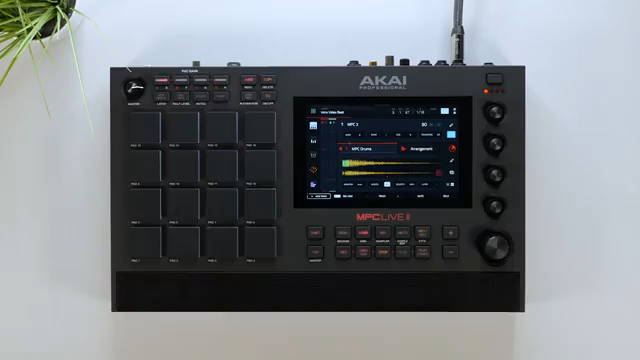
"This is our most powerful software update for the MPC standalone platform, elevating your productions to the next level."
© Screenshot/Quote: Akai Pro (YouTube)
Main Mode Reimagined: Navigation, Macros, and the Linear Arranger
"We've also added eight layers now per pad, which is amazing for sound design or crafting your own drum samples."
© Screenshot/Quote: Akai Pro (YouTube)
The revamped main mode is the centerpiece of the MPC3 update, offering a visually rich interface and faster access to essential features. Navigation between track types is now more intuitive, with clear visual indicators and direct sample editing available from the main screen. The addition of eight layers per pad opens up new territory for sound design, allowing users to craft complex drum sounds or layered samples without leaving the main workflow.
A standout addition is the linear timeline arranger, which brings a DAW-style approach to the standalone MPC. Users can record, edit, and arrange both MIDI and audio events directly on a visual timeline, complete with color-coded tracks and updated piano roll. Macro controls for Q-Links and the XY pad are also highlighted, enabling deep parameter assignments and automation for both effects and synths—features that promise to transform performance and sound manipulation on the fly.
Mixing in Color: The New Track and Pad Mixer
MPC3’s new track and pad mixer is a visual and functional upgrade, offering vibrant color feedback and a vertical layout that makes mixing multiple tracks and pads more intuitive. Each track can be uniquely colored, and the interface supports multi-channel selection for quick gain staging—a boon for users managing complex projects. Double-tapping a channel brings up detailed track settings, including renaming, reordering, and color adjustments, all designed to fit diverse workflows.
The mixer’s tabs cover panning, volume, send effects, plugin inserts, and I/O routing, giving users granular control over every aspect of their mix. The ability to apply effects at both the track and pad level, reorder plugins, and instantly access subgroups and master channels reflects a clear focus on flexibility. The pad mixer mirrors these features for individual pads, supporting detailed per-sound processing and creative routing.
A notable addition is the slice motion feature, which randomizes sample chops triggered by MIDI notes, injecting a new level of groove and unpredictability into loops and breaks. This, combined with the disk streaming capability for fast loading and playback of long audio files, demonstrates Akai’s commitment to both creative experimentation and practical workflow enhancements.

"MPC 3 introduces a vertical track and pad mixer with vibrant colour feedback making it fast and intuitive for you to mix your beats in MPC."
© Screenshot/Quote: Akai Pro (YouTube)
Workflow Optimizers: Track Mutes, Stem Exports, and Disk Streaming

"MPC3 introduces disk streaming to the MPC hardware. This means that you can load up your files in seconds and play back and record long audio files direct from disk."
© Screenshot/Quote: Akai Pro (YouTube)
MPC3 introduces several tools aimed squarely at speeding up and simplifying the creative process. Track mutes now distinguish between event and audio mute, giving producers more nuanced control during arrangement and performance. The ability to export drum pads as separate stems is a significant workflow boost, especially for those collaborating with mix engineers or moving projects between platforms.
Disk streaming is another major leap, allowing users to load and play back long audio files directly from disk rather than RAM. This not only accelerates sample loading but also enables more ambitious projects without running into hardware memory limits. Together, these features make MPC3 a more robust and flexible tool for modern production demands.
Stems, Macros, and Effects: Deepening Sound Design and Integration
MPC3’s full compatibility with stems and its advanced macro system open up new possibilities for both live performance and studio sound design. Users can load stems, assign Q-Links to control mutes or effects in real time, and leverage the arranger to manipulate stems as part of a larger composition. This integration is particularly valuable for remixing, live sets, or collaborative workflows where flexibility is key.
The macro control system is impressively deep: Q-Links and the XY pad can be mapped to multiple parameters across effects and synths, with support for custom project maps and MIDI learn. Users can build complex effects chains, automate multiple synth parameters, and toggle between project modes for different performance contexts—all from the hardware interface. The video demonstrates how macros can be tailored for momentary or toggle behavior, supporting both subtle tweaks and dramatic performance gestures.
Effects assignment is equally flexible, with the ability to insert, reorder, and automate plugins at multiple levels. The macro and effects systems together make MPC3 a formidable platform for creative sound manipulation, blurring the lines between groovebox, DAW, and live performance instrument.
Watch on YouTube:
Latest articles
Watch on YouTube:
https://www.youtube.com/Akai_Pro
Links from Akai_Pro:
Sponsored links:
If you purchase via these links, we may earn a small commission – at no extra cost to you. The link opens an Amazon keyword search, and results may vary depending on availability.
🔗 Check price on Amazon