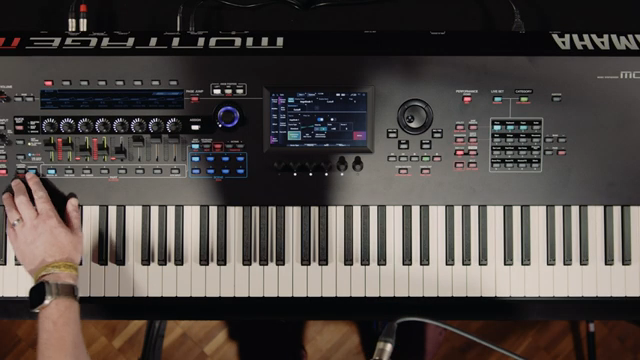
Yamaha Synths Official takes the stage with Kier Darby to spotlight the Montage M8x, a flagship synthesizer that blurs the line between studio sophistication and live performance agility. This video is a deep dive into the instrument’s digital architecture, from its balanced polyphonic aftertouch keybed to its seamless sound switching and advanced control assignments. Darby’s walkthrough is equal parts technical and musical, revealing how Montage M8x’s performance structure, assignable controls, scenes, and MIDI capabilities are engineered for maximum flexibility. For anyone curious about how Yamaha’s digital design philosophy translates into real-world workflows, this is a revealing look under the hood.
12. May 2026
LYRA
Yamaha Synths Official Delivers: Montage M8x as a Digital Performance Powerhouse
Montage M8x: Performance Synthesizer with a Digital Edge
The Yamaha Montage M8x is introduced as a versatile performance synthesizer, with Kier Darby emphasizing its suitability for both sound design and live performance contexts. Right from the outset, the focus is on the instrument’s ability to bridge traditional keyboard feel with modern digital control, making it a compelling option for players who demand expressive nuance and workflow efficiency.
Darby positions the Montage M8x as a forward-thinking evolution in Yamaha’s synth lineage, highlighting its unique approach to integrating sound engines, control surfaces, and performance memory. The video sets the tone for a detailed exploration of how these architectural choices translate into practical benefits for musicians, whether in the studio or on stage.
Keybed, Sound Switching, and Performance Structure: The Heart of Montage M8x
One of the standout features discussed is the balanced polyphonic aftertouch keybed, a significant leap from the previous channel aftertouch implementation. This design ensures uniform key response across the entire range, catering to both pianists and synth players who require consistent tactile feedback. Darby also contrasts the Montage M8x’s keybed with the graded action of the MoDX, noting the advantages for those who play a variety of sounds beyond just piano.
The performance structure is another architectural highlight. Unlike systems that separate sound data from arrangement data, Montage M8x encapsulates everything within a single performance file. This pass-by-value approach means edits to a sound within a performance are isolated, protecting original presets and enabling deep customization without risk. Seamless sound switching is also demonstrated, allowing for uninterrupted transitions between complex setups—a crucial feature for live performers.
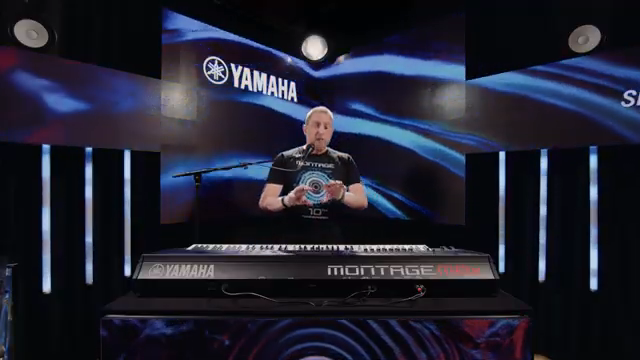
"Everything is one piece of data, so you can ring in a piano, and instead of having to work with that piano somewhere else if you want to edit the sound, it's all encapsulated in that performance data."
© Screenshot/Quote: Yamahasynthsofficial (YouTube)
Assignable Controls and the Super Knob: Dynamic Sound Manipulation
"Now, the super knob is a bit of a mystery to some people, but it needn't be. It's actually very simple to use."
© Screenshot/Quote: Yamahasynthsofficial (YouTube)
Darby demonstrates the Montage M8x’s assignable controls, showing how quickly users can map parameters like filter cutoff and resonance to physical knobs. The process is intuitive: select a parameter, engage the control assign function, and move the desired knob. Labels can be easily updated to reflect assignments, ensuring clarity during performance.
The Super Knob, often seen as enigmatic, is demystified in this walkthrough. By linking assignable knobs at the common level to the Super Knob, users can morph multiple parameters simultaneously. Darby illustrates how to store different states to the Super Knob’s left and right positions, enabling dramatic, real-time sound transformations with a single gesture. This macro-style control is a clear nod to modern performance workflows, where expressive, on-the-fly modulation is essential.
Scenes and Splits: Modular Performance Variations
Scenes are presented as a powerful tool for storing and recalling variations within a single performance. With eight scene buttons available, users can capture different parameter states—such as which parts are active or muted—without loading entirely new performances. Darby demonstrates toggling between scenes to switch from a piano-only setup to a layered piano and pad, all within the same performance context.
Split functionality is also highlighted, allowing users to assign different sounds to specific keyboard zones. The process is straightforward: select a split point, assign parts to zones, and instantly create multi-timbral setups. This modular approach to performance design is particularly useful for live players who need rapid access to complex sound arrangements across the keyboard.
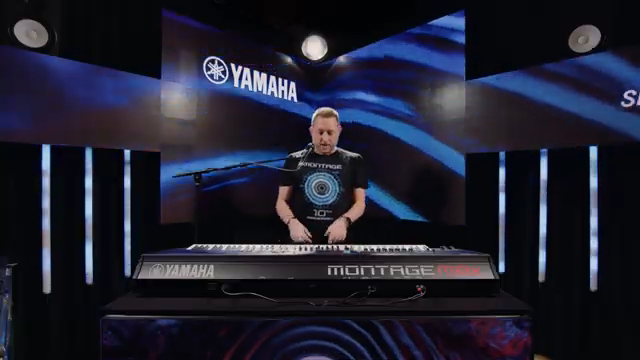
"We have eight scene buttons on both the montage and the MODX, and they are a way of storing variations of your performance without having to load a completely different performance."
© Screenshot/Quote: Yamahasynthsofficial (YouTube)
System-Exclusive MIDI Control: Deep Remote Editing
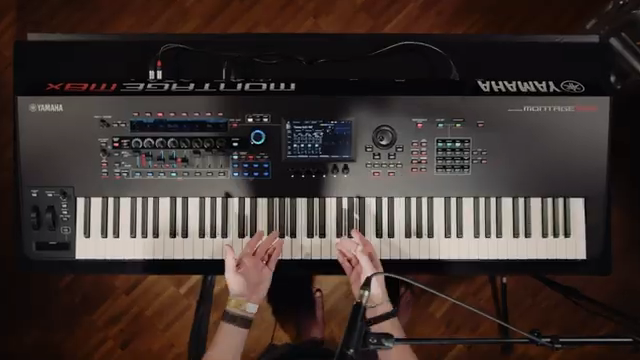
"One thing that Yamaha has always been very good at doing is making use of system-exclusive MIDI, which means that every single parameter, nearly every single parameter, that you can edit within the system is also available via remote control."
© Screenshot/Quote: Yamahasynthsofficial (YouTube)
The video concludes with a look at Montage M8x’s system-exclusive MIDI capabilities. Darby notes that nearly every parameter can be accessed and edited remotely via SysEx, opening the door to comprehensive integration with external controllers and software editors. This feature is especially valuable for advanced users who require granular control in complex studio or live setups.
Yamaha’s thorough documentation ensures that power users can leverage SysEx for deep parameter editing, even when the instrument is physically distant. While this level of control may be invisible to many, it underscores the Montage M8x’s potential as a central hub in sophisticated MIDI environments.
This article is also available in German. Read it here: https://synthmagazin.at/yamaha-synths-official-liefert-montage-m8x-als-digitale-performance-maschine/
More articles about these products:
 Jon Makes Beats & Dawson: FL Studio Gets a Streetwise Upgrade
 Jon Makes Beats: Why the MPC XL Is the Streetwise DAW You Didn’t Know You Needed
 Yamaha Synths Official Unveils Montage M8x: A Deep Dive into Expressive Power and Sound Design
 Yamaha Synths Official Delivers: Analog-Style Soundcraft with the Montage M8X
 AndertonsKeyboardDept Brings the Noise with Yamaha Montage 2.1 Update
 Yamaha Synths Official: CP-70 Heritage Meets MONTAGE M8x Innovation
Watch on YouTube:
Latest articles
Watch on YouTube:
Visit the channel:
https://www.youtube.com/YamahaSynthsOfficial
https://www.youtube.com/YamahaSynthsOfficial
Links from YamahaSynthsOfficial:
instagram: https://instagram.com/yamahasynths_official
facebook: https://www.facebook.com/yamahasynths
twitter: https://twitter.com/YamahaSynths
website: https://yamahasynth.com
Sponsored links:
If you purchase via these links, we may earn a small commission – at no extra cost to you. The link opens an Amazon keyword search, and results may vary depending on availability.
Yamaha Montage M8X
🔗 Check price on Amazon
🔗 Check price on Amazon