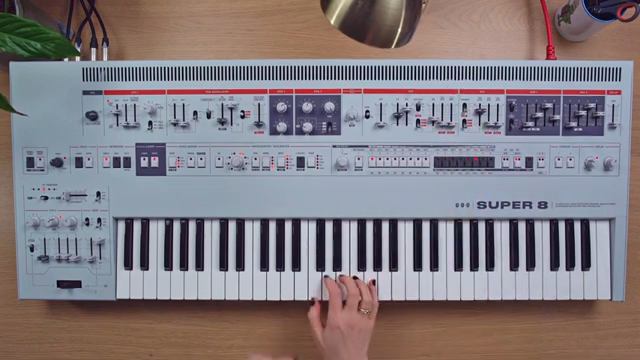
UDO Audio’s Super 8 isn’t just another hybrid polysynth—it’s a playground for those who like to push their gear beyond the obvious. In this official video, Hazel Mills demonstrates how the Super 8’s analogue filter can be coaxed into self-oscillation, effectively transforming it into a third oscillator. The walkthrough covers everything from calibration quirks to layering tricks, showing how this technique opens up a world of sound design possibilities. As is typical of UDO Audio’s hands-on ethos, the focus is on practical, playable results rather than menu-diving. Let’s dissect what’s actually on offer when you treat your filter as a tone source.
13. August 2024
MILES
UDO Audio’s Super 8: Filter Self-Oscillation and Sonic Alchemy
Turning the Filter into an Oscillator: The UDO Approach
UDO Audio’s Super 8 is introduced not just as a powerful hybrid polysynth, but as a machine that rewards creative patching. In this video, Hazel Mills demonstrates how the instrument’s filter can be repurposed as a self-oscillating oscillator—a classic analogue trick that’s made refreshingly accessible here. By silencing the main oscillators and cranking up the resonance, the filter begins to generate its own tone, opening up new avenues for sound design.
This approach isn’t just a technical curiosity; it’s a practical way to squeeze more voices and timbres out of a single synth. The method is presented as a “hack” that’s available across UDO’s Super Series, but the Super 8’s interface makes it especially immediate. The video sets the stage for a deep dive into tuning, calibration, and layering, all stemming from this foundational filter trick.
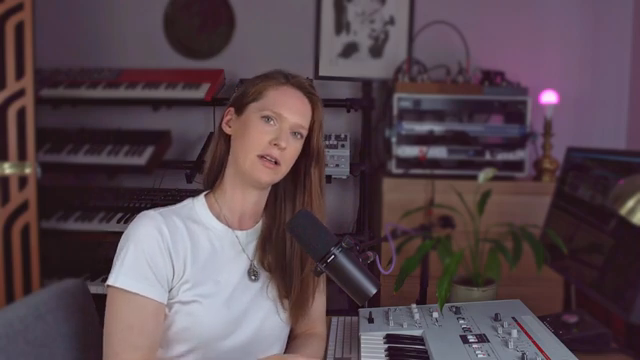
"I'm gonna show you how you can turn the filter into another oscillator."
© Screenshot/Quote: Udo Audio (YouTube)
Resonance, Key Tracking, and the Mechanics of Self-Oscillation
"You'll hear it is now responding to the pitch of the keys."
© Screenshot/Quote: Udo Audio (YouTube)
Hazel walks through the step-by-step process of achieving self-oscillation. With the resonance set high, the filter starts to sing, but initially, every key produces the same pitch—hardly musical on its own. The magic happens when key tracking is engaged, allowing the filter’s pitch to follow the keyboard and making it playable across the range.
This isn’t just about flipping a switch; the video makes it clear that the filter’s behaviour is inherently analogue, with all the quirks that entails. The result is a tone source that’s both flexible and characterful, but also slightly unpredictable—perfect for those who appreciate a bit of wonkiness in their patches.
Calibration and Analogue Character: Tuning the Filter for Musical Use
Getting the filter to track pitch accurately requires a bit of calibration—a nod to the realities of analogue circuitry. Hazel demonstrates the process: a quick key combination triggers an auto-tune routine, complete with a charming R2D2-style sequence. Once completed, the filter’s pitch tracking becomes much more reliable, making it suitable for melodic duties.
Even after calibration, the Super 8’s filter retains its analogue soul. Users can tune the filter to concert pitch using the cutoff knob, either by ear or with a tuner, or by matching it to one of the main oscillators. This flexibility lets you decide whether you want pristine tuning or prefer to embrace the inherent drift and character of the circuit.
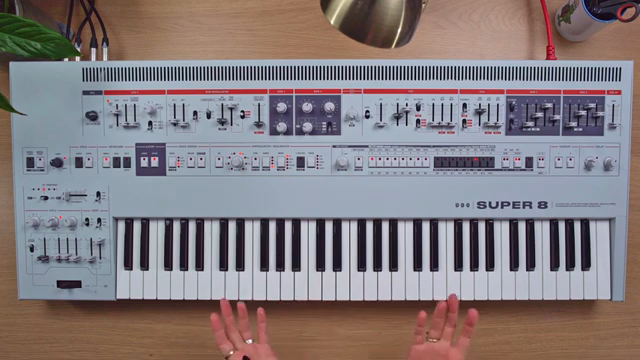
"This is an analogue filter and does require a little bit of calibration if you want it to be quite accurate in its pitching."
© Screenshot/Quote: Udo Audio (YouTube)
Layering, Modulation, and Expanding the Sonic Palette
With the filter now acting as a third oscillator, Hazel explores a range of sound design techniques. She demonstrates how envelope shaping and effects like chorus can transform the self-oscillating filter into electric piano-like tones. Pitch modulation is achieved by routing LFOs to the filter cutoff, since the cutoff now directly controls pitch.
The real fun begins when the filter oscillator is layered with DDS1 and DDS2. By carefully tuning each source, it’s possible to create rich, beating textures, organ-like harmonics, or even bell tones by setting intervals like fifths and major thirds. Cross-modulation is also on the menu, with DDS2 modulating the filter for metallic, ring-mod style effects. The Super 8’s architecture encourages this kind of experimentation, rewarding those who like to stack and twist their oscillators.
Dual Layers and Panning: Pushing the Super 8’s Architecture
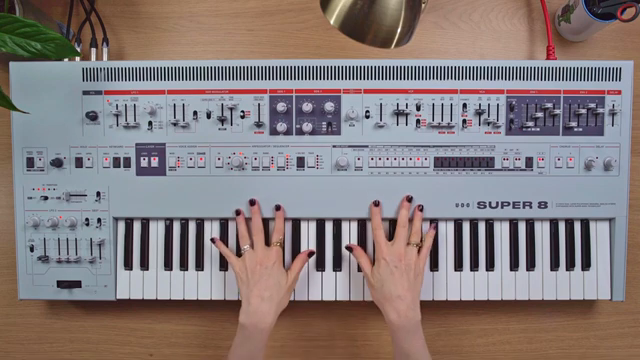
"So, imagine what you can do if you combine the two layers and have two different things going on."
© Screenshot/Quote: Udo Audio (YouTube)
The Super 8’s dual-layer design offers even more creative headroom. Hazel points out that everything demonstrated so far is possible on just one layer—doubling up opens the door to complex, evolving textures. By assigning different sounds or intervals to each layer and using panning to separate them in the stereo field, users can craft intricate, spatially rich patches.
This final section is a call to arms for adventurous programming. The video encourages users to combine layers, modulations, and filter tricks to create sounds that go far beyond standard subtractive fare. It’s a fitting conclusion, highlighting UDO Audio’s commitment to hands-on, exploratory synthesis.
This article is also available in German. Read it here: https://synthmagazin.at/udo-audio-super-8-filter-selbstoszillation-und-klangliche-alchemie/
Watch on YouTube:
Latest articles
Watch on YouTube:
Visit the channel:
https://www.youtube.com/udo_audio
https://www.youtube.com/udo_audio
Links from udo_audio:
website: https://www.udo-audio.com
instagram: https://www.instagram.com/udo_audio
Sponsored links:
If you purchase via these links, we may earn a small commission – at no extra cost to you. The link opens an Amazon keyword search, and results may vary depending on availability.
UDO Super 8
🔗 Check price on Amazon
🔗 Check price on Amazon