Sonicware steps into the ambient arena with the LIVEN Ambient Ø, a soundscape synthesizer purpose-built for lush, evolving textures—no sequencer required. In this official beginner’s guide, Daniel Beck Rose (aka SonicCartography) walks through the instrument’s core operations, focusing on how its four-layer architecture, flexible effects, and intuitive controls empower users to sculpt immersive soundscapes in real time. True to Sonicware’s ethos, the workflow is streamlined yet deep, with per-layer independence and tactile parameter access front and center. This article unpacks the video’s architectural highlights, workflow nuances, and the creative possibilities that Ambient Ø puts at your fingertips.
18. October 2024
LYRA
Sonicware’s Ambient Ø: A Layered Approach to Hands-On Soundscaping
A Synthesizer for Sequencer-Free Soundscapes
The LIVEN Ambient Ø is introduced as a dedicated soundscape synthesizer, with a clear emphasis on creating ambient music without the need for a sequencer. Right from the outset, the video positions the instrument as a tool for spontaneous, hands-on exploration, making it accessible for both beginners and seasoned synthesists looking to bypass step-based programming.
Instead of diving into complex sequencing or menu-diving, the guide demonstrates how quickly users can get started by selecting from preset pattern palettes. This approach allows immediate access to evocative sounds, setting the stage for a workflow centered on real-time performance and direct interaction with the instrument’s core features.
Layers, Octaves, and Filters: The Building Blocks
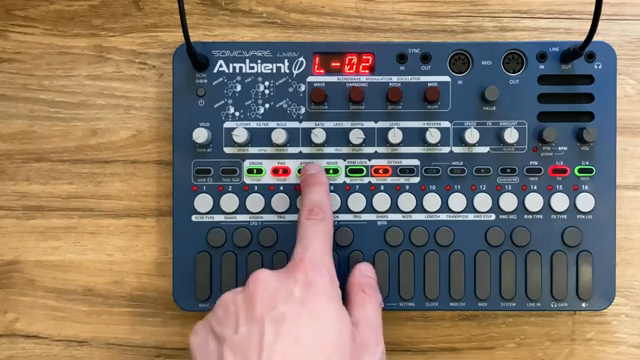
A standout feature of the Ambient Ø is its four distinct sound layers: Drone, Pad, Atmosphere, and Noise. Each layer is accessible via dedicated buttons, with clear visual feedback indicating the active layer. This multi-layered structure enables users to blend contrasting textures, from deep drones to shimmering atmospheres, all within a single patch.
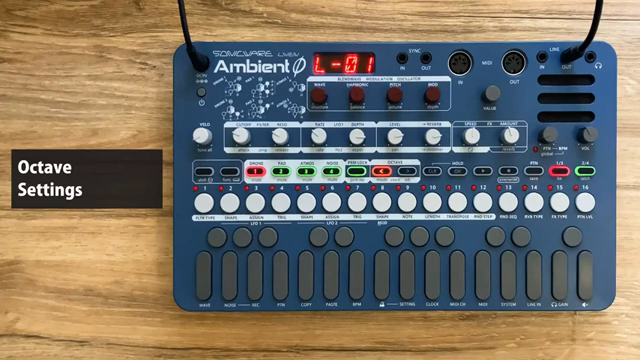
Octave control is straightforward, with color-coded buttons providing instant visual cues for transposition. The video highlights how each layer can be independently shifted across octaves, allowing for rich, spatial arrangements. The preset templates come pre-configured with sensible octave assignments, but users can easily override these to suit their sonic goals.
Filter selection and manipulation are equally tactile. Each layer can have its own filter type—low-pass, high-pass, band-pass, or none—set via secondary button functions. Cutoff and resonance are mapped to dedicated knobs, and the video demonstrates how these can be swept in real time for expressive tonal shaping. The per-layer independence extends to these filter settings, reinforcing the instrument’s architectural flexibility.
"Now, inside any palette, we have four layers of sound that we can move between using these buttons here, which on the top are labeled Drone, Pad, Atmosphere, and Noise."
© Screenshot/Quote: Sonicware (YouTube)
Performance Techniques: Voice Modes and Arpeggiator
"If I press that button, you can see that our mode that we're currently in inside of this layer is polyphonic, meaning we can play multiple notes at the same time."
© Screenshot/Quote: Sonicware (YouTube)
The tutorial moves beyond static sound shaping to explore performance-centric features, starting with the note hold function. This allows users to sustain notes or chords across one or multiple layers, freeing up both hands for further manipulation or additional playing. The ability to add or remove held notes on the fly, even across different layers, is a powerful tool for evolving textures.
Voice mode settings provide further creative options. Each layer can be set to polyphonic, monophonic, legato, unison, or arpeggiator modes. The video focuses on the arpeggiator, showing how it cycles through held notes in various orders—up, down, random—and how probability and note value parameters can inject unpredictability and rhythmic variety. These features are all accessible via clear button combinations and are designed for live tweaking.
Importantly, the interplay between attack/release envelope settings and the arpeggiator is highlighted. Adjusting these parameters can dramatically alter the character of arpeggiated patterns, from staccato pulses to smeared, evolving washes. The video underscores how these performance tools, combined with the hold and layering functions, enable complex, hands-on ambient creation without sequencing.
Independent Reverb and Shimmer: Per-Layer Depth
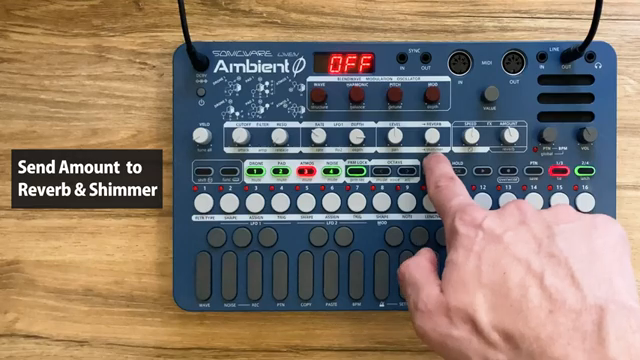
A key architectural strength of the Ambient Ø is the ability to set reverb and shimmer send amounts independently for each layer. This means, for example, that a drone can be drenched in infinite reverb while a pad remains dry and tightly panned, all within the same patch. The video demonstrates how these parameters are adjusted via primary and secondary knob functions, with immediate audible feedback.
Reverb types—small, large, infinite—and mix levels are also accessible through secondary controls, allowing users to fine-tune the overall spatial character of their soundscape. The independence of these settings per layer is not just a convenience; it’s central to crafting immersive, multidimensional textures that define the ambient genre.
"Shimmer meaning reverberations of our sound an octave above the original layer."
© Screenshot/Quote: Sonicware (YouTube)
From Texture to Transformation: Layering and Modulation in Action
The final section of the tutorial brings together the instrument’s architectural elements and performance features, emphasizing intuitive techniques for developing ambient textures. By combining layer holds, real-time parameter tweaks, and modulation of effects, users can morph simple sounds into evolving soundscapes with minimal effort.
The workflow encourages experimentation: holding notes, adjusting envelope times, panning layers, and manipulating reverb or delay all contribute to a living, breathing sonic environment. The video’s demonstration makes clear that the instrument is designed for immediate, tactile exploration rather than menu-driven editing.
Ultimately, the Ambient Ø’s design philosophy—layer independence, hands-on control, and flexible effects—enables users to capture and transform textures on the fly. The result is a workflow that feels both accessible and deep, inviting users to discover new ambient territories with each session.
This article is also available in German. Read it here: https://synthmagazin.at/sonicware-ambient-o-ein-schichtmodell-fuer-intuitive-soundscapes/
Watch on YouTube:
Latest articles
Watch on YouTube:
Visit the channel:
https://www.youtube.com/SONICWARE
https://www.youtube.com/SONICWARE
Links from SONICWARE:
SONICWARE web: https://sonicware.jp
facebook: https://facebook.com/SONICWARE
Instagram: https://instagram.com/sonicware_inc
Dr. Yu Endo Official: https://dr.yuendo.jp
Sponsored links:
If you purchase via these links, we may earn a small commission – at no extra cost to you. The link opens an Amazon keyword search, and results may vary depending on availability.
Sonicware Liven Ambient Ø
🔗 Check price on Amazon
🔗 Check price on Amazon