Sam Gutman finally gets his mitts on the Expressive E Osmose CE, and this isn’t your average ‘another keyboard in the post’ scenario. With a background that screams pro, Sam dives into the Osmose’s unique keybed, deadpan delivery and all. He pokes at the bundled Control E software, gets hands-on with the sounds, and doesn’t shy away from calling out what works and what could use a firmware miracle. If you’re sick of safe, plastic-feeling controllers and want a taste of something genuinely fresh, keep reading – or better yet, watch the video for the full rave-bunker experience.
2. June 2026
SPARKY
Sam Gutman Gets Wiggly: Osmose CE First Impressions That Slap
Keybeds, Wiggling, and the Mattress Factor
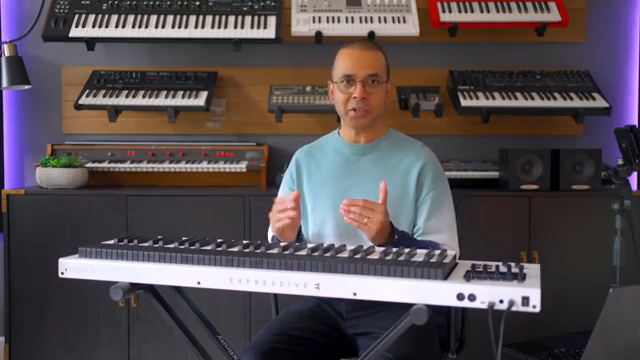
Sam’s unboxing is less about cardboard and more about anticipation, but once the Osmose CE lands, it’s straight to business. The keybed isn’t just another slab of plastic – it’s got this release velocity trick that lets the speed of your finger-lift actually trigger extra sounds. Suddenly, every wiggle matters.
Aftertouch here is about as subtle as a sledgehammer – in a good way. The keys have a mattress-like squish rather than the usual hard stop, which is a weird but oddly satisfying vibe. If you’re used to regular keyboards, you’re in for a shock; if you’ve dabbled with MPE or Seaboard territory, you’ll settle in faster. Gutman reckons it feels different but doesn’t slow down the chops, even for fast runs. It’s a proper performance playground, and no, the wiggle isn’t just a gimmick – it’s the new baseline.
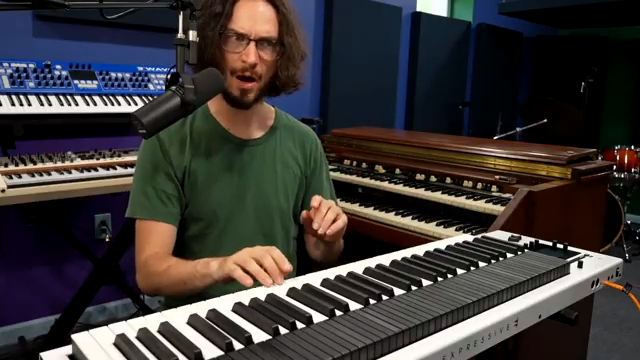
"That means that the speed at which you lift your finger can trigger another sound, I guess."
© Screenshot/Quote: Samgutman (YouTube)
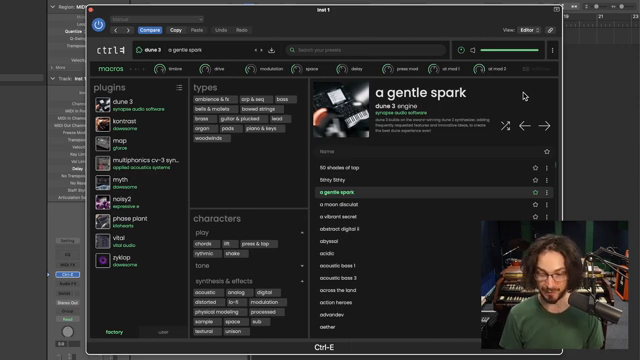
Control E – Preset Playground or Dead End?
"I never once like had a thing that I was trying to do and I couldn't immediately figure out how to do it."
© Screenshot/Quote: Samgutman (YouTube)
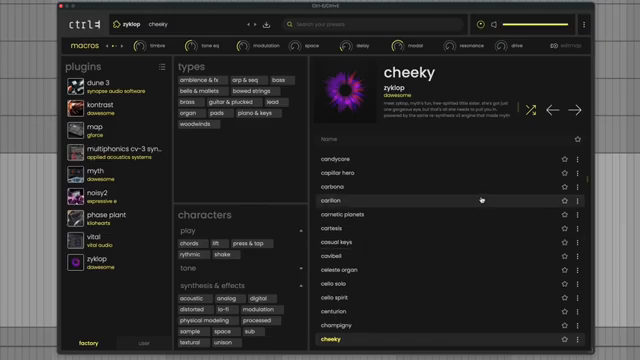
Now for the real twist: Control E, the software sidekick that wants to be your preset HQ. Sam runs through the basics – a left-hand list of plugins, filtering by attributes, even by how gestural a patch is. That’s right, you can search for sounds that beg for a wiggle, a shake, or whatever gesture you fancy.
It’s all intuitive, with favourites just a star click away and instant preset loading. But here’s the rub: you can’t edit the underlying engines without shelling out for each VST. Macros are your only playground unless you buy in. Sam calls this out as the same old Arturia-style frustration. Still, for quick browsing and hands-on control, Control E is slick, fast, and doesn’t get in your way – unless you’re a tweaker at heart.
Sounds That Actually Want to Be Played
Let’s get real: modern VSTs are drowning in cinematic, overcooked patches – but Sam highlights what matters. Control E is packed with sounds that aren’t just for showing off, but for actually making music. There’s a focus on useful, playable patches that respond wickedly to touch. No endless layers for the sake of it, just smart sound design that feels alive under your fingers.
Sam singles out simple patches that react with detail to velocity and aftertouch. The feel isn’t just hype – it’s a tactile experience, and honestly, you’ll never get that from reading a spec sheet or even this review. If you want to know how good the response really is, you’ll have to watch the video or, better yet, play one yourself. There’s a difference here, and it’s not just marketing fluff.
"I can tell that a lot of attention was put into exactly how it responds to your touch."
© Screenshot/Quote: Samgutman (YouTube)
Gestures: Sound in Motion
"So the sound itself is fundamentally intertwined with my playing gestures."
© Screenshot/Quote: Samgutman (YouTube)
Here’s where things get wild: the Osmose CE isn’t just a keyboard, it’s a gestural instrument. Sam demonstrates how the same patch can morph from a sharp pluck to a lush pad depending on how you hit the keys. You don’t need a split; your fingers set the mood instantly. Attack times, filter envelopes, and general character all bend to your will, making each note a mini-performance.
This isn’t just a feature – it’s the core of why the Osmose CE feels so alive. If you’re a static player, you might miss the magic. But if you love controlling sound with movement, the keyboard becomes an extension of your intent. It’s not just about what you play, but how you play it. The full effect is something best seen (and heard) in the flesh – or at least on Sam’s demo.
Final Thoughts: Not Your Dad’s MIDI Controller
Sam’s first impression? He’s impressed – and he’s not easy to win over. The Osmose CE isn’t just another safe, forgettable MIDI slab. It’s risky, fresh, and genuinely pushes the performance envelope. If you want a keyboard that begs for creativity instead of just collecting dust, this is the street weapon to check out. Full details, of course, are best experienced in the video – and maybe on your own desk, if you’re lucky enough to snag one.
This article is also available in German. Read it here: https://synthmagazin.at/sam-gutman-wird-wackelig-osmose-ce-ersteindruck-der-knallt/
More articles about these products:
Watch on YouTube:
Latest articles
Watch on YouTube:
Visit the channel:
https://www.youtube.com/SamGutman
https://www.youtube.com/SamGutman
Links from SamGutman:
Website: https://samgutman.com
Instagram: https://instagram.com/samgutmankeys
Patreon: https://patreon.com/samgutman
Sponsored links:
If you purchase via these links, we may earn a small commission – at no extra cost to you. The link opens an Amazon keyword search, and results may vary depending on availability.
Control E
🔗 Check price on Amazon
🔗 Check price on Amazon
Expressive E Osmose CE
🔗 Check price on Amazon
🔗 Check price on Amazon