OXI Instruments, renowned for their forward-thinking hardware, take center stage with the OXI One MKII’s Multitrack mode—a feature that turns this sequencer into the beating heart of any hybrid setup. In this official walkthrough, the team dives deep into sequencing and controlling eight independent tracks, showcasing how Multitrack mode streamlines complex rhythm creation without sacrificing hands-on immediacy. From granular track settings to creative pattern generators, the video demonstrates not just the raw power of the OXI One MKII, but its commitment to intuitive, performance-ready workflows. If you’re curious how modern sequencing architectures can empower both DAWless and studio rigs, this episode is a must-watch.
10. April 2026
LYRA
OXI Instruments OXI One MKII: Multitrack Mode Unleashed
A Sequencer Designed for Creative Flow
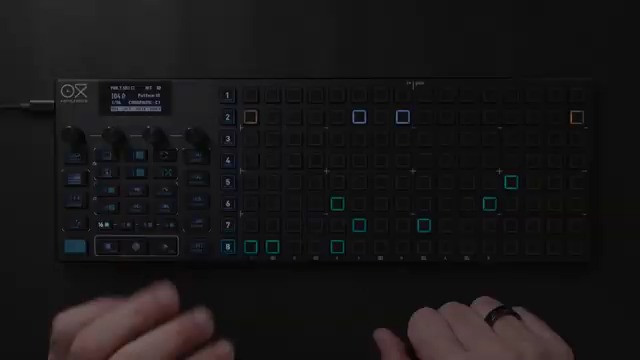
The OXI One MKII is introduced as a sequencer that doesn’t just keep time—it orchestrates complexity with remarkable ease. Right from the outset, OXI Instruments positions Multitrack mode as a central pillar, promising the ability to handle eight tracks simultaneously without losing the advanced editing capabilities found in other modes.
This approach is all about immediacy and visibility. Each row of the grid becomes its own track, with clear visual feedback and a workflow that encourages experimentation. The video sets the tone for a device that’s not just about technical depth, but about making that depth accessible to both seasoned producers and adventurous newcomers.
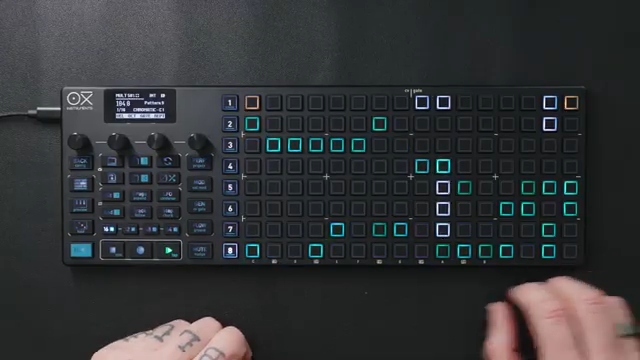
"Once you select Multitrack, each row of the grid becomes a separate track with its own independent settings, such as MIDI channel, time division and groove."
© Screenshot/Quote: Oxiinstruments (YouTube)
Eight Tracks, Infinite Possibilities
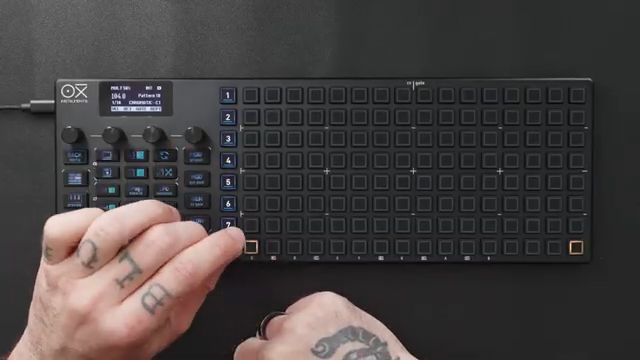
"You can also use an alternative track selection method by holding the sequencer number and pressing the first step of the row."
© Screenshot/Quote: Oxiinstruments (YouTube)
Multitrack mode on the OXI One MKII essentially transforms the device into eight sequencers in one, each with fully independent settings. The video demonstrates how every track can be assigned its own MIDI channel, time division, groove, and more, allowing for intricate layering and routing to both software and hardware instruments.
Track selection is handled with a thoughtful set of options. Users can choose between a safer, two-tap method to prevent accidental step entry or a faster, direct method for rapid composition. Long-pressing steps or using dedicated buttons enables quick navigation between tracks, ensuring that even complex arrangements remain manageable.
Global functions further streamline the workflow. With simple shortcuts, users can apply changes—like start and end points or clearing steps—across all tracks, making it easy to reshape entire patterns on the fly. The video also highlights the ability to set global MIDI channels and scales, while still allowing per-track customization for maximum flexibility.
Hands-On Editing and Workflow Essentials
The OXI One MKII’s interface is built for tactile control, and the video spends considerable time on the editing tools that bring patterns to life. Keyboard views offer both drum-oriented and traditional layouts, with velocity-sensitive pads and roller functions for dynamic input. Mute and solo controls are always within reach, supporting both composition and live performance scenarios.
Diving into track settings, users can adjust everything from MIDI channel and note offset to time division and swing, with two dedicated settings pages per track. The workflow is designed to accommodate both simple drum racks and more advanced setups, such as triggering multiple instruments via different MIDI channels.
Step editing is granular yet approachable. Each step can be tweaked for velocity, note, gate length, probability, logic conditions, and even retrigger behavior. The column view accelerates bulk edits, letting users adjust parameters like velocity or pitch across an entire track with a twist of an encoder. This level of control makes it possible to sculpt grooves and fills with surgical precision or broad creative strokes.
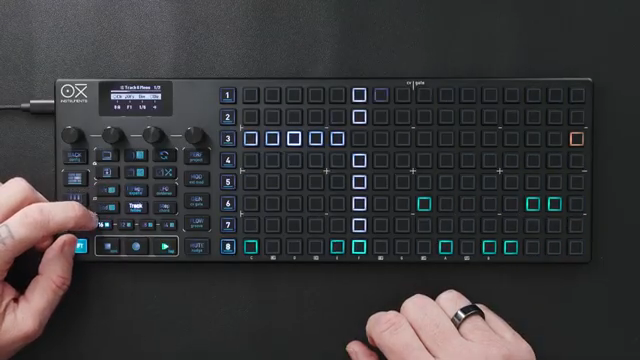
"Again, you can see each playhead separately, never losing track of what's happening."
© Screenshot/Quote: Oxiinstruments (YouTube)
Generators and Randomization: Rhythmic Alchemy
"The Drum Pattern Generator is an exclusive, non-destructive function in multi-track mode designed for generative drum and percussion sequences."
© Screenshot/Quote: Oxiinstruments (YouTube)
The video shifts into creative territory with a showcase of the OXI One MKII’s generative tools. Independent groove settings can be applied per track, letting users inject swing or accent patterns to individual elements—perfect for evolving hi-hats or shuffling percussion.
Euclidean and random generators are highlighted as powerful allies for instant pattern creation. The Euclidean generator distributes steps evenly, making polyrhythms and off-kilter grooves a breeze. The random generator, meanwhile, offers fine control over note range, density, and even velocity randomization, enabling happy accidents and organic variations.
A particularly notable feature is the ability to trigger different instruments mid-pattern by assigning tracks to separate MIDI channels. The video demonstrates this by pitching a shaker sample in Ableton’s Simpler, showing how melodic and percussive sequencing can coexist seamlessly.
Finally, the dedicated Drum Pattern Generator stands out as a unique, non-destructive tool. With three engines optimized for kick, snare, and hi-hat, users can dial in density, chaos, and rhythm tables to spawn fresh, evolving drum patterns at the touch of a button. The system encourages experimentation, with the option to layer manual edits or additional tricks on top of generated sequences.
Grooves, Performance, and Beyond
The video wraps up by spotlighting the OXI One MKII’s performance features, which are clearly designed for both studio and live use. Users can mute or solo tracks instantly, loop sections, and deploy fill functions—all from the dedicated performance page. These tools make it easy to manipulate arrangements in real time, whether you’re jamming in the studio or commanding a stage.
While this episode focuses on rhythmic sequencing, it’s clear that Multitrack mode is only the beginning. The promise of melodic sequencing and deeper generative workflows hints at an architecture built for expansion. For now, the OXI One MKII’s Multitrack mode stands out as a flexible, hands-on hub for creative rhythm programming.
This article is also available in German. Read it here: https://synthmagazin.at/oxi-instruments-oxi-one-mkii-multitrack-modus-entfesselt/
Watch on YouTube:
Latest articles
Watch on YouTube:
Visit the channel:
https://www.youtube.com/oxiinstruments
https://www.youtube.com/oxiinstruments
Links from oxiinstruments:
website: https://oxiinstruments.com
instagram: https://www.instagram.com/oxiinstruments
facebook: https://www.facebook.com/oxiinstruments/
support: https://oxiinstruments.com/support
Sponsored links:
If you purchase via these links, we may earn a small commission – at no extra cost to you. The link opens an Amazon keyword search, and results may vary depending on availability.
OXI ONE MKII
🔗 Check price on Amazon
🔗 Check price on Amazon