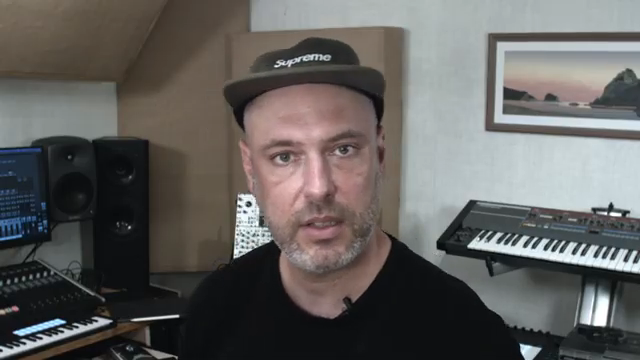
Novation’s Circuit Rhythm steps into the spotlight as a sample-based groovebox, and in this official video, we see it pushed beyond basic beatmaking into the realm of creative dub-techno manipulation. Dylan takes a classic breakbeat and, using Circuit Rhythm’s slice mode and pattern tools, transforms it into a set of evolving, performance-ready grooves. Novation’s practical, artist-focused ethos is on full display: the workflow is fast, hands-on, and designed for both newcomers and seasoned producers. If you’re curious about how Circuit Rhythm’s sample manipulation and pattern chaining can energize your tracks, this walkthrough delivers a clear, no-nonsense look at its core strengths.
11. April 2025
LYRA
Novation Circuit Rhythm: Chopping, Re-Sequencing, and Jamming Dub-Techno Beats
From Breakbeat to Dub-Techno: Circuit Rhythm’s Creative Canvas
The video opens with Dylan introducing the Novation Circuit Rhythm as his tool of choice for re-sequencing classic breaks into something fresh—specifically, a dub-techno context. Right away, we see the device’s core proposition: it’s not just a sample player, but a creative hub for transforming loops into new rhythmic ideas. Dylan loads a breakbeat onto track eight, adding a touch of reverb to set the mood.
What’s notable here is how quickly Circuit Rhythm moves from sample import to hands-on manipulation. The workflow is immediate: select a pad, tweak the sound, and prepare for deeper editing. This sets the stage for the rest of the video, where the focus is on how the device’s sample slicing and sequencing features can turn a simple loop into a playground for groove experimentation.
Slice Mode, Pattern Settings, and Ping-Pong Playback: The Rhythmic Toolkit
Dylan demonstrates Circuit Rhythm’s slice mode, which lays out individual sample slices across the pads, giving instant access to every transient in the break. This is where the device’s digital architecture shines: you can beat-match the sample to the project tempo, enter note mode, and immediately start building patterns from the slices.
Pattern settings are explored next, with a focus on creating a four-step sequence and activating ping-pong playback. This mode plays the pattern forwards and then backwards, injecting a call-and-response feel that makes even short patterns come alive. The ability to quickly extend patterns and add more slices keeps the workflow fluid, allowing for evolving grooves without menu-diving or breaking creative momentum.
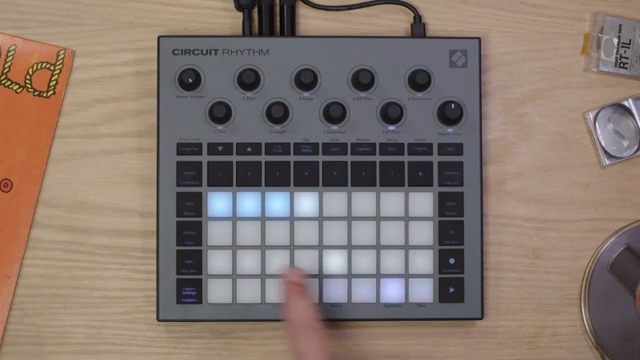
"We can also make the pattern ping-pong. That'll play the slices forward and then backwards."
© Screenshot/Quote: Novationtv (YouTube)
Pattern Chaining and Scene Jamming: Building Complexity Live
"What I like about this approach is that it's a really fast way to create variations of the song and you can sort of switch between those rhythms to make the phrases more interesting."
© Screenshot/Quote: Novationtv (YouTube)
The heart of the video is Dylan’s demonstration of building multiple pattern variations from the same breakbeat. He manually sequences new patterns, hunting for alternate kicks, ride hits, and snare buzzes to create distinct rhythmic feels. Each pattern, though made from the same source material, offers a different energy—showcasing how Circuit Rhythm’s architecture supports both subtle and dramatic variations with minimal friction.
Once three patterns are crafted, Dylan chains them together, using the mixer and scene modes to arrange and trigger different combinations. This is where Circuit Rhythm’s performance orientation becomes clear: scenes can be saved with or without certain patterns, enabling quick transitions between song sections. The device’s interface allows for fast scene switching and real-time jamming, making it well-suited for both live sets and spontaneous studio sessions.
Throughout, the workflow remains hands-on and intuitive. There’s no reliance on external editors or deep menu systems; everything is accessible from the device itself. This section highlights how Circuit Rhythm can serve as the centerpiece for dynamic, evolving performances, whether you’re building up a track or breaking it down in real time.
Accessible Workflows for All Levels: From First Loop to Full Performance
The tutorial closes by emphasizing how Circuit Rhythm’s workflow caters to both beginners and experienced producers. Dylan recaps the process: start with a breakbeat, use slice mode for variation, and leverage scenes to craft full song sections. The device’s design encourages experimentation, making it easy to inject a live, energetic drum feel into any performance.
Novation’s approach here is practical and inclusive. The video makes clear that you don’t need deep technical knowledge to get creative results—just a willingness to explore. Whether you’re jamming live or sketching ideas in the studio, Circuit Rhythm offers a streamlined, accessible path from raw sample to finished groove.
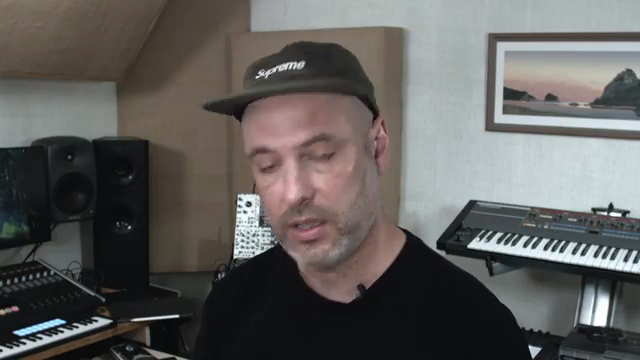
"It's a really fun way to get a live energetic kind of drum feel into a performance."
© Screenshot/Quote: Novationtv (YouTube)
This article is also available in German. Read it here: https://synthmagazin.de/novation-circuit-rhythm-breakbeats-zerschneiden-neu-sequenzieren-und-dub-techno-live-jammen/
Watch on YouTube:
Latest articles
Watch on YouTube:
Visit the channel:
https://www.youtube.com/NovationTV
https://www.youtube.com/NovationTV
Links from NovationTV:
website: https://novationmusic.com
instagram: https://instagram.com/wearenovation
twitter: https://twitter.com/WeAreNovation
facebook: https://facebook.com/NovationMusic
Sponsored links:
If you purchase via these links, we may earn a small commission – at no extra cost to you. The link opens an Amazon keyword search, and results may vary depending on availability.
Novation Circuit Rhythm
🔗 Check price on Amazon
🔗 Check price on Amazon