Ever wondered how to take your Ableton Live set from bedroom noodling to a full-blown, dust-kicking, outdoor spectacle? Lillian Frances, the indie pop wizard from Sacramento, isn’t just showing you her tricks—she’s practically inviting you to the BBQ and handing you the tongs. With a style that’s as playful as a kookaburra at happy hour, Lillian breaks down her live rig, looping wizardry, and automation secrets in a way that’ll have you itching to haul your gear up the nearest boulder. If you’re keen on turning your laptop jams into a one-person rave, this video is the sausage sizzle you didn’t know you needed.

7. March 2026
TAS
Lillian Frances Unleashes Ableton Live: A Performance Breakdown That’ll Blow Your Socks Off
Ableton Live, Ableton Push, Mackie Battery Powered Speakers, Mackie Mixer, MIDI Keyboard
Cracking Open the Ableton Egg
Lillian Frances kicks things off with a bang, hauling her gear up a Joshua Tree rock for a live performance that’s as ambitious as a kangaroo on a pogo stick. She’s not mucking about—this isn’t your average bedroom tutorial. Instead, she’s diving headfirst into the nitty-gritty of how she builds a live Ableton set from the ground up, promising to spill the beans on every trick in her arsenal.
From the get-go, Lillian’s approach is all about flexibility and fun. She makes it clear there’s no one-size-fits-all recipe for live sets—each song gets its own treatment, depending on what the tune calls for. Whether it’s looping, FX, or toggling elements in and out, she’s got a quiver full of techniques ready to be mashed together like a backyard salad. If you’re looking for a rigid formula, you’re in the wrong BBQ, mate.
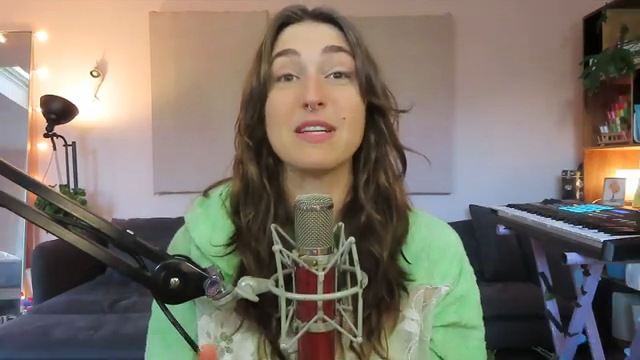
"We have like this big quiver of techniques we can use and then for each song we get to choose how we morph together these techniques to get the performance that we're looking for."
© Screenshot/Quote: Lillianfrances (YouTube)
Stems, Dreams, and Imagination
The first step in Lillian’s process is pure imagination—deciding what you want to play live and what you’re happy to let the computer handle. Are you a singer, a guitarist, or a synth wrangler? Figure out your strengths and build from there. She’s all about playing to your own skills, not forcing yourself into a box tighter than a festival porta-loo.
Once the vision’s sorted, it’s time to carve up your track into live stems. Lillian shows how she exports a version of her song with all the live parts muted, leaving a backing track that’s ready to roll. Her live set is a living beast, constantly tweaked and updated, with sections for stems, instruments, and vocals. It’s a setup that’s evolved over years of gigging—proof that even the wildest rigs can be tamed with a bit of elbow grease and a lot of trial and error.
Loop-de-Loop and Automation Antics
"This is either really helpful for live performance or totally fucks you over because if you're right enough that it corrects it to the right note then you're good if you are wrong enough as I often am that it corrects you to the wrong note it sounds atrocious."
© Screenshot/Quote: Lillianfrances (YouTube)
Now we’re getting to the juicy bits—dummy clips, automation, and live looping that’ll make your head spin. Lillian explains how she uses dummy clips in Ableton: silent clips packed with automation that control everything from FX to looper states. It’s like having a roadie in your laptop, flipping switches and keeping chaos at bay while you focus on the performance.
The looper gets a workout, with Lillian setting up guitar and vocal loops on the fly. She automates when the looper records, plays, and stops, so she can nail those live moments without breaking a sweat. There’s also plenty of action with vocal pitch correction and FX, all triggered with clever automation. If you want to see exactly how she wrangles all this mayhem, you’ll have to watch the video—words can’t do justice to the on-the-fly looping wizardry she pulls off.
Push It Real Good: MIDI Mayhem
MIDI controllers are the unsung heroes of any live Ableton rig, and Lillian’s not shy about her love for the Push. She points out that while a regular MIDI keyboard is fine, the Push lets her skip the faff of endless MIDI mapping. With Push, she’s got hands-on control over everything—FX, filters, scenes—without needing a PhD in menu diving.
She also gives a nod to her trusty MIDI keyboard, but it’s clear the Push is the real MVP when it comes to live performance. The ability to trigger clips, automate FX, and noodle on synths all from one device is a game-changer. If you’re still lugging a basic controller to gigs, maybe it’s time to upgrade before your next outback adventure.
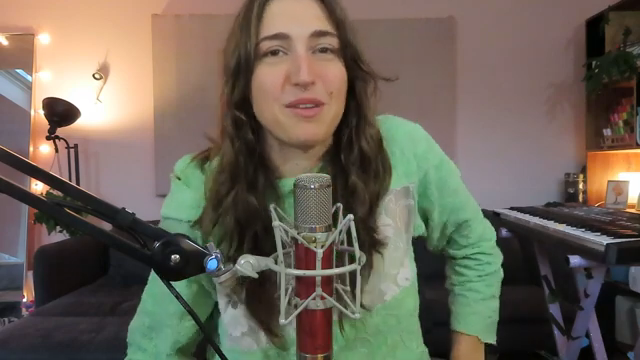
"This is where it gets it really lit to have a push because like how the fuck would I be automating all that shit and assigning all these values in doing all the MIDI mapping and shit for any other normal midi controller no that would be hard."
© Screenshot/Quote: Lillianfrances (YouTube)
The Grand Finale: Watch and Learn
After all the technical wizardry, Lillian invites viewers to see the whole thing in action—a full live performance that ties every trick together. This isn’t just a dry demo; it’s the real deal, with all the chaos, energy, and happy accidents that make live shows worth the effort. You’ll see the looping, automation, and controller magic unfold in real time.
But let’s be honest, mate—no amount of written description can capture the vibe of a live Ableton set in full flight. If you want to feel the energy, see the gear sweat, and maybe spot a few wobbly moments, you’ll have to watch the performance yourself. Grab a cold one, crank the volume, and let Lillian’s set inspire your next wild gig.
This article is also available in German. Read it here: https://synthmagazin.at/lillian-frances-entfesselt-ableton-live-ein-performance-breakdown-der-dich-aus-den-socken-haut/
Watch on YouTube:
Latest articles
Watch on YouTube:
Visit the channel:
https://www.youtube.com/LillianFrances
https://www.youtube.com/LillianFrances
Links from LillianFrances:
Instagram: https://instagram.com/lillianfrancess
Website: https://lillianfrancesmusic.com
Bandcamp: https://lillianfrances.bandcamp.com
Sponsored links:
If you purchase via these links, we may earn a small commission – at no extra cost to you. The link opens an Amazon keyword search, and results may vary depending on availability.
Ableton Live
🔗 Check price on Amazon
🔗 Check price on Amazon
Ableton Push
🔗 Check price on Amazon
🔗 Check price on Amazon
Mackie Battery Powered Speakers
🔗 Check price on Amazon
🔗 Check price on Amazon
Mackie Mixer
🔗 Check price on Amazon
🔗 Check price on Amazon
MIDI Keyboard
🔗 Check price on Amazon
🔗 Check price on Amazon