Intellijel’s Multigrain module has always been a granular playground, but with firmware 1.2, it steps decisively into the world of real-time audio manipulation. In this official walkthrough, Intellijel demonstrates how the new Live Sounds and Looping Recorder features transform Multigrain from a sample-mangler into a dynamic, performance-ready instrument. Expect a deep dive into patching live audio, freezing and modulating loops, and converting spontaneous textures into reusable samples—all with the clarity and hands-on focus we’ve come to expect from Intellijel’s channel. If you’re after granular textures that react to your rack in real time, this update is worth a close look.
19. July 2025
MILES
Intellijel Multigrain: Live Sounds and Looping Recorder—Granular Synthesis Grows Up
Intellijel 62HP 4U Palette Case, Intellijel Amps, Intellijel Duatt 1U, Intellijel FSR 1U, Intellijel MIDI 1U, Intellijel MultiGrain, Intellijel Planar2, Intellijel Stereo I/O 1U, Intellijel Tangrams, Intellijel XY I/O 1U
Granular Synthesis, Rewired: Multigrain’s New Era
With firmware version 1.2, Intellijel’s Multigrain module takes a leap from being a purely sample-based granular synthesizer to a device that thrives on live audio. The update introduces the concept of “live sounds,” where grains are generated directly from real-time audio patched into Multigrain’s inputs. This shift means that users are no longer limited to pre-recorded samples—they can now sculpt granular textures from whatever is happening in their rack at that moment. The process for creating a live sound is straightforward: hold any sound button, press the sample button, and you’re ready to start patching in fresh audio. The interface provides clear visual feedback, with magenta and green LEDs distinguishing between live and sample-based sounds.
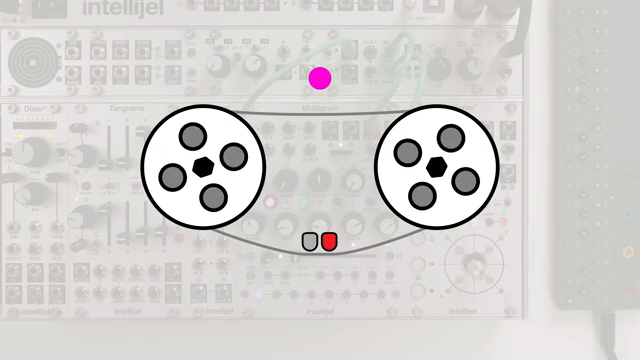
The addition of the looping recorder is equally significant. Acting as a virtual tape loop, it captures incoming audio for up to 32 seconds, providing the raw material for live grains. The looping recorder is automatically activated when a live sound is created, and its state is indicated by the sample button’s colour. This setup allows for a hybrid workflow, where users can mix and match live and sample-based sounds within a single preset, opening up new avenues for performance and sound design. The video’s patch example—routing a Dixie triangle wave through Amps and into Multigrain—demonstrates just how immediate and flexible this new approach can be.
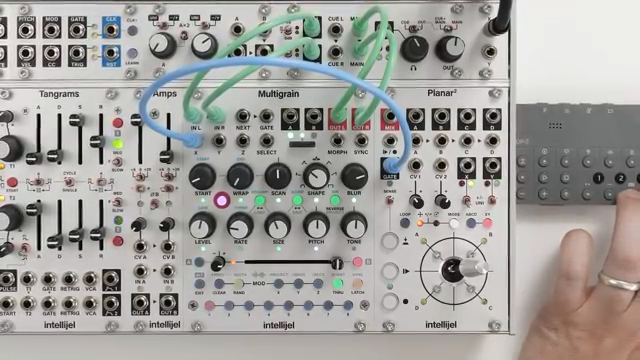
"Now we can create live sounds, which generate grains using audio patched to multigrain's inputs in real-time."
© Screenshot/Quote: Intellijel (YouTube)
Live Audio and Looping: The Heart of Multigrain 1.2
"Input audio is recorded to the tape loop, which is a fixed length, and it can be set to either 8, 16, 24 or 32 seconds long."
© Screenshot/Quote: Intellijel (YouTube)
Central to the update are two features: generating live sounds from real-time inputs and the looping recorder’s ability to manipulate and layer audio. Live sounds behave almost identically to sample-based sounds, but with two key differences. First, grains are sourced from the looping recorder rather than a static sample. Second, the looping recorder itself can be enabled independently from the sampling settings page, giving users control over when and how it’s active.
The looping recorder functions much like a tape machine, with a fixed length (8, 16, 24, or 32 seconds) and two states: recording and frozen. When recording, the loop continuously overwrites itself, while freezing halts the tape and applies a crossfade at the loop point. Grain start positions are always relative to the loop point, allowing for nuanced control over which part of the audio buffer is granulated. The video illustrates this by patching in an OP-Z pattern and sweeping the start knob, revealing everything from near-instantaneous grains to delayed, tape-like effects.
From Input to Texture: Fast Granular Workflows
One of Multigrain’s standout qualities post-update is how quickly users can move from raw input to complex granular textures. The workflow is designed for immediacy: patch in audio, create a live sound, and start manipulating grain parameters in real time. Adjustments to grain size, rate, pitch, quantization, and randomization are all available on the fly, letting users morph incoming material into shimmering clouds or rhythmic stutters with minimal fuss.
Copying and pasting live sounds is equally efficient. By holding a live sound and pressing an empty sound button, users can duplicate settings and then tweak each copy for performance variations. The ability to blend live and sample-based grains within a preset encourages experimentation, and the video’s hands-on examples highlight just how rapidly new sonic territory can be explored. The process is as much about capturing fleeting moments as it is about meticulous programming—a boon for improvisers and sound designers alike.
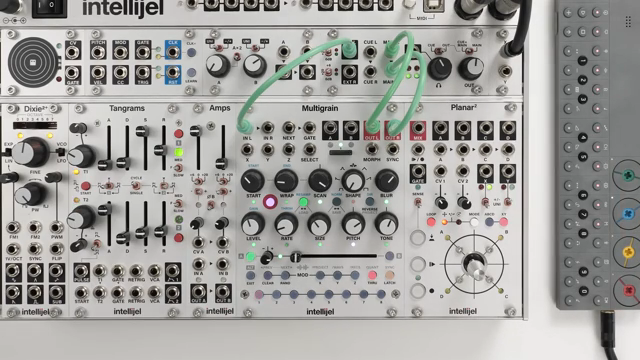
"This may sound confusing, but the best thing to do is experiment with the position controls while the looping recorder is unfrozen and listen to what happens."
© Screenshot/Quote: Intellijel (YouTube)
Freeze, Modulate, Threshold: Expanding the Creative Toolkit
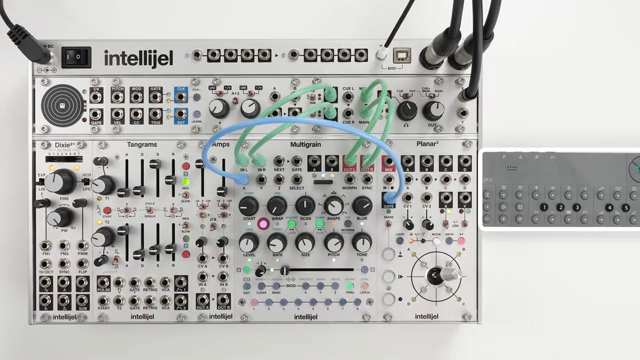
"When the input audio is above the threshold, the looping recorder will record, and the sample button will turn solid magenta."
© Screenshot/Quote: Intellijel (YouTube)
The looping recorder’s freeze function is a powerful tool for sound design, allowing users to lock the audio buffer and treat it like a static sample. Freezing can be triggered manually, via modulation, or by setting a threshold based on input level. When frozen, grains become static, and controls like scan and wrap let users navigate the frozen audio much like scrubbing through a sample. This is particularly useful for extracting specific textures or creating evolving pads from a single audio event.
Modulation adds another layer of depth. Assigning freeze to a CV input enables rhythmic or random toggling of the loop state, which can be globally applied across presets. The threshold feature is especially handy for hands-free operation: when input audio exceeds a set level, the recorder captures; when it drops, the buffer freezes. The updated sampling settings page provides intuitive access to these controls, including gain staging and loop length. The result is a system that rewards both careful planning and happy accidents.
From Live to Sample: Capturing and Reusing Granular Moments
A highlight of the video is the demonstration of converting live sounds into sample-based sounds, effectively letting users capture and reuse their best granular improvisations. The process involves freezing the looping recorder, saving the buffer to the microSD card, and then assigning the resulting sample to a sound slot. This ensures that all parameter settings are preserved, making it easy to recall complex textures in future sessions.
There are multiple ways to perform this conversion, including direct replacement of a live sound with its sampled version. The workflow is designed to be seamless, with clear visual cues and minimal menu-diving. This feature broadens Multigrain’s sonic palette, allowing spontaneous performances to become part of a user’s permanent library. The video closes with a reminder that further updates will be covered in future tutorials, and points viewers to the written manual for deeper exploration.
This article is also available in German. Read it here: https://synthmagazin.at/intellijel-multigrain-live-sounds-und-looping-recorder-granularsynthese-auf-neuem-niveau/
Watch on YouTube:
Latest articles
Watch on YouTube:
Visit the channel:
https://www.youtube.com/intellijel
https://www.youtube.com/intellijel
Links from intellijel:
website: https://intellijel.com
forum: https://forum.intellijel.com
instagram: https://instagram.com/intellijel
facebook: https://www.facebook.com/intellijel
Sponsored links:
If you purchase via these links, we may earn a small commission – at no extra cost to you. The link opens an Amazon keyword search, and results may vary depending on availability.
Intellijel 62HP 4U Palette Case
🔗 Check price on Amazon
🔗 Check price on Amazon
Intellijel Amps
🔗 Check price on Amazon
🔗 Check price on Amazon
Intellijel Duatt 1U
🔗 Check price on Amazon
🔗 Check price on Amazon
Intellijel FSR 1U
🔗 Check price on Amazon
🔗 Check price on Amazon
Intellijel MIDI 1U
🔗 Check price on Amazon
🔗 Check price on Amazon
Intellijel MultiGrain
🔗 Check price on Amazon
🔗 Check price on Amazon
Intellijel Planar2
🔗 Check price on Amazon
🔗 Check price on Amazon
Intellijel Stereo I/O 1U
🔗 Check price on Amazon
🔗 Check price on Amazon
Intellijel Tangrams
🔗 Check price on Amazon
🔗 Check price on Amazon
Intellijel XY I/O 1U
🔗 Check price on Amazon
🔗 Check price on Amazon