Expert Sleepers, the UK’s masters of modular-computer integration, return with the disting NT—a Eurorack module that takes mapping flexibility to new heights. In this official walkthrough, we’re treated to a detailed demonstration of how the NT allows users to assign control over any parameter via CV, MIDI, or I2C, all through a streamlined interface. The focus here is on practical patching: from fader-driven modulations to multi-source integration, the video showcases how the disting NT can become the nerve centre of a complex rack. If you’re after a module that plays nicely with everything from faders to sequencers, this is one to watch.
4. October 2024
MILES
Expert Sleepers disting NT: Mapping Mayhem in the Modular Realm
Expert Sleepers disting NT, Expert Sleepers FH-2, Michigan SenseWorks F8R
A Swiss Army Knife for Modular Control
The disting NT is introduced as a module that takes control flexibility seriously—no surprise from Expert Sleepers, whose reputation for bridging modular and digital workflows precedes them. The video wastes no time in establishing that the NT’s core strength lies in its ability to be controlled via CV, MIDI, or I2C, making it a true chameleon in any Eurorack setup. This isn’t just about having options; it’s about integrating the module seamlessly with whatever control sources you have at hand, whether that’s a bank of faders, a DAW, or a sequencer.
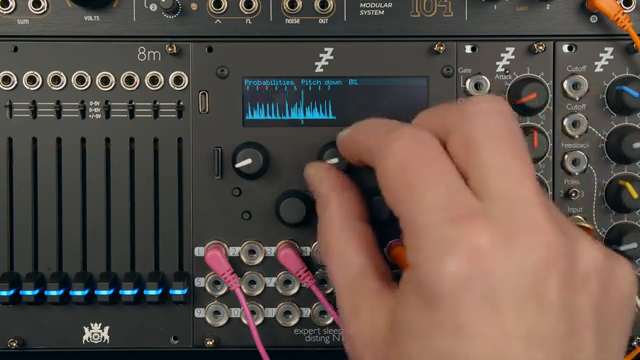
From the outset, the demonstration is grounded in a real-world patch: a drum loop running through the Curbinator algorithm, clocked externally and ready for live manipulation. The message is clear—this isn’t a module that wants to be left in a static patch. Instead, it’s designed to be the heart of dynamic, hands-on modulation, with mappings that invite experimentation and on-the-fly tweaking.
Map Anything, Anywhere: The Core Feature Set
One of the standout features of the disting NT is its universal mapping capability. The video makes it explicit: any parameter on any algorithm can be mapped to CV, MIDI, or I2C inputs. This means that whether you’re after pitch manipulation, probability tweaks, or more esoteric algorithmic controls, you’re not limited by fixed assignments. The mappings menu is accessible both via the main menu and a dedicated shortcut, allowing for quick navigation—an important touch for live or improvisational contexts.
The process is straightforward: select the parameter, choose the control source, and define the relationship between input and parameter value. The demonstration uses the Michigan SenseWorks F8R as a control surface, outputting CV, MIDI, and I2C, but the NT is agnostic about what’s on the other end. The flexibility extends to the mapping logic itself, letting users tailor the response curve and range to suit their patching needs.
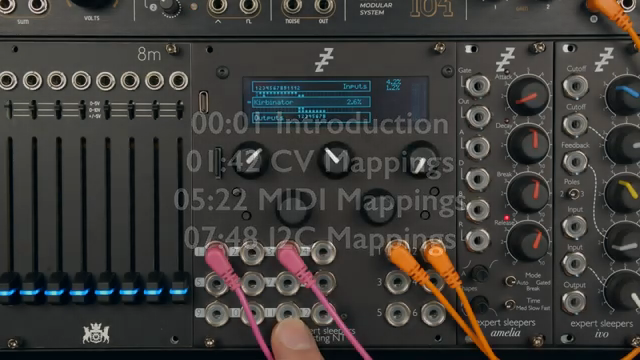
"Any parameter on any algorithm can be mapped for control through CV, through the inputs."
© Screenshot/Quote: Expertsleepersltd (YouTube)
Intuitive Mapping and Multi-Source Integration
The interface for creating mappings is designed to minimise menu-diving and maximise patching flow. A shortcut button can be configured to jump straight into the mappings menu or even directly into CV mappings, depending on user preference. This small but thoughtful detail means less time scrolling and more time patching—something any modular user can appreciate.
Integration with multiple control sources is handled with equal elegance. The video shows how mappings can be set up for CV, then quickly switched to MIDI via USB, TRS, DIN, or even select bus. The process is nearly identical regardless of the protocol, and a MIDI monitor is available to confirm incoming messages. This consistency across control types means the NT can slot into a variety of setups without fuss, whether you’re working DAWless or with a computer in the loop.
Simultaneous Parameter Mapping: Faders, Fingers, and Fun
"It's super easy to just fly through these and tweak them as you go, but it would be even easier if you could do more than one at the same time, which is what we're gonna be able to do by mapping these to faders."
© Screenshot/Quote: Expertsleepersltd (YouTube)
A highlight of the demonstration is the ability to map multiple parameters to different faders, allowing for expressive, simultaneous control. For instance, pitch up, reverse, and fifths can all be assigned to separate or even shared CV inputs, with each parameter responding according to its own scaling. This opens up a world of performance possibilities, from subtle modulations to wild, multi-dimensional tweaks—all from a single bank of faders or sequencer lanes.
The same logic applies to MIDI and I2C mappings. The video shows how parameters like pitch down and stutter can be assigned to MIDI CCs using a learn function, and how I2C can be used to control yet another set of parameters. The ability to un-map and re-map on the fly, combined with monitoring tools for both MIDI and I2C, means the NT is always ready to adapt to a new patch or performance idea without missing a beat.
Presets Remember Everything: Mappings Included
To round things off, the video reassures us that all mappings—CV, MIDI, and I2C alike—are saved as part of each preset. This means that once you’ve dialled in your perfect control scheme, it comes back exactly as you left it when you recall the preset. There’s no need to re-map every time you power up or switch algorithms, making the disting NT a reliable hub for complex, recallable setups. For anyone who juggles multiple patches or live sets, this is a quietly essential feature.
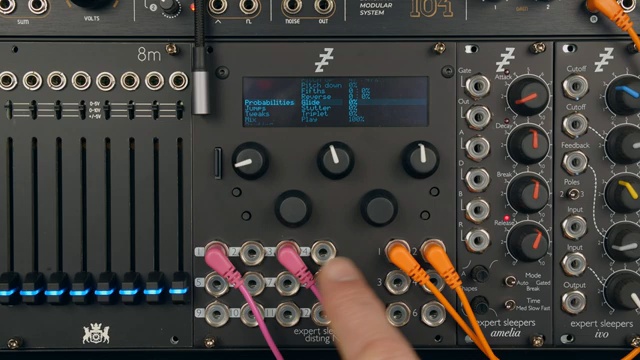
"All of these mappings are saved as part of the preset. They're not separate."
© Screenshot/Quote: Expertsleepersltd (YouTube)
This article is also available in German. Read it here: https://synthmagazin.at/expert-sleepers-disting-nt-mapping-chaos-im-modular-kosmos/
Watch on YouTube:
Latest articles
Watch on YouTube:
Visit the channel:
https://www.youtube.com/ExpertSleepersLtd
https://www.youtube.com/ExpertSleepersLtd
Links from ExpertSleepersLtd:
Sponsored links:
If you purchase via these links, we may earn a small commission – at no extra cost to you. The link opens an Amazon keyword search, and results may vary depending on availability.
Expert Sleepers disting NT
🔗 Check price on Amazon
🔗 Check price on Amazon
Expert Sleepers FH-2
🔗 Check price on Amazon
🔗 Check price on Amazon
Michigan SenseWorks F8R
🔗 Check price on Amazon
🔗 Check price on Amazon