Bastl Instruments, the Czech purveyors of modular mischief, have given their Softpop SP2 a serious firmware facelift. In this official walkthrough, we’re treated to a deep dive into the V1.3 update, which overhauls the sequencer’s editing and recording workflow. The new features promise more intuitive pattern building, real-time step editing, and improved clock and MIDI handling—all wrapped up in Bastl’s typically hands-on, community-driven style. For anyone who’s ever wished their quirky desktop synth would just let them tweak a few more steps on the fly, this update might be the nudge you’ve been waiting for.
25. July 2025
MILES
Bastl Instruments Softpop SP2: Sequencing Refined – The V1.3 Update in Focus
Sequencing, Streamlined: The Softpop SP2’s New Workflow
Bastl Instruments opens the curtain on the Softpop SP2’s latest firmware, promising a more refined and enjoyable sequencing experience. The update isn’t just a handful of bug fixes—it’s a comprehensive rethinking of how users interact with the sequencer, with a particular focus on making the process more immediate and musical. The video’s host highlights how the new code brings a sense of polish, allowing users to sequence and perform with greater ease and fewer interruptions.
The workflow enhancements are immediately evident: step gates can now be tapped in live, and the recording process is less prone to accidental pitch entries, thanks to a subtle change in how the record button behaves. This means more time to consider your next move and less chance of derailing a groove mid-jam. Bastl’s approach here is characteristically practical, aiming to keep the creative flow uninterrupted while still offering plenty of hands-on control.
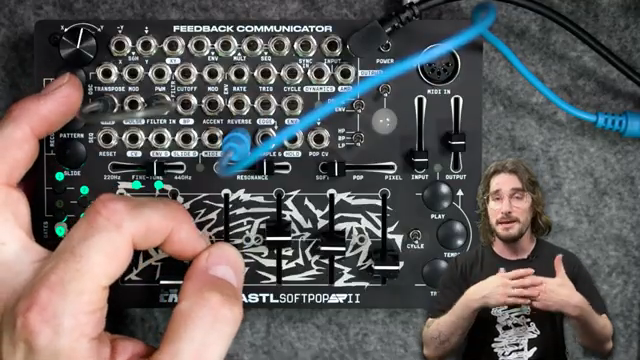
"They've crammed some extra code in there, tightened a few things up, and made it so the experience of sequencing and playing music with the SoftPop 2 is the best it's ever been."
© Screenshot/Quote: Bastlinstruments (YouTube)
Direct Step Edit Mode: Real-Time Tweaks Without Missing a Beat
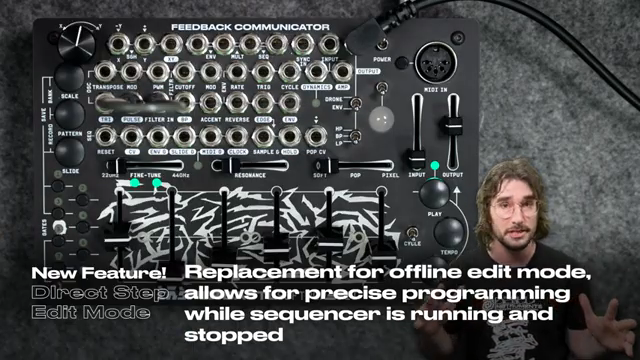
"A new direct step mode has been implemented, which completely overhauls the SP2's sequencer."
© Screenshot/Quote: Bastlinstruments (YouTube)
The headline feature of the update is the new direct step edit mode, which replaces the old offline step editing workflow. Now, users can edit steps while the sequencer is running or stopped, making it possible to sculpt patterns on the fly without breaking the musical momentum. Instead of the previous method—where editing required stopping the sequencer and entering a dedicated mode—users can simply grab a step, adjust its pitch with the fader, and even preview changes instantly using the tempo button.
Visual feedback plays a central role: edited steps flash to indicate activity, and when multiple steps are selected, both the steps and the leftmost pitch light provide clear cues. Editing multiple steps simultaneously is now possible with the pitch fader, though the arrow buttons remain single-step only. The update also introduces a subtle but important distinction between transposing the sequence and editing individual steps, depending on how quickly the fader is moved. All of these changes combine to make the SP2’s sequencer feel more like a living instrument than a static pattern box.
Step Recording, Revisited: Tapping in Notes with Precision
The update brings a new level of finesse to step and gate recording. With the sequencer running, users can now hold record and tap in step gates using the trig key, allowing for rapid rhythm programming without stopping the music. Pitch recording is also more deliberate: it only begins when the fader is moved, reducing the risk of accidental note changes and giving performers a moment to plan their next gesture.
The video demonstrates how these tools work together to build patterns quickly and intuitively. Whether entering notes live, editing steps on the fly, or chaining scales for more complex melodic structures, the process is fluid and responsive. The ability to add slides, adjust play modes, and experiment with scales mid-pattern further enhances the SP2’s appeal for hands-on sequencing. Bastl’s refinements here are all about encouraging experimentation while keeping the workflow tight and musical.
Clock and MIDI: Tighter Timing, Smoother Sync
Beyond the headline sequencing features, the update addresses some of the Softpop SP2’s underlying timing and connectivity. Clock handling has been tightened, with improved stability and faster response to clock changes or resets. The reset input no longer causes hiccups, and the sequencer picks up external clocks with greater reliability—key improvements for anyone integrating the SP2 into a larger modular or DAW-based setup.
MIDI functionality has also been given a boost. The readout speed is increased, and MIDI through is now available on the TX line for those who want to hack or extend their MIDI routing. Filtering on the transpose and pitch inputs has been improved to eliminate unwanted jumps, and key settings like triggered pitch mode and wave shape assignments are now auto-saved for a more consistent workflow. These tweaks may not grab headlines, but they’re the kind of details that make the SP2 a more dependable centrepiece in any rig.
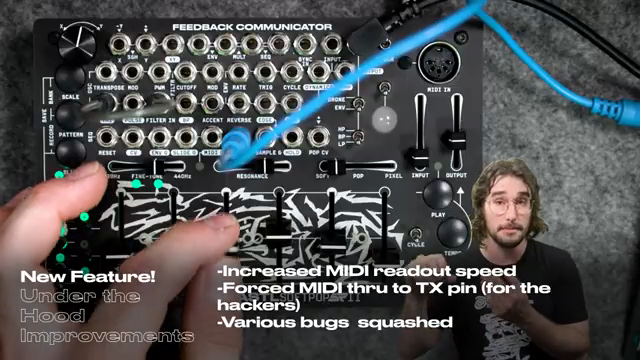
"Bastl's also increased the MIDI readout speed and included the MIDI through to the TX if you want to hack in there and get the MIDI output in."
© Screenshot/Quote: Bastlinstruments (YouTube)
Updating Made Easy: A Quick Guide to V1.3
The video wraps up with a clear, step-by-step guide to updating the Softpop SP2. Users are walked through checking the VCO jumper, preparing the update file, and connecting via TRS cable to the reset jack. The update process is visually indicated by an animation on the unit, and once complete, a quick calibration of the transpose input ensures everything is in tune. Bastl’s approach here is refreshingly straightforward, making it easy for users to access the latest features without fuss or confusion.
This article is also available in German. Read it here: https://synthmagazin.at/bastl-instruments-softpop-sp2-sequencing-verfeinert-das-v1-3-update-im-fokus/
Watch on YouTube:
Latest articles
Watch on YouTube:
Visit the channel:
https://www.youtube.com/bastlinstruments
https://www.youtube.com/bastlinstruments
Links from bastlinstruments:
linkinbio: https://linkin.bio/bastlinstruments
instagram: https://instagram.com/bastlinstruments
facebook: https://facebook.com/bastlinstruments
twitter: https://twitter.com/bastlinstrument
soundcloud: https://soundcloud.com/bastl-instruments
Sponsored links:
If you purchase via these links, we may earn a small commission – at no extra cost to you. The link opens an Amazon keyword search, and results may vary depending on availability.
Bastl Instruments Softpop SP2
🔗 Check price on Amazon
🔗 Check price on Amazon