Arturia steps into the reverb arena with Rev OCEAN, a plugin designed for producers who want both fast results and deep, creative control. In this official walkthrough, we see how intuitive controls shape everything from subtle ambiences to lush, animated soundscapes. The video covers the core parameters, macro-driven modes for evolving textures, input filtering, and extended settings for nuanced signal shaping. For those interested in workflow and sonic architecture, Rev OCEAN offers a balance of immediacy and depth.

Rev OCEAN: Fast Spaces, Minimal Fuss
Arturia introduces Rev OCEAN as a modern software reverb designed for users seeking quick, musical results without sacrificing depth. The plugin targets a broad sonic palette, promising everything from subtle, intimate ambiences to dense, immersive environments, all accessible via an interface that prioritizes intuitive interaction. The video sets the stage by demonstrating a range of examples, immediately establishing Rev OCEAN’s strengths in both subtle and dramatic settings.
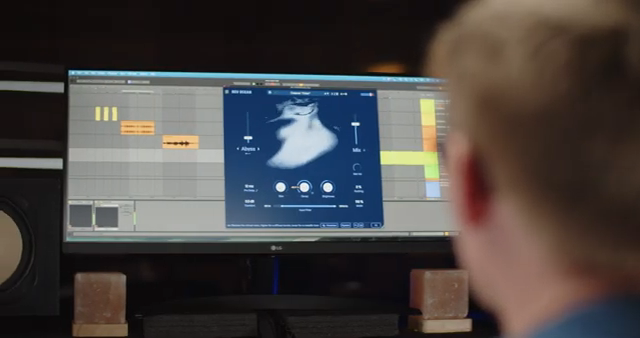
"delivering everything from subtle, intimate spaces to dense, immersive environments with minimal effort."
© Screenshot/Quote: Arturiaofficial (YouTube)
Core Controls: Size, Decay, Brightness & Freeze
"The main settings define the core character of the reverb, how it expands, decays and sits in the frequency spectrum."
© Screenshot/Quote: Arturiaofficial (YouTube)
The interface centers on three primary areas, with the main settings panel responsible for shaping the reverb’s fundamental character. Parameters like Size and Decay work in tandem: Size determines the perceived space—how big or small the environment feels—while Decay sets the length of the reverb tail, affecting how long sound lingers before fading out. This pairing allows for quick tailoring of the reverb to fit anything from tight rooms to vast halls.
Brightness is another essential control, letting users shift the tonal color of the reverb from airy and open to darker and more subdued. For creative freezes, the plugin includes a snowflake icon that activates the Freeze function, which holds the reverb tail indefinitely—a classic tool for ambient sound design or transition effects. Notably, pushing the Decay to its maximum can also trigger this infinite sustain behavior, providing alternative workflow routes for holding textures.
Macro Mode: Evolving Textures in Motion
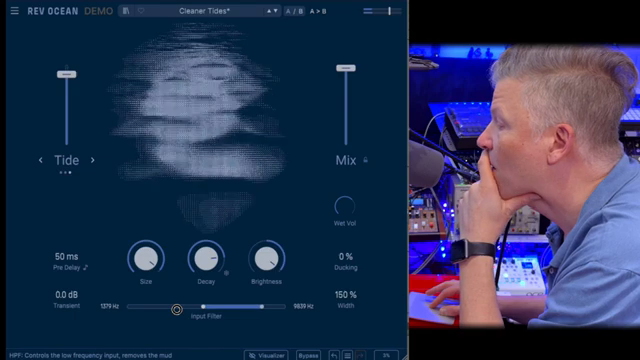
Rev OCEAN’s Macro Mode distinctly sets it apart from conventional reverbs by injecting dynamic, evolving qualities into the tail. The macro section introduces three modes—Abyss, Foam, and Tide—each designed to bring its own flavor of transformation. Abyss layers reverse textures and pitch shifting, producing harmonically rich, evolving tails that morph in real time.
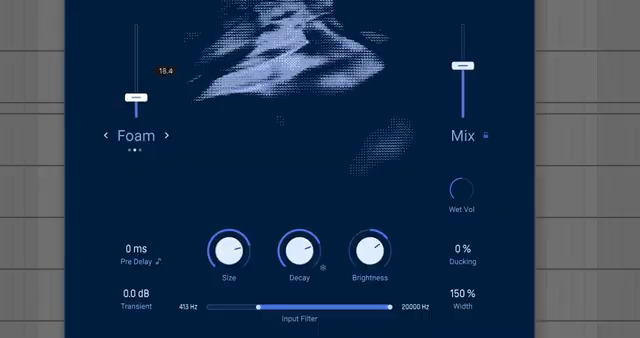
Foam focuses on diffusing the attack, blurring the onset into a smooth, swelling texture, while Tide uses modulated filtering to introduce phase-like motion across the spectrum. The macro knob controls the intensity of each mode, effectively letting users dial in subtle movement or fully animated spaces. These macros compress complex signal chains into single-knob actions, making advanced reverb sculpting accessible and fast.
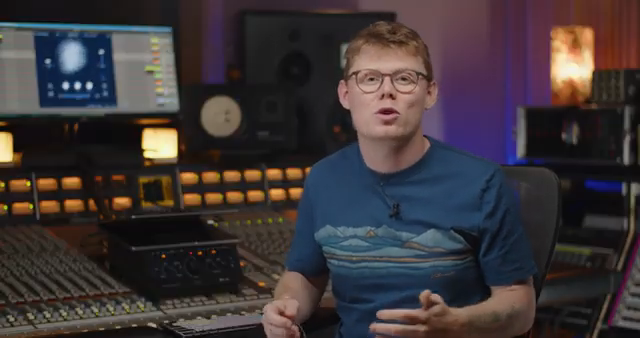
"These bring evolving, dynamic behaviour to the reverb tail, adding motion and transformation that make the space feel alive and continuously changing."
© Screenshot/Quote: Arturiaofficial (YouTube)
Filtering and Extended Settings: Precision and Flex
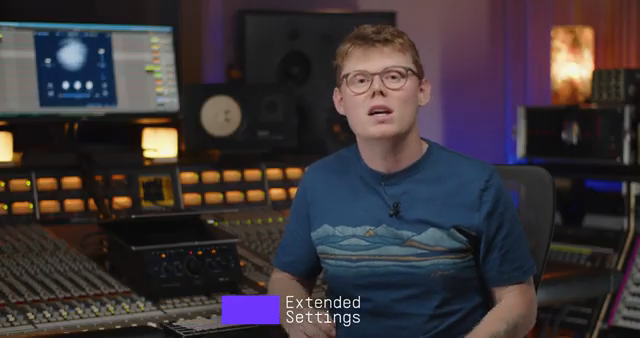
"covering timing, transient handling, stereo width and dynamic behavior."
© Screenshot/Quote: Arturiaofficial (YouTube)
Input and output filtering grant users fine control over which frequencies are sent into the reverb engine, courtesy of dedicated high-pass and low-pass filters. This is crucial for avoiding muddiness or for tailoring the reverb’s interaction with specific sources—think of carving out low end for drums or focusing on the sizzle for vocals and synths.
Diving into the extended settings, users can fine-tune the temporal and spatial behavior of the reverb. Pre-delay determines the timing gap between the dry signal and the reverb onset, and can be synced to DAW tempo for rhythmic effects. Transient smoothing reduces the harshness of transients before they excite the reverb, yielding a more natural tail. Ducking automatically attenuates the reverb when the source is active, then brings it up in the gaps—especially useful for keeping vocals or rhythmic parts clear. A width control rounds out the section, allowing precise adjustment of stereo spread.
From Subtle to Surreal: Rev OCEAN’s Range
The tutorial closes by underscoring Rev OCEAN’s versatility. Whether you’re after understated room ambience or evolving, cinematic spaces, the combination of macro modes, filtering, and extended controls covers a wide creative range. The plugin encourages experimentation—dive into the macros, tweak the filters, and explore the nuanced interplay between source and space. Arturia’s architectural approach here provides both immediacy and depth, making Rev OCEAN a flexible tool for modern production workflows.
This article is also available in German. Read it here: https://synthmagazin.at/arturia-rev-ocean-moderner-reverb-mit-makro-tiefe/
More articles about these products:
Watch on YouTube:
Latest articles
Watch on YouTube:
Visit the channel:
https://www.youtube.com/ArturiaOfficial
https://www.youtube.com/ArturiaOfficial
Links from ArturiaOfficial:
website: https://www.arturia.com
instagram: https://instagram.com/arturia_official
twitter: https://twitter.com/ArturiaOfficial
soundcloud: https://soundcloud.com/arturia-official/albums
Sponsored links:
If you purchase via these links, we may earn a small commission – at no extra cost to you. The link opens an Amazon keyword search, and results may vary depending on availability.
Arturia Rev OCEAN
🔗 Check price on Amazon
🔗 Check price on Amazon