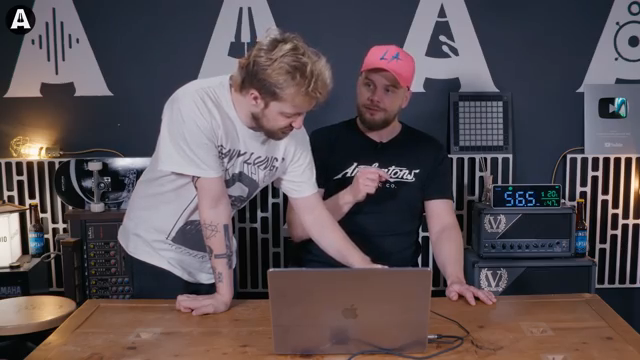
If you thought MIDI controllers were stuck in 2009, think again. Andertons Synths, Keys and Tech drop the Melbourne Instruments Roto-Control on the table—a device with motorised, touchy-feely knobs and enough haptic magic to make your old controller cry. Jack Duxbury dives in, spinning through Logic and Bitwig, mapping plugins on the fly, and showing why this box might just be the sonic street weapon your workflow never knew it needed. Spoiler: some features are so wild, you have to see (and feel) them in action.
15. July 2026
SPARKY
Andertons Synths, Keys and Tech: Roto-Control Rolls Into the Future (and Fights Back)
Motorised Knobs: The Controller Grows Muscles
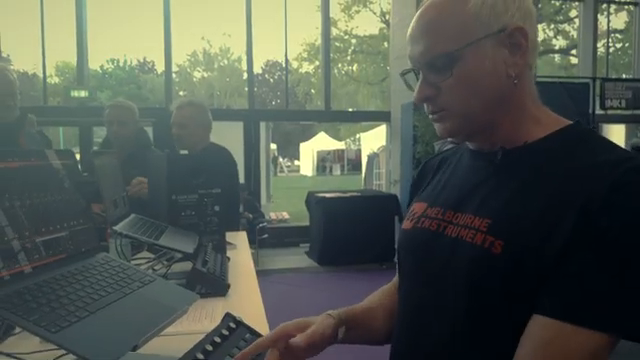
Melbourne Instruments’ Roto-Control isn’t your average MIDI box—it’s got motorised knobs that snap to attention the second you plug it in. Jack from Andertons Synths, Keys and Tech wastes no time showing off how these little motors get busy, updating positions to match your DAW with a satisfying whirr. Forget twiddling in the dark or losing track of your parameters—everything moves in real time, and even the colours on the screen follow suit.
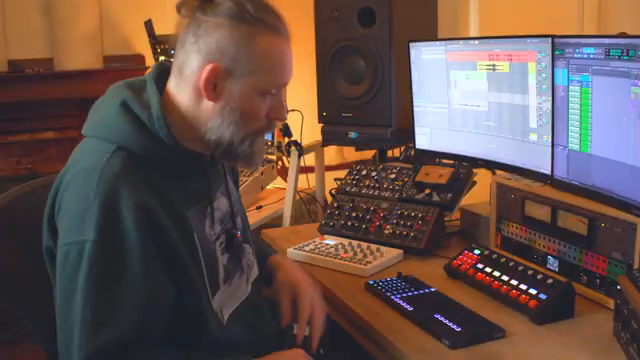
The setup is refreshingly simple: one chunky USB cable, a few clicks, and you’re flicking between banks of eight tracks in Logic like a pro. Name a track, change a colour, the controller keeps up without breaking a sweat. If you’ve been burned by clunky, plastic fader boxes before, this thing’s tactile response and instant feedback will feel like a rave bunker after a week in a library.
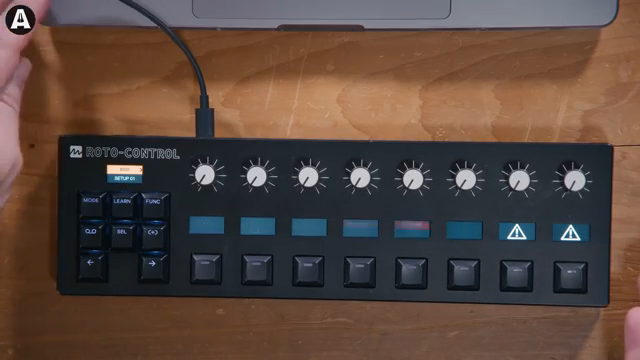
"Motorized knobs."
© Screenshot/Quote: Andertonskeyboarddept (YouTube)
Feel the Resistance: Haptic Feedback Gets Real
"It's a center to taunt."
© Screenshot/Quote: Andertonskeyboarddept (YouTube)
Here’s where the Roto-Control flexes for real: haptic feedback. The motors aren’t just for show—they fight back when you turn them, giving you physical centre detents, resistance, and clicks right where they matter. Jack brings Oz in from behind the camera just to prove how wild it feels—twist a knob, and it snaps back into place with just the right amount of force, like the world’s nerdiest fidget spinner.
This isn’t fluff; it’s a game-changer for anyone sick of endless, mushy encoders. The haptic feedback is so precise that you can feel your way to the sweet spot, even with your eyes closed. Some things you honestly have to try in the flesh—the video tries, but you’ll want to get your hands on this to really get it.
Mapping Mayhem: Custom Control Without Tears
Mapping controls on the Roto-Control is about as painless as it gets. Jack walks through assigning knobs to plugin parameters, muting, panning, and even setting up sends—each control can be tweaked with a quick button press, and the feedback means you always know where you are. There’s no manual-wrangling or menu-diving; it’s all right on the surface.
The real magic shows up with plugins like Soundtoys Primal Tap, where Jack finally gets the clicky, stepped control he’s always dreamed of. Mapping a tricky parameter that’s impossible on other controllers? Roto-Control learns it in seconds, stores it onboard, and gives you that physical, stepped feel that mouse automation just can’t match. Jack even admits he was ready to pay for a custom controller before finding out this little box could do it all.
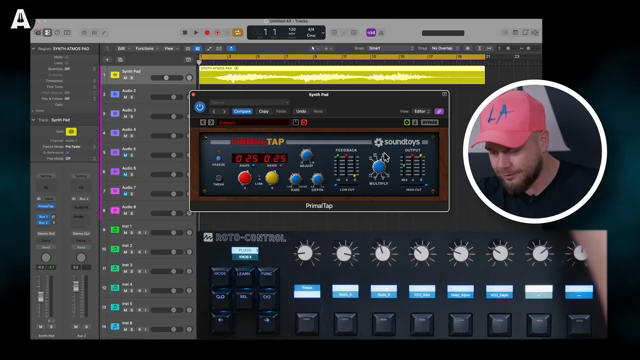
"It's stepping through."
© Screenshot/Quote: Andertonskeyboarddept (YouTube)
DAW Integration: Logic, Bitwig, and On the Move
This isn’t just a Logic toy—the Roto-Control integrates with Bitwig and more, handling plugin mapping, channel EQs, and automation with swagger. Jack shows how settings are stored on the controller itself, so you can jump between machines or studios without remapping every time. Just plug in and you’re back at your custom setup, no software drama required.
Motion recording is on tap too, letting you draw in automation or get LFO-style movement from the knobs themselves. It’s like having a little robot squad ready to tweak your mix at a moment’s notice. The device’s ability to remember mappings and work across DAWs means you’re not tied to one workflow, and you’re definitely not stuck reading another PDF manual.
Jack’s Verdict: Dreams, Realities, and Dirty Tricks
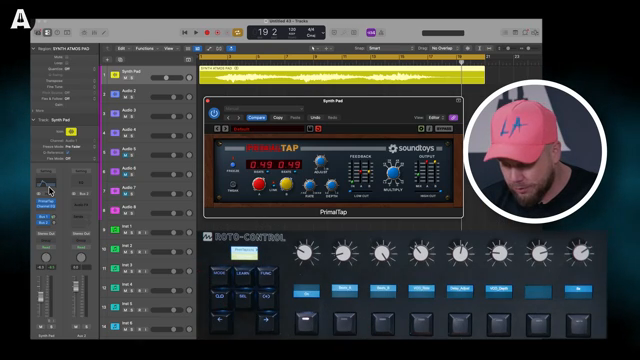
"That, you've got to try it to believe it."
© Screenshot/Quote: Andertonskeyboarddept (YouTube)
Jack doesn’t hold back—he’s clear that the Roto-Control finally makes MIDI controllers worth caring about. The haptic feedback, onboard mapping, and portable setup tick all the boxes for anyone who wants a modern, playable control surface that doesn’t suck. Jack’s been burned by e-waste and useless controllers before, but this time, he’s a believer.
He even hints at the tech showing up in Melbourne Instruments’ synths like the Neenah and Delia, so keep your eyes peeled if you want the full motorised experience. Of course, the real impact of the Roto-Control is something you need to see and feel in the flesh—so don’t just take his word (or mine) for it. Go watch the video, and maybe clear some desk space for a new sonic street weapon.
This article is also available in German. Read it here: https://synthmagazin.at/andertons-synths-keys-and-tech-roto-control-rollt-in-die-zukunft-und-schlaegt-zurueck/
More articles about these products:

Watch on YouTube:
Latest articles
Watch on YouTube:
Visit the channel:
https://www.youtube.com/AndertonsKeyboardDept
https://www.youtube.com/AndertonsKeyboardDept
Links from AndertonsKeyboardDept:
Andertons.co.uk: https://andertons.co.uk
Instagram: https://instagram.com/andertonsmusicco
Facebook: https://facebook.com/andertons
Twitter: https://twitter.com/andertonsmusic
Sponsored links:
If you purchase via these links, we may earn a small commission – at no extra cost to you. The link opens an Amazon keyword search, and results may vary depending on availability.
Melbourne Instruments Roto-Control
🔗 Check price on Amazon
🔗 Check price on Amazon
Soundtoys Primal Tap
🔗 Check price on Amazon
🔗 Check price on Amazon