Akai Professional’s MPC Live III is more than just a groovebox—it’s a standalone powerhouse for beatmakers and composers who crave hands-on sequencing. In this official MPC Academy tutorial, Akai walks us through the new step sequencer, revealing a workflow that caters to both newcomers and seasoned MPC veterans. The video, hosted by Tefty, explores the architecture and performance features that make the MPC Live III’s step sequencer a flexible tool for rhythmic and melodic creation. From drum and note modes to automation and clip management, this deep dive is a must-watch for anyone considering the MPC Live III as the centerpiece of a DAWless or hybrid setup.
3. October 2025
LYRA
Akai Professional’s MPC Live III: Step Sequencer Deep Dive for Modern Beat Architects
Step Sequencer Foundations: Accessible Power
The video opens with a clear mission: to demystify the step sequencer on the MPC Live III, positioning it as a creative hub for both beginners and experienced users. Akai Professional’s approach is refreshingly direct, with a new project and a lo-fi kit loaded up as the canvas for this exploration. The host wastes no time, diving straight into the core controls and making it evident that the sequencer is designed for immediate hands-on results.
What stands out is the dual focus on accessibility and depth. The step sequencer isn’t just a grid of lights—it’s a flexible toolset that adapts to different workflows. Whether you’re just starting out or already deep into MPC culture, the interface invites experimentation. The video’s structure mirrors this ethos, promising a journey through both foundational techniques and more advanced sequencing tricks.
Drum and Note Modes: Two Paths to Rhythmic Complexity
The MPC Live III step sequencer offers two main modes: drum sequence and note sequence. Drum sequence mode is pad-dependent, letting you focus on one drum sound at a time. Select a pad—say, the kick—and the step grid reflects only the events for that sound, making it easy to build and tweak individual drum patterns without visual clutter. Switching pads instantly updates the grid, a workflow that’s intuitive for finger drummers and step programmers alike.
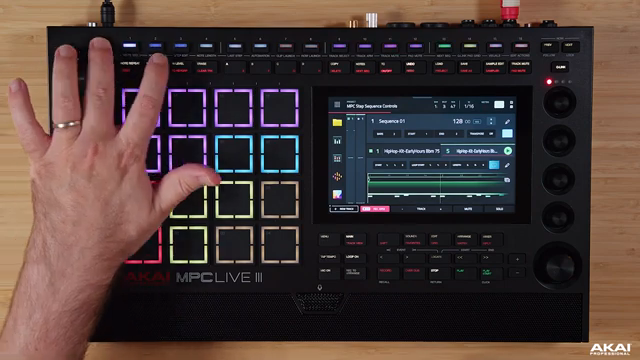
Note sequence mode, on the other hand, is designed for rapid melodic or percussive input. Activate a step, and the sequencer listens for incoming notes, automatically populating steps as you play. This mode captures not just which pad you hit, but also the XY position and velocity, adding a layer of human feel to programmed beats. The visual feedback—LEDs lighting up in different colors—makes it clear when notes are being recorded and which steps are active.
Subdivision control is another highlight. By adjusting time correction, you can switch between sixteenth, eighth, or even quarter note grids, allowing for everything from tight trap hi-hats to laid-back boom-bap grooves. The interface updates in real time, so you always know which bars and steps you’re editing. This flexibility is crucial for building complex, evolving rhythms without getting lost in menus.
"It also records the XY value of where you pressed the pad and also the velocity."
© Screenshot/Quote: Akai Pro (YouTube)
Expressive Recording: Velocity and Timing Nuance
Recording on the MPC Live III’s step sequencer isn’t just about placing static notes. The system captures velocity and pad position, letting you inject subtle timing and dynamic variations into your patterns. This is especially valuable for genres where groove and swing are essential, as it moves the sequencer beyond rigid quantization.
The video demonstrates how these nuances can be layered into both drum and melodic tracks, resulting in beats that feel more alive. Whether you’re tapping in ghost notes or accenting snares, the ability to record expressive details directly from the pads is a major workflow advantage for producers who want their sequences to breathe.
Creative Workflows: Step Editing, Automation, and Clip Management
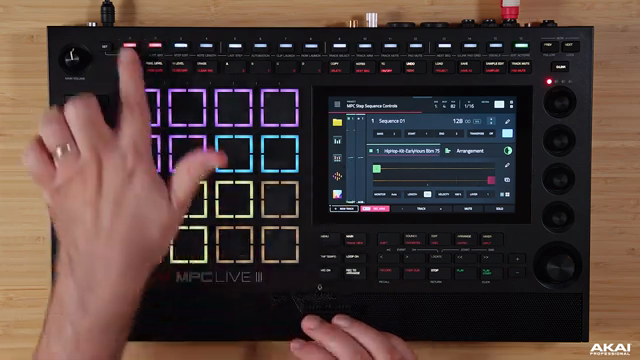
"Hold set and go into step edit mode and then this will allow you to edit whatever step on the particular bar."
© Screenshot/Quote: Akai Pro (YouTube)
The heart of the deep dive lies in the creative editing and automation capabilities. Step editing allows for precise manipulation of individual notes—adjusting velocity, tuning, filter cutoff, envelope parameters, and even probability for generative variation. The host walks through adding ratchets, tuning snare hits, and applying filter sweeps, all from the step editor, showing how easy it is to sculpt intricate patterns without leaving the sequencer view.
Automation is handled per step, with the ability to assign MIDI controls like pitch bend or modulation directly to individual events. This opens up advanced performance possibilities, such as evolving filter sweeps or dynamic effects changes that are locked to specific steps. The video also covers clip and row launching, allowing for live arrangement and performance workflows. Clips can be lengthened, shortened, and triggered on the fly, making the MPC Live III’s sequencer a powerful tool for both composition and improvisation.
Track management is equally streamlined. You can select, arm, mute, and even record to multiple tracks at once, all from the step sequencer interface. Pad mutes and sequence navigation are just a button press away, supporting fast, DAWless-style jamming. The Q Link pad grid adds another layer, enabling custom performance macros and visual feedback for live tweaks. Edit actions and visualizers round out the toolkit, ensuring that even complex arrangements remain manageable and playable.
Standalone Power: Composing Without a Computer
Throughout the tutorial, the MPC Live III’s independence from the computer is a recurring theme. Every feature—from step sequencing to automation and clip launching—is accessible directly from the hardware, reinforcing Akai Professional’s vision of a true standalone workstation. The workflow encourages users to compose, arrange, and perform entire tracks without ever touching a DAW.
While the video focuses on the step sequencer, it’s clear that the MPC Live III is designed as an all-in-one production hub. The integration of performance tools, flexible editing, and real-time control makes it a compelling choice for producers seeking a portable, DAWless solution. The tutorial leaves us with the impression that, for many workflows, the computer can stay closed.
This article is also available in German. Read it here: https://synthmagazin.at/akai-professional-mpc-live-iii-step-sequencer-deep-dive-fuer-moderne-beat-architekten/
Watch on YouTube:
Latest articles
Watch on YouTube:
Visit the channel:
https://www.youtube.com/Akai_Pro
https://www.youtube.com/Akai_Pro
Links from Akai_Pro:
website: https://akaipro.com
instagram: https://instagram.com/akai_pro
facebook: https://www.facebook.com/AkaiPro
twitter: https://twitter.com/akai_pro
google_plus: https://plus.google.com/107127819149441645522/posts
Sponsored links:
If you purchase via these links, we may earn a small commission – at no extra cost to you. The link opens an Amazon keyword search, and results may vary depending on availability.
MPC Live III
🔗 Check price on Amazon
🔗 Check price on Amazon