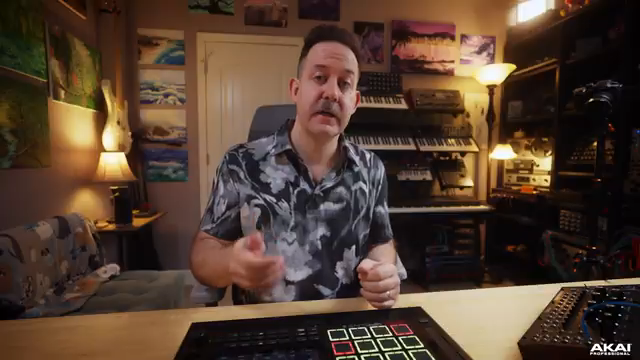
Akai Professional steps into the modular world with the MPC Live III’s CV Playground, offering a robust suite of tools for anyone looking to bridge groovebox workflows with Eurorack or other CV-based synths. In this official walkthrough, the Akai Pro team demonstrates how the MPC Live III isn’t just a beat machine—it’s a modular command centre, handling everything from melodic sequencing to complex modulation chains. If you’ve ever wondered how a modern MPC can patch, morph and modulate your rack, this video lays out the signal flow, modulation options and creative routing tricks in detail. As always with Akai’s producer-focused approach, the emphasis is on practical integration and hands-on control, rather than abstract theory.
3. October 2025
MILES
Akai Professional’s MPC Live III: CV Playground Unleashed for Modular Integration
Opening the CV Playground: MPC Live III Meets Modular
The video kicks off by positioning the MPC Live III as a serious contender for modular enthusiasts, thanks to its integrated CV Playground feature set. Akai Professional’s approach is to assume viewers already know their way around patch cables and the basics of control voltage, so the focus is on what the MPC Live III adds to the party. Right from the start, we’re shown how to create a new CV track, which acts as the gateway to all the CV tools needed for modular interfacing.
On the hardware side, the MPC Live III boasts four stereo CV ports on its rear panel. With the right TRS-to-dual-TS splitters, this translates to eight independent CV outputs—enough to run a respectable modular rig from a single box. The video makes it clear that Akai has designed this system for flexibility, whether you’re sending pitch, gates, or more exotic modulation signals out to your synths.
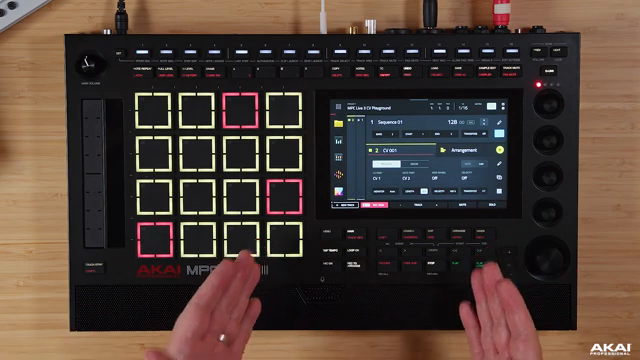
"This is where all the CV tools are gonna exist to interface with modular gear."
© Screenshot/Quote: Akai Pro (YouTube)
CV Tracks and Routing: Melodic Control and Modular Connections
"With each output, CV one, all the way up to CV eight, you can take a particular output, whether it be LFOs, envelopes, steppers, matrix multiplication and addition, et cetera, et cetera."
© Screenshot/Quote: Akai Pro (YouTube)
Once a CV track is created, the MPC Live III’s front page offers quick access to routing melodic information—notes, gates, mod wheel and velocity—straight to modular gear. The demonstration shows how easy it is to patch a cable from the MPC’s CV output to a synth, with an oscilloscope confirming the flow of note data. This immediate feedback is a boon for anyone who’s spent hours troubleshooting dead cables or misrouted signals.
Beyond basic note and gate duties, the system supports all eight CV outputs for drum triggers, letting you sequence modular percussion directly from the MPC. When it’s time to get more advanced, the edit page opens up, revealing a matrix of routing options: each output can be assigned to LFOs, envelopes, steppers, and more. Output offsets and depth controls allow for fine-tuning, making the MPC Live III as much a modulation hub as a sequencer.
Modulation Arsenal: Envelopes and LFOs in Sync
The CV Playground isn’t just about sending notes—it’s a full modulation suite. The video walks through the envelope section, where four independent envelopes can be shaped with delay, attack, hold, decay, sustain, and release. Each parameter is visually represented on the oscilloscope, making it easy to see exactly how your modulation will behave in a patch. Modes like looped and one-shot, along with tempo sync options, allow for both traditional and experimental envelope behaviours.
LFOs get similar treatment, with four available per project and a familiar set of waveforms: sine, ramp, triangle, square, and two flavours of random. Syncing LFOs to the MPC’s playback or triggering them via notes opens up a world of rhythmic modulation. The ability to switch between free-running and synced modes, and to control rate in either Hertz or musical divisions, means the MPC Live III can serve as a master modulator for everything from filter sweeps to wild pitch bends.
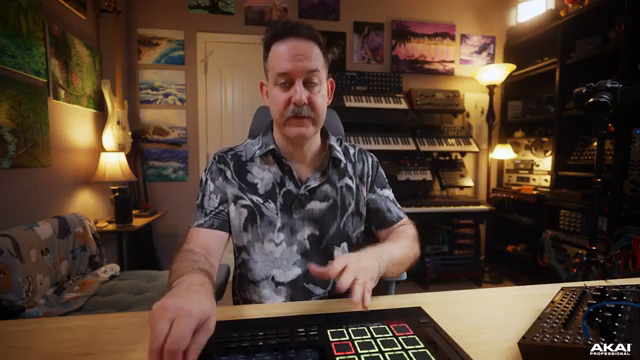
"Now there is four envelopes that you get to work with. So a lot of variety and tools right there."
© Screenshot/Quote: Akai Pro (YouTube)
Triggering, Modulating, and Chaining: CV in Action
Diving deeper, the video demonstrates how the MPC Live III’s CV tools can be used to trigger sounds, modulate parameters, and create intricate modulation chains. The stepper function, for example, acts as a sequencer within a sequencer, outputting up to 16 steps of CV to control pitch or any other destination. The presenter shows how these steps can be smoothed or tied for glide effects, and how syncing or free-running the stepper changes the resulting modulation.
The utility section introduces ramps, clock dividers, and offsets, each offering further ways to shape and time your CV signals. Ramps can be set from 50 milliseconds to 10 seconds, while clock dividers lock modulation to the MPC’s tempo. Offsets provide static voltages for fine adjustments or creative patching. The video also covers how to bring audio from modular gear back into the MPC, demonstrating a practical workflow for recording and processing modular sounds within a project.
Perhaps the most powerful demonstration comes with the matrix page, where multiple modulation sources—LFOs, envelopes, ramps, steppers—can be summed or multiplied before being sent out. This opens up classic modular tricks like complex LFO shapes or layered modulations, all without needing a rack full of dedicated modules. The presenter patches up a bassline, modulates filter and pulse width, and even layers envelope and stepper outputs, showing just how deep the integration can go.
Performance Power and Creative Integration
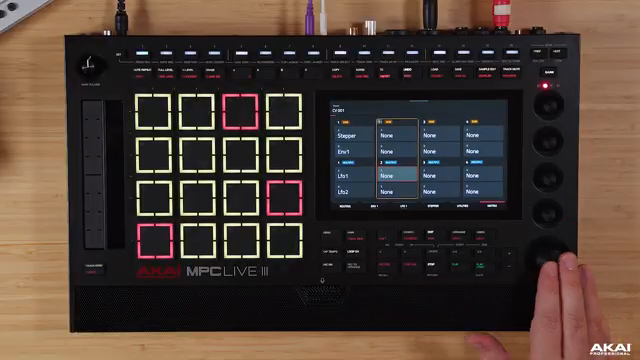
"The matrix page is really where this all opens up because you can take everything from the offsets to the clock dividers, to LFOs, ramps, et cetera, and provide useful tools for your modular gear without having to use a bunch of separate modules in your modular setup that could take up a lot of valuable space."
© Screenshot/Quote: Akai Pro (YouTube)
The final moments of the video drive home the MPC Live III’s versatility as a modular companion. With its array of CV tools, the MPC can replace a swathe of utility modules—LFOs, envelopes, steppers, ramps—freeing up rack space and simplifying live or studio setups. The matrix page, in particular, is highlighted as the heart of creative modulation, allowing users to build complex, evolving patches that sync perfectly with the MPC’s timeline.
While the CV Playground is a one-way street—modular signals can’t be routed back in to trigger internal MPC events—it’s clear that Akai Professional has built a system that encourages experimentation and deep integration. For anyone looking to merge MPC workflow with the tactile world of modular, this video makes a compelling case for the MPC Live III as a central hub.
This article is also available in German. Read it here: https://synthmagazin.at/akai-professional-mpc-live-iii-cv-playground-als-schaltzentrale-fuer-modular-fans/
Watch on YouTube:
Latest articles
Watch on YouTube:
Visit the channel:
https://www.youtube.com/Akai_Pro
https://www.youtube.com/Akai_Pro
Links from Akai_Pro:
website: https://akaipro.com
instagram: https://instagram.com/akai_pro
facebook: https://www.facebook.com/AkaiPro
twitter: https://twitter.com/akai_pro
google_plus: https://plus.google.com/107127819149441645522/posts
Sponsored links:
If you purchase via these links, we may earn a small commission – at no extra cost to you. The link opens an Amazon keyword search, and results may vary depending on availability.
MPC Live III
🔗 Check price on Amazon
🔗 Check price on Amazon