Akai Professional’s MPC Live III takes center stage in this official MPC Academy walkthrough, where the focus is squarely on the revamped step sequencer. The video methodically demonstrates how this standalone groovebox empowers beatmakers to construct intricate drum patterns, inject dynamics, and layer melodic elements—all without touching a DAW. True to Akai’s pragmatic and producer-focused style, the tutorial walks through hands-on workflows, from basic drum programming to nuanced velocity tweaks and melodic sequencing. For anyone curious about the architectural depth and performance flexibility of the MPC Live III, this video offers a clear, stepwise introduction to its step sequencing prowess.

3. October 2025
LYRA
Akai Professional MPC Live III: Step Sequencing Unpacked
First Steps: The MPC Live III and Its Sequencing DNA
The video opens with a direct introduction to the MPC Live III, positioning it as a powerful standalone tool for beat creation. Akai Professional’s approach is immediately hands-on, reflecting their reputation for practical, workflow-driven tutorials. The focus is set on the step sequencer, a core feature for anyone looking to build beats from the ground up without external software.
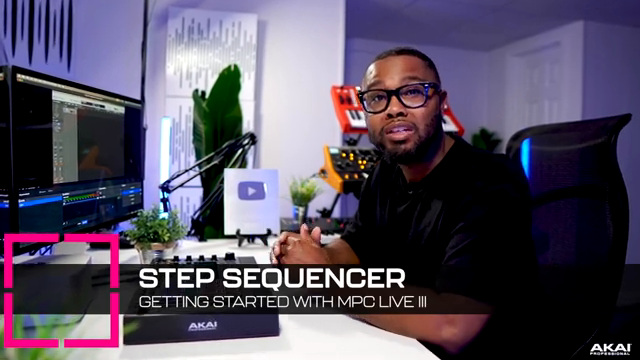
"Today we're gonna talk about making a beat using the step sequencer on the MPC Live 3."
© Screenshot/Quote: Akai Pro (YouTube)
Building Beats: Laying Down the Drum Foundations
"I'm gonna do one and seven. And we can do 14 and 16."
© Screenshot/Quote: Akai Pro (YouTube)
The demonstration begins with programming hi-hats, showing how users can select the hi-hat pad and enter notes directly into the step sequencer grid. The workflow is tactile: after choosing the drum sequence mode and adjusting timing to eighth notes, the hi-hats are filled in across the pattern, providing a rhythmic backbone.
Next, the kick drum is introduced by selecting the appropriate pad and placing kicks on specific steps—one, seven, fourteen, and sixteen—without playback, highlighting the sequencer’s visual and step-based editing. Snares are then layered in, rounding out a classic drum pattern and showcasing the speed and clarity of the MPC’s step sequencing interface.
Beyond Basics: Ratchets, Pitch, and Dynamic Nuance
With the core drum pattern established, the video shifts to advanced step sequencer functions. The presenter demonstrates how to add ratchets—rapid repeated hits—on selected hi-hat steps, injecting movement and complexity into the groove. This is achieved through the step edit mode, where users can also access pitch and probability parameters for further sonic variation.
Pitch modifications are shown in action, with individual hi-hat steps tuned up or down to create melodic interest within the rhythm. The new touch strip is then introduced as a tool for adjusting velocity: by holding a step and using the touch pad, users can easily set different velocities, allowing for dynamic, humanized drum patterns. The workflow encourages experimentation, with upbeats softened for groove and feel.
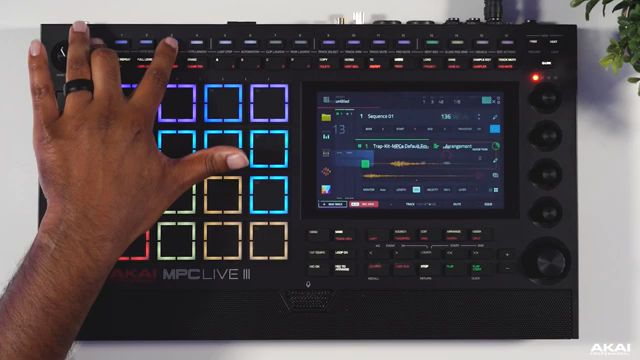
"This allows us to add everything from ratchets, pitch, to probability, which is perfect for adding more dynamics to our hi-hats."
© Screenshot/Quote: Akai Pro (YouTube)
Layering Melodics: Sequencing Bass and Beyond
The tutorial moves beyond drums, illustrating how melodic elements can be layered using the same step sequencer workflow. A melodic line is sequenced by loading notes onto the grid and adjusting note length, demonstrating the flexibility to create sustained or staccato phrases as needed.
Bass is then programmed to follow the kick pattern, reinforcing the groove and showing how the sequencer can handle both rhythmic and harmonic duties. The process is straightforward: select the drum sequence, match bass hits to kick steps, and quickly build a cohesive low end. The video wraps this section by hinting at further layering possibilities, emphasizing the MPC Live III’s capacity for complex, multi-part arrangements.
A Confident Beatmaker’s Companion
In closing, Akai Professional positions the MPC Live III as a versatile and approachable instrument for beatmakers at any level. The step sequencer is presented not just as a technical feature, but as a creative partner—enabling users to quickly sketch ideas, refine patterns, and build complete tracks with confidence. The video’s step-by-step approach underscores the MPC’s role as both a learning tool and a production powerhouse.
This article is also available in German. Read it here: https://synthmagazin.at/akai-professional-mpc-live-iii-step-sequencing-entschluesselt/
Watch on YouTube:
Latest articles
Watch on YouTube:
Visit the channel:
https://www.youtube.com/Akai_Pro
https://www.youtube.com/Akai_Pro
Links from Akai_Pro:
website: https://akaipro.com
instagram: https://instagram.com/akai_pro
facebook: https://www.facebook.com/AkaiPro
twitter: https://twitter.com/akai_pro
google_plus: https://plus.google.com/107127819149441645522/posts
Sponsored links:
If you purchase via these links, we may earn a small commission – at no extra cost to you. The link opens an Amazon keyword search, and results may vary depending on availability.
MPC Live III
🔗 Check price on Amazon
🔗 Check price on Amazon