Akai Professional’s MPC 3.9 update brings a substantial toolkit to both standalone and desktop workflows, focusing on arranger flexibility, new oscillator engines, and tighter DAW integration. This official walkthrough steps through the latest oscillator and editing upgrades, hands-on track arrangement, enhanced time signature control, and the debut of a full desktop plugin. We explore what’s actually demonstrated, how these features intersect, and what this means for hybrid studio and DAWless users.
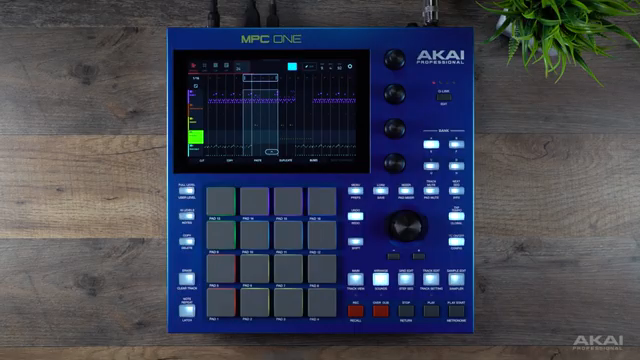
27. June 2026
LYRA
Akai Professional MPC 3.9: A Digital Workflow Deep Dive
A New Era of MPC Workflow
MPC 3.9 marks a significant update for both standalone units and desktop users, introducing features that are clearly tailored to speed up production and provide more hands-on flexibility. The core focus is on the arranger, which now benefits from direct touchscreen enhancements, letting users structure and edit songs more fluidly. This is not just a minor tweak; it’s a notable step in giving producers more direct access to their creative flow without menu-diving.
Alongside arranger improvements, Akai has added a host of new tools: advanced editing directly on the hardware, time signature flexibility, and a new suite of oscillators for sound design. The official walkthrough highlights that these changes are designed to bridge the gap between standalone hardware and desktop integration, suggesting a more unified creative environment for those who work across both domains.
Oscillators: Expanding the MPC Sound Engine
The inclusion of MPC Oscillators in version 3.9 is the update’s flagship sound design feature. Akai demonstrates a broad selection of synthesis types—analog, FM, advanced algorithmic, single cycle, and wavetable—making the MPC less sample-dependent and much more of a synthesis powerhouse in its own right. The walkthrough emphasizes modulation readiness and the use of a modulation matrix, with onboard dual filters (now featuring new Iona and Jura models) that further deepen the palette. There’s also an MPC Core Oscillators expansion pack available for users looking for ready-made sounds.
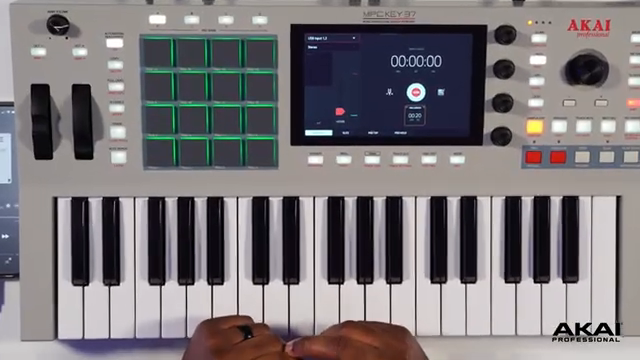
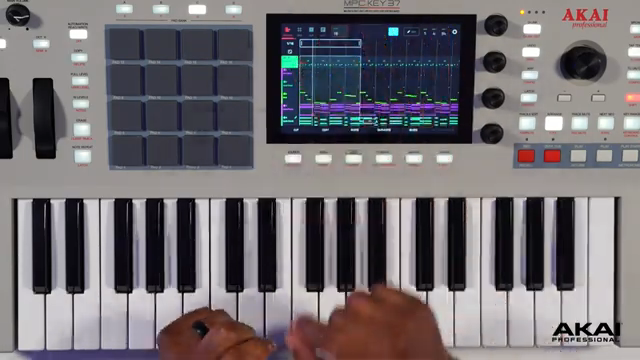
Crucially, these oscillators aren’t exclusive to key groups; drums benefit as well, allowing producers to layer synthesized elements with samples for more customized, punchy kits. The demonstration on the Key 37 G2 shows off sound layering, modulation, and performance filtering, with the touchscreen interface offering real-time control over these parameters—a clear nod to hybrid workflow expectations.

"There's a wide range of synthesis types available, including analog waveforms, FM, advanced and algorithmic waveforms, single cycle, and wavetable."
© Screenshot/Quote: Akai Pro (YouTube)
Arranger Updates: Clip Rows and Advanced Editing
"MPC 3.9 features brand new Arranger updates. You now have direct and hands-on control with the cut, copy, paste, and duplicate function keys along the lower area of the touchscreen."
© Screenshot/Quote: Akai Pro (YouTube)
Arranger enhancements are at the heart of this update, aiming to reduce friction in song creation. Akai has overhauled the editing experience with cut, copy, paste, and duplicate keys now accessible directly along the touchscreen’s lower edge. These are paired with the loop brace, making selection and manipulation of sections intuitive and fast. The walkthrough demonstrates practical scenarios: removing bars, copying and inserting phrases, and quickly constructing arrangements from labeled clip rows—intro, verse, bridge, chorus, breakdown—within a 24-bar sequence.
A significant new tool is ‘insert clip row,’ which allows users to drop entire sections from the clip matrix into the timeline at precise locations and lengths. The process, as shown, is interactive and visual, with pop-up menus for clip selection, bar count, and placement. This makes it easier to try arrangement ideas or insert creative breaks on the fly.
Advanced editing commands are also presented: paste merge time, insert blank bars, and more, all available from an expanded edit menu. The workflow clearly leans into efficient, non-destructive editing—ideal for modern producers who need to iterate quickly without getting buried in submenus.
Flexible Time Signatures per Sequence and Clip
MPC 3.9 finally adds per-sequence and per-clip time signature assignment, a long-requested feature for those composing outside strict 4/4 boundaries. The walkthrough shows how users can set, for example, 6/8 signatures within the clip matrix, opening the door to polyrhythmic and experimental arrangements. This granular control allows for more complex structures, making the MPC a stronger tool for genre-bending producers and composers working with varied meters.
"3.9 gives you the ability to create and change time signatures directly in the sequence and clips themselves."
© Screenshot/Quote: Akai Pro (YouTube)
Desktop Integration: MPC as a VST/AU Plugin
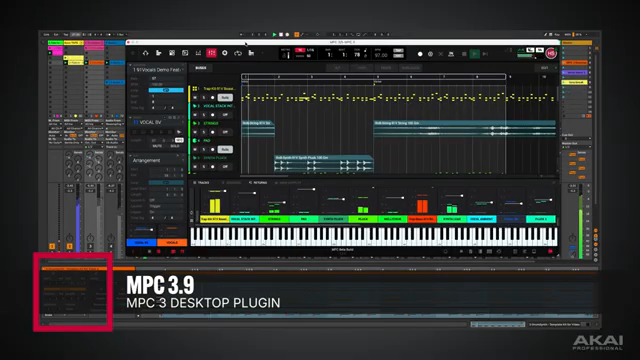
"MPC 3 desktop beta can now be loaded as a plug-in within your host DAW, both as VST and audio unit, along with all the new arranger tools found in the desktop software and 3.9 standalone."
© Screenshot/Quote: Akai Pro (YouTube)
One of the most consequential changes in 3.9 is the new desktop plugin for both VST and AU hosts, letting users run MPC 3.9 directly inside their DAW. The video walks through the desktop beta, which now includes linear timeline arrangement, track-level editing, and access to the same cut/copy/paste tools found on hardware. Notably, users can transfer clip rows from standalone to desktop, build arrangements, and work with mixer levels and note editors all in one window.
This move brings MPC sequencing, sampling, and effects directly into DAW workflows, making hybrid setups easier to manage. It’s not just about exporting stems or MIDI anymore; the MPC environment itself can now live inside Ableton, Logic, or any compatible DAW. The walkthrough positions this as a major workflow upgrade, especially for users who want seamless transitions between standalone production and in-the-box editing.
This article is also available in German. Read it here: https://synthmagazin.at/akai-professional-mpc-3-9-ein-tiefer-einblick-in-den-digitalen-workflow/
More articles about these products:
Watch on YouTube:
Latest articles
Watch on YouTube:
Visit the channel:
https://www.youtube.com/Akai_Pro
https://www.youtube.com/Akai_Pro
Links from Akai_Pro:
website: https://akaipro.com
instagram: https://instagram.com/akai_pro
facebook: https://www.facebook.com/AkaiPro
twitter: https://twitter.com/akai_pro
google_plus: https://plus.google.com/107127819149441645522/posts
Sponsored links:
If you purchase via these links, we may earn a small commission – at no extra cost to you. The link opens an Amazon keyword search, and results may vary depending on availability.
MPC 3.9
🔗 Check price on Amazon
🔗 Check price on Amazon
MPC Key 37 G2
🔗 Check price on Amazon
🔗 Check price on Amazon