Akai Professional, a staple in the world of music production hardware and software, showcases the new MPC Stems feature in this focused tutorial. The video walks through how users can now transfer stem-separated projects from the MPC 2.14 desktop software directly to standalone MPC devices—no laptop required. With a clear, step-by-step demonstration, Akai highlights the workflow advantages, from stem creation and parameter control to project saving and hands-on manipulation in standalone mode. For digital and hybrid producers, this update promises a streamlined, laptop-free path to creative stem-based beatmaking.
27. March 2024
LYRA
Akai Professional Delivers: Seamless MPC Stems Transfer from Desktop to Standalone
Stems Without Borders: Bridging Desktop and Standalone
The MPC Stems feature is designed to eliminate the friction between working in the MPC desktop software and moving projects to standalone MPC hardware. Akai Professional demonstrates how users can prepare their stem-separated projects entirely within the software environment and then transfer them directly to their MPC device, sidestepping the need for a laptop once the transfer is complete.
This workflow is particularly appealing for those who want to maintain creative momentum across different production contexts. By enabling seamless movement of stems, Akai positions the MPC ecosystem as a flexible hub for both studio and DAWless setups, allowing users to start a project in software and finish it on hardware—or vice versa—without compatibility headaches.
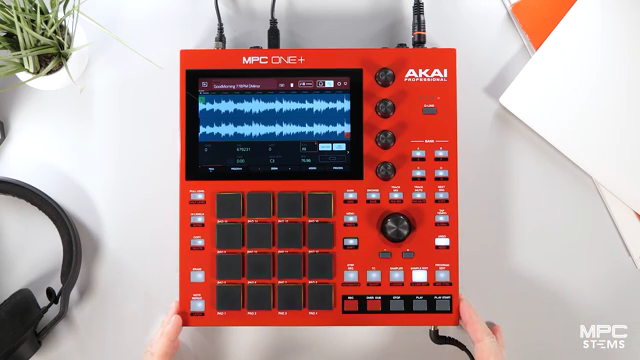
"You can create and separate all of your stems on the MPC software and bring them straight into your MPC standalone without the need of a laptop."
© Screenshot/Quote: Akai Pro (YouTube)
Stem Creation and Layer Control in MPC Software
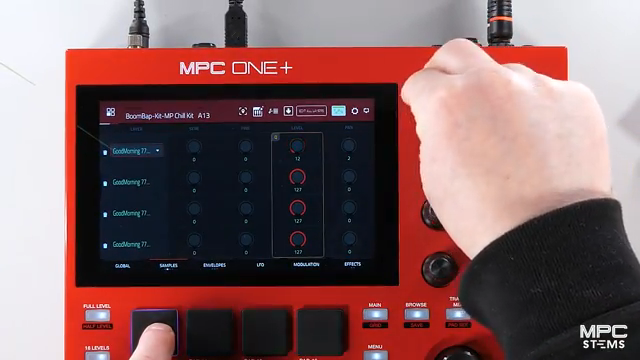
"You can now see the four layers on our pad so we can control the volumes, the pitch, the panning."
© Screenshot/Quote: Akai Pro (YouTube)
In the demonstration, Andy begins by loading a sample into the MPC desktop software and initiating the stem separation process. The software quickly analyzes the sample and generates four distinct stem regions: bass, music, vocal, and the original sample, with the option for drums if present. This automated process is handled via a dedicated stem tab, making it accessible and efficient.
Once the stems are generated, users can access them as layers within the program edit section. Here, the video highlights the ability to independently adjust volume, pitch, and pan for each stem layer. This granular control is key for producers looking to fine-tune their mixes or creatively manipulate individual elements before exporting the project to standalone hardware.
Saving and Loading Projects: SD Card Workflow
The tutorial then shifts focus to the process of saving the stem project for standalone use. Andy demonstrates saving the project directly onto an SD card while still in controller mode, leveraging the hardware’s front-facing SD slot. This approach ensures that all stem regions, program settings, and edits are preserved in a portable format.
After rebooting the MPC into standalone mode and disconnecting the USB cable, the project is easily located and loaded from the SD card. The video confirms that all stem regions and their associated settings transfer intact, allowing users to pick up exactly where they left off in the desktop software. This continuity is essential for a frictionless hybrid workflow.
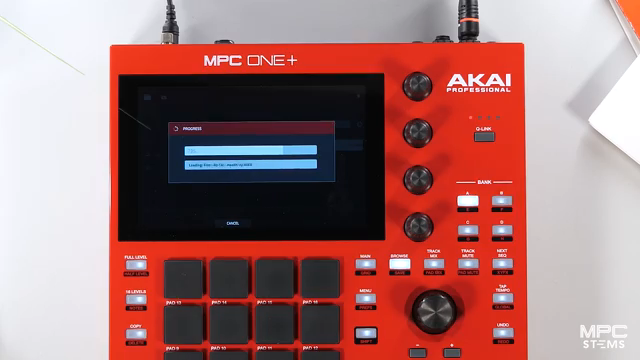
"This is loading the same project with all of our stem regions, our program and everything that we had when we was in controller mode."
© Screenshot/Quote: Akai Pro (YouTube)
Chopping and Manipulating Stems in Standalone Mode
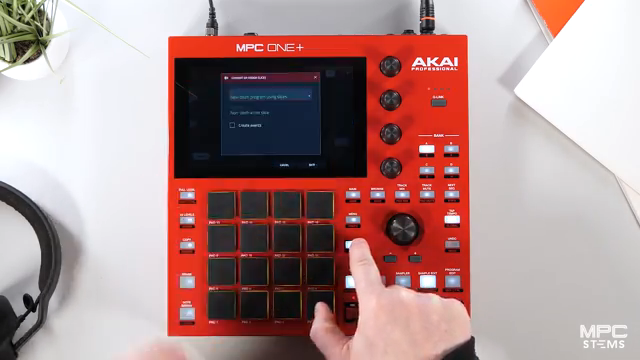
"We can now make this a brand new program with all of the new chops."
© Screenshot/Quote: Akai Pro (YouTube)
With the project loaded in standalone mode, the video illustrates how users can further manipulate stem regions. Navigating to the sample edit section, Andy demonstrates chopping a stem—such as the vocal or music layer—into smaller segments. This process is straightforward, using the built-in chop and convert functions to create a new program populated with the freshly sliced stem chops.
Once the new program is created, users can assign the chopped stems to pads and further tweak parameters like pitch. This hands-on approach allows for creative re-interpretation of the original material, making the most of the MPC’s performance-oriented interface even when working without a computer.
Workflow Integration: Stems Unleashed, Laptop Unneeded
The closing section of the video emphasizes the workflow benefits of MPC Stems for producers who want to stay untethered from their laptops. By enabling direct transfer and manipulation of stem-separated projects, Akai Professional opens up new creative possibilities for beatmaking, remixing, and live performance entirely within the MPC hardware environment.
This streamlined process is positioned as both intuitive and empowering, allowing users to focus on music creation rather than technical hurdles. While the video showcases a smooth and reliable transfer, independent testing would be needed to assess performance with larger, more complex projects. Nonetheless, the demonstration makes a strong case for the MPC ecosystem as a flexible, modern production platform.
This article is also available in German. Read it here: https://synthmagazin.at/akai-professional-liefert-nahtloser-mpc-stems-transfer-von-desktop-zu-standalone/
Watch on YouTube:
Latest articles
Watch on YouTube:
Visit the channel:
https://www.youtube.com/Akai_Pro
https://www.youtube.com/Akai_Pro
Links from Akai_Pro:
website: https://akaipro.com
instagram: https://instagram.com/akai_pro
facebook: https://www.facebook.com/AkaiPro
twitter: https://twitter.com/akai_pro
google_plus: https://plus.google.com/107127819149441645522/posts
Sponsored links:
If you purchase via these links, we may earn a small commission – at no extra cost to you. The link opens an Amazon keyword search, and results may vary depending on availability.
MPC 2.14 Desktop Software
🔗 Check price on Amazon
🔗 Check price on Amazon
MPC One Plus
🔗 Check price on Amazon
🔗 Check price on Amazon