Akai Professional teams up with Native Instruments to deliver a tightly integrated workflow for beatmakers, spotlighting the MPK Mini and its seamless NKS connection. In this official video, Taetro demonstrates how the MPK Mini, paired with the Komplete 15 Select (Akai Pro Edition) bundle, becomes a powerhouse for crafting lo-fi beats. The walkthrough covers everything from Play Series layering and macro controls to finger drumming, creative effects, and in-the-box mastering. If you’re curious about how digital controller architecture and software bundles can shape real-world music production, this is a deep dive worth your attention.
11. March 2025
LYRA
Akai Professional and Native Instruments: Lo-Fi Beatmaking with MPK Mini and NKS Integration
MPK Mini Meets NKS: A New Workflow for Lo-Fi Creators
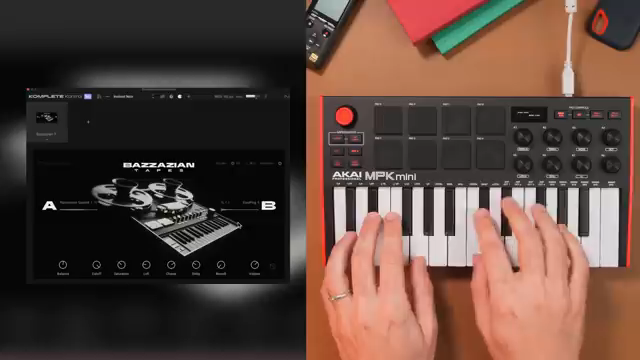
The video opens with a clear message: Akai Professional’s MPK controllers now ship with the Akai Pro Edition of Komplete 15 Select, bringing a curated bundle of Native Instruments sounds directly to users. This isn’t just a marketing bullet point—Taetro demonstrates that every sound in his lo-fi beat comes from this bundle, emphasizing the practical value for producers looking to get started quickly.
What stands out architecturally is the NKS integration. The MPK Mini isn’t just a generic MIDI controller here; it’s tightly mapped to Native Instruments’ ecosystem, allowing for hands-on control and a more seamless creative flow. The video promises—and delivers—a workflow where hardware and software truly speak the same language, which is especially appealing for those who want to avoid menu-diving and focus on making music.
"I made this beat using only sounds from the Select Beats bundle and taking full advantage of the NKS integration on my MPK."
© Screenshot/Quote: Akai Pro (YouTube)
Play Series Layering: Chords with Character
"All of these macro knobs sync so if I'm designing the sound or if I'm choosing different sounds for this chord, I have my hands on control right here."
© Screenshot/Quote: Akai Pro (YouTube)
Diving into the Play Series, Taetro starts with Bazazian Tapes, showcasing its unique chord sounds. The Play Series instruments are built around a dual-layer architecture, letting users blend two distinct sound sources—like strings and plucks—using macro knobs. This balance isn’t just theoretical; it’s demonstrated in real time, with the MPK Mini’s macro controls mapped to morph between layers for nuanced chord progressions.
The workflow here is all about immediacy. With eight macros per instrument, users can tweak, automate, or perform sound changes without ever touching a mouse. This hands-on approach is reinforced as Taetro moves to Glaze, another Play Series instrument, where the same macro-driven interface allows for quick filter automation and expressive layering. The result is a set of chords and textures that feel both rich and easily customizable.
Finger Drumming, Loops, and Creative Switching
Rhythm is at the heart of this beat, and the video demonstrates two core approaches: using pre-made loops from Empire Breaks and performing custom finger drumming. Taetro highlights how loops can be layered, muted, or combined with fills to create dynamic percussion, while the MPK Mini’s pads provide a tactile interface for live drumming.
The workflow flexibility is notable. Switching between samples, muting kicks, and integrating both looped and played elements is fast and intuitive. The video also touches on DAW integration, showing how drum elements can be isolated for sidechain compression—an essential technique for modern lo-fi and electronic production. This section makes it clear that the MPK Mini, when paired with the right software, is more than just a note-on device; it’s a creative hub for beatmakers.
Lo-Fi Texture: Bit Crushing with Bite
To achieve the signature lo-fi sound, Taetro brings in Bite, Native Instruments’ bit crusher effect. The demonstration is straightforward: by dialing up the crunch, percussion layers gain extra grit and character, moving from clean to authentically degraded textures. The effect is applied in real time, with adjustments made directly from the controller.
This section underscores the value of having effects like Bite integrated into the NKS workflow. Navigating between instruments and effects is seamless, allowing users to experiment with sound design on the fly. The result is a production environment where sonic manipulation is immediate and musical, not just technical.
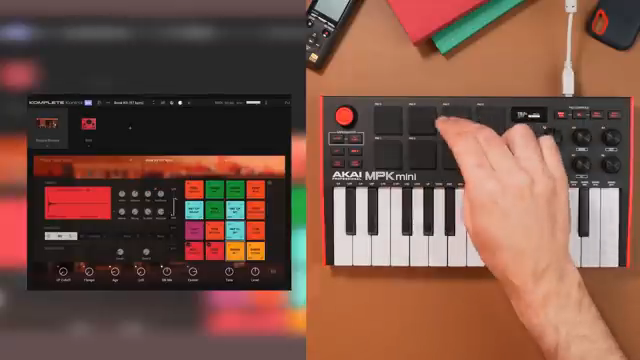
"We can just navigate between the Empire Breaks or Bite, make the adjustments as we go, and we get a nice top layer of percussion."
© Screenshot/Quote: Akai Pro (YouTube)
Final Polish: Mixing and Mastering with Ozone 11 Elements
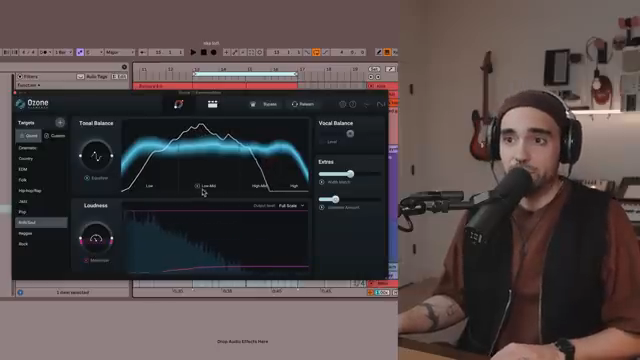
"With Ozone Elements we can hone in on so we can see if there's layers of our beat that we actually need to enhance a bit more."
© Screenshot/Quote: Akai Pro (YouTube)
The finishing touch comes courtesy of Ozone 11 Elements, included in the Komplete Select bundle. Taetro demonstrates how to drop Ozone onto the master bus, let it analyze the track, and apply genre-specific processing—here, aiming for an R&B and soul-inspired tone. The process is quick, and the results are audibly louder and more polished.
Importantly, the video shows that mixing and mastering can be part of the same hardware–software workflow, without leaving the MPK Mini environment. EQ tweaks, loudness adjustments, and final enhancements are all accessible, making it possible to take a beat from sketch to release-ready within a single, integrated system.
This article is also available in German. Read it here: https://synthmagazin.at/akai-professional-und-native-instruments-lo-fi-beatmaking-mit-mpk-mini-und-nks-integration/
Watch on YouTube:
Latest articles
Watch on YouTube:
Visit the channel:
https://www.youtube.com/Akai_Pro
https://www.youtube.com/Akai_Pro
Links from Akai_Pro:
website: https://akaipro.com
instagram: https://instagram.com/akai_pro
facebook: https://www.facebook.com/AkaiPro
twitter: https://twitter.com/akai_pro
google_plus: https://plus.google.com/107127819149441645522/posts