WaldorfMusicChannel dives into the Iridium Core, a compact yet powerful synthesizer designed to bridge the gap between newcomers and seasoned sound designers. This official tutorial walks through everything from OS updates and MIDI setup to the intricacies of layering, modulation, and the instrument’s diverse synthesis engines. True to Waldorf’s digital heritage, the video emphasizes workflow efficiency and the creative potential of the Iridium Core’s architecture. If you’re curious about how this synth’s multi-engine design, modulation matrix, and performance features translate into real-world use, this breakdown covers the essentials and beyond.
31. August 2024
LYRA
WaldorfMusicChannel’s Iridium Core: Deep Synthesis, Streamlined Workflows
First Impressions: Versatility for All Levels
The Iridium Core is introduced as a versatile synthesizer, positioned to cater both to those just starting their synthesis journey and to users already deep into sound design. WaldorfMusicChannel’s presentation is welcoming, emphasizing that the instrument is designed to bring joy and creative potential to a wide range of musicians. The video’s initial moments focus on demystifying the device, promising a clear path to getting started without overwhelming the user.
From the outset, Waldorf signals that this tutorial will cover only the essentials, with deeper dives planned for future videos. This approach is typical for the brand, which often balances accessibility with the promise of advanced features for those ready to explore further. The Iridium Core’s interface and workflow are presented as approachable, yet clearly hint at a depth that will reward more experienced users willing to dig in.
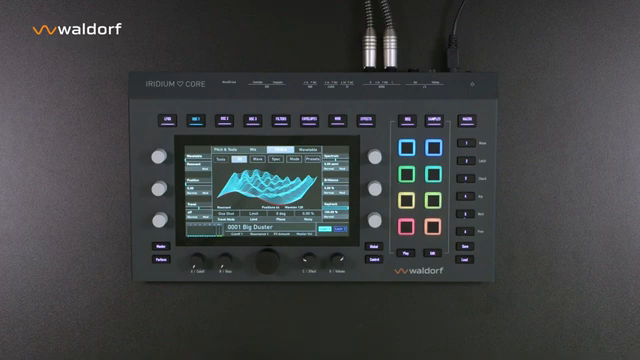
"Um den Start so einfach wie möglich zu gestalten, zeigen wir dir in diesem Video die wichtigsten Schritte."
© Screenshot/Quote: Waldorfmusicchannel (YouTube)
Getting Started: Updates, MIDI, and Patch Loading
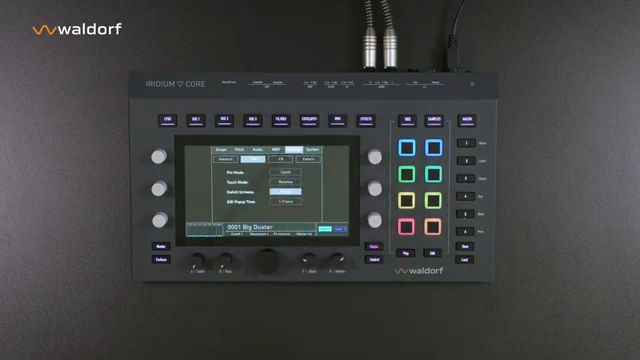
"Zum Beispiel, ob ein Parameter sofort verändert wird oder erst, wenn der vorher eingestellte Wert erreicht wurde."
© Screenshot/Quote: Waldorfmusicchannel (YouTube)
The tutorial quickly moves into practical territory, showing how to keep the Iridium Core’s operating system up to date via the myWaldorf portal and where to find manuals and FAQs. The global settings menu is highlighted as the hub for essential configurations, including OS version display, display and LED brightness, and the all-important behavior of the encoders—such as the recommended ‘Catch’ mode to prevent abrupt parameter jumps.
MIDI setup is given careful attention, with clear instructions on activating inputs and outputs, setting MIDI channels, and enabling MPE support. The video also demonstrates how to load patches using the dedicated Load button and main encoder, as well as how to recall specific program numbers. This section ensures that users can get sound out of the Iridium Core quickly, while also understanding the foundational settings that underpin more advanced workflows.
Mod Matrix and Layering: The Heart of Sound Design
WaldorfMusicChannel dedicates a significant portion of the tutorial to the modulation matrix, a core feature for anyone interested in deep sound design. The Iridium Core allows up to 40 modulation slots, with sources and destinations easily assignable via the touchscreen and encoders. The video walks through the process of assigning modulation sources like pitch bend, aftertouch, and velocity, as well as how to access the full range of sources directly from the matrix page.
Layering is another architectural highlight: each Iridium Core patch can contain two independent layers, each with three oscillators, six LFOs, six envelopes, and dual digital multimode filters plus a Digiformer. The video demonstrates how these layers can be configured independently, including their own effects chains with up to five simultaneous effects per layer. This modular approach enables complex, evolving sounds and intricate performance setups.
A practical example is provided using patch 86A-P2, where all three oscillators are active with different synthesis types. The tutorial shows how to mix oscillator levels, assign synthesis types by color coding, and leverage the modulation matrix for dynamic, expressive patches. The workflow is designed to encourage experimentation, with quick access to modulation assignments and layer controls.
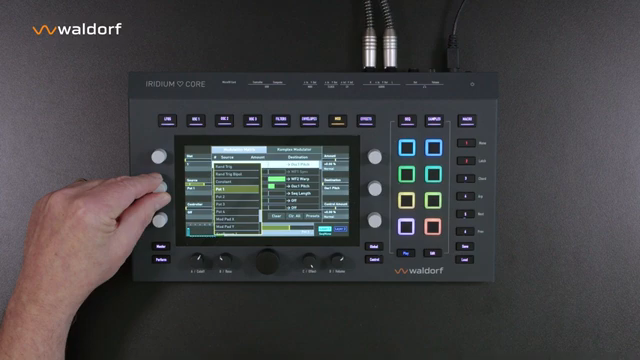
"Zur Modulationsmatrix gelangt man über die MOD-Taste. Hier können bis zu 40 Einträge erstellt werden."
© Screenshot/Quote: Waldorfmusicchannel (YouTube)
Synthesis Engines and Preset Power
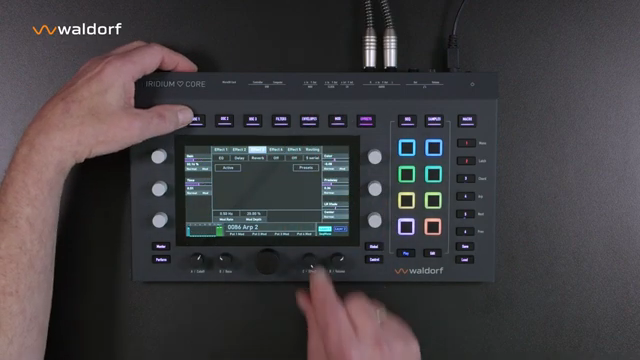
"Wavetable, Classic Waveforms, Particle inklusive Sampling und Granular-Synthese, den Resonator und die Kernelsynthese FM."
© Screenshot/Quote: Waldorfmusicchannel (YouTube)
The Iridium Core’s five synthesis engines—Wavetable, Classic Waveforms, Particle (sampling and granular), Resonator, and Kernel FM—are each accessible per oscillator, giving users a broad palette of sonic possibilities. The video highlights how each engine is color-coded for visual clarity and how users can switch synthesis types on the fly within a patch.
Each synthesis engine comes with its own preset folder, allowing quick recall of complex oscillator setups and, in the case of Kernel FM, ready-made templates. Users can also save their own oscillator presets for future use, streamlining the process of building new sounds. This section underscores the Iridium Core’s strength as a sound designer’s tool, with a workflow that supports both quick inspiration and deep customization.
Creative Workflows: Multis, Performance, and Integration
The tutorial rounds out by exploring creative workflows that leverage the Iridium Core’s multi-layer and multi-timbral capabilities. Users can create ‘Multis’ by combining two patches, assign them to different MIDI channels for DAW or hardware integration, and set up keyboard splits for live performance. The process is straightforward, with clear menu navigation and prompts to save new combinations.
Performance features are also in the spotlight: the video demonstrates how sequencers and arpeggiators can be used independently on each layer, encouraging experimentation and live tweaking. Macro controls and pad settings are shown as tools for real-time sound manipulation, while the effects section is positioned as a playground for further sonic sculpting.
Finally, WaldorfMusicChannel emphasizes the flexibility of the Iridium Core in various production contexts—studio, DAWless rigs, or stage setups. The workflow is designed to minimize menu-diving and maximize hands-on control, with thoughtful touches like latch functions, split assignments, and the ability to quickly swap or layer patches. The tutorial leaves viewers with a sense of the instrument’s breadth, while making clear that there’s much more to explore in future deep dives.
This article is also available in German. Read it here: https://synthmagazin.at/waldorfmusicchannel-und-der-iridium-core-tiefe-synthese-schlanke-workflows/
Watch on YouTube:
Latest articles
Watch on YouTube:
Visit the channel:
https://www.youtube.com/WaldorfMusicChannel
https://www.youtube.com/WaldorfMusicChannel
Links from WaldorfMusicChannel:
website: https://waldorfmusic.com
product_quantum_mk2: https://waldorfmusic.com/quantum-mk2
facebook: https://www.facebook.com/WaldorfMusic
twitter: https://twitter.com/WaldorfGmbH
Sponsored links:
If you purchase via these links, we may earn a small commission – at no extra cost to you. The link opens an Amazon keyword search, and results may vary depending on availability.
Waldorf Iridium Core
🔗 Check price on Amazon
🔗 Check price on Amazon