TAETRO’s back in the bunker, and this time he’s got the Synido Tempokey W25 and the Roland P-6 locked in a MIDI handshake that’ll make DAW diehards rethink their hardware phobia. If you’ve ever stared at a granular engine and thought, “Nah, too many menus, not enough fun,” this one’s for you. TAETRO’s style is all about making things easy, hands-on, and—dare I say—actually fun. Expect practical hacks, a few wobbly keyboards, and zero patience for menu-diving nonsense. If you’re ready to ditch the mouse and get your hands dirty, keep reading.
24. March 2026
SPARKY
TAETRO’s Tempokey W25 x Roland P-6: Hardware Fear? Smash It with This Combo
Hardware Anxiety? Tempokey W25 to the Rescue
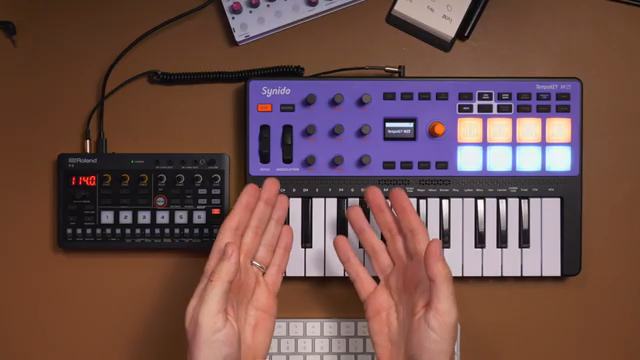
Let’s face it: most DAW users look at hardware like it’s a haunted toaster. TAETRO opens up by addressing that cold sweat—if you’re scared of the Roland P-6 or just don’t know what to do with your MIDI controller, you’re not alone. The Tempokey W25 steps in as the antidote, making the whole process less like a cryptic ritual and more like plugging in a kettle. No faffing with drivers, no existential dread—just a straightforward, battery-powered controller that gets you jamming fast.
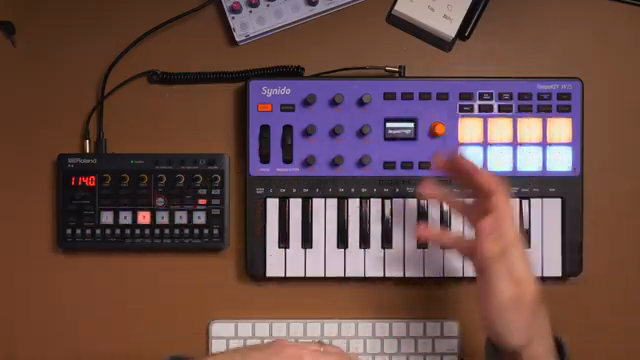
"Please don't be afraid of this, here's where we need to take a look at our hardware's manual."
© Screenshot/Quote: Taetro (YouTube)
Granular Magic: P-6 and W25 in Perfect Sync
"In the MIDI implementation chart, I can see that the granular engine receives MIDI on channel four."
© Screenshot/Quote: Taetro (YouTube)
TAETRO wastes no time showing how the Tempokey W25 and Roland P-6 can be best mates. The real trick? Both use 3.5mm MIDI, so you’re not hunting for rare cables or adapters—unless you get caught in the type A vs. type B adapter minefield. Once connected, the W25’s battery power means you can go full hardware hermit, no computer needed.
The real fun starts when you dig into the P-6’s granular engine. Normally, those parameters are buried deeper than your last tax return, but with the W25’s nine knobs (and two banks!), you can map everything you want—no menu-diving required. TAETRO’s approach is all about hands-on control, turning the P-6 from a menu maze into a playground. If you want to see just how wild the granular textures get, you’ll need to watch the video for the full sonic mayhem.
Mapping Mayhem: Custom Control for Chaos
Custom MIDI mapping on the Tempokey W25 is a breeze—hold the orange encoder, tap a pad, and you’re in business. TAETRO keeps it old school with a notebook to track what’s mapped where, which is honestly the only way to survive a nine-encoder setup. The W25 lets you assign pads to specific notes and channels, so you can trigger granular drones, keyboard sounds, kicks, and more—all from one controller.
The encoders aren’t just for show. You can map them to granular parameters like grain count, shape, position, and size, giving you real-time control over your sound design. The sustain function turns the whole rig into a drone machine, and with keys and pads on separate MIDI channels, you can layer sounds like a pro. It’s hands-on, fast, and way more fun than poking at a tiny screen.
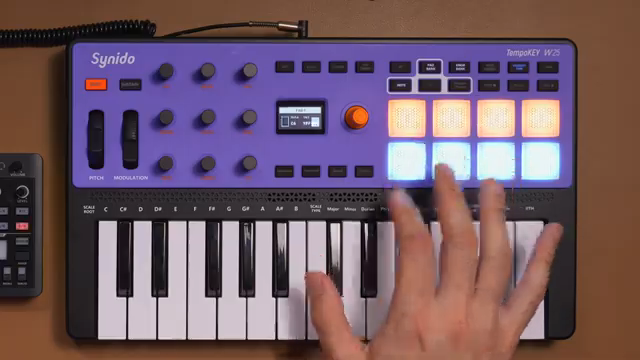
"Now it's time for our handy dandy notebook, which I used during this process, and I definitely recommend you do too."
© Screenshot/Quote: Taetro (YouTube)
TAETRO’s Hardware Survival Guide
TAETRO drops practical tips throughout—like using a notebook to remember your mappings and not being afraid to poke around the MIDI implementation chart. He’s honest about the learning curve but proves that with the right controller, you can dodge most of the usual hardware headaches. Even when things get weird (hello, Pluto by Modern Sounds), the workflow stays smooth. If you’re still scared of hardware, this video might just change your mind.
No More Excuses: Hardware for the DAW Generation
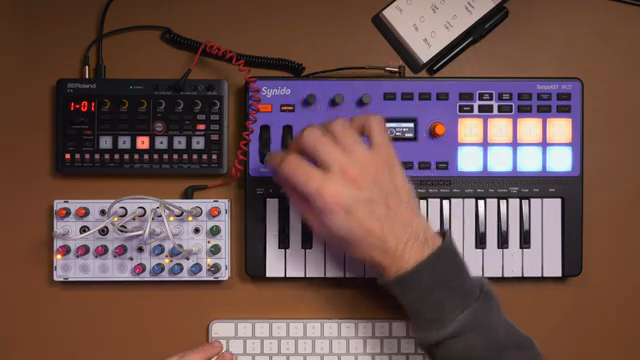
"If you have been intimidated by hardware or MIDI in the past, I definitely recommend you check out the Tempo Key W25 because it makes the mapping experience just that much easier."
© Screenshot/Quote: Taetro (YouTube)
The Tempokey W25 isn’t just a MIDI controller—it’s a gateway drug for DAW addicts who’ve been too nervous to touch real gear. TAETRO shows that with a bit of setup and the right mindset, you can unlock a world of hands-on sound design and performance. If you’ve been waiting for a sign to ditch the mouse and get stuck in, this is it. The only thing left is to watch the video and see the magic in action.
This article is also available in German. Read it here: https://synthmagazin.at/taetros-tempokey-w25-x-roland-p-6-hardware-angst-mit-diesem-duo-zerschmettert/
Watch on YouTube:
Latest articles
Watch on YouTube:
Visit the channel:
https://www.youtube.com/Taetro
https://www.youtube.com/Taetro
Links from Taetro:
Instagram: https://instagram.com/taetro
Facebook: https://facebook.com/taetromusic
Bandcamp: https://taetro.bandcamp.com
Sponsored links:
If you purchase via these links, we may earn a small commission – at no extra cost to you. The link opens an Amazon keyword search, and results may vary depending on availability.
Modern Sounds Pluto
🔗 Check price on Amazon
🔗 Check price on Amazon
Roland P-6
🔗 Check price on Amazon
🔗 Check price on Amazon
Synido TempoKey W25
🔗 Check price on Amazon
🔗 Check price on Amazon