Ever wondered if the Ableton Push 3 Standalone really lives up to the hype after the honeymoon phase? TAETRO, the groove guru with a knack for slicing samples and keeping it real, spills the beans on what it’s like to use this box for years—no computer attached. From late-night beat sessions to the quirks that’ll have you scrolling like you’re doomscrolling Twitter, this video is a streetwise deep dive. If you’re tired of spec sheets and want the real talk on workflow, firmware glow-ups, and why these pads slap, TAETRO’s got you. Grab a cheap beer and let’s get into it.
1. March 2026
RILEY
TAETRO’s Push 3 Standalone Reality Check: No Laptop, No Problem?
Push 3 Standalone: The Beatmaker’s Playground
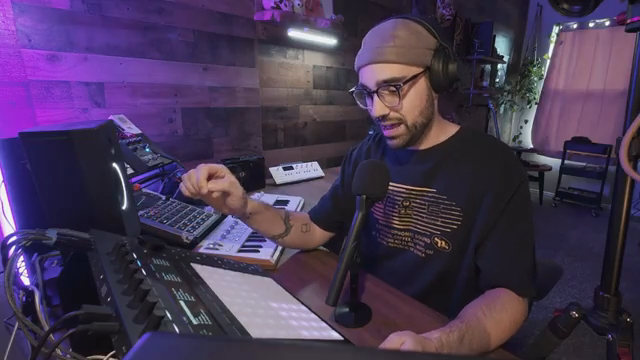
TAETRO kicks things off by showing exactly where the Push 3 Standalone fits into his studio setup—and let me tell you, it’s not just collecting dust on a shelf. This box is his go-to for quick sampling and beatmaking sessions, especially when he wants to escape the endless distractions of a computer screen. The Push 3 Standalone is all about speed: you can catch a late-night creative spark, lay down a wild idea, and wirelessly bounce it over to Ableton Live the next morning without missing a beat.
It’s clear that TAETRO sees the Push 3 as more than just a controller—it’s a legit standalone workstation for capturing inspiration fast. The vibe is less “DAW replacement” and more “creative sidekick,” letting you get hands-on with your music without the usual tech headaches. If you’re the type who wants to keep the workflow flowing and the ideas fresh, this box might just be your new best friend.
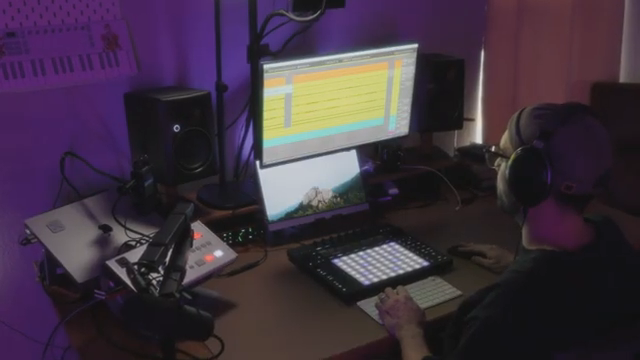
"This is where Push really thrives because the speed at which you can create and capture ideas is really fast on Push."
© Screenshot/Quote: Taetro (YouTube)
Scroll Fatigue and UI Blues
"On Push, we have to scroll and scroll and scroll through this library."
© Screenshot/Quote: Taetro (YouTube)
But let’s keep it real: TAETRO doesn’t sugarcoat the Push’s pain points. The library browsing experience? It’s like scrolling through your ex’s Instagram—endless, confusing, and you’re never quite sure what you’re looking for. Even with filters and favorites, getting to your go-to sounds takes way too many clicks and scrolls. Ableton’s attempt at making Push feel seamless with Live ends up making the UI feel like a watered-down version of the real thing.
Instead of a custom-tailored workflow, you get menus on menus, and it can feel like you’re fighting the machine instead of making music. For anyone who’s ever lost a groove because they were stuck in a menu maze, TAETRO’s frustrations will hit home. The Push 3 Standalone might be a beast, but its UI sometimes feels like it’s running on yesterday’s firmware.
Templates, Shortcuts, and Staying Out of the Weeds
TAETRO’s not about to let a clunky UI kill his vibe—he’s got hacks for days. His secret weapon? A custom template that loads up every time, packed with drum groups, MIDI and audio tracks, and all the basic effects he needs. No more wasting time adding compressors or EQs; it’s all pre-loaded and ready to tweak. Even sidechain compression, which is usually a pain to set up on Push, is pre-routed in his template so he can get straight to the good stuff.
He also swears by curated sample and preset packs, skipping Ableton’s default sounds in favor of packs that actually fit his style. Genre filtering on Push? Forget it. TAETRO just grabs a pack that matches his mood and dives in, avoiding the endless scroll. If you want to keep your workflow tight and your beats fresh, following his lead with templates and curated sounds is the way to go.
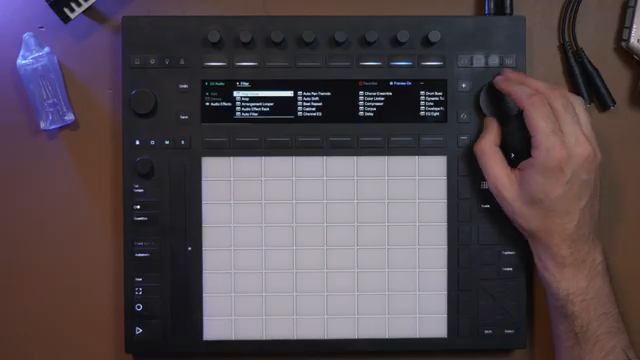
"Now to get to the sidechain menu, I have to click into the compressor, let's click it again, go into the sidechain menu, find the sidechain source, which in this moment would be the Kick, then I've got to make sure I switch back to the main page of the compressor, and there we are."
© Screenshot/Quote: Taetro (YouTube)
Firmware Glow-Ups: The Push Gets Better
TAETRO gives Ableton props where it’s due: the Push 3 Standalone has gotten way better thanks to a steady stream of firmware updates. We’re talking real upgrades—like plugging in audio interfaces, using the pads as XY touchpads, and finally being able to assign follow actions and custom controller mappings right from the device. These aren’t just bug fixes; they’re game-changers for anyone who wants to perform or produce without a laptop.
One of the biggest wins? The ability to stay on an instrument track after launching a clip, which used to be a major workflow killer. Boot times are faster, and while battery life still isn’t perfect (and yeah, it’ll drain even when the Push is off—yikes), the overall experience is way smoother now. If you checked out Push 3 early and bounced, it might be time for a second look.
Push vs. MPC: Sampling, Speed, and Street Smarts
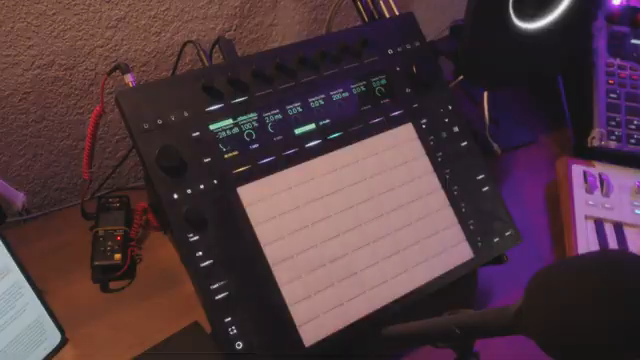
"There's already an audio track here. I just arm it for recording. I press the record button."
© Screenshot/Quote: Taetro (YouTube)
When it comes to the classic Push vs. MPC debate, TAETRO keeps it honest. The MPC’s got features, a slick UI, and a price tag that’ll make you sweat, but Push 3 is all about that instrument feel and hands-on performance. The pads? Still the best in the game—sensitive, playable, and ready for everything from feather taps to full-on finger drumming. You can glide between notes, pitch bend, and get that tactile feedback that makes you forget you’re not on a real drum kit.
TAETRO admits he’s an Ableton head, but even so, he points out that sampling on Push is just plain faster than on the MPC. You arm a track, hit record, chop, slice, reverse, and you’re already flipping samples into playable instruments or drum racks. The workflow is so quick, you’ll have a new beat before your coffee gets cold. Akai’s got some cool tricks (MotherDucker, anyone?), but for sheer speed and fun, Push 3 Standalone is hard to beat.
If you want to see the magic in action—how fast you can go from raw sample to finished loop—TAETRO’s video is a must-watch. Some things just hit different when you see and hear them, so don’t sleep on the full walkthrough.
This article is also available in German. Read it here: https://synthmagazin.at/taetros-push-3-standalone-reality-check-kein-laptop-kein-problem/
Watch on YouTube:
Latest articles
Watch on YouTube:
Visit the channel:
https://www.youtube.com/Taetro
https://www.youtube.com/Taetro
Links from Taetro:
Instagram: https://instagram.com/taetro
Facebook: https://facebook.com/taetromusic
Bandcamp: https://taetro.bandcamp.com
Sponsored links:
If you purchase via these links, we may earn a small commission – at no extra cost to you. The link opens an Amazon keyword search, and results may vary depending on availability.
Ableton Push 3 Standalone
🔗 Check price on Amazon
🔗 Check price on Amazon