Sonicware’s ELZ_1 Play steps into the spotlight as a digital chameleon for dark ambient sound creation, and this official video wastes no time showing its depth. The manufacturer walks us through crafting drones, pads, atmospheres, and noise textures—each with their own synthesis quirks and workflow tricks. The focus is on real-world patch-building, not just browsing presets, and the demonstration leans into the ELZ_1 Play’s multi-engine architecture, modulation options, and effects layering. With a unique looper function and a curated palette system, Sonicware positions the ELZ_1 Play as both a playground for sound designers and a practical tool for ambient performance. If you’re curious about how digital engines, effects, and workflow converge in a compact instrument, this is a video worth dissecting.
A Digital Canvas for Dark Ambience
The video opens with a clear mission: to explore the ELZ_1 Play as a versatile tool for crafting dark ambient sounds. Sonicware’s approach is methodical, dividing the ambient spectrum into four archetypes—drone, pad, atmos, and noise—each serving a distinct role in the evolving soundscape. This segmentation isn’t just for show; it underpins the workflow, allowing users to focus on the architecture of each layer before bringing them together in the looper.
What’s notable is the emphasis on hands-on sound design rather than preset surfing. The video promises to walk through the process of building each sound from the ground up, highlighting the ELZ_1 Play’s multi-engine flexibility and its suitability for experimental and cinematic textures. The structure sets the stage for a deep dive into both synthesis and performance, making it clear that this isn’t just a preset demo—it’s a workflow showcase.
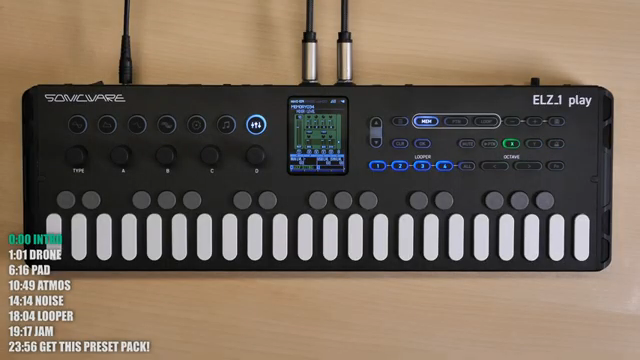
"The sounds I will create are four types, drone, pad, atmas, and noise."
© Screenshot/Quote: Sonicware (YouTube)
Sound Design in Action: Oscillators, Modulation, and Effects
"This way, you can blur the contours of the sound, making it present but hard to pinpoint its source, creating a unique atmosphere."
© Screenshot/Quote: Sonicware (YouTube)
The walkthrough begins with the drone, leveraging the standard oscillator and sawtooth wave, then introducing subtle pitch modulation via LFO for that signature wobble. The use of unison voices—each with independent detune and octave settings—demonstrates the ELZ_1 Play’s capacity for thick, evolving textures. Filtering is not an afterthought; the video shows how first-order low pass filters tame high frequencies, prepping the drone for layering without frequency clashes.
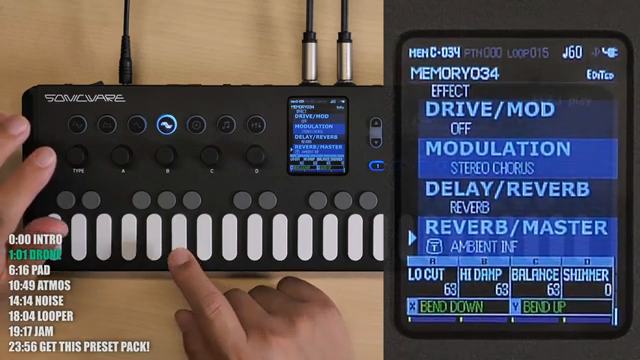
Effects are treated as integral to the sound, not just icing on the cake. The demonstration layers multiple reverbs (including the new ambient reverb from firmware 1.1), shimmer, and stereo chorus to sculpt space and blur edges. The ability to control the dry/wet balance and blur the sound’s contours is highlighted as a key tool for ambient production. The pad section pivots to the 8-bit wave memory engine, exploiting its 20-voice polyphony and unison layering for lush chords. Here, filter envelopes are used to create slow, evolving timbral shifts, and effects like plate reverb and shimmer add further dimension.
Atmos and noise patches showcase the ELZ_1 Play’s breadth: FM synthesis with randomized operator ratios for retro computer beeps, and the super oscillator engine for environmental textures like rivers and insect chirps. Modulation is everywhere—LFOs, randomization, auto-pan, and arpeggiators—demonstrating the instrument’s depth. The video doesn’t shy away from showing how overdrive and distortion can morph noise from rain to river to waterfall, all within a single patch.
Curated Palettes: Preset Organization for Ambient Workflows
Sonicware introduces a structured approach to preset management with their palette system. Each palette is a collection of four layered patches—drone, pad, atmos, and noise—carefully balanced for immediate use with the looper. The video mentions nine palettes in total, yielding 36 patches, all pre-leveled for seamless integration.
This organizational strategy is more than a convenience; it’s a workflow enabler. Users can mix and match patches across palettes, encouraging experimentation while maintaining sonic cohesion. The palettes are tailored for ambient creation, but the flexibility to swap layers means the system adapts to a range of creative directions.

"The Ambient Preset Patch Collection brings together four types of layered patches. Drone, Pad, Atmos and Noise into one palette."
© Screenshot/Quote: Sonicware (YouTube)
Looper Magic: Layering and Performance Integration
The looper function is a centerpiece of the ELZ_1 Play’s ambient workflow. The video demonstrates how users can assign different bar lengths to each track—drones and pads at eight bars, atmos and noise at sixteen—maximizing the instrument’s memory and tempo-dependent recording capacity. Overdubbing is streamlined, with the looper automatically switching modes to accommodate long reverb tails and evolving textures.
Once the layers are recorded, the mixer screen allows for real-time adjustment of level and pan per track, giving users hands-on control over the final soundscape. This workflow blurs the line between sound design and performance, making the ELZ_1 Play not just a sound source but a compositional tool for live or studio ambient creation.
Encouraging Exploration: Beyond Presets
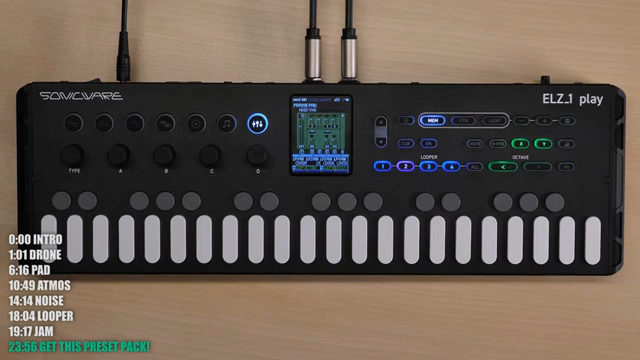
"Sound design is one of the delights of the ELZ-1 Play, so I hope you enjoy creating your own unique sounds."
© Screenshot/Quote: Sonicware (YouTube)
The video closes with a clear message: the ELZ_1 Play is built for creative exploration. Users are encouraged to mix patches from different palettes, tweak parameters, and use the instrument’s deep sound design capabilities to craft unique sonic identities. The preset collection is a starting point, not a limitation—Sonicware positions the ELZ_1 Play as a platform for experimentation as much as performance.
Watch on YouTube:
Latest articles
Watch on YouTube:
https://www.youtube.com/SONICWARE
Links from SONICWARE:
Sponsored links:
If you purchase via these links, we may earn a small commission – at no extra cost to you. The link opens an Amazon keyword search, and results may vary depending on availability.
🔗 Check price on Amazon