If you ever wished your MPC could fit in your backpack next to a bag of chips, Sanjay C’s got news for you. In his latest video, he dives into the Akai MPC Sample—a sampler so portable, you could make beats on the bus and still have room for your lunch. Sanjay’s signature style is all over this one: clear, practical, and just the right amount of hype. He breaks down what this little box can (and can’t) do, how it stacks up against the competition, and why it might just be the best new toy for beatmakers who want to keep it moving. Don’t blink or you’ll miss a killer tip—or a sly dig at that wrist pad.
25. March 2026
RILEY
Sanjay C’s Akai MPC Sample: Pocket-Sized Beat Powerhouse or Just Hype?
MPC on the Move: Portability Redefined
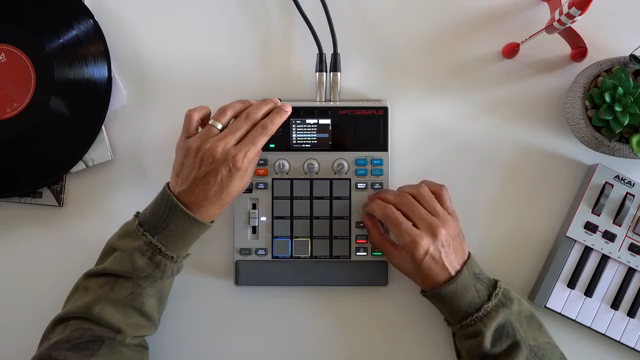
Akai just pulled a fast one on the beatmaking world by shrinking their legendary MPC workflow into a box you can toss in your backpack. Sanjay C kicks things off by laying out how the MPC Sample isn’t just another toy—it’s a legit tool for getting ideas down anywhere, from the studio to the subway. This thing’s got a built-in speaker and mic, so you can literally cook up beats on your lunch break without lugging around a laptop or an interface.
The real kicker? It’s not just about size. Sanjay points out that this is the first MPC that truly nails the idea stage for music creation. If you’re the type who wants to catch inspiration before it slips away (like that last slice of pizza at a house party), this box might be your new best friend. Sure, you could use your phone, but if you crave that MPC feel and workflow, this is a whole different vibe.
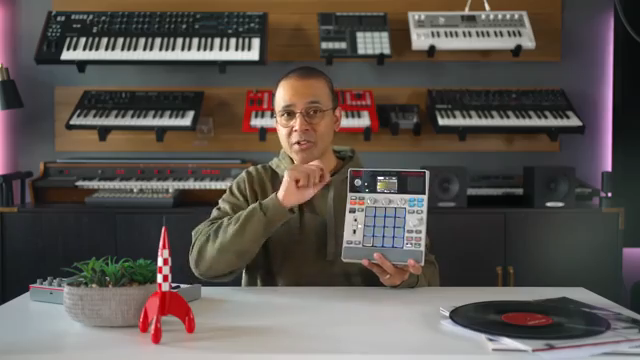
"This might be the first MPC that actually fits the idea stage of music creation so well."
© Screenshot/Quote: Sanjayc (YouTube)
Pads, Sounds, and Built-in Tricks
"These pads have poly aftertouch and that nice Akai feel to them, but they're also a bit small, so keep that in mind."
© Screenshot/Quote: Sanjayc (YouTube)
Sanjay gets hands-on with the MPC Sample’s core features: built-in sounds, a sampling mic, and those classic Akai pads. The pads come with poly aftertouch and that signature Akai feel—though, as Sanjay notes, they’re a bit on the small side. Still, they’re perfect for banging out kicks, snares, and loops in real time, and the sequencer lets you string together full beats without breaking a sweat.
The workflow is all about speed and fun. You can load up sounds, tweak tempo, swing, and quantize, then chain sequences into a full song. Saving and loading projects is a breeze, and the built-in mic means you can sample your own voice or any random sound around you. Want to record a synth? Plug it in the back and you’re good. It’s like having a mini studio that fits in your jacket pocket.
Live FX and Sampling: Flip It, Chop It, Smash It
Here’s where the MPC Sample starts to flex. Sanjay dives into the sampling and effects game, showing how you can chop samples with the screen, zoom in to trim, and assign slices to pads on the fly. Whether you’re flipping a vocal or slicing up a drum break, it’s all super tactile and quick—no menu-diving required.
But the real sauce is in the effects. Pad effects can be triggered live, and they’re pressure-sensitive, so you can get expressive with your performance. Flex Beat brings in gate and scratch effects, and the knobs let you assign and control different FX per pad. It’s the kind of hands-on manipulation that makes live sets pop—and honestly, you gotta see the video to catch the full flavor of these tricks in action.
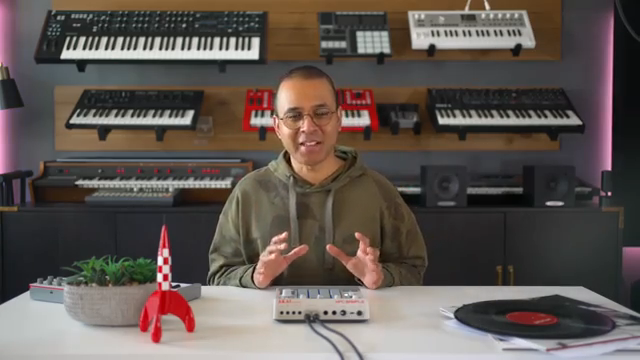
"Pad effects are super fun because you can trigger them live."
© Screenshot/Quote: Sanjayc (YouTube)
On-the-Go Grooves: Real-World Use Cases
Sanjay breaks down why the MPC Sample is a game-changer for musicians who hate being chained to a desk. With a rechargeable battery that lasts up to five hours, SD card storage, and a bright screen, you can cook up beats on the couch, in a hotel room, or even at the park. It’s perfect for quick sessions when you don’t want to fire up your DAW or haul a laptop.
He also throws some shade at the nostalgia-heavy wrist pad—cool for the old-school look, but honestly, he’d rather have bigger pads. Specs-wise, you get enough RAM, storage, and voices to build full tracks, plus all the right connections for audio, MIDI, and USB. It’s a streetwise solution for anyone who wants to keep their workflow hands-on and mobile.
Showdown: MPC Sample vs. The World
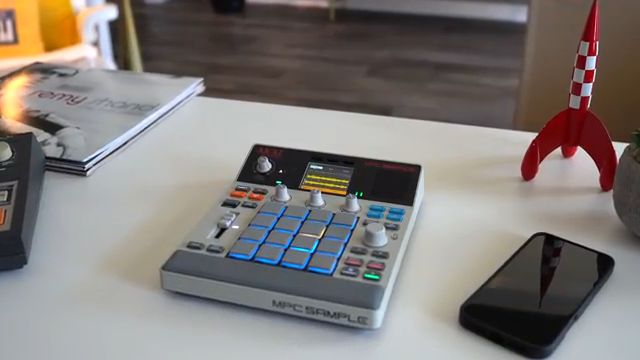
"So I think the big advantage that this has is balance in between everything else out there."
© Screenshot/Quote: Sanjayc (YouTube)
Now for the real talk—how does the MPC Sample stack up against the competition? Sanjay lines it up with the Roland SP-404, Teenage Engineering KO II, and Ableton Move. The MPC Sample lands right in the middle: more structured than the SP-404, with classic sequencing but less of that SP character; deeper and more familiar than the KO II; and way more standalone than the DAW-centric Ableton Move.
If you already own a big MPC, this is like your little sidekick for sketching ideas on the fly. For newbies, it’s a no-fuss entry into the MPC world—immediate, satisfying, and priced just right for what it delivers. Sanjay’s only gripe? He wishes it had built-in instruments for keyboardists, but hey, it’s called the MPC Sample for a reason.
Bottom line: if you want a portable, fun, and fast way to make beats without a science degree, this box slaps. But don’t just take my word for it—watch Sanjay’s video to see the MPC Sample in action and decide if it’s the missing link in your beatmaking arsenal.
This article is also available in German. Read it here: https://synthmagazin.de/sanjay-c-und-das-akai-mpc-sample-beatmaschine-fuer-die-hosentasche-oder-nur-hype/
Watch on YouTube:
Latest articles
Watch on YouTube:
Visit the channel:
https://www.youtube.com/SanjayC
https://www.youtube.com/SanjayC
Links from SanjayC:
Instagram: https://www.instagram.com/sanjayc/
Sponsored links:
If you purchase via these links, we may earn a small commission – at no extra cost to you. The link opens an Amazon keyword search, and results may vary depending on availability.
Akai MPC Sample
🔗 Check price on Amazon
🔗 Check price on Amazon