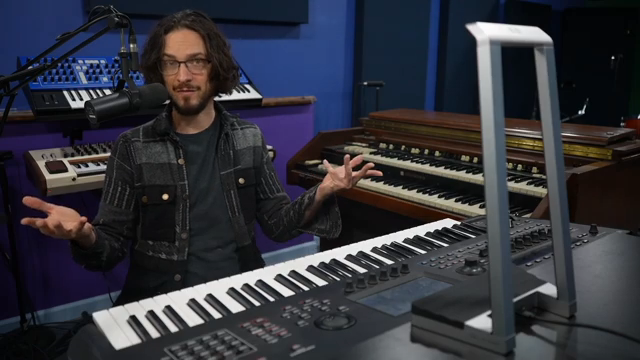
Sam Gutman isn’t here to waste your time—he’s here to show you how the ROLI Airwave turns the Yamaha Montage into a full-on gesture-controlled beast. In this punchy demo and guide, Sam flexes his educator chops and dives straight into the sound, the setup, and the quirks that’ll trip you up if you’re not paying attention. Expect a no-fluff walkthrough, some seriously lush patches, and a reminder that waving your hands in the air can actually sound massive. If you want to see a synth rig go from polite to rave bunker with a flick of the wrist, this is your jam.
26. November 2025
SPARKY
Sam Gutman Unleashes the ROLI Airwave: Yamaha Montage Gets a Gesture Overhaul
Wave Your Hands Like You Mean It
The ROLI Airwave isn’t just another MIDI controller—it’s a full-on gesture recognition weapon, ready to turn your synth rig into a sci-fi playground. Sam Gutman wastes no time introducing this bit of kit, promising a new way to interact with sound that’s more physical, more expressive, and a lot more fun than your average knob-twiddling session. The Airwave picks up six distinct gestures—raise, tilt, glide, slide, flex, and grasp—each mapped to whatever parameter you fancy. Infrared cameras track your hands, so you’re literally waving your sound into existence.
What makes this combo slap is how the Airwave’s gestures can be mapped to the Yamaha Montage’s deep engine. We’re talking filter sweeps, wavetable scans, and modulations galore. Sam points out that the Airwave shines brightest when paired with synths that can handle serious layering and modulation, and the Montage is basically built for that. If you’re tired of static performances and want to inject some movement into your sound, this is the kind of tech that’ll get your crowd’s attention.
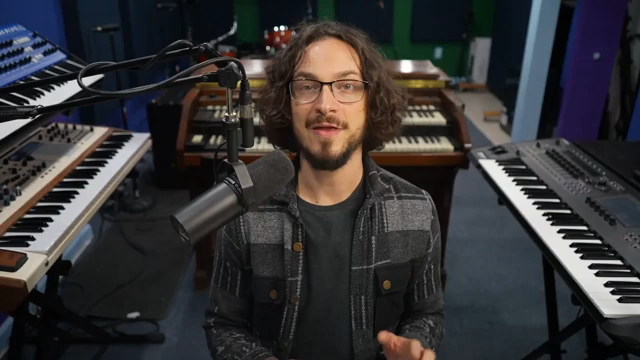
"This is a super exciting thing. You can now use the rolly airwave to control the Yamaha montage."
© Screenshot/Quote: Samgutman (YouTube)
Montage Meets Airwave: The Sound Demo
Sam doesn’t mess about—he jumps straight into a series of sound demos that show off what this pairing can do. The Yamaha Montage, already a heavyweight, gets a fresh lease on life with the Airwave’s gesture control. The patches, crafted by Dom Sigalas, Marcus Levy-Chance, and Atsuo Yukawa, cover lush pads, wild modulations, and textures that morph as you move your hands. It’s all about dynamic control, and the results are anything but subtle.
If you’re after static presets, look elsewhere. The Airwave lets you bend, twist, and shape the Montage’s sound in real time, making every performance unique. The video’s sound examples are the kind of thing you need to hear for yourself—words won’t do justice to the way these layers interact. Trust me, you’ll want to watch Sam’s hands in action to get the full effect.
Setup: The Pitfalls and the Payoff
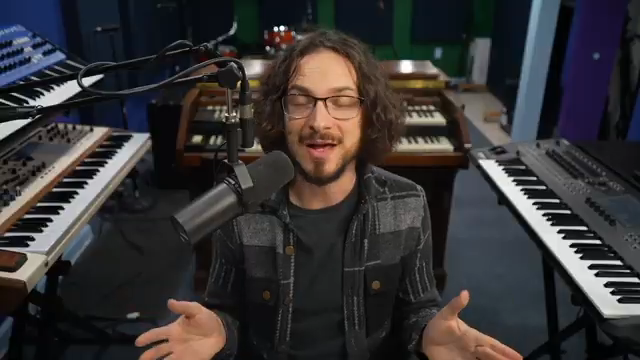
"It's very possible to miss some little thing or do some little thing differently and then be tearing your hair out over what went wrong."
© Screenshot/Quote: Samgutman (YouTube)
Sam’s setup guide is a masterclass in not losing your mind. He makes it clear: the process isn’t rocket science, but it’s packed with little traps for the unwary. First, you need to update your Montage’s firmware—no, really, do it, or the patches won’t load. Then it’s a dance of downloading Airwave-specific patches, importing them via USB, and making sure your drivers are up to date. Miss a step, and you’ll be tearing your hair out wondering why nothing works.
The ROLI software side isn’t much more forgiving. Everything needs to be current—Airwave Player, Airwave Control, the lot. Sam’s advice? Follow the steps exactly, or prepare for a troubleshooting session with ChatGPT. Even the physical placement of the Airwave matters: it needs to sit flush with the Montage for proper tracking. The whole process is a reminder that cutting-edge control comes with a price—mainly, your patience.
Once you’ve survived the gauntlet, though, the payoff is huge. The Montage starts receiving MIDI from the Airwave, and suddenly your synth is responding to every flick and twist of your hands. It’s a setup that rewards attention to detail, but the end result is worth every minute spent updating drivers and calibrating sensors.
Gestures Unleashed: Modulation Mayhem
With the Airwave dialled in, the real fun begins. Each gesture can be mapped to any parameter in the Montage, letting you sculpt sound in ways that would take three hands and a dozen knobs otherwise. Want to open a filter with a tilt, or morph a wavetable with a flex? Easy. The Airwave’s recognition is sharp, and the Montage’s engine is more than up to the task.
This isn’t just a party trick—it’s a serious tool for live performance and deep sound design. The physicality of waving your hands to modulate layers brings a new dimension to playing. If you’re into expressive control and want your synth to react like a living thing, this combo is pure gold.
"The cool thing about it is that it adds this physicality into synthesis and sound design that isn't usually there."
© Screenshot/Quote: Samgutman (YouTube)
See It, Hear It, Believe It
Honestly, you can read about gestures and layers all day, but the real magic is in the video. Sam’s walkthrough gives you the visuals, the sound, and the vibe you just can’t get from text. If you want to see a Montage go from workstation to street weapon, hit play and watch the wizardry unfold.
This article is also available in German. Read it here: https://synthmagazin.at/sam-gutman-entfesselt-das-roli-airwave-yamaha-montage-bekommt-eine-gesten-ueberholung/
Watch on YouTube:
Latest articles
Watch on YouTube:
Visit the channel:
https://www.youtube.com/SamGutman
https://www.youtube.com/SamGutman
Links from SamGutman:
Website: https://samgutman.com
Instagram: https://instagram.com/samgutmankeys
Patreon: https://patreon.com/samgutman
Sponsored links:
If you purchase via these links, we may earn a small commission – at no extra cost to you. The link opens an Amazon keyword search, and results may vary depending on availability.
ROLI Airwave
🔗 Check price on Amazon
🔗 Check price on Amazon
Yamaha Montage
🔗 Check price on Amazon
🔗 Check price on Amazon