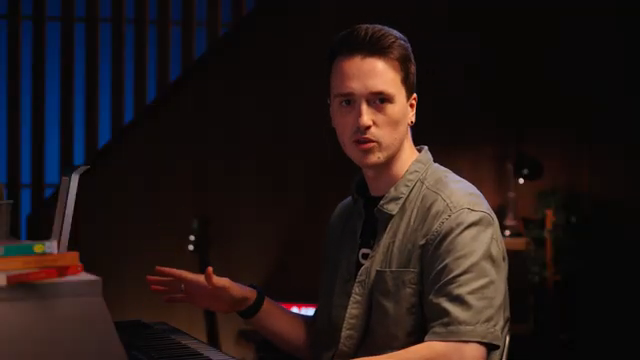
ROLI’s Airwave lands as a bold new entry in the world of expressive MIDI controllers, promising to bridge the gap between physical gesture and digital sound. In this official quick start guide, ROLI’s own Marcus walks viewers through every step—from unboxing to advanced setup—while highlighting the Airwave’s six-dimensional hand-tracking and seamless integration with both ROLI’s own software and third-party DAWs. As expected from ROLI, the focus is on unlocking nuanced, real-time control over sound, whether you’re a studio producer, DAWless performer, or hybrid workflow enthusiast. The video offers a clear, architecturally-minded look at how Airwave’s digital infrastructure translates into creative, hands-on music-making.
15. October 2025
LYRA
ROLI Airwave: Redefining Expressive Control in the Digital Studio
Airwave Arrives: A New Paradigm for Expressive MIDI Control
ROLI positions the Airwave as a forward-thinking MIDI controller, designed to inject a new level of expressiveness into digital music creation. The video opens with a clear promise: Airwave isn’t just another keyboard accessory, but a device meant to extend the vocabulary of performance through physical gesture. From the outset, ROLI’s presentation style is both approachable and technically focused, setting the stage for a product that aims to be as accessible as it is innovative.
The unboxing reveals a thoughtfully curated package, including the Airwave itself, multiple USB-C cables for flexible connectivity, magnetic adapters for seamless integration with ROLI’s Piano M, and a dedicated sustain pedal adapter. This attention to detail underscores ROLI’s intent to make Airwave a central hub in both ROLI-centric and broader MIDI setups. The inclusion of a lens cloth for the infrared cameras and a quick-start QR code further hints at the device’s hybrid hardware–software DNA.
Six Dimensions of Air: Gesture-Based Sound Shaping
At the heart of Airwave’s innovation is its advanced hand-tracking technology, which interprets six distinct gestures—Raise, Tilt, Glide, Slide, Flex, and Grasp—to control sound parameters in real time. Each gesture is mapped to a unique dimension, allowing for a nuanced interplay between movement and musical expression. The video demonstrates how these dimensions can be activated intuitively: raising the hand for Air Raise, tilting the palm for Air Tilt, and so on, down to the more subtle wrist flex and finger grasp.
This multidimensional approach moves beyond traditional aftertouch or mod wheel paradigms, offering a continuous, spatially aware control surface that responds to the performer’s intent. The system’s ability to distinguish between gestures and assign them to different sound-shaping macros is central to Airwave’s promise of dynamic, gestural music-making.

"AirWave features six dimensions of air, which allow you to control sounds expressively using gestures."
© Screenshot/Quote: Weareroli (YouTube)
From Box to DAW: Streamlined Setup for Hybrid Workflows
"All of the air wave dimensions are sent continuously so in order to hear what you recorded rather than what you're playing live, you need to disarm the track."
© Screenshot/Quote: Weareroli (YouTube)
ROLI’s video methodically walks users through the setup process, emphasizing both hardware and software integration. Hardware connections are flexible: Airwave can attach directly to compatible ROLI keyboards via magnetic USB-C, or connect to any computer for use with third-party controllers. The rear panel’s inclusion of a headphone jack and pedal port hints at a device ready for both studio and stage.
On the software side, installation begins with ROLI Connect, guiding users through account creation, device registration, and the installation of essential apps—Airwave Control, Airwave Player, and ROLI Dashboard. The process is designed to be as frictionless as possible, with clear instructions for both Mac and Windows users (the latter requiring a workaround for MIDI multi-client support via Loop MIDI). Calibration is handled within the Airwave Player, ensuring accurate hand tracking tailored to each user’s setup.
Integration with DAWs is a focal point: Airwave’s six dimensions are transmitted as dedicated MIDI CCs (21–31), allowing for detailed automation and post-recording editing. The video demonstrates how to set up the Airwave Player plugin in Ableton, route MIDI inputs, and record both keyboard and gesture data. This architecture supports a hybrid workflow where expressive performance data can be fine-tuned within the DAW environment.
Airwave Player: Preset Customization and Creative Workflows
The ROLI Airwave Player software is showcased as the heart of the Airwave experience, offering a robust preset browser with tagging, favoriting, and randomization features. Users can quickly filter sounds by instrument type or mood, and assign favorites for rapid recall. Each preset comes with five macro controls, mapped to the six air dimensions and touch, enabling deep, real-time sound shaping.
Customization is a recurring theme: the Player allows users to adjust the sensitivity and activation boundaries of each air dimension, tailoring the response to individual playing styles. The hold function and sustain pedal integration are highlighted as workflow enhancers, freeing up hands for mid-performance gesture control. This flexibility positions Airwave as a tool for both spontaneous creativity and deliberate sound design.
Performance Tips: Maximizing Airwave’s Expressive Potential
The video closes with a series of practical tips aimed at optimizing both setup and performance. Key advice includes centering the Airwave on the keyboard, recalibrating after moving the setup, and ensuring the infrared cameras have an unobstructed view of the hands. Users are reminded that the air dimensions are interlinked—raising the hand may also trigger flex, for example—so precise technique is encouraged for intentional control.
ROLI’s emphasis on experimentation and developing personal techniques reinforces Airwave’s role as an instrument for discovery. The guidance to use different hands for separate dimensions, and to explore both subtle and dramatic gestures, encapsulates the device’s ethos: expressive control is limited only by the performer’s imagination.

"You want to make sure that the infrared cameras here at the top of AirWave can always see your hands, so no big movements reaching out of view, and also try and avoid overlapping hands because then this hand is going to be blocked from the cameras by the one above."
© Screenshot/Quote: Weareroli (YouTube)
This article is also available in German. Read it here: https://synthmagazin.at/roli-airwave-ausdrucksstarke-kontrolle-neu-definiert-fuer-das-digitale-studio/
Watch on YouTube:
Latest articles
Watch on YouTube:
Visit the channel:
https://www.youtube.com/WeAreROLI
https://www.youtube.com/WeAreROLI
Links from WeAreROLI:
website: https://roli.com
instagram: https://www.instagram.com/we.are.roli
twitter: https://twitter.com/WeAreROLI
facebook: https://www.facebook.com/ROLI
Sponsored links:
If you purchase via these links, we may earn a small commission – at no extra cost to you. The link opens an Amazon keyword search, and results may vary depending on availability.
ROLI Airwave
🔗 Check price on Amazon
🔗 Check price on Amazon
ROLI Airwave Player
🔗 Check price on Amazon
🔗 Check price on Amazon
ROLI Piano M
🔗 Check price on Amazon
🔗 Check price on Amazon