RolandChannel returns with a deep dive into the SPD‑SX PRO Version 2.0 update, promising a host of workflow and creative enhancements for the flagship sampling pad. This update is pitched as a game-changer for both live performers and studio producers, with new features like real-time time stretching, advanced muting options, and assignable master effects. The video walks through each addition, showing how Roland aims to streamline sample management, performance control, and integration with broader setups. As always, the focus is on making the SPD‑SX PRO more flexible and responsive to the demands of modern musicians—though, as ever, the real test will be in hands-on use.
2. April 2026
LYRA
RolandChannel Unveils SPD‑SX PRO Version 2.0: Sampling Pad Power, Reimagined
A Sampling Pad Steps Up: SPD‑SX PRO Version 2.0 in Focus
RolandChannel opens with a clear message: the SPD‑SX PRO Version 2.0 update is not just a minor tweak, but a significant leap for the sampling pad ecosystem. The update is framed around two pillars—workflow improvements and creative additions—reflecting feedback from both the Roland community and professional drummers. The video positions this release as a direct response to user requests for more streamlined, powerful tools in both live and studio contexts.
One of the headline features is the ability to load backup files from the original SPD‑SX directly into the SPD‑SX PRO. This migration path means users can upgrade their hardware without the tedious process of manually reprogramming kits and samples. Instead, a simple USB backup and restore process preserves the creative flow, letting musicians immediately explore the new features and sounds without missing a beat. It’s a practical nod to real-world workflow needs, and a sign that Roland is listening to its user base.
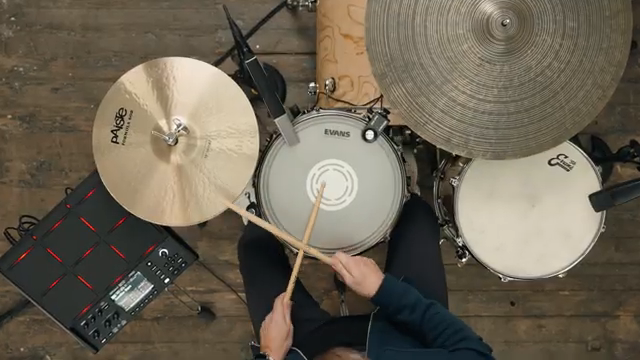
"The SPDSX Pro version 2.0 is a significant software feature update that focuses on two main categories, Workflow Improvements and Editions, plus there are creative features designed to give you a new level of control when using it on a gig or at home."
© Screenshot/Quote: Rolandglobal (YouTube)
Time-Stretching, Two Ways: Real-Time and Offline Sample Manipulation
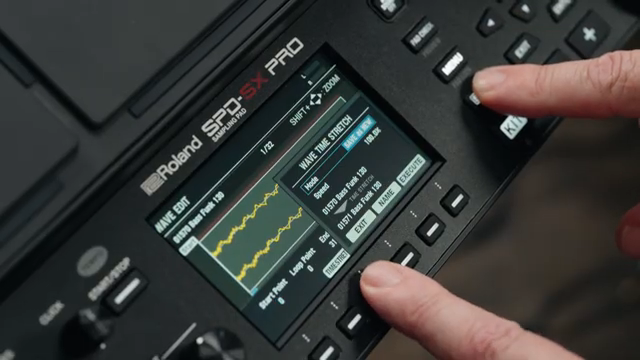
"This allows you to take a sample, loop it and change tempo without altering pitch."
© Screenshot/Quote: Rolandglobal (YouTube)
Version 2.0 introduces both real-time and offline time-stretching, a major boon for anyone who wants to manipulate loops and samples on the fly. The update allows users to change the tempo of a sample without affecting its pitch—a feature that opens up creative possibilities for morphing breaks, loops, and melodic patterns across genres, all without needing to fire up a DAW. The workflow is demonstrated as a straightforward, one-step process, making it accessible even in high-pressure live situations.
Roland also adds a BPM detect function, which analyzes a sample’s tempo and presents it in a familiar, DAW-like interface. This detail-oriented approach to sample processing is designed to help users integrate new material seamlessly into their sets. While the video highlights the ease of use and genre-hopping potential, it remains to be seen how transparent and artifact-free the time-stretching sounds in more demanding scenarios.
Performance Control: Trigger Muting and DJ-Style Drop Mute
The update doesn’t just focus on sound manipulation—it also brings new levels of control to live performance. Trigger Muting is introduced as a way to assign a pad to switch electronic triggers on and off, giving drummers the power to add or remove triggered tones for specific sections or improvisations. This hands-on control means performers can make real-time decisions about their sound without relying on front-of-house engineers or external gear, which is especially valuable in cover band or small-crew situations.
DJ Drop Mute is another standout, blurring the lines between drummer, producer, and DJ. This feature allows users to mute a backing track from the main outputs while it continues to play in the background—a nod to classic DJ fader mute techniques. The video demonstrates how this can be used for creative transitions and dynamic set building, expanding the SPD‑SX PRO’s appeal beyond traditional drumming roles.
"Trigger Mute is an all new feature that allows you to assign a pad on the SPDSX Pro to switch your triggers on and off."
© Screenshot/Quote: Rolandglobal (YouTube)
Kit-Specific Master FX: Genre-Tailored Sound Design
Roland takes the Master FX platform further by allowing users to assign different master effects to each kit. This means you can tailor the overall sound character to the needs of a specific genre or performance style, switching from, say, a tape echo delay for improvisational jams to a more aggressive effect for electronic sets. The video demonstrates this flexibility, highlighting how easy it is to program and audition different FX setups per kit.
This per-kit FX assignment is a clear nod to performers who need to shift between genres or moods within a single set. It also hints at deeper sound design workflows, letting users sculpt their output without diving into complex menu structures mid-show. While the video focuses on the creative upsides, it leaves open questions about how many FX slots are available and whether there are any limitations when stacking or automating effects.
Workflow and MIDI: Streamlined Operation for Stage and Studio
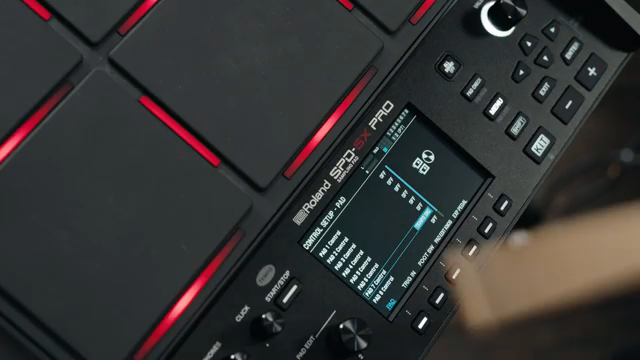
"Simply assign this feature to the pad control of your choice then change tempo during your live sets while you continue playing."
© Screenshot/Quote: Rolandglobal (YouTube)
Version 2.0 rounds out its feature set with a series of workflow enhancements aimed at making the SPD‑SX PRO faster and more intuitive. Pad Tempo Control allows users to adjust the click tempo by hitting a pad, keeping hands on sticks and eyes on the audience—a thoughtful addition for bandleaders or anyone needing to respond to live energy. The video also mentions this as a valuable practice tool for real-time skill development.
Other improvements include changes to the kit list display, main screen MIDI monitoring for easier integration with external gear, and new copy/set-all functions for batch parameter assignment. The SPD‑SX PRO app gets an update as well, with auto-select highlighting the WAV assigned to a pad for quicker editing. All these tweaks add up to a more responsive, stage-ready instrument, though as always, the real-world impact will depend on how seamlessly these features integrate into diverse performance rigs.
This article is also available in German. Read it here: https://synthmagazin.at/rolandchannel-praesentiert-spd-sx-pro-version-2-0-sampling-pad-power-neu-gedacht/
Watch on YouTube:
Latest articles
Watch on YouTube:
Visit the channel:
https://www.youtube.com/rolandglobal
https://www.youtube.com/rolandglobal
Links from rolandglobal:
website: https://www.roland.com
roland_cloud: https://www.roland.com/global/promos/about_roland_cloud
instagram: https://instagram.com/rolandglobal
Sponsored links:
If you purchase via these links, we may earn a small commission – at no extra cost to you. The link opens an Amazon keyword search, and results may vary depending on availability.
Roland SPD-SX
🔗 Check price on Amazon
🔗 Check price on Amazon
Roland SPD-SX Pro
🔗 Check price on Amazon
🔗 Check price on Amazon