Ready to wire your vocals straight into the mainframe? LNA Does Audio Stuff shows how to unleash Ableton Live’s vocoder for that classic robot voice in just four minutes. It’s a fast, punchy walkthrough for anyone who’d rather sound like a malfunctioning android than read a manual. If you like your synth tips with zero fluff and a dash of UK charm, you’re in the right rave bunker.
6. July 2026
SPARKY
Robot Rave: LNA Does Audio Stuff Makes Ableton’s Vocoder Go Full Cyborg
Plug In, Power Up: Meet Your New Robot Voice
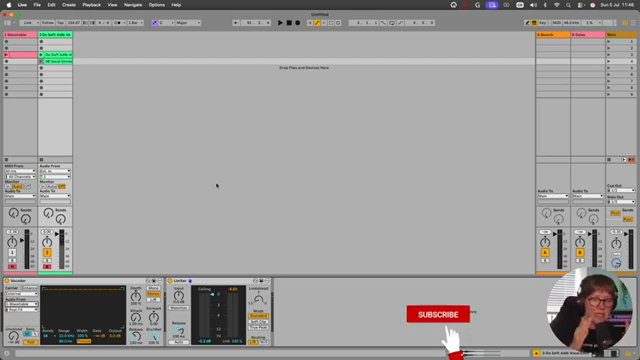
LNA Does Audio Stuff wastes no time, diving straight into the fast lane with a four-minute crash course on Ableton’s vocoder. Forget the endless menus—this is about getting straight to the good stuff: turning your vocals into something that sounds like a rave toaster.
The focus is on classic robot vocals, not just any old effect. You start with an audio track—none of that MIDI faffing about at the start. LNA’s style is pure energy, making even basic setup feel like a pre-drop rush. If you want to keep your ears intact, slap a limiter on after the vocoder, because things can get rowdy.
"Let me explain this in four minutes super fast so that you can get vocoding ASAP."
© Screenshot/Quote: Lnadoesaudiostuff (YouTube)
Synths, Carriers, and the Chord That Rules Them All
"The synth sound that is coming, the piece that we're stealing from this MIDI channel, is the carrier that carries all the way from this MIDI channel on the top of my voice."
© Screenshot/Quote: Lnadoesaudiostuff (YouTube)
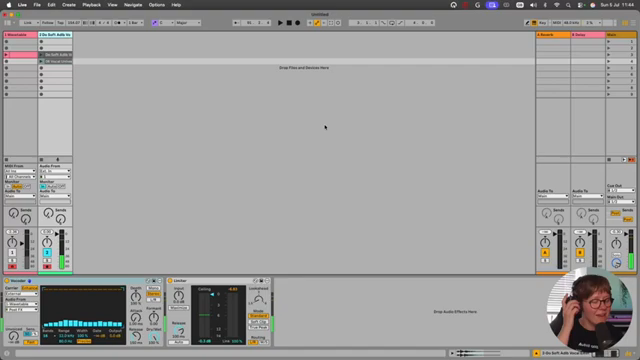
Here’s where things get interesting: the real secret sauce is the carrier signal. LNA lays out the basics—add a MIDI channel, drop in a synth (she rolls with Ableton’s Wavetable), and prep a big, juicy chord. The synth doesn’t just sit there; it’s the muscle behind your robot timbre.
She shows how to route the synth to the vocoder via the ‘external’ carrier option, making sure your vocal gets layered with the synth’s sound rather than just sounding like static in a bin. The trick? Don’t settle for a wimpy sine wave. LNA flips to a square wave for maximum grit, and suddenly the vocals cut through like a cyborg at a soundclash.
Knob Twiddling for Maximum Android Mayhem
Now, with the basics locked, it’s time to twist those dials. LNA highlights depth, attack, and release as the main tools for shaping your robot’s personality. Depth controls how hard you hit the vocoder—want to drown in synth or keep some human touch? That’s your knob.
Attack and release let you choose between chopped, percussive robot stabs or smeared-out vocoder clouds. LNA’s explanations are quick and to the point, showing how each tweak changes the sound without getting lost in tech jargon. Sometimes, all you need is a longer release to stretch your voice into the uncanny valley.
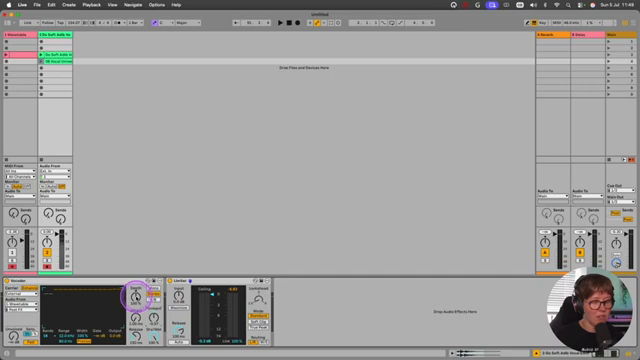
"Depth is how much are we actually adding vocoder to our voice and attack and release is how fast is the vocoder working on our voice."
© Screenshot/Quote: Lnadoesaudiostuff (YouTube)
Unvoiced, Enhanced, and Formant Fiddles: Fine-Tuning the Machine
For those who want to push the robot even further, LNA drops some rapid-fire tips. The ‘Enhance’ button brings out the highs, making your robot crisp enough to slice through a mix. ‘Unvoiced’ adds noise for sharper syllables and rhythmic grit—think more Daft Punk, less dial-up modem.
She also teases the formant area and EQ, hinting that you can shape the frequency spectrum for either beefy lows or razor highs. It’s a taste of the deeper tweaks, but don’t expect a deep-dive—this is about getting in, getting loud, and getting out.
See It, Hear It: Why the Video’s Where the Magic Happens
Let’s be real: words can only take you so far. LNA makes it clear the best way to understand these tweaks is to actually hear them—watching and listening as she demos the difference between synth-heavy and vocal-heavy settings is worth more than a thousand dry tutorials.
If you want to see the full toaster-fight in action, the video’s where the sonic street weapon comes alive. Don’t just read—watch, listen, and let your next track go full robot riot.
This article is also available in German. Read it here: https://synthmagazin.at/robot-rave-lna-does-audio-stuff-bringt-abletons-vocoder-auf-cyborg-level/
More articles about these products:
Watch on YouTube:
Latest articles
Watch on YouTube:
Visit the channel:
https://www.youtube.com/LNADoesAudioStuff
https://www.youtube.com/LNADoesAudioStuff
Links from LNADoesAudioStuff:
Instagram: https://instagram.com/lnadoesaudiostuff
Apple Music: https://music.apple.com/gb/artist/lna/1498323070
Webiste (courses): https://lnamusic.com
Faceboook: https://facebook.com/lnadoesaudiostuff
Sponsored links:
If you purchase via these links, we may earn a small commission – at no extra cost to you. The link opens an Amazon keyword search, and results may vary depending on availability.
Ableton Live Vocoder
🔗 Check price on Amazon
🔗 Check price on Amazon
Ableton Wavetable
🔗 Check price on Amazon
🔗 Check price on Amazon