Polyend’s Play Plus gets a major workflow boost with firmware 1.3, introducing a full-featured patch editor that transforms this groovebox into a serious sound design playground. In this official walkthrough, Polyend demonstrates how the new editor empowers users to craft three distinct synth patches—a lush detuned pad, a gliding lead, and a classic reese bass—showcasing the flexibility and depth of the Play Plus engine. As always, Polyend’s artist-focused approach is on display, blending hands-on control with creative possibilities. Let’s dive into how this update reshapes the Play Plus experience for both newcomers and seasoned synth architects.
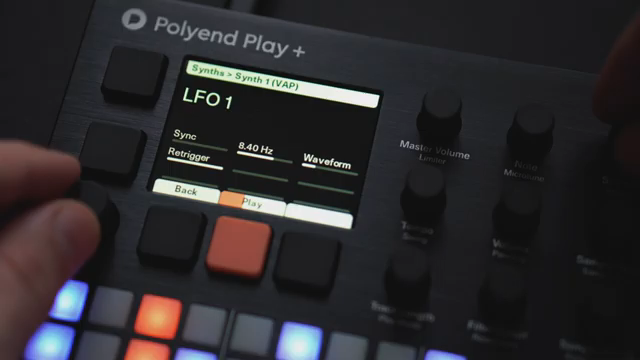
Patch Editor: The New Heart of Play Plus
With firmware 1.3, Polyend’s Play Plus steps up as a bona fide sound design tool, thanks to its newly introduced patch editor. This addition brings a dedicated interface for sculpting synth patches directly on the device, moving Play Plus beyond its groovebox roots and into the territory of hands-on synthesis. The video wastes no time, immediately highlighting the patch editor’s role in enabling users to craft evolving pads, expressive leads, and deep basses—all from scratch.
Three Patches, Three Personalities
The walkthrough begins with the creation of a detuned pad using the VAP engine. Here, Polyend demonstrates how to blend oscillator shapes and detune settings to achieve a rich, analog-inspired texture. Effects like reverb and delay are layered in, adding space and movement. The process is methodical: selecting the synth model, dialing in oscillator mix and detune, and shaping the filter and envelopes for a slow, evolving character.
Next, attention shifts to a gliding lead built on the DIRT engine. The patch is designed for bite and expressiveness, using harmonic warping and a triangle-saw blend to shape the core tone. The addition of a rectifier saturator, routed post-filter, injects aggression, while envelope tweaks and a touch of glide ensure the lead remains playable and dynamic. Each patch is approached with a clear workflow, showing how Play Plus adapts to different sonic goals.
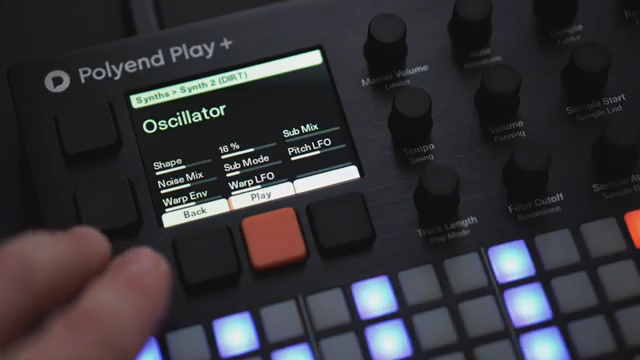
"Next change the saturator to a rectifier for a more extreme tone."
© Screenshot/Quote: Polyend (YouTube)
Deep Control: Oscillators, Filters, and Modulation
"Make LFO 1 a slow free running sine wave without sync."
© Screenshot/Quote: Polyend (YouTube)
Polyend’s patch editor provides granular access to core synthesis parameters. Oscillator shapes can be morphed smoothly, with blending options that allow for subtle or drastic timbral shifts. The video highlights the use of dual oscillators, detune, and noise to create analog-style imperfections, particularly in the pad patch. Filter types, cutoff, resonance, and envelope amounts are all easily accessible, supporting both subtle shaping and dramatic sweeps.
Modulation is a standout feature: LFOs can be assigned as sources to destinations like pitch, with free-running or synced options. The walkthrough demonstrates slow sine LFOs modulating pitch for movement, as well as envelope assignments for both amplitude and filter. The modulation matrix is straightforward but flexible, enabling evolving textures and expressive dynamics across all three patches.
Parameter Play: Shaping Sound in Real Time
Throughout the tutorial, Polyend emphasizes the immediacy of parameter manipulation. Oscillator shape, filter cutoff, resonance, and envelope stages are all adjusted in real time, showing how quickly a patch can be transformed. Effects like reverb, delay, and saturation are integrated into the workflow, allowing users to tailor ambience and character without menu diving.
The reese bass patch, for example, leverages the FAT engine’s saw timbre, filter settings, and sub-enhancing tricks like brightness reduction and fatness increase. LFO rate and amount are dialed in for subtle movement, while glide and volume tweaks round out the sound. This hands-on approach makes it clear that Play Plus is designed for creative iteration, not just preset browsing.
Accessible Sound Design for All
One of the most compelling aspects of the Play Plus patch editor is its accessibility. Navigating to the synth editor is straightforward, and parameter pages are logically organized. The video demonstrates that both beginners and experienced users can dive into sound design without feeling overwhelmed by complexity. By focusing on clear workflows and immediate feedback, Polyend ensures that Play Plus is as inviting for sonic experimentation as it is for performance.
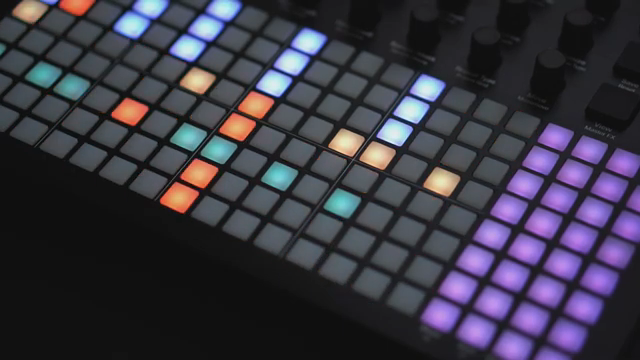
"To edit your synth patches, go to the Synth Editor in the main menu by pressing the main encoder."
© Screenshot/Quote: Polyend (YouTube)
This article is also available in German. Read it here: https://synthmagazin.at/polyend-play-plus-patch-editor-power-entfesselt/
Watch on YouTube:
Latest articles
Watch on YouTube:
Visit the channel:
https://www.youtube.com/Polyend
https://www.youtube.com/Polyend
Links from Polyend:
website: https://polyend.com
instagram: https://instagram.com/madeinpolyend
facebook: https://www.facebook.com/polyend
twitter: https://twitter.com/madeinpolyend
soundcloud: https://soundcloud.com/polyend
Sponsored links:
If you purchase via these links, we may earn a small commission – at no extra cost to you. The link opens an Amazon keyword search, and results may vary depending on availability.
Polyend Play Plus
🔗 Check price on Amazon
🔗 Check price on Amazon