Ever wonder why your tracks sound like a robot chugging cheap energy drinks, while the pros make grooves that slap? Pick Yourself is here to break down the real sauce with his “groove triangle”—no random presets, just street-smart moves. This video isn’t about flexing fancy gear, it’s about understanding accents, space, and swing so your beats hit with purpose. If you’re tired of your MIDI feeling stiff and want your tracks to move like a late-night crowd in Chicago, you’ll want to peep these tips. Trust me, some of these tricks are better seen (and heard) than read—so don’t sleep on the full video.
10. December 2025
RILEY
Pick Yourself’s Groove Triangle: Three Secrets That’ll Make Your Beats Move
The Groove Triangle: Your Secret Weapon
Let’s kick things off with the groove triangle—Pick Yourself’s not-so-secret formula for making tracks that actually move. Most bedroom producers are out here slapping on random groove presets, hoping for magic, but end up with beats stiffer than a day-old slice of pizza. The groove triangle is all about three elements: accent, space, and swing. Miss one, and your groove collapses like a cheap folding chair at a block party.
Pick Yourself lays it out: you can’t just copy-paste your way to a killer groove. You need a system that makes your tracks breathe and bounce, not just chug along. The triangle isn’t just theory—it’s the backbone of those reference tracks you keep chasing. If you want your beats to groove like the pros, you gotta build from the ground up, not just hope for a happy accident.

"These principles support each other, so that means if one of them is missing, the whole groove collapses."
© Screenshot/Quote: Pickyourselfofficial (YouTube)
Accents: The Groove’s Secret Spice

"So what you can do instead is you think about what each note is supposed to do for the groove."
© Screenshot/Quote: Pickyourselfofficial (YouTube)
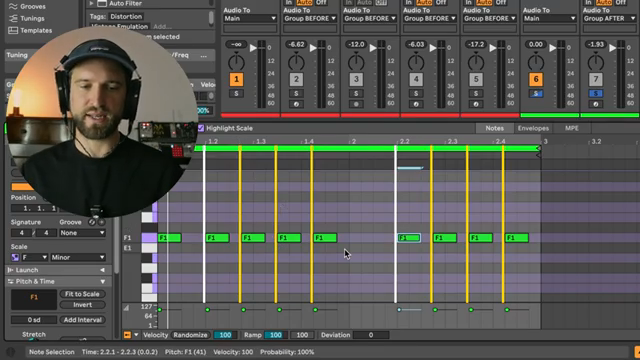
Accents in MIDI programming are like hot sauce on fries—use ‘em right and everything pops. Pick Yourself shows how most producers skip this step, and their tracks end up flat. By carefully choosing which drum hits get the spotlight, you can create movement without sacrificing the solid backbone of your beat. It’s all about balancing energy—too much movement and you lose stability, too much stability and it’s nap time.
He dives deep into velocity tweaks, ghost notes, and those little hi-hat flams that make a groove feel alive. Forget randomizing everything and calling it ‘humanized’—that’s just chaos. Instead, Pick Yourself preaches purposeful velocity design, making sure every note has a job. This is the kind of detail that separates a pro groove from a robotic loop, and it’s honestly the most important leg of the triangle.
Bass Line Placement: Where the Magic Happens
Now let’s talk bass lines—because if your low end isn’t moving right, your whole track’s stuck in first gear. Pick Yourself demonstrates how dropping notes in just the right spots can turn a basic groove into something that actually makes people move. It’s not about filling every gap; it’s about leaving space and letting the rhythm breathe.
He shows how some notes lock in with the kick for that solid foundation, while others land in unexpected places to create syncopation and momentum. The trick is to purposefully design your bass groove so it works with your drums, not against them. This isn’t random note salad—it’s streetwise placement that gives your track that head-nodding vibe.
"This is what creates this syncopated movement."
© Screenshot/Quote: Pickyourselfofficial (YouTube)
Swing: The Art of Controlled Chaos

"If you add a lot of swing to your kick drum, for example, they will not even be able to beat match it correctly."
© Screenshot/Quote: Pickyourselfofficial (YouTube)
Swing can make or break a track, and Pick Yourself isn’t shy about calling out lazy swing abuse. Just grabbing a random groove preset and slapping it on your drums? That’s how you end up with a mix that no DJ wants to touch. Instead, he shows how to apply swing with intention—so your track moves without losing its backbone.
He even drops a killer tip about using Ableton’s groove pool on audio clips, not just MIDI. By carefully dialing in swing and velocity on elements like shakers and leads, you get movement that’s magnetic but still tight. Too much swing and your track falls apart; just enough, and you’ve got a groove that slides right into any set. Some of these moves are way easier to catch by ear, so don’t skip the video if you want to hear the real difference.
Practical Examples & Nuanced Sound Design
Pick Yourself doesn’t just talk theory—he shows real-world examples that make these groove secrets click. From subtle auto-pan on shakers to dotted eighth delays on leads, it’s all about those little touches that add width and movement. The video highlights how nuanced sound design—like tweaking echo times or layering grain delays—can push your groove from good to unforgettable.
If you’re serious about making tracks that DJs actually want to play, these practical tips are gold. But let’s be real: some of the magic is in the details you can only catch by watching and listening. So grab your headphones, hit play, and let Pick Yourself show you how the pros really get down.
This article is also available in German. Read it here: https://synthmagazin.at/pick-yourselfs-groove-dreieck-drei-geheimnisse-damit-deine-beats-wirklich-grooven/
Watch on YouTube:
Latest articles
Watch on YouTube:
Visit the channel:
https://www.youtube.com/pickyourselfofficial
https://www.youtube.com/pickyourselfofficial
Links from pickyourselfofficial:
Work with me: https://pickyourself.com/coaching/
FREE Guide: https://pickyourself.com/framework/