OXI Instruments steps into the spotlight with a deep dive into the OXI One’s Multitrack mode, positioning their flagship sequencer as the nerve center for hybrid and DAWless rigs. This official tutorial walks through the essentials of sequencing up to eight tracks, assigning custom MIDI channels, and leveraging per-step parameters for nuanced control. With a clear focus on workflow and performance, OXI demonstrates how the One’s architecture supports both intricate drum programming and melodic sequencing—all from a single, hands-on interface. If you’re curious about how digital sequencing brains can streamline your creative process, this video is a must-watch.
6. July 2024
LYRA
OXI Instruments OXI One: Multitrack Mode Unpacked – Workflow Powerhouse for Modern Setups
A Sequencer Built for Integration
The OXI One is introduced as a highly adaptable multitrack sequencer, designed to serve as the central hub in both studio and live environments. OXI Instruments frames Multitrack mode as ideal for sequencing drums, monophonic melodies, and even for experimenting with polymeter, making it a flexible tool for a variety of electronic music workflows. The video’s opening highlights the One’s ability to consolidate melodic and drum patterns into a single, unified interface, streamlining creative sessions and freeing up other sequencers in a larger setup.
What stands out is the architectural logic: eight tracks are visually stacked from bottom (track 1) to top (track 8), following a piano roll convention that feels instantly familiar to anyone used to DAW interfaces. Each row is an independent track, and the layout is optimized for direct access—whether you’re storing monophonic sequences or juggling multiple drum parts. This approach is clearly aimed at musicians who value fast, hands-on control without sacrificing depth.
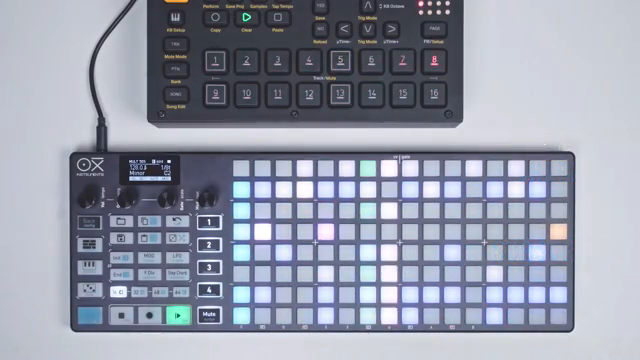
"The multitrack sequencer is one of the most versatile modes of the Oxyone."
© Screenshot/Quote: Oxiinstruments (YouTube)
Eight Tracks, Infinite Possibilities
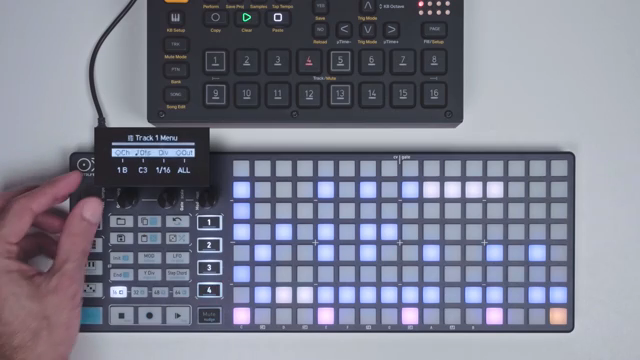
"Turn the first encoder to select the MIDI channel you wish to use and press the encoder to confirm."
© Screenshot/Quote: Oxiinstruments (YouTube)
Multitrack mode on the OXI One allows users to sequence up to eight fully independent tracks, each with its own MIDI channel and note assignment. This flexibility is crucial for complex setups, whether you’re splitting drum sounds across channels or layering melodic lines. The tutorial demonstrates how to assign MIDI channels and base notes per track, accommodating both drum machines that require separate channels and those that map sounds to different notes on a single channel.
Step Parameters: Sculpting Every Hit
A key highlight of the Multitrack mode is the depth of step parameter editing. Users can long-press any step to access a dedicated menu, where velocity, pitch, gate length, and modulation amount can be tweaked per step. This granular control allows for intricate dynamic variation, even in short sequences, and is especially useful for programming expressive drum patterns or evolving melodic lines.
The workflow is designed for speed: encoders are used to dial in values, and the interface provides immediate feedback. The video shows how editing a few hi-hat steps with different velocities and gate times can quickly add complexity and groove. While modulation lanes and LFOs are mentioned, their full capabilities are reserved for a future tutorial, keeping the focus here on the essentials of step-level editing.
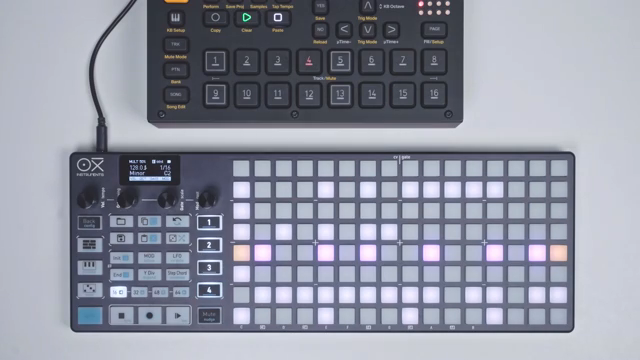
"Let's edit the parameters of a few of our hat steps."
© Screenshot/Quote: Oxiinstruments (YouTube)
Track Functions: Efficiency at Your Fingertips
Beyond step editing, the OXI One’s track functions are engineered for rapid workflow adjustments. Users can independently set track start and end points, double or halve time divisions, transpose patterns, and even generate new sequences with a randomizer—all via intuitive button and encoder combinations. The tutorial illustrates how these controls enable on-the-fly changes, making it easy to experiment with structure and rhythm without menu-diving.
A particularly smart touch is the ability to apply functions globally across all tracks, not just individually. By holding the sequencer button, users can randomize, clear, or adjust parameters for every track at once—ideal for quickly reshaping a drum kit or resetting a session. Visual feedback through colored LEDs ensures you always know which track is active, and workflow settings allow further customization of track selection and indicator behavior.
Performance Tools: Mute, Solo, and Drum View
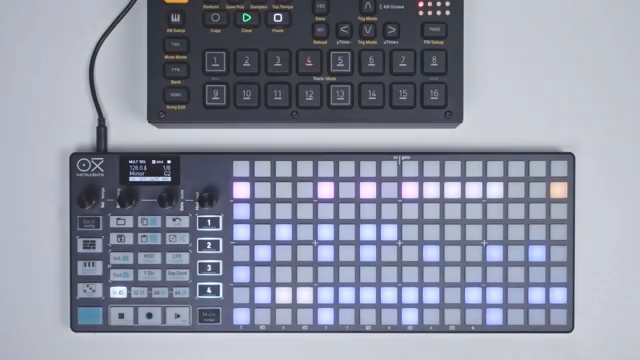
"In multitrack mode, if you tap the keyboard button, you'll see the drum view."
© Screenshot/Quote: Oxiinstruments (YouTube)
Performance is clearly a priority in Multitrack mode, with features like mute and solo for individual tracks accessible directly from the drum view. The video demonstrates how these shortcuts help manage complex arrangements, letting users isolate, preview, or drop out parts in real time. The drum view itself is optimized for live play, mapping velocity ranges across pads and providing quick access to muting, soloing, and other performance functions. This integration of sequencing and live control makes the OXI One a compelling choice for both composition and on-the-fly improvisation.
This article is also available in German. Read it here: https://synthmagazin.at/oxi-instruments-oxi-one-multitrack-modus-entschluesselt-workflow-kraftpaket-fuer-moderne-setups/
Watch on YouTube:
Latest articles
Watch on YouTube:
Visit the channel:
https://www.youtube.com/oxiinstruments
https://www.youtube.com/oxiinstruments
Links from oxiinstruments:
website: https://oxiinstruments.com
instagram: https://www.instagram.com/oxiinstruments
facebook: https://www.facebook.com/oxiinstruments/
support: https://oxiinstruments.com/support
Sponsored links:
If you purchase via these links, we may earn a small commission – at no extra cost to you. The link opens an Amazon keyword search, and results may vary depending on availability.
Oxi One
🔗 Check price on Amazon
🔗 Check price on Amazon