OXI Instruments returns with a comprehensive exploration of the OXI One’s Multitrack mode, showcasing why this Spanish-made sequencer is fast becoming the brain of hybrid electronic setups. In this advanced tutorial, the OXI team demonstrates how to wrangle drums, basslines, and melodies simultaneously, leveraging features like column and piano roll views, conditional triggers, and more. For those who crave workflow depth, this video is a goldmine—revealing not just surface-level tweaks, but the underlying architecture that makes the OXI One a serious contender for both DAWless rigs and integrated studios. If you’re looking to push your sequencing game into new territory, this is essential viewing.
17. July 2024
LYRA
OXI Instruments OXI One: Deep-Dive into Multitrack Sequencing Mastery
Multitrack Mode: The Heart of Complex Arrangements
The OXI One is introduced as a sophisticated multitrack sequencer, purpose-built for musicians who want to craft intricate arrangements involving drums, basslines, and melodic lines—all at once. This isn’t just about layering tracks; it’s about giving each musical element its own dedicated lane, with independent control and creative flexibility. The video positions the OXI One as more than a simple step sequencer, highlighting its role as a central hub for modern electronic production.
From the outset, OXI Instruments emphasizes that Multitrack mode is designed for practical, real-world music-making. The workflow is tailored to let users sequence multiple instruments simultaneously, whether they’re working in a DAWless setup or integrating with hardware synths and drum machines. This approach is clearly aimed at users who demand both immediacy and depth from their sequencing tools, and the OXI One delivers by making complex arrangements accessible without menu-diving.
Views and Rhythms: Columns, Piano Roll, and the Roller
The tutorial quickly moves into the OXI One’s alternative views, starting with the column view. Here, users can directly edit step parameters like velocity, gate, and modulation, using dedicated encoders for each. This hands-on approach allows for intuitive drawing of velocity curves or modulation lines, making nuanced rhythmic and expressive programming straightforward. The column view is a clear nod to those who want tactile control without losing sight of the bigger arrangement.
Firmware 4 brings the piano roll view, a feature that will feel instantly familiar to anyone coming from DAWs. By entering this mode, users can visually construct basslines or melodies, scrolling vertically to access different pitches. The roller feature, meanwhile, lets users generate rhythmic patterns by holding notes and selecting roll rates, adding another layer of performance-driven sequencing. These features collectively demonstrate OXI’s commitment to merging classic sequencing paradigms with modern, flexible workflows.
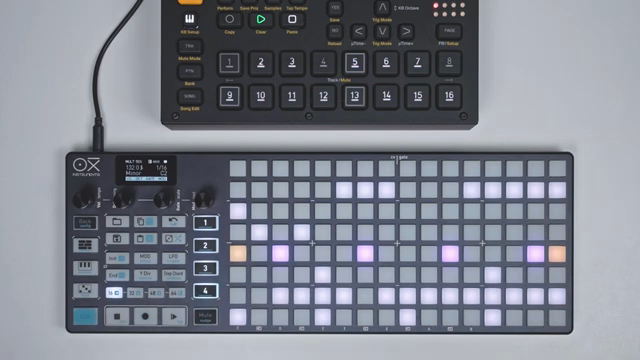
"This makes it easy to draw for example your own velocity curves for each step."
© Screenshot/Quote: Oxiinstruments (YouTube)
Time Divisions, Previews, and Conditional Triggers: Sequencing Evolved
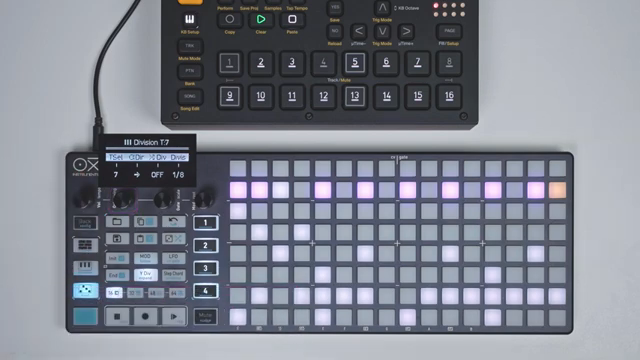
"Forward, backward, pendulum, random or drunk."
© Screenshot/Quote: Oxiinstruments (YouTube)
Diving deeper, the video showcases the division menu, where each track can have its own playback direction, time division, and even randomized division probability. This per-track granularity is a boon for those crafting polyrhythmic or evolving sequences, as it allows for independent manipulation of timing and direction—forward, backward, pendulum, random, or even the delightfully chaotic ‘drunk’ mode. Reset options ensure that even the most complex arrangements can be brought back into sync with a button press, a thoughtful touch for live or improvisational contexts.
Previewing steps is another workflow enhancer: by enabling preview mode, users can audition notes or triggers before committing them, streamlining the process of building and refining sequences. The step input method, using encoders to quickly set velocity, pitch, gate, and modulation, further accelerates programming. These tools are clearly designed to keep the creative flow uninterrupted, minimizing the friction between idea and execution.
Conditional triggers and logic conditions are where the OXI One’s sequencing engine truly flexes its muscles. Users can set steps to skip, add randomization, or apply logic such as ‘pre’, ‘not pre’, ‘first’, and ‘not first’—enabling sequences that respond dynamically to their own playback history. This level of control opens up possibilities for generative patterns, evolving grooves, and intricate live performance tricks, all from the hardware itself.
Flexible Integration and Creative Workflows
The latter part of the tutorial highlights how the OXI One’s multitrack mode is engineered for seamless integration with a wide range of gear. Copying and pasting tracks, including moving mono sequences into multitrack lanes, is handled with simple gestures, making it easy to restructure arrangements on the fly. The video also demonstrates assigning CV and gate outputs, showing how users can route tracks to modular synths or other hardware—underscoring the OXI One’s role as a true command center in hybrid setups.
Throughout, OXI Instruments encourages users to experiment and explore, leveraging the sequencer’s flexibility to push beyond conventional patterns. Whether sequencing MIDI devices, modular rigs, or both, the workflows shown are all about empowering creativity while maintaining tight, hands-on control. The tutorial closes by teasing future videos on modulation and randomization, hinting at even deeper layers yet to be explored.
This article is also available in German. Read it here: https://synthmagazin.at/oxi-instruments-oxi-one-multitrack-sequencing-auf-neuem-niveau/
Watch on YouTube:
Latest articles
Watch on YouTube:
Visit the channel:
https://www.youtube.com/oxiinstruments
https://www.youtube.com/oxiinstruments
Links from oxiinstruments:
website: https://oxiinstruments.com
instagram: https://www.instagram.com/oxiinstruments
facebook: https://www.facebook.com/oxiinstruments/
support: https://oxiinstruments.com/support
Sponsored links:
If you purchase via these links, we may earn a small commission – at no extra cost to you. The link opens an Amazon keyword search, and results may vary depending on availability.
Oxi One
🔗 Check price on Amazon
🔗 Check price on Amazon