OXI Instruments returns with a deep-dive into the Mono mode of their flagship OXI One MKII sequencer—a mode that, while seemingly basic, is revealed as a powerhouse for foundational pattern creation. This official walkthrough showcases how Mono mode’s piano roll, quantization, and step editing tools form the backbone of flexible, hands-on sequencing. As is typical for OXI’s approach, the focus is on workflow: from live and step recording to nuanced pattern manipulation, accumulators, and groove shaping. For anyone curious about how the OXI One MKII’s digital architecture translates into real-world creative processes, this episode is a must-watch.
6. January 2026
LYRA
OXI Instruments Lifts the Hood on Mono Mode: OXI One MKII’s Sequencing Foundation
Mono Mode: The Sequencing Bedrock
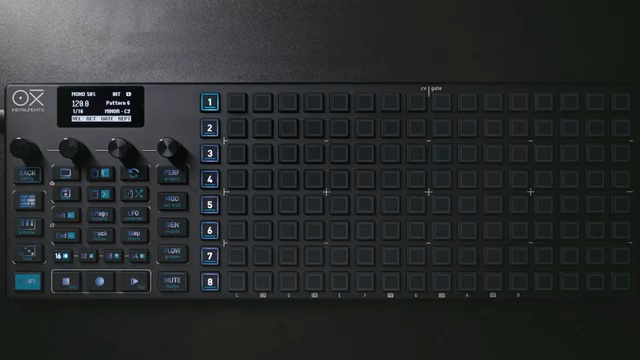
The OXI One MKII opens its second tutorial series by spotlighting Mono mode, positioning it as the essential entry point for mastering this sequencer’s architecture. While Mono mode may appear the most straightforward of the available modes, OXI Instruments emphasizes its depth and versatility, suggesting that a solid grasp here unlocks the full creative potential of the device.
The video immediately orients users to the piano roll interface, where a 16-step default grid covers a full bar. This grid is the canvas for melodic and rhythmic ideas, with each step easily editable for pitch, length, and muting. The demonstration underscores how Mono mode isn’t just a training ground—it’s a robust platform for building intricate patterns with minimal friction.

"Mono mode might seem the easiest of them all, but I think it's the best place to start and it has some nice trick up its sleeve."
© Screenshot/Quote: Oxiinstruments (YouTube)
Piano Roll, Quantization, and Step Entry: The Heart of Hands-On Sequencing
Central to Mono mode’s workflow is the intuitive piano roll, which allows users to add, move, and tie notes with a few button presses. The interface provides immediate visual feedback, with color cues indicating pitch positions above and below the current view, and easy centering to keep navigation fluid. This visual clarity is a hallmark of OXI’s design philosophy, aiming to keep the creative process unimpeded by menu-diving.
Quantization is handled flexibly—users can switch between scales like major and minor, ensuring that melodic input stays harmonically grounded or intentionally off-grid as desired. The ability to mute and unmute steps, as well as to tie notes for longer durations, adds further nuance to pattern construction.
Step entry is complemented by straightforward methods for clearing patterns, either instantly or with undo support to protect against accidental erasure. These features collectively reinforce Mono mode’s role as a fast, forgiving environment for both experimentation and precision.
Recording and Pattern Manipulation: Live, Step, and Beyond
"One is live recording. To activate that, you can press rec and then play. There's going to be a count and now you can record."
© Screenshot/Quote: Oxiinstruments (YouTube)
The OXI One MKII’s Mono mode supports multiple recording workflows, catering to both spontaneous and methodical creators. Live recording is activated with a simple rec-and-play combination, offering a count-in and the option to quantize input in real time. This is particularly useful for capturing ideas on the fly while maintaining rhythmic integrity.
Step recording provides an alternative for those who prefer to build sequences note by note, with rests, ties, and variable pattern lengths easily accommodated. The interface makes it clear when you’re in step recording mode, and the process of exiting back to playback is seamless.
Pattern manipulation extends to muting individual steps, duplicating patterns across pages, and looping specific sections or pages. These tools are designed for rapid iteration, letting users rework and evolve their sequences without breaking creative flow.
Accumulators and Groove: Deepening the Sequencing Palette
Mono mode’s feature set is elevated by unique tools like accumulators and groove settings, which add layers of complexity and musicality to patterns. The accumulator function, exclusive to Mono mode, allows steps to incrementally shift pitch each time they are played, with modes for wrapping, pendulum motion, and clipping. Limits can be set for both positive and negative accumulation, and the process can be made conditional or cycle-based, opening up evolving melodic possibilities.
Groove adjustment is another standout, accessed via a dedicated menu. Users can load preset grooves or design their own via the OXI app, applying accent and timing shifts that inject life and swing into otherwise rigid patterns. Notably, groove patterns are independent of sequence length, enabling polyrhythmic interplay and continuous evolution.
These advanced features are presented as powerful, yet accessible, ways to move beyond static step sequencing—inviting users to experiment with generative and performance-oriented approaches within a familiar interface.

"Every time that the playhead hit that step, we can tell the machine to add one semitone."
© Screenshot/Quote: Oxiinstruments (YouTube)
Creative Workflows: Integrating OXI One MKII into Your Setup
The episode wraps with a look at how Mono mode’s architecture supports a wide range of creative workflows. Whether you’re building complex patterns from scratch, manipulating sequences in real time, or layering groove and accumulator effects, the OXI One MKII is positioned as a flexible hub for both studio and live environments.
OXI Instruments’ design ethos—prioritizing immediacy, visual feedback, and hands-on control—shines through in this demonstration. While the video focuses on core sequencing features, it hints at deeper integration with other hardware and software, suggesting that Mono mode is just the beginning of what the OXI One MKII can offer to hybrid and DAWless setups alike.
This article is also available in German. Read it here: https://synthmagazin.at/oxi-instruments-oeffnet-mono-mode-das-sequencing-fundament-des-oxi-one-mkii/
Watch on YouTube:
Latest articles
Watch on YouTube:
Visit the channel:
https://www.youtube.com/oxiinstruments
https://www.youtube.com/oxiinstruments
Links from oxiinstruments:
website: https://oxiinstruments.com
instagram: https://www.instagram.com/oxiinstruments
facebook: https://www.facebook.com/oxiinstruments/
support: https://oxiinstruments.com/support
Sponsored links:
If you purchase via these links, we may earn a small commission – at no extra cost to you. The link opens an Amazon keyword search, and results may vary depending on availability.
OXI ONE MKII
🔗 Check price on Amazon
🔗 Check price on Amazon