Ever tried syncing a Korg Drumlogue with a Novation Circuit Mono Station and ended up in a tempo trainwreck? Nu-Trix The Synth Guy dives headfirst into the gritty world of analog and MIDI sync, showing us where things groove—and where they fall flat on their face. Expect honest, hands-on troubleshooting, a few sync-induced headaches, and plenty of practical advice. This isn’t your average dry tutorial; it’s a real-world rave bunker test, with Nu-Trix’s trademark clarity and no-nonsense style. If you want your boxes to start together and stay in time, this is the sync battle you need to watch.
9. January 2026
SPARKY
Nu-Trix The Synth Guy Throws Down: Drumlogue vs Circuit Mono Station Sync Showdown
Sync or Swim: The Setup
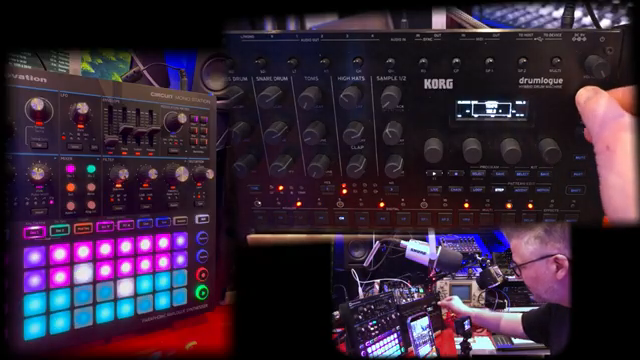
Nu-Trix The Synth Guy doesn’t mess about—he’s got a Drumlogue and a Circuit Mono Station on the table, and he’s ready to make them dance together. The mission? Get both boxes locked in step, using both old-school analog clock and trusty MIDI. It’s not just about plugging cables and hoping for the best; Nu-Trix is out to show exactly where things work, and where they get messy.
He kicks off by reminding us that even if you don’t own these exact machines, the process and the pitfalls are universal. There’s always a surprise lurking when syncing two bits of gear, and it’s never as simple as the manual makes out. If you’re expecting a flawless plug-and-play, prepare for a reality check—this is hands-on, real-world troubleshooting, not a glossy promo reel.
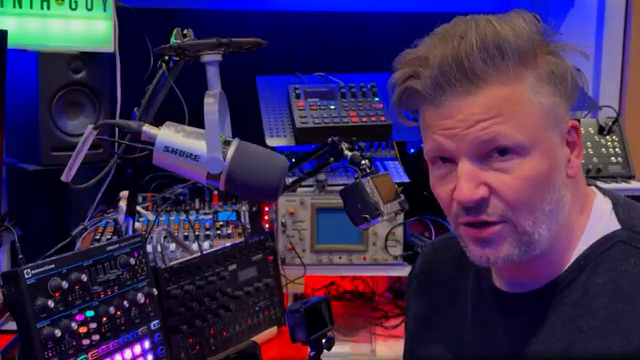
"There's always surprises when you try to sync two devices together."
© Screenshot/Quote: Nu Trix (YouTube)
Analog vs MIDI: The Sync Smackdown
"But if we go, see when I stop it, this one doesn't stop."
© Screenshot/Quote: Nu Trix (YouTube)
Nu-Trix lays out the basics: analog sync is just a pulse—simple, dumb, but sometimes effective. MIDI, on the other hand, is a full-on data party with start, stop, continue, and position messages, letting both machines know exactly where they are in the groove. He shows how analog clock will get the tempo right, but forget about start/stop—one box keeps running while the other’s already at the bar.
Switching to MIDI, things get a bit more civilised. Now both machines can start together, stop together, and—crucially—stay in the same place in the pattern. But as always, it’s not all roses: Nu-Trix points out that analog is quick and dirty, while MIDI brings more control but also more ways to trip yourself up if you’re not careful.
Division Drama and Channel Chaos
Here’s where the toaster-fight begins. Nu-Trix dives into clock division settings—get these wrong and your groove turns into a car crash. The Drumlogue and Circuit Mono Station don’t always agree on what a 16th note is, so you’ve got to match their divisions or risk one box running twice as fast as the other. Rise/fall settings? Most of the time, you can ignore them, but get the divisions wrong and you’ll know about it fast.
Then comes the MIDI channel madness. Plug in MIDI and suddenly the Drumlogue starts spitting out unwanted kick drums—because it’s receiving notes it shouldn’t. Nu-Trix shows how to dodge this by setting the Drumlogue’s MIDI channels so it ignores rogue notes from the Mono Station. It’s a classic case of RTFM, but Nu-Trix walks you through the fix without the usual eye-glazing techspeak.
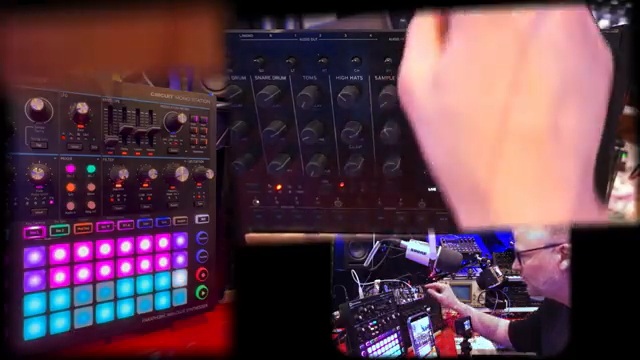
"Not all sync are created the same way, meaning the message on the analog cable that says the tempo has different way of telling it or being encoded."
© Screenshot/Quote: Nu Trix (YouTube)
When to Go Analog, When to Go MIDI
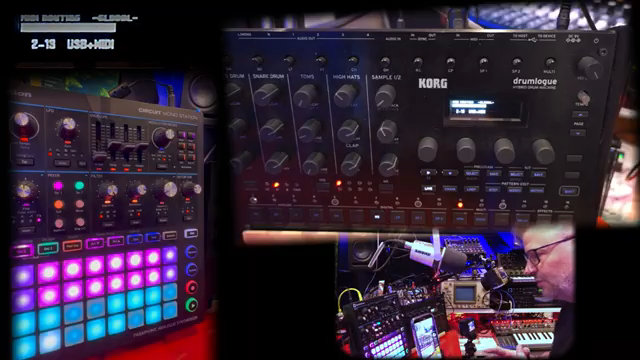
"This is really important for me, to be sure that all my devices when they press play, they're at the same place within the musical structure of the pattern."
© Screenshot/Quote: Nu Trix (YouTube)
So which sync method wins? Nu-Trix breaks it down: analog is fine if you just want tempo, but if you need both boxes to start at the same bar, MIDI is your friend. He demonstrates how MIDI keeps everything lined up, not just in time but in pattern position—essential if you’re running tight live sets or want your fills to actually land together.
But it’s not always about perfection. Sometimes you want one box to be free-running, sometimes you want military precision. Nu-Trix makes it clear: pick your sync method based on what you actually need, not just what’s easiest to plug in. If you want both machines to slam in together every time, MIDI’s the way to go.
See It, Don’t Just Read It: The Sync Showdown in Action
Nu-Trix isn’t just talking theory—he’s showing every step, cable, and menu in real time. The video is packed with close-ups and live tweaks, so you can actually see the sync quirks and fixes in action. If you’re the sort who learns by watching rather than reading, this is the gold.
Honestly, some of these sync headaches are best experienced with your own eyes and ears. Nu-Trix’s practical style and clear visuals make the difference—so if you want to really get your hands dirty (and avoid a sync disaster at your next gig), this is one video you’ll want to watch, not just skim.
This article is also available in German. Read it here: https://synthmagazin.at/nu-trix-the-synth-guy-im-sync-duell-drumlogue-vs-circuit-mono-station/
Watch on YouTube:
Latest articles
Watch on YouTube:
Visit the channel:
https://www.youtube.com/Nu-trix
https://www.youtube.com/Nu-trix
Links from Nu-trix:
website: https://www.nu-trix.com
facebook: https://www.facebook.com/nutrixmtl
instagram: https://www.instagram.com/nutrixsynthguy
twitter: https://twitter.com/nutrixmtl
patreon: https://www.patreon.com/nutrix
Sponsored links:
If you purchase via these links, we may earn a small commission – at no extra cost to you. The link opens an Amazon keyword search, and results may vary depending on availability.
Korg Drumlogue
🔗 Check price on Amazon
🔗 Check price on Amazon
Novation Circuit Mono Station
🔗 Check price on Amazon
🔗 Check price on Amazon